
Выберите язык

RTB‑12L‑PT – Landlord’s Application for Dispute Resolution (Past Tenancy)

  1. Язык Английский
  2. Страна Канада
  3. Вид деятельности Аренда
  4. Штат/Регион Британская Колумбия
RTB‑12L‑PT – Landlord’s Application for Dispute Resolution (Past Tenancy)

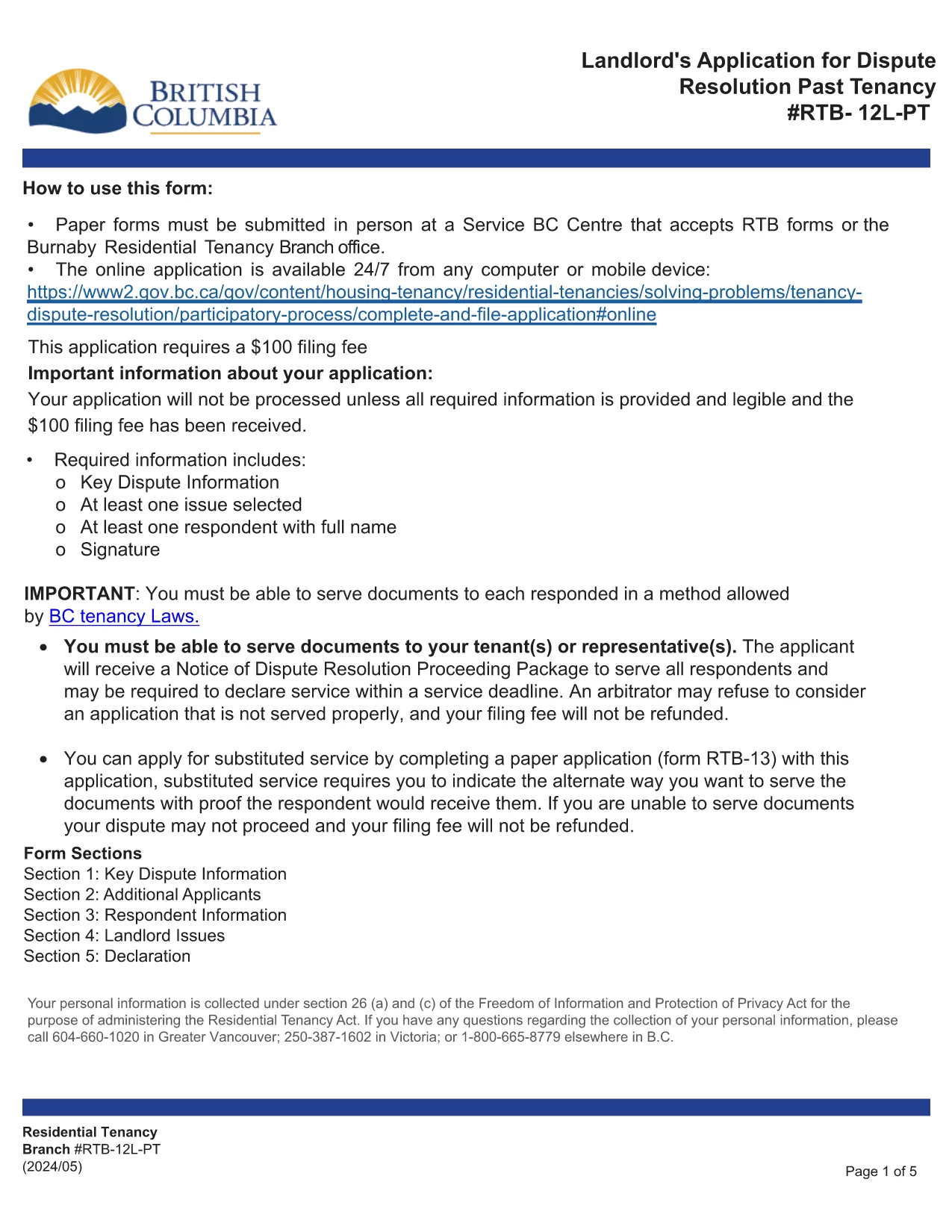
The RTB‑12L‑PT is the official “Landlord’s Application for Dispute Resolution (Past Tenancy)” used by the British Columbia Residential Tenancy Branch. It allows landlords to request a formal hearing for disputes that arose after a tenancy has ended.

What Is the RTB‑12L‑PT Form?

This fillable PDF captures landlord and tenant information, details of the tenancy, the nature of the dispute, and any supporting evidence. It is required for all past‑tenancy dispute applications.

How to Fill Out the RTB‑12L‑PT Online

Instead of printing and scanning, you can complete the form directly in your browser using Formize’s PDF Filler. Click the “Fill out this form” button below, enter the requested data, and the system will save a completed PDF ready for submission.

Common Mistakes to Avoid

  • Leaving required fields blank – the filler highlights missing information.
  • Providing inaccurate dates – double‑check lease start and end dates.
  • Omitting supporting documents – attach lease copies, notices, and payment records.
  • Submitting the form to the wrong address – it must be delivered to a Service BC centre or the RTB office.

Where to Submit Your Application

After completing the PDF, bring the saved file to any Service BC centre that accepts RTB forms, or visit the Burnaby Residential Tenancy Branch office. Some locations also accept electronic submissions.

Download the Official Fillable PDF

The original, government‑approved PDF is available for download below. Using Formize ensures the form stays fillable and compliant.

ЧАСТО ЗАДАВАЕМЫЕ ВОПРОСЫ
  • Who can use the RTB‑12L‑PT form?

    Any landlord in British Columbia who needs to resolve a dispute that arose after a tenancy has ended.

  • Do I need a lawyer to fill out the form?

    No, the form is designed for self‑service, but you may consult a legal professional for complex cases.

  • Can I submit the form online?

    The form itself must be submitted in person at a Service BC centre or the Residential Tenancy Branch, but you can complete it online with Formize.

  • What supporting documents are required?

    Attach a copy of the original lease, any written notices, payment records, and evidence related to the dispute.

  • How long does the dispute resolution process take?

    After submission, the RTB typically schedules a hearing within 30‑45 days, depending on workload.

  • What if I make a mistake on the form?

    You can edit the fillable PDF before saving. If you have already submitted, you may need to file a new application or request an amendment.

КАК ПОЛЬЗОВАТЬСЯ

Как бесплатно заполнить RTB-12L-PT онлайн за 5 простых шагов:

  1. 1
    Open the Form
    Click the “Fill out this form” button on this page. The Formize PDF Filler will launch in a new tab.
  2. 2
    Complete the Fields
    Enter all required information such as landlord and tenant details, dates, and dispute description. The fillable PDF guides you field‑by‑field.
  3. 3
    Validate and Sign
    Use the built‑in validation to check for missing data, then add your electronic signature if required.
  4. 4
    Save or Print
    When finished, save the completed PDF to your device or print it for submission.
  5. 5
    Submit the Application
    Take the saved PDF to a Service BC centre or the Residential Tenancy Branch office, or submit it electronically if your office accepts digital copies.
Приложение Formize PDF Filler
О ПРИЛОЖЕНИИ

Формы для арендодателей и / или арендаторов для предложения действий, касающихся договоров аренды.

RTB-12L-PT – это тип договоров аренды жилья, используемый большинством частных арендодателей и жилищных ассоциаций.

Есть ряд вопросов, по которым арендодатели или арендаторы должны соблюдать определенные правила, изложенные в правилах. В некоторых случаях им может быть необходимо заполнить форму, называемую «предписанной формой», в которой предлагается действие, которое может повлиять на другую сторону договора аренды.

Формы называются предписанными формами, потому что формулировка в них была тщательно составлена, чтобы лицо, заполняющее форму, и лицо, которому она вручается, могли понять, что предлагается, и что они могут сделать в ответ. Непредоставление правильной формы может сделать предлагаемое действие недействительным.

Вы не можете изменять формулировку в этих формах, если в форме не указано, что вы можете это сделать. Если вы измените формулировку, форма может быть признана недействительной. Вы также должны соблюдать любые сроки уведомления, указанные в форме.

ФУНКЦИИ

Инструмент для запролнения PDF форм

Самый простой способ заполнить RTB-12L-PT онлайн

  • Быстрое заполнение RTB-12L-PT
    Ищете способ быстро заполнить RTB-12L-PT онлайн? С нашим бесплатным онлайн-инструментом вы узнаете, как редактировать заполнить этот PDF-документ менее чем за минуту.
  • Простой в использовании онлайн-редактор PDF
    Надоело распечатывать PDF-файлы, чтобы их можно было отредактировать перед повторным сканированием и отправкой обратно? Редактируйте документы PDF бесплатно онлайн. Используйте наш онлайн-редактор PDF, чтобы сэкономить время и бумагу.
  • Отличные инструменты, все платформы
    Хотите знать, как заполнить RTB-12L-PT на Mac или, может быть, как использовать бесплатный заполнитель PDF? Наши онлайн-инструменты PDF работают на всех платформах.
  • Безопасное хранение файлов
    Файлы заполненных "RTB-12L-PT" хранятся в защищенной базе данных, управляемой облачным хостингом Amazon. Вы можете удалить свои файлы из нашей системы в любое время. В любом случае эти файлы автоматически удаляются через 24 часа.
  • Чат с RTB-12L-PT
    Откройте чат с "RTB-12L-PT" в Chatize — бесплатном помощнике для чтения PDF-файлов. Задавайте вопросы и получайте ответы от "RTB-12L-PT". Просто нажмите кнопку Чат с документом выше.

Удалить данные о заполненной форме

Удалить данные о заполненной форме? В этом случае Ваш прогресс заполнения этой формы будет утерян.

Удалить сеанс редактирования

Удалить выбранный сеанс редактирования? В этом случае ваш прогресс в создании и редактировании формы будет утерян.