

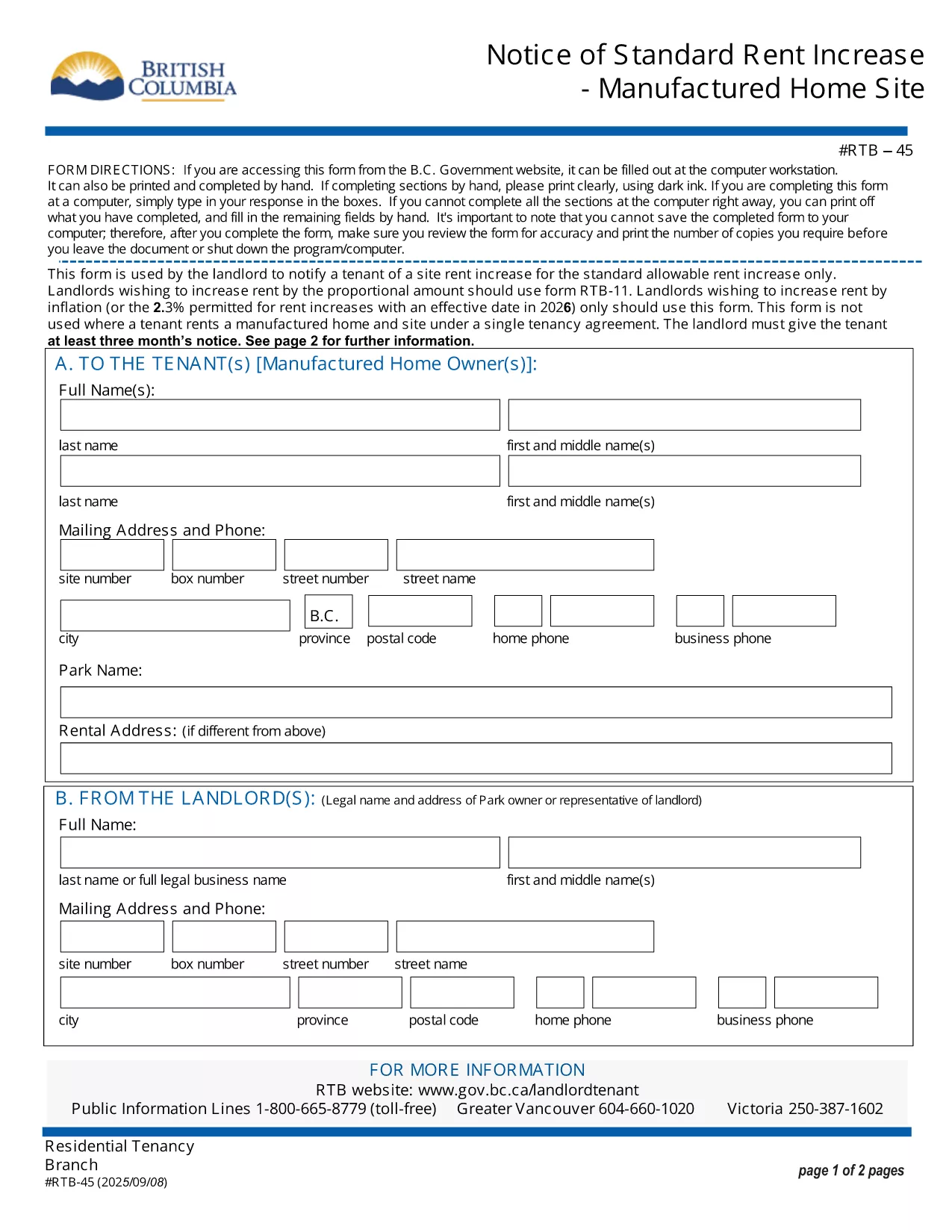

Формы для арендодателей и / или арендаторов для предложения действий, касающихся договоров аренды.
RTB-45 — это одна из форм аренды, которая относится к документам, используемым в процессе заключения и управления договором аренды. Эти формы обычно используются арендодателями, управляющими недвижимостью или арендаторами для описания условий аренды. Вот некоторые распространенные формы аренды:
Соглашение об аренде. Соглашение об аренде, также известное как договор аренды или договор аренды, представляет собой юридически обязывающий договор между арендодателем и арендатором. В нем излагаются права и обязанности обеих сторон, включая продолжительность аренды, сумму арендной платы, условия оплаты, залог, обязанности по техническому обслуживанию и любые другие условия, специфичные для аренды.
Заявление на аренду. Потенциальные арендаторы обычно заполняют форму заявления на аренду при подаче заявления на аренду недвижимости. Эта форма собирает личную информацию о заявителе, такую как его имя, контактные данные, история трудоустройства, история аренды и рекомендации. Заявка на аренду помогает арендодателям оценить пригодность арендаторов и принять обоснованные решения.
Уведомление о выселении: эта форма используется арендодателем или арендатором для уведомления о намерении расторгнуть договор аренды. Требуемый период уведомления может варьироваться в зависимости от местного законодательства и условий договора аренды.
Уведомление о повышении арендной платы. Если арендодатель намеревается повысить арендную плату в течение срока аренды, он обычно направляет арендатору уведомление о повышении арендной платы. Это уведомление информирует арендатора о предстоящей корректировке арендной платы и соответствует требованиям законодательства в отношении повышения арендной платы.
Формы запросов на техническое обслуживание и ремонт. Эти формы позволяют арендаторам сообщать о проблемах с обслуживанием или ремонтом арендодателю или управляющему недвижимостью. В форме излагаются подробности проблемы, запрошенный ремонт и любая другая соответствующая информация.
Согласие на проверку анкетных данных или проверку кредитоспособности. Арендодатели могут потребовать от арендаторов заполнить форму согласия, разрешающую проверку биографических данных или кредитоспособности. Эта форма позволяет арендодателю проверить биографию арендатора, его кредитоспособность и историю аренды.
Отчет об инвентаризации и состоянии: эта форма используется для документирования состояния сдаваемой в аренду недвижимости в начале и в конце срока аренды. В нем подробно описывается состояние каждой комнаты и любые существующие повреждения, гарантируя, что обе стороны имеют запись о состоянии имущества для разрешения споров, касающихся залога или претензий о возмещении ущерба.
Ниже приведены некоторые примеры форм аренды, обычно используемых в процессе аренды. Конкретные формы и требования могут различаться в зависимости от местных законов и конкретных обстоятельств аренды. Важно ознакомиться с местными правилами и обратиться за профессиональной консультацией, чтобы обеспечить их соблюдение, и использовать соответствующие формы для вашего конкретного договора аренды.