
Выберите язык

Form 14154 (EN‑SP) Fillable PDF – Bilingual ITIN Checklist

  1. Страна США
  2. Язык Английский испанский
  3. Вид деятельности Налоги
  4. Департамент Служба внутренних доходов
Form 14154 (EN‑SP) Fillable PDF – Bilingual ITIN Checklist

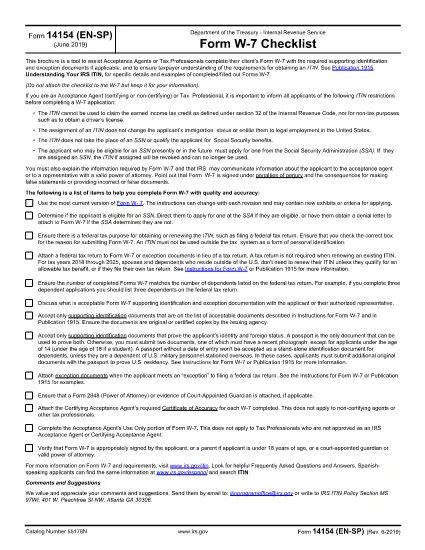
Form 14154 (EN‑SP) is the IRS’s bilingual checklist that helps Acceptance Agents and tax professionals gather the required documents for an Individual Taxpayer Identification Number (ITIN). The English‑Spanish version simplifies the process for clients who prefer either language.

With Formize you can fill this form directly in your browser—no extra software needed. Just click the “Fill out this form” button, wait for the Formize PDF Filler to load, and start entering information. When you’re done, download the completed PDF and attach it to your client’s ITIN application.

What Is Form 14154 (EN‑SP)?

This checklist ensures that every required identification document and exception proof is accounted for before the ITIN application is submitted. It is especially useful for Acceptance Agents who need to verify client understanding in both English and Spanish.

How to Complete the Form Online

Follow these simple steps:

  • Click the “Fill out this form” button on the page.
  • Wait for the Formize PDF Filler app to load (a few seconds).
  • Enter the client’s details in the fillable fields.
  • Upload scanned copies of identification documents directly within the filler.
  • Review, save, and download the completed PDF.

Common Mistakes & Tips

Don’t forget: every required document must be attached, and the client’s signature must be legible. Double‑check the “Document Type” column to avoid mismatches. Using the online filler reduces the risk of missing fields because required fields are highlighted in real time.

Download the Official PDF

If you prefer the original IRS version, you can download it directly from the link below. The Formize filler uses this exact file, so the layout remains unchanged.

Download Form 14154 (EN‑SP) PDF

Where to Submit the Form

After completing the checklist, attach it to the ITIN application (Form W‑7) and send the package to the IRS Acceptance Agent or directly to the IRS address listed in the Form W‑7 instructions.

ЧАСТО ЗАДАВАЕМЫЕ ВОПРОСЫ
  • What is the purpose of Form 14154 (EN‑SP)?

    It is a bilingual checklist that helps Acceptance Agents verify that all required identification documents are included with an ITIN application.

  • Do I need to print the form before filling it out?

    No. With Formize you can fill the PDF online and download the completed version directly to your computer.

  • Can I use the Spanish version if I only speak English?

    Yes. The form includes both English and Spanish fields side by side, so you can work in either language.

  • Is the Formize filler free for this form?

    Filling out Form 14154 on Formize is free. You only pay if you need additional premium features, which are optional.

  • What common errors should I avoid?

    Missing signatures, mismatched document types, and leaving required fields blank are the most frequent mistakes. The online filler highlights these issues before you download.

  • Where do I send the completed checklist?

    Attach it to Form W‑7 and submit the packet to an IRS Acceptance Agent or mail it to the IRS address provided in the W‑7 instructions.

  • Is the PDF version on Formize identical to the IRS version?

    Yes. Formize uses the exact IRS PDF (f14154es.pdf) so the layout and numbering remain unchanged.

КАК ПОЛЬЗОВАТЬСЯ

Как бесплатно заполнить Form 14154 онлайн за 5 простых шагов:

  1. 1
    Click the Fill Button
    Press the “Fill out this form” button on this page to launch the Formize PDF Filler.
  2. 2
    Wait for the Filler to Load
    The web app loads the official PDF in a few seconds; a loading spinner will appear.
  3. 3
    Enter Information
    Fill each highlighted field with the client’s data. Required fields are marked in red.
  4. 4
    Upload Supporting Documents
    Use the upload icons to attach scans of passports, birth certificates, or other IDs.
  5. 5
    Save and Download
    When all fields are complete, click “Save & Download” to get the finished PDF ready for submission.
Приложение Formize PDF Filler
О ПРИЛОЖЕНИИ

Федеральные налоговые формы

Form 14154 — это одна из федеральных налоговых форм, которые представляют собой документы, используемые для отчетности и подачи федеральных подоходных налогов в Налоговое управление США (IRS). Эти формы используются отдельными лицами, предприятиями и организациями для сообщения о своих доходах, вычетах и ​​другой соответствующей информации, необходимой для расчета их федеральных налоговых обязательств.

Наиболее часто используемой формой федерального налога является Форма 1040, которая используется отдельными налогоплательщиками для отчетности по подоходному налогу с населения. Другие часто используемые формы включают Форма 1065 для партнерских отношений, Форма 1120 для корпораций и Форма 990 для организаций, освобожденных от налогов.

Федеральные налоговые формы обычно требуют от налогоплательщиков сообщать о различных источниках дохода, таких как заработная плата, оклады и чаевые, а также о доходах от инвестиций, сдачи в аренду недвижимости и других источников. Формы также позволяют налогоплательщикам требовать вычетов и кредитов на различные расходы, такие как благотворительные взносы, проценты по ипотеке и расходы на здравоохранение.

Важно точно и вовремя подавать федеральные налоговые формы, поскольку невыполнение этого требования может привести к штрафам и начислению процентов со стороны IRS.

ФУНКЦИИ

Инструмент для запролнения PDF форм

Самый простой способ заполнить Form 14154 онлайн

  • Быстрое заполнение Form 14154
    Ищете способ быстро заполнить Form 14154 онлайн? С нашим бесплатным онлайн-инструментом вы узнаете, как редактировать заполнить этот PDF-документ менее чем за минуту.
  • Простой в использовании онлайн-редактор PDF
    Надоело распечатывать PDF-файлы, чтобы их можно было отредактировать перед повторным сканированием и отправкой обратно? Редактируйте документы PDF бесплатно онлайн. Используйте наш онлайн-редактор PDF, чтобы сэкономить время и бумагу.
  • Отличные инструменты, все платформы
    Хотите знать, как заполнить Form 14154 на Mac или, может быть, как использовать бесплатный заполнитель PDF? Наши онлайн-инструменты PDF работают на всех платформах.
  • Безопасное хранение файлов
    Файлы заполненных "Form 14154" хранятся в защищенной базе данных, управляемой облачным хостингом Amazon. Вы можете удалить свои файлы из нашей системы в любое время. В любом случае эти файлы автоматически удаляются через 24 часа.
  • Чат с Form 14154
    Откройте чат с "Form 14154" в Chatize — бесплатном помощнике для чтения PDF-файлов. Задавайте вопросы и получайте ответы от "Form 14154". Просто нажмите кнопку Чат с документом выше.

Удалить данные о заполненной форме

Удалить данные о заполненной форме? В этом случае Ваш прогресс заполнения этой формы будет утерян.

Удалить сеанс редактирования

Удалить выбранный сеанс редактирования? В этом случае ваш прогресс в создании и редактировании формы будет утерян.