Выберите язык

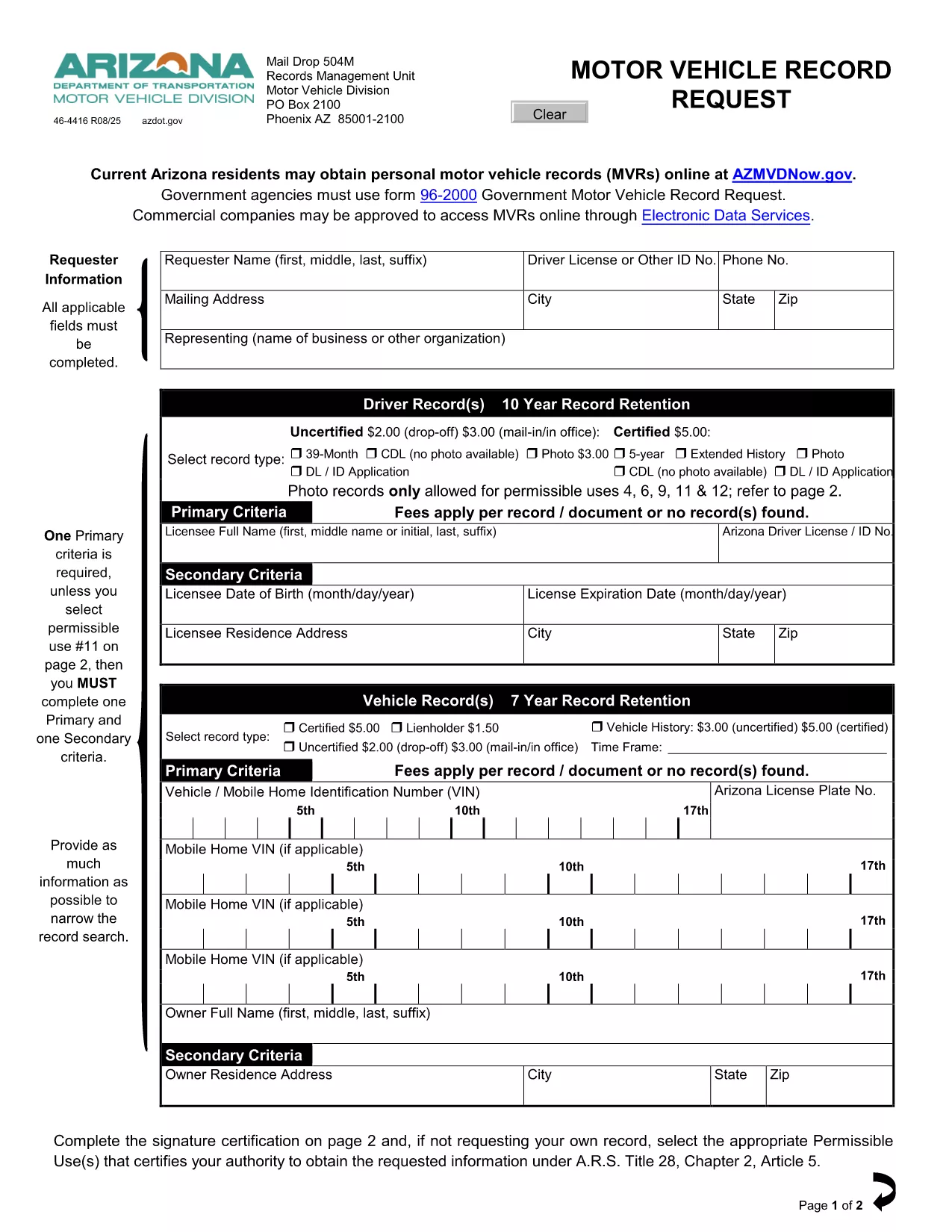
Driving Record Request Form – Fillable PDF

  1. Язык Английский
  2. Страна США
  3. Вид деятельности Driving Records
  4. Департамент Department of Motor Vehicles
Driving Record Request Form – Fillable PDF

A driving record (also called a Motor Vehicle Record or MVR) is the official summary of a driver’s licensing history, traffic violations, suspensions, and accidents. Employers, insurance companies, and individuals often need a certified copy for background checks, insurance quotes, or personal review.

This page provides the exact fillable PDF used by many state motor vehicle departments. Instead of printing, signing, and mailing the paper form, you can complete it instantly in your browser with Formize’s PDF Filler app.

The form complies with the Federal Driver’s Privacy Protection Act (DPPA) and lists all permissible uses, ensuring your request is legally valid.

Below you’ll find step‑by‑step instructions, tips to avoid common errors, and answers to the most frequently asked questions about driving record requests.

ЧАСТО ЗАДАВАЕМЫЕ ВОПРОСЫ
  • What is a permissible use for a driving record?

    Permissible uses include employment screening, insurance underwriting, court orders, and personal review. The form lists all approved purposes per DPPA.

  • Do I need a notarized signature?

    For most states, a notarized signature is required only for certified copies. The fillable PDF lets you add a digital signature; you can still mail the form for notarization if needed.

  • How long does it take to receive the record?

    Processing time varies by state—typically 5‑10 business days for mailed requests and 2‑3 days for electronic submissions where available.

  • Can I request a record for someone else?

    Only if you have a documented permissible use and the person’s written consent. The form includes a consent section you must complete.

  • Is there a fee for the request?

    Yes. Most states charge a small fee (e.g., $3 for an uncertified three‑year record, $5 for a certified five‑year record). Check the form’s fee schedule for exact amounts.

  • What if I make a mistake on the form?

    With Formize you can edit any field before saving. If you’ve already submitted a paper copy, you’ll need to request a new form or contact the DMV for corrections.

  • Do I need to provide my Social Security number?

    Only the last four digits are required for identity verification. The form explains exactly what information is mandatory.

КАК ПОЛЬЗОВАТЬСЯ

Как бесплатно заполнить driving record request онлайн за 4 простых шагов:

  1. 1
    Click the Fill‑out Button
    On this page, click the bright “Fill out this form” button. The Formize PDF Filler app will open in a new tab.
  2. 2
    Wait for the Formize PDF Filler to Load
    The app loads the fillable PDF instantly. You’ll see all fields highlighted and ready for input.
  3. 3
    Enter Your Information
    Type directly into each field—name, driver’s license number, address, and the purpose of the request. The app validates dates and formats for you.
  4. 4
    Save, Print, or Submit
    When you’re done, click “Save PDF” to download a completed copy, or print it for mailing. No extra software or printer driver is required.
Приложение Formize PDF Filler
О ПРИЛОЖЕНИИ

Шаблон driving record request

С традиционный набор функций для просмотра и заполнения PDF-документа в сочетании с преимуществами веб-приложения и адаптивной верстки вы сможете заполнить driving record request за считанные минуты.

ФУНКЦИИ

Инструмент для запролнения PDF форм

Самый простой способ заполнить driving record request онлайн

  • Быстрое заполнение driving record request
    Ищете способ быстро заполнить driving record request онлайн? С нашим бесплатным онлайн-инструментом вы узнаете, как редактировать заполнить этот PDF-документ менее чем за минуту.
  • Простой в использовании онлайн-редактор PDF
    Надоело распечатывать PDF-файлы, чтобы их можно было отредактировать перед повторным сканированием и отправкой обратно? Редактируйте документы PDF бесплатно онлайн. Используйте наш онлайн-редактор PDF, чтобы сэкономить время и бумагу.
  • Отличные инструменты, все платформы
    Хотите знать, как заполнить driving record request на Mac или, может быть, как использовать бесплатный заполнитель PDF? Наши онлайн-инструменты PDF работают на всех платформах.
  • Безопасное хранение файлов
    Файлы заполненных "driving record request" хранятся в защищенной базе данных, управляемой облачным хостингом Amazon. Вы можете удалить свои файлы из нашей системы в любое время. В любом случае эти файлы автоматически удаляются через 24 часа.
  • Чат с driving record request
    Откройте чат с "driving record request" в Chatize — бесплатном помощнике для чтения PDF-файлов. Задавайте вопросы и получайте ответы от "driving record request". Просто нажмите кнопку Чат с документом выше.

Удалить данные о заполненной форме

Удалить данные о заполненной форме? В этом случае Ваш прогресс заполнения этой формы будет утерян.

Удалить сеанс редактирования

Удалить выбранный сеанс редактирования? В этом случае ваш прогресс в создании и редактировании формы будет утерян.