Выберите язык

Tagalog Application Form – Fill Out Online with Formize

  1. Язык тагальский
  2. Страна США
  3. Вид деятельности Financial Assistance
  4. Департамент Health Services
Tagalog Application Form – Fill Out Online with Formize

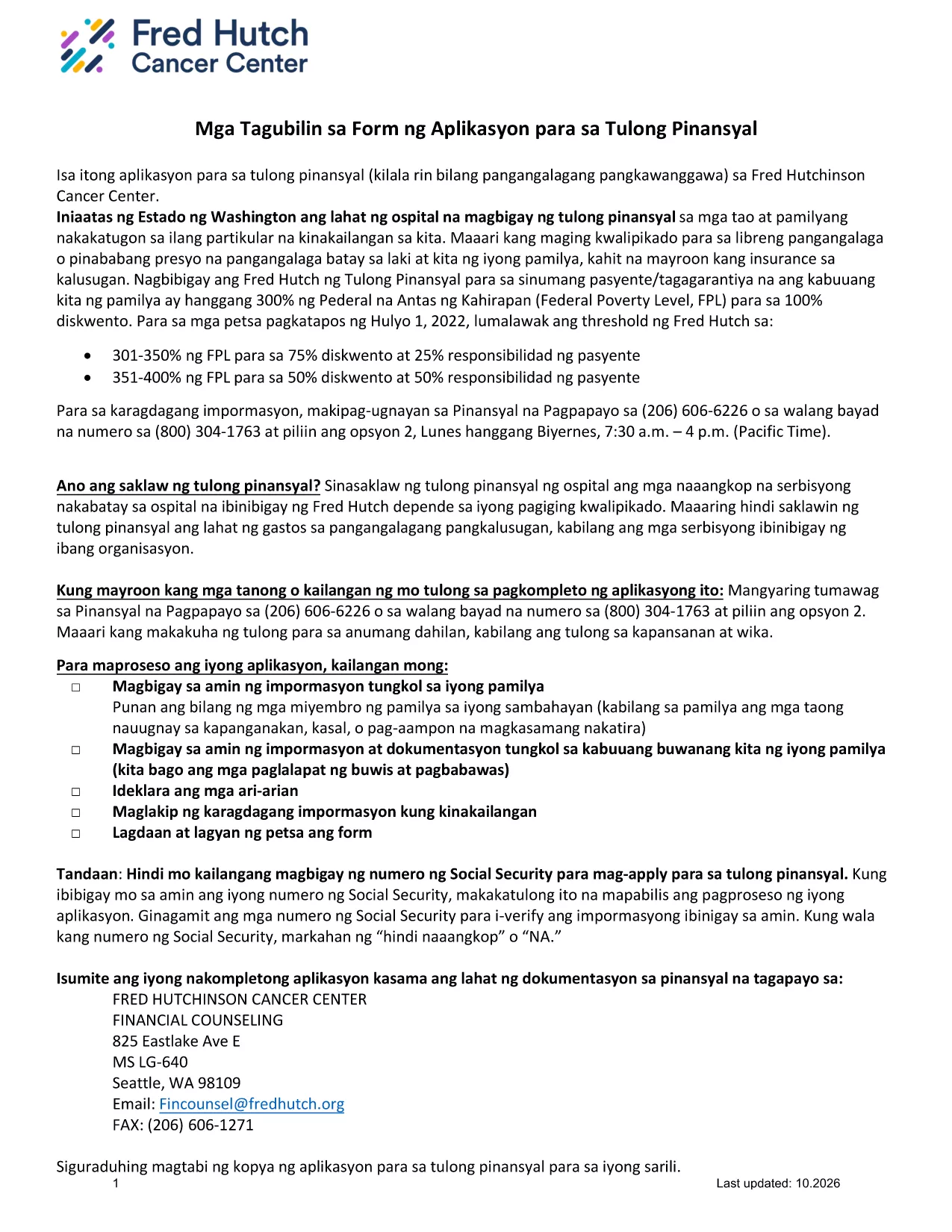
This page offers the official Tagalog application form for financial assistance. Instead of printing, scanning, or using a separate PDF editor, you can complete the form instantly in your browser with the Formize PDF Filler app.

What Is This Form For?

The form is a standard financial‑assistance application used by several health‑care providers in the United States. It is written entirely in Tagalog, making it ideal for applicants who prefer to submit their information in their native language.

How to Complete the Tagalog Application Form Online

Follow the simple steps below to fill out the form without leaving this page:

  1. Click the "Fill out this form" button below.
  2. Wait a few seconds while the Formize PDF Filler loads the fillable version of the document.
  3. Enter your information in each field. Required fields are marked with an asterisk (*).
  4. When you’re finished, click Save to download a completed PDF or Submit if your organization accepts direct uploads.

Common Mistakes to Avoid

  • Leaving required fields blank: The form will not save if mandatory fields are empty.
  • Entering "NA" incorrectly: Use exactly "NA" (capital letters) only when a question truly does not apply.
  • Using special characters: Stick to letters, numbers, and standard punctuation to prevent validation errors.

Download the Original PDF

If you need the original, non‑fillable PDF for reference or offline printing, you can download it directly from the link below.

Download Original Tagalog Application Form (PDF)

Need More Help?

Review the FAQ section for answers to the most common questions, or contact the organization that provided the form for additional assistance.

ЧАСТО ЗАДАВАЕМЫЕ ВОПРОСЫ
  • Do I need Adobe Reader to fill out this form?

    No. The Formize PDF Filler works directly in your browser, so no additional software is required.

  • Can I print the completed form?

    Yes. After saving the filled PDF, you can print it like any other document.

  • What does "NA" mean on the form?

    "NA" stands for Not Applicable. Use it only when a question truly does not apply to your situation.

  • Is my personal information safe?

    Formize uses secure HTTPS encryption, and the form is processed locally in your browser. Your data is not stored on our servers unless you choose to upload it.

  • Can I edit the form after I’ve saved it?

    Yes. Open the saved PDF again with Formize or any PDF editor that supports fillable fields to make changes.

  • What should I do if a field is missing or does not work?

    Refresh the page and reload the filler. If the problem persists, download the original PDF, fill it manually, and contact the organization that provided the form.

  • Is there a fee to use Formize?

    No. Filling out and downloading the form with Formize is completely free.

КАК ПОЛЬЗОВАТЬСЯ

Как бесплатно заполнить Tagalog application form онлайн за 3 простых шагов:

  1. 1
    Click the Fill‑out Button
    Press the "Fill out this form" button on the page to launch the Formize PDF Filler.
  2. 2
    Wait for the Filler to Load
    A few seconds later the fillable version of the Tagalog application appears in your browser.
  3. 3
    Complete, Save, and Submit
    Enter all required information, then click Save to download the completed PDF or Submit if your organization accepts online submissions.
Приложение Formize PDF Filler
О ПРИЛОЖЕНИИ

Шаблон Tagalog application form

С традиционный набор функций для просмотра и заполнения PDF-документа в сочетании с преимуществами веб-приложения и адаптивной верстки вы сможете заполнить Tagalog application form за считанные минуты.

ФУНКЦИИ

Инструмент для запролнения PDF форм

Самый простой способ заполнить Tagalog application form онлайн

  • Быстрое заполнение Tagalog application form
    Ищете способ быстро заполнить Tagalog application form онлайн? С нашим бесплатным онлайн-инструментом вы узнаете, как редактировать заполнить этот PDF-документ менее чем за минуту.
  • Простой в использовании онлайн-редактор PDF
    Надоело распечатывать PDF-файлы, чтобы их можно было отредактировать перед повторным сканированием и отправкой обратно? Редактируйте документы PDF бесплатно онлайн. Используйте наш онлайн-редактор PDF, чтобы сэкономить время и бумагу.
  • Отличные инструменты, все платформы
    Хотите знать, как заполнить Tagalog application form на Mac или, может быть, как использовать бесплатный заполнитель PDF? Наши онлайн-инструменты PDF работают на всех платформах.
  • Безопасное хранение файлов
    Файлы заполненных "Tagalog application form" хранятся в защищенной базе данных, управляемой облачным хостингом Amazon. Вы можете удалить свои файлы из нашей системы в любое время. В любом случае эти файлы автоматически удаляются через 24 часа.
  • Чат с Tagalog application form
    Откройте чат с "Tagalog application form" в Chatize — бесплатном помощнике для чтения PDF-файлов. Задавайте вопросы и получайте ответы от "Tagalog application form". Просто нажмите кнопку Чат с документом выше.

Удалить данные о заполненной форме

Удалить данные о заполненной форме? В этом случае Ваш прогресс заполнения этой формы будет утерян.

Удалить сеанс редактирования

Удалить выбранный сеанс редактирования? В этом случае ваш прогресс в создании и редактировании формы будет утерян.