
Выберите язык

GU-41A Road Crossing Permit – Fillable PDF Download

  1. Язык Английский
  2. Страна США
  3. Вид деятельности Регистрация ТС
  4. Штат/Регион Нью-Джерси
GU-41A Road Crossing Permit – Fillable PDF Download

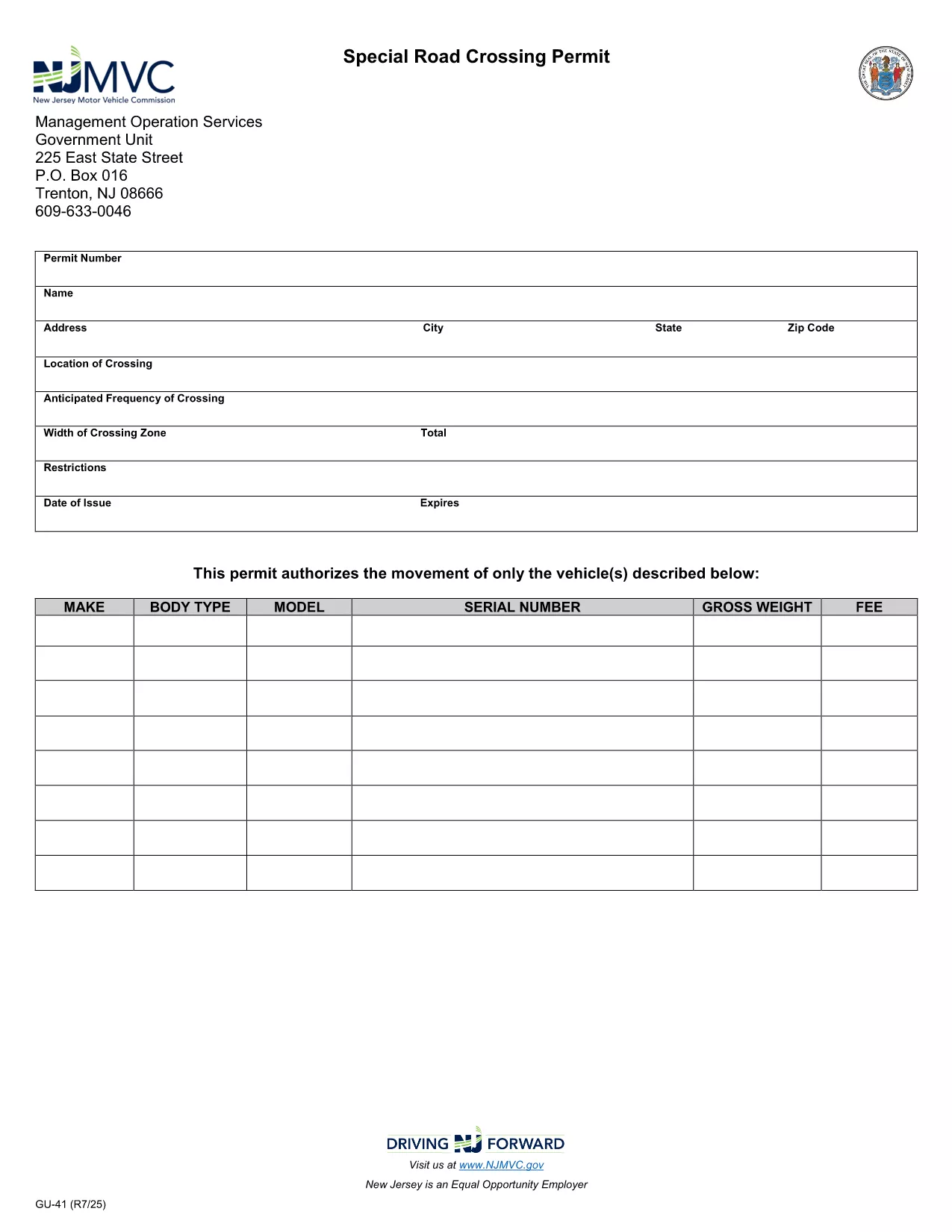
The GU-41A is New Jersey’s official Road Crossing Permit used for temporary vehicle crossings on state highways. Whether you’re transporting oversized equipment, conducting road work, or need a special crossing for a public event, this form authorizes daylight‑only crossings (or night crossings with proper lighting).

What Is the GU-41A Form?

The GU-41A application collects details about the vehicle(s), driver, crossing location, date, and required safety measures. It is issued by the New Jersey Motor Vehicle Commission (NJ MVC) and must be displayed on the vehicle during the crossing.

How to Complete the GU-41A Online

With Formize’s fillable PDF technology you don’t need any extra software. Follow these simple steps:

  1. Click the "Fill out this form" button on this page.
  2. Wait for the Formize PDF Filler app to load in your browser.
  3. Enter all required information – vehicle details, driver license, crossing dates, and lighting requirements.
  4. Review the data for accuracy and click Submit to generate a completed PDF.
  5. Print the form, sign it where indicated, and attach it to your vehicle as instructed.

Common Mistakes to Avoid

  • Leaving the "Vehicle Height" or "Weight" fields blank.
  • Forgetting to specify if the crossing will occur after dark; night crossings require additional lighting.
  • Submitting the form without a valid driver’s license number.
  • Not printing the signed copy – an electronic version alone is not accepted by NJ MVC.

Where to Submit the Completed Form

After printing and signing, deliver the GU-41A to the nearest NJ MVC office or mail it to:

Motor Vehicle Commission
124 Halsey Street, Trenton, NJ 08625
Phone: (609) 292‑6500

Processing typically takes 3‑5 business days. Keep a copy for your records.

Download the Fillable PDF Now

Ready to start? Click the button below to open the fillable GU-41A PDF directly in your browser via Formize.

ЧАСТО ЗАДАВАЕМЫЕ ВОПРОСЫ
  • What is the purpose of the GU-41A form?

    The GU-41A authorizes temporary vehicle crossings on New Jersey state highways, ensuring safety and compliance with lighting requirements.

  • Who needs to fill out a GU-41A?

    Any individual or company transporting oversized or special‑purpose vehicles that require a temporary crossing on a state road must complete the GU-41A.

  • Can I submit the GU-41A electronically?

    No. The NJ MVC requires a printed, signed copy of the completed form to be submitted in person or by mail.

  • Is there a fee for the GU-41A permit?

    Yes, a processing fee is assessed by the MVC. The exact amount varies; check the latest fee schedule on the NJ MVC website.

  • How long is the permit valid?

    The permit is valid for the specific dates and times listed on the application, typically up to 30 days for a single crossing.

  • What lighting is required for night crossings?

    Vehicles must have at least two white front lights capable of illuminating objects at 500 feet and two Class‑A amber reflectors on each side.

  • Can I use the same GU-41A for multiple crossings?

    Each crossing requires its own GU-41A application with the specific dates, locations, and vehicle details for that event.

  • How long does it take to process the GU-41A?

    Processing usually takes 3‑5 business days after the signed form is received by the MVC.

  • What should I do if I make a mistake on the form?

    Correct any errors before signing. If you discover a mistake after signing, contact the MVC to obtain a new form.

  • Where can I find the fillable GU-41A PDF?

    Click the "Download the Fillable PDF Now" button on this page to open the official GU-41A PDF hosted by the NJ MVC.

КАК ПОЛЬЗОВАТЬСЯ

Как бесплатно заполнить GU-41A онлайн за 5 простых шагов:

  1. 1
    Open the Fillable Form
    Click the "Fill out this form" button on the page. The Formize PDF Filler will open directly in your browser.
  2. 2
    Enter Required Information
    Complete all fields such as vehicle details, driver license, crossing dates, and lighting requirements.
  3. 3
    Review and Submit
    Double‑check the entered data, then click Submit to generate a completed PDF.
  4. 4
    Print, Sign, and Attach
    Print the filled‑out form, sign where indicated, and attach it to the vehicle as required by NJ MVC.
  5. 5
    Submit to NJ MVC
    Deliver the signed form to your local MVC office or mail it to the address provided on the form.
Приложение Formize PDF Filler
О ПРИЛОЖЕНИИ

Формы регистрации транспортных средств

Если вы владеете или арендуете автомобиль, прицеп или лодку, вы должны выполнять определенные обязательства, чтобы ваше транспортное средство было юридически зарегистрировано и безопасно.

GU-41A — это одна из регистрационных форм транспортных средств, которые представляют собой документы, используемые для регистрации транспортного средства в соответствующем государственном или провинциальном органе власти. Эти формы обычно требуются, когда человек покупает новый или подержанный автомобиль или когда он переезжает в новый штат или провинцию на автомобиле.

Точные требования и формы, необходимые для регистрации транспортного средства, могут различаться в зависимости от местоположения, но, как правило, процесс включает предоставление информации о транспортном средстве, владельце и любых правах на транспортное средство.

После подачи регистрационных форм и сборов власти штата или провинции выдают свидетельство о регистрации или номерной знак владельцу транспортного средства. Эта регистрация позволяет легально эксплуатировать транспортное средство на дорогах общего пользования и автомагистралях.

ФУНКЦИИ

Инструмент для запролнения PDF форм

Самый простой способ заполнить GU-41A онлайн

  • Быстрое заполнение GU-41A
    Ищете способ быстро заполнить GU-41A онлайн? С нашим бесплатным онлайн-инструментом вы узнаете, как редактировать заполнить этот PDF-документ менее чем за минуту.
  • Простой в использовании онлайн-редактор PDF
    Надоело распечатывать PDF-файлы, чтобы их можно было отредактировать перед повторным сканированием и отправкой обратно? Редактируйте документы PDF бесплатно онлайн. Используйте наш онлайн-редактор PDF, чтобы сэкономить время и бумагу.
  • Отличные инструменты, все платформы
    Хотите знать, как заполнить GU-41A на Mac или, может быть, как использовать бесплатный заполнитель PDF? Наши онлайн-инструменты PDF работают на всех платформах.
  • Безопасное хранение файлов
    Файлы заполненных "GU-41A" хранятся в защищенной базе данных, управляемой облачным хостингом Amazon. Вы можете удалить свои файлы из нашей системы в любое время. В любом случае эти файлы автоматически удаляются через 24 часа.
  • Чат с GU-41A
    Откройте чат с "GU-41A" в Chatize — бесплатном помощнике для чтения PDF-файлов. Задавайте вопросы и получайте ответы от "GU-41A". Просто нажмите кнопку Чат с документом выше.

Удалить данные о заполненной форме

Удалить данные о заполненной форме? В этом случае Ваш прогресс заполнения этой формы будет утерян.

Удалить сеанс редактирования

Удалить выбранный сеанс редактирования? В этом случае ваш прогресс в создании и редактировании формы будет утерян.