Zvoľ jazyk

Education Department Application Form – Fill Online

  1. Krajina Austrália
  2. Jazyk Angličtina
  3. oddelenie Department of Education
  4. Aktivita School Enrolment
Education Department Application Form – Fill Online

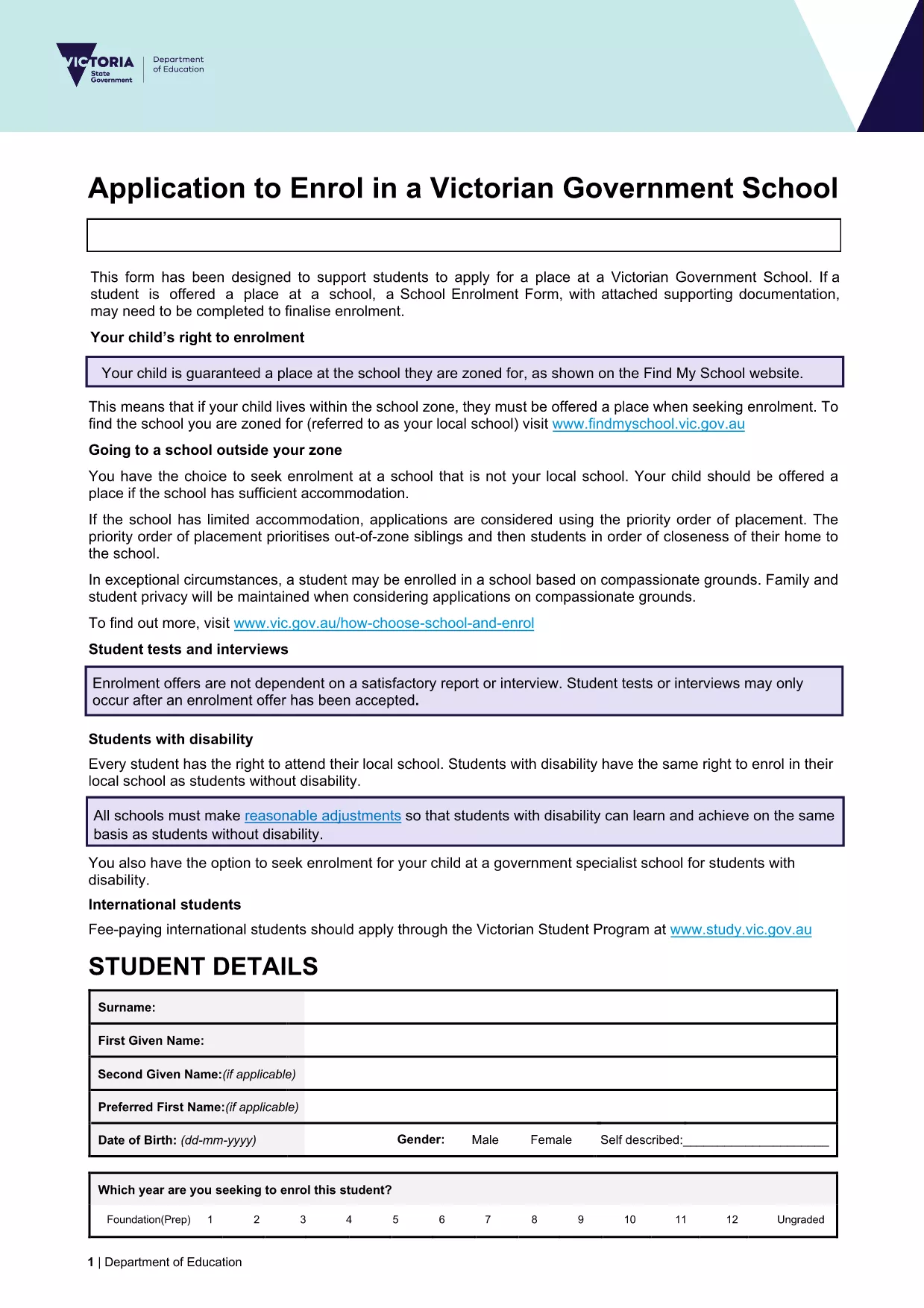
Looking for a fast, secure way to submit your education department application? Our online Formize PDF Filler lets you open the official enrolment form as a fillable PDF directly in your browser. No software download, no printing, and no hassle.

What you get: the exact same document used by the Victorian Department of Education, fully interactive, auto‑saving, and ready for electronic submission.

Simply click the Fill out this form button below, wait a moment for the Formize PDF Filler to load, and start entering your information. When you’re done, you can download a completed PDF or submit it straight to the school’s intake system.

Our solution is compliant with government standards, keeps your data encrypted, and works on any device – desktop, tablet, or mobile.

FAQ
  • Do I need to install any software to use the form?

    No. The Formize PDF Filler runs entirely in your web browser – just click the button and start filling.

  • Is my personal data safe?

    Yes. All data is processed locally in your browser and encrypted during any download. Formize does not store your information.

  • Can I print the completed form?

    Absolutely. After you finish, download the filled PDF and print it like any standard document.

  • What if I make a mistake?

    You can edit any field at any time before saving. Simply click the field again and correct the entry.

  • Is this the same form used by Victorian schools?

    Yes. The PDF is the official "Application to enrol in a Victorian Government school" provided by the Department of Education.

  • Can I submit the form directly to the school?

    Most schools accept a completed PDF via email or their online portal. Check the school's enrolment guidelines for exact submission steps.

AKO

Ako bezplatne vyplniť education department application form online v 5 jednoduchých krokoch:

  1. 1
    Open the Fillable Form
    Click the **Fill out this form** button on the page. The Formize PDF Filler will launch in a new tab.
  2. 2
    Wait for the Loader
    Give the app a few seconds to load the PDF. You’ll see the form appear with interactive fields.
  3. 3
    Enter Your Information
    Type directly into each field. Use the tab key or click to move between sections.
  4. 4
    Review & Validate
    Check all entries for accuracy. The filler highlights required fields that are missing.
  5. 5
    Save or Submit
    When finished, click **Download Completed PDF** to save a copy, or follow your school’s instructions to submit electronically.
Aplikácia Formize PDF Filler
O

šablóny education department application form

S tradičnou sadou funkcií na prezeranie a vypĺňanie dokumentu PDF v kombinácii s výhodami webovej aplikácie a responzívneho rozloženia môžete education department application form dokončiť za pár minút.

VLASTNOSTI

PDF Filler

Najjednoduchší spôsob, ako vyplniť education department application form online

  • Rýchlo vyplňte education department application form
    Hľadáte spôsob, ako rýchlo vyplniť education department application form online? S našou online bezplatnou výplňou formulárov PDF budete vedieť, ako upraviť a vyplniť tento dokument PDF za menej ako minútu.
  • Ľahko použiteľný online editor PDF
    Nebaví vás tlačiť súbory PDF, aby ste ich mohli upravovať pred opätovným naskenovaním a odoslaním späť? Upravujte dokumenty PDF zadarmo online. Použite náš online editor PDF, aby ste ušetrili čas a papier.
  • Skvelé nástroje, všetky platformy
    Zaujíma vás, ako vyplniť education department application form na počítači Mac, alebo ako možno použiť bezplatný výplň PDF? Naše online nástroje PDF fungujú na všetkých platformách.
  • Bezpečné ukladanie súborov
    Dokončené súbory „education department application form“ sú uložené v zabezpečenej databáze spravovanej hostingom Amazon Cloud. Svoje súbory môžete z nášho systému kedykoľvek odstrániť. V každom prípade sa tieto súbory automaticky vymažú po 24 hodinách.
  • Četovať s education department application form
    Četujte s „education department application form“ na Chatize, čo je bezplatný pomocník na čítanie súborov PDF. Pýtajte sa otázky a získajte odpovede z „education department application form“. Stačí kliknúť na tlačidlo Rozhovor s dokumentom vyššie.

Odstrániť reláciu plnenia

Chcete odstrániť vybratú reláciu plnenia? V takom prípade sa stratí váš postup pri vypĺňaní formulára.

Odstrániť reláciu úprav

Chcete odstrániť vybratú reláciu úprav? V takom prípade sa stratí váš postup pri vytváraní a úprave formulára.