
Zvoľ jazyk

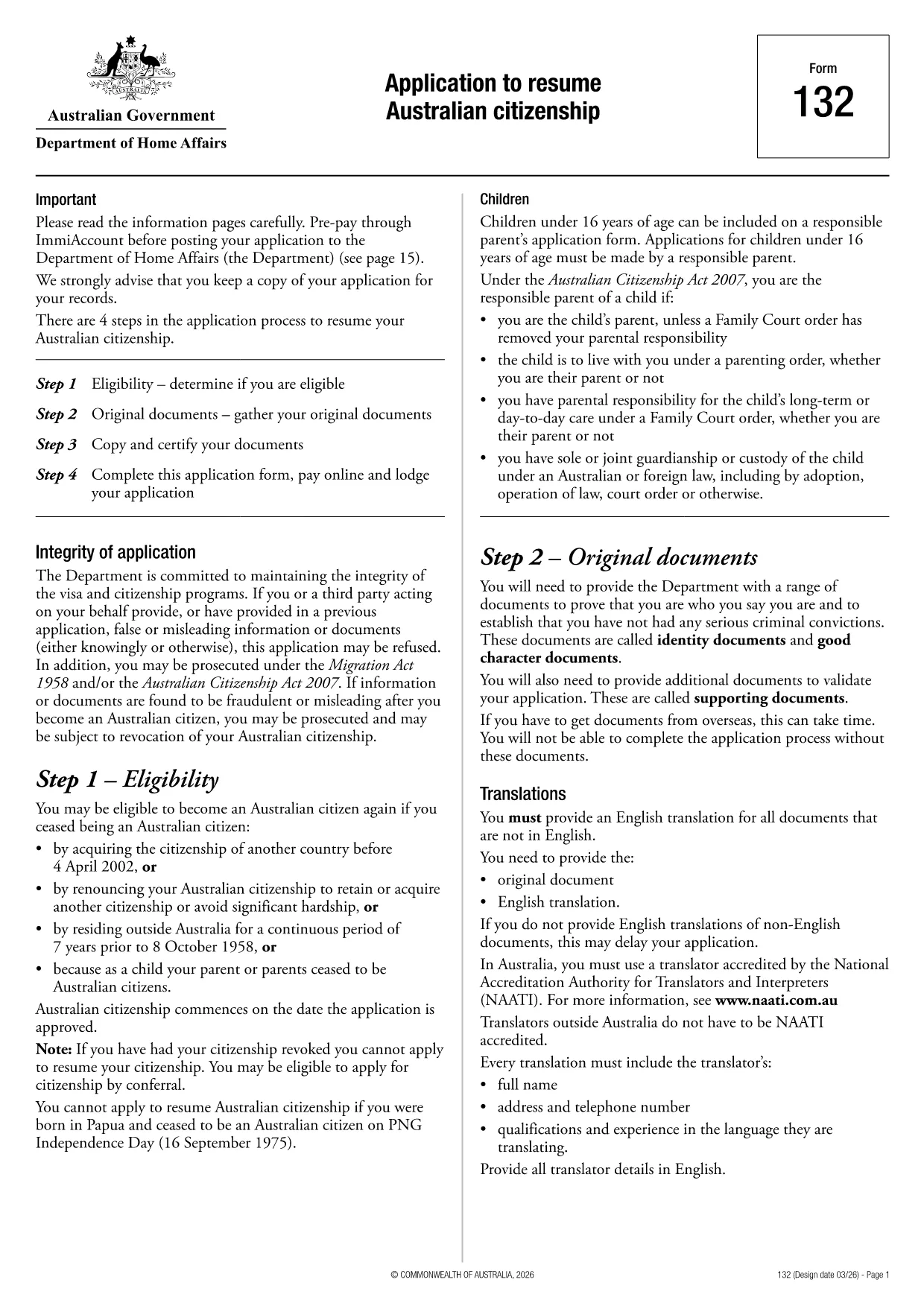
Application to Resume Australian Citizenship (Form 132) – Fill Online

  1. Jazyk Angličtina
  2. Krajina Austrália
  3. Aktivita Občianstvo
  4. oddelenie Home Affairs
Application to Resume Australian Citizenship (Form 132) – Fill Online

If you need to resume your Australian citizenship, you’ll use Form 132 – Application to Resume Australian Citizenship. This official PDF can now be completed entirely online with the Formize PDF Filler, so you never have to print, scan, or manually edit the document.

Why Use the Online Formize PDF Filler?

The Formize filler loads the exact PDF you need, preserving the government‑approved layout while letting you type directly into each field. Benefits include:

  • Instant validation of required fields
  • Automatic saving – you can pause and return later
  • Secure, browser‑based processing – no software install
  • One‑click download of the completed PDF for submission

Step‑by‑Step Guide to Completing Form 132

Follow these simple steps to fill out the application correctly:

  1. Click the “Fill out this form” button below.
  2. Wait for the Formize PDF Filler app to load the PDF.
  3. Enter your personal details, citizenship history, and reasons for resumption.
  4. Attach any required supporting documents (e.g., passport copy, proof of residence).
  5. Review the completed form for accuracy.
  6. Download the finished PDF and submit it to the Department of Home Affairs.

Common Mistakes to Avoid

Even with an easy online tool, mistakes happen. Avoid these pitfalls:

  • Leaving mandatory fields blank – the filler will highlight them.
  • Uploading files in the wrong format (use PDF, JPG, or PNG only).
  • Using an outdated version of the form – the link below always points to the latest Form 132.

Eligibility & Supporting Documents

Before you start, make sure you meet the eligibility criteria:

  • You previously held Australian citizenship.
  • You have been outside Australia for a period that requires resumption.
  • You can provide proof of identity and residency.

Typical supporting documents include a current passport, a statutory declaration, and any relevant court orders.

Where to Submit Your Application

After downloading the completed PDF, submit it through the Department of Home Affairs portal or mail it to the address listed on the form. Keep a copy for your records.

Ready to get started? Click the button below and let Formize handle the rest.

FAQ
  • Do I need to download any software to fill Form 132?

    No. Formize’s PDF filler works entirely in your web browser, so there’s nothing to install.

  • Can I save my progress and return later?

    Yes. The filler automatically saves your entries locally, allowing you to close the browser and continue later.

  • What file formats are accepted for supporting documents?

    PDF, JPG, and PNG are accepted. Make sure each file is under 5 MB for smooth uploading.

  • Is the online filler secure?

    All data is processed locally in your browser and never stored on our servers. Your information remains private.

  • Can I print the completed form directly from the filler?

    After you finish, click the “Download” button to save the completed PDF, then print it using any PDF viewer.

  • What if I make a mistake after downloading?

    You can reopen the downloaded PDF in Formize’s filler, correct the error, and download a new version.

  • Where do I send the finished Form 132?

    Submit the PDF through the Department of Home Affairs online portal or mail it to the address listed on the form.

AKO

Ako bezplatne vyplniť Australian citizenship resume form online v 4 jednoduchých krokoch:

  1. 1
    Open the Form
    Click the “Fill out this form” button on this page. The Formize PDF Filler will launch in your browser.
  2. 2
    Enter Your Details
    Type directly into each highlighted field – the filler automatically saves your progress.
  3. 3
    Upload Supporting Documents
    Use the “Attach File” option to add passport scans, statutory declarations, or other required PDFs.
  4. 4
    Review and Submit
    Check every section for completeness, then download the finished PDF and send it to the Department of Home Affairs.
Aplikácia Formize PDF Filler
O

Formuláre občianstva

Australian citizenship resume form je jedným z formulárov občianstva, čo sú dokumenty, ktoré sa používajú na žiadosť o občianstvo v krajine. Presné formy a požiadavky na občianstvo sa v jednotlivých krajinách líšia, ale vo všeobecnosti tento proces zahŕňa poskytovanie osobných informácií a dôkazov o oprávnenosti na občianstvo.

V Spojených štátoch je najbežnejšou formou občianstva žiadosť o naturalizáciu N-400. Tento formulár používajú legálne osoby s trvalým pobytom (držitelia zelenej karty) na žiadosť o občianstvo USA. Formulár vyžaduje osobné informácie, ako je meno, dátum narodenia a kontaktné informácie, ako aj informácie o imigračnom statuse žiadateľa, jeho kriminálnej minulosti a ďalších požiadavkách na spôsobilosť.

Iné krajiny môžu mať rôzne formy a požiadavky na občianstvo, ale základný proces zvyčajne zahŕňa poskytnutie informácií o pozadí žiadateľa a splnenie určitých kritérií oprávnenosti. To môže zahŕňať absolvovanie testu občianstva, preukázanie vedomostí o histórii a vláde krajiny a preukázanie znalosti jazyka danej krajiny.

Je dôležité poznamenať, že proces získania občianstva môže byť zložitý a časovo náročný. Odporúča sa, aby sa jednotlivci, ktorí hľadajú občianstvo, poradili s imigračným právnikom alebo iným kvalifikovaným odborníkom, ktorý im pomôže orientovať sa v procese a zabezpečiť, aby boli splnené všetky potrebné formy a požiadavky.

VLASTNOSTI

PDF Filler

Najjednoduchší spôsob, ako vyplniť Australian citizenship resume form online

  • Rýchlo vyplňte Australian citizenship resume form
    Hľadáte spôsob, ako rýchlo vyplniť Australian citizenship resume form online? S našou online bezplatnou výplňou formulárov PDF budete vedieť, ako upraviť a vyplniť tento dokument PDF za menej ako minútu.
  • Ľahko použiteľný online editor PDF
    Nebaví vás tlačiť súbory PDF, aby ste ich mohli upravovať pred opätovným naskenovaním a odoslaním späť? Upravujte dokumenty PDF zadarmo online. Použite náš online editor PDF, aby ste ušetrili čas a papier.
  • Skvelé nástroje, všetky platformy
    Zaujíma vás, ako vyplniť Australian citizenship resume form na počítači Mac, alebo ako možno použiť bezplatný výplň PDF? Naše online nástroje PDF fungujú na všetkých platformách.
  • Bezpečné ukladanie súborov
    Dokončené súbory „Australian citizenship resume form“ sú uložené v zabezpečenej databáze spravovanej hostingom Amazon Cloud. Svoje súbory môžete z nášho systému kedykoľvek odstrániť. V každom prípade sa tieto súbory automaticky vymažú po 24 hodinách.
  • Četovať s Australian citizenship resume form
    Četujte s „Australian citizenship resume form“ na Chatize, čo je bezplatný pomocník na čítanie súborov PDF. Pýtajte sa otázky a získajte odpovede z „Australian citizenship resume form“. Stačí kliknúť na tlačidlo Rozhovor s dokumentom vyššie.

Odstrániť reláciu plnenia

Chcete odstrániť vybratú reláciu plnenia? V takom prípade sa stratí váš postup pri vypĺňaní formulára.

Odstrániť reláciu úprav

Chcete odstrániť vybratú reláciu úprav? V takom prípade sa stratí váš postup pri vytváraní a úprave formulára.