Zvoľ jazyk

Form 1194 – Certification of Immigration Status (Fillable PDF)

  1. Jazyk Angličtina
  2. Krajina Austrália
  3. Aktivita Odchod z Austrálie
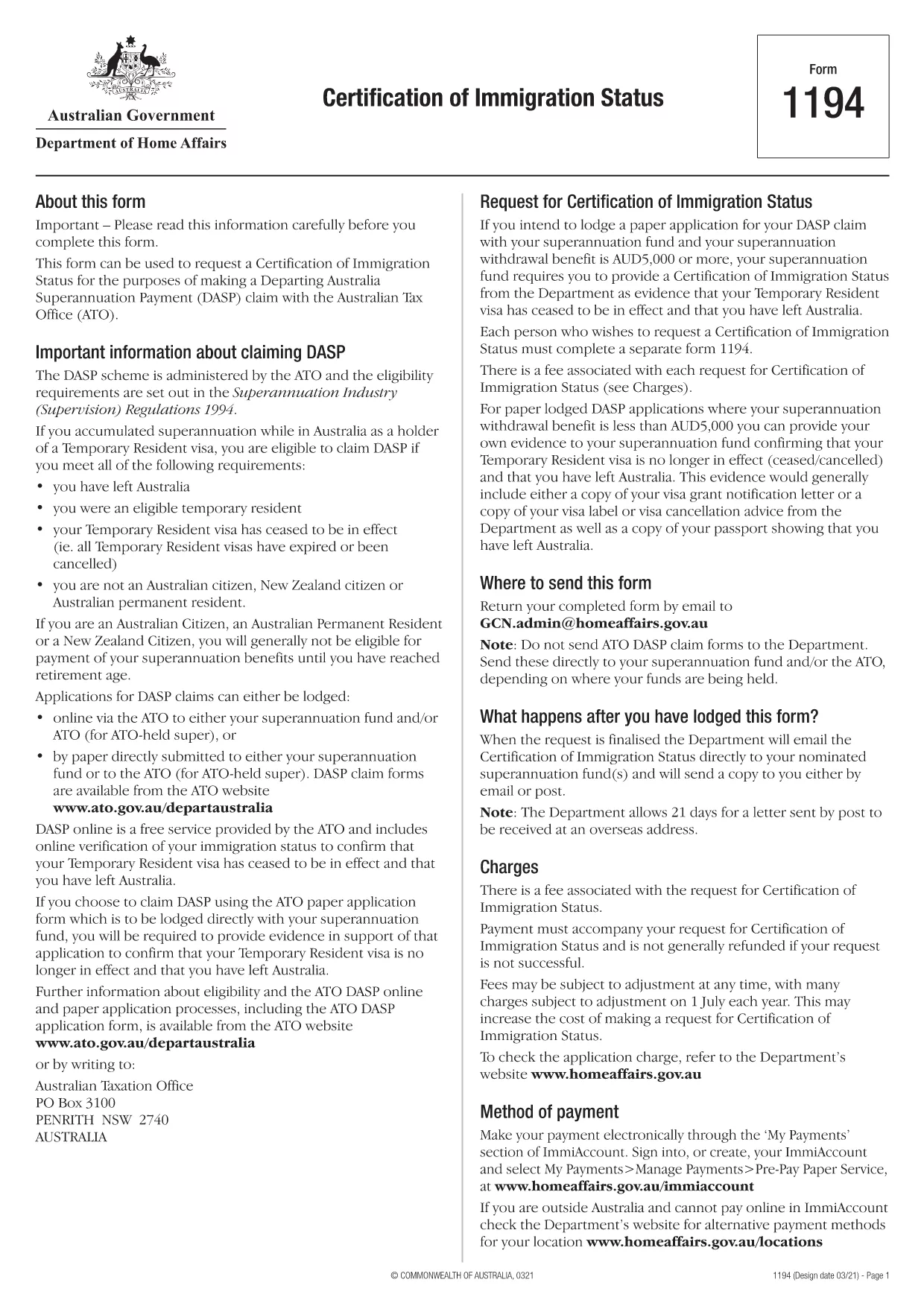
Form 1194 – Certification of Immigration Status (Fillable PDF)

Form 1194 is the official Australian Certification of Immigration Status used when you need to prove your visa status for a Departing Australia Superannuation Payment (DASP) claim, bank verification, or any other official purpose. The form is required for former temporary residents who have left Australia and no longer hold citizenship or permanent residency.

What is Form 1194 and when do you need it?

The Department of Home Affairs issues Form 1194 to certify whether you are a former temporary resident, a New Zealand citizen, or an Australian permanent resident. You will need this certification if you are:

  • Applying for a DASP claim with your superannuation fund.
  • Providing proof of immigration status to a financial institution.
  • Requesting the cancellation of a Temporary Resident visa.

Key sections of Form 1194 explained

Form 1194 contains four main parts:

  1. Applicant details – name, date of birth, passport number, and contact information.
  2. Visa information – visa subclass, grant date, and expiry date.
  3. Certification request – choose whether you need a certification of status or a visa cancellation.
  4. Signature & declaration – sign and date the form to confirm the information is correct.

How to complete Form 1194 online with Formize

Instead of downloading, printing, and scanning, you can fill the form directly in your browser using Formize’s secure PDF filler. Follow these simple steps:

Common mistakes to avoid

  • Leaving the passport number blank – the form will be rejected.
  • Using an outdated visa subclass number.
  • Forgetting to sign the declaration page.
  • Submitting the form to the wrong department (it must go to the Department of Home Affairs).

Where to submit the completed form

Once you have filled and signed Form 1194, you can submit it by:

  • Mailing it to the address printed on the form.
  • Uploading a scanned copy via the Department of Home Affairs online portal.

Make sure to keep a copy of the signed PDF for your records.

FAQ
  • Do I need to print Form 1194 after filling it online?

    No. The Formize filler creates a fully signed PDF that you can download and submit electronically or print if you prefer.

  • Can I use Form 1194 if I am still a permanent resident?

    Form 1194 is intended for former temporary residents or New Zealand citizens. Permanent residents should use the appropriate Australian citizenship or residency certification form.

  • How long does it take for the Department to process the certification?

    Processing times vary, but most certifications are issued within 10‑15 business days after receipt of the complete form.

  • Is there a fee to submit Form 1194?

    There is no fee for the certification itself, but some superannuation funds may charge a small administrative fee for DASP processing.

  • What should I do if I make a mistake after submitting?

    Contact the Department of Home Affairs immediately. You may need to submit a corrected form with a brief explanation of the error.

  • Can I submit Form 1194 via email?

    Yes, you can email the signed PDF to the address provided on the form, but ensure the file is not password‑protected.

  • Is the Formize filler secure?

    Formize uses end‑to‑end encryption and complies with Australian privacy standards, keeping your personal data safe.

AKO

Ako bezplatne vyplniť Form 1194 online v 4 jednoduchých krokoch:

  1. 1
    Open the fillable form
    Click the **Fill out this form** button on this page. The Formize PDF Filler app will load the PDF directly in your browser.
  2. 2
    Enter your information
    Type your details into each field – the form automatically saves your entries as you go.
  3. 3
    Add your signature
    Use the built‑in e‑signature tool to sign the declaration section. No printer needed.
  4. 4
    Download or share
    When you’re finished, click **Download PDF** to save a copy or **Share Link** to email it directly to the Department of Home Affairs.
Aplikácia Formize PDF Filler
O

šablóny Form 1194

S tradičnou sadou funkcií na prezeranie a vypĺňanie dokumentu PDF v kombinácii s výhodami webovej aplikácie a responzívneho rozloženia môžete Form 1194 dokončiť za pár minút.

VLASTNOSTI

PDF Filler

Najjednoduchší spôsob, ako vyplniť Form 1194 online

  • Rýchlo vyplňte Form 1194
    Hľadáte spôsob, ako rýchlo vyplniť Form 1194 online? S našou online bezplatnou výplňou formulárov PDF budete vedieť, ako upraviť a vyplniť tento dokument PDF za menej ako minútu.
  • Ľahko použiteľný online editor PDF
    Nebaví vás tlačiť súbory PDF, aby ste ich mohli upravovať pred opätovným naskenovaním a odoslaním späť? Upravujte dokumenty PDF zadarmo online. Použite náš online editor PDF, aby ste ušetrili čas a papier.
  • Skvelé nástroje, všetky platformy
    Zaujíma vás, ako vyplniť Form 1194 na počítači Mac, alebo ako možno použiť bezplatný výplň PDF? Naše online nástroje PDF fungujú na všetkých platformách.
  • Bezpečné ukladanie súborov
    Dokončené súbory „Form 1194“ sú uložené v zabezpečenej databáze spravovanej hostingom Amazon Cloud. Svoje súbory môžete z nášho systému kedykoľvek odstrániť. V každom prípade sa tieto súbory automaticky vymažú po 24 hodinách.
  • Četovať s Form 1194
    Četujte s „Form 1194“ na Chatize, čo je bezplatný pomocník na čítanie súborov PDF. Pýtajte sa otázky a získajte odpovede z „Form 1194“. Stačí kliknúť na tlačidlo Rozhovor s dokumentom vyššie.

Odstrániť reláciu plnenia

Chcete odstrániť vybratú reláciu plnenia? V takom prípade sa stratí váš postup pri vypĺňaní formulára.

Odstrániť reláciu úprav

Chcete odstrániť vybratú reláciu úprav? V takom prípade sa stratí váš postup pri vytváraní a úprave formulára.