Zvoľ jazyk

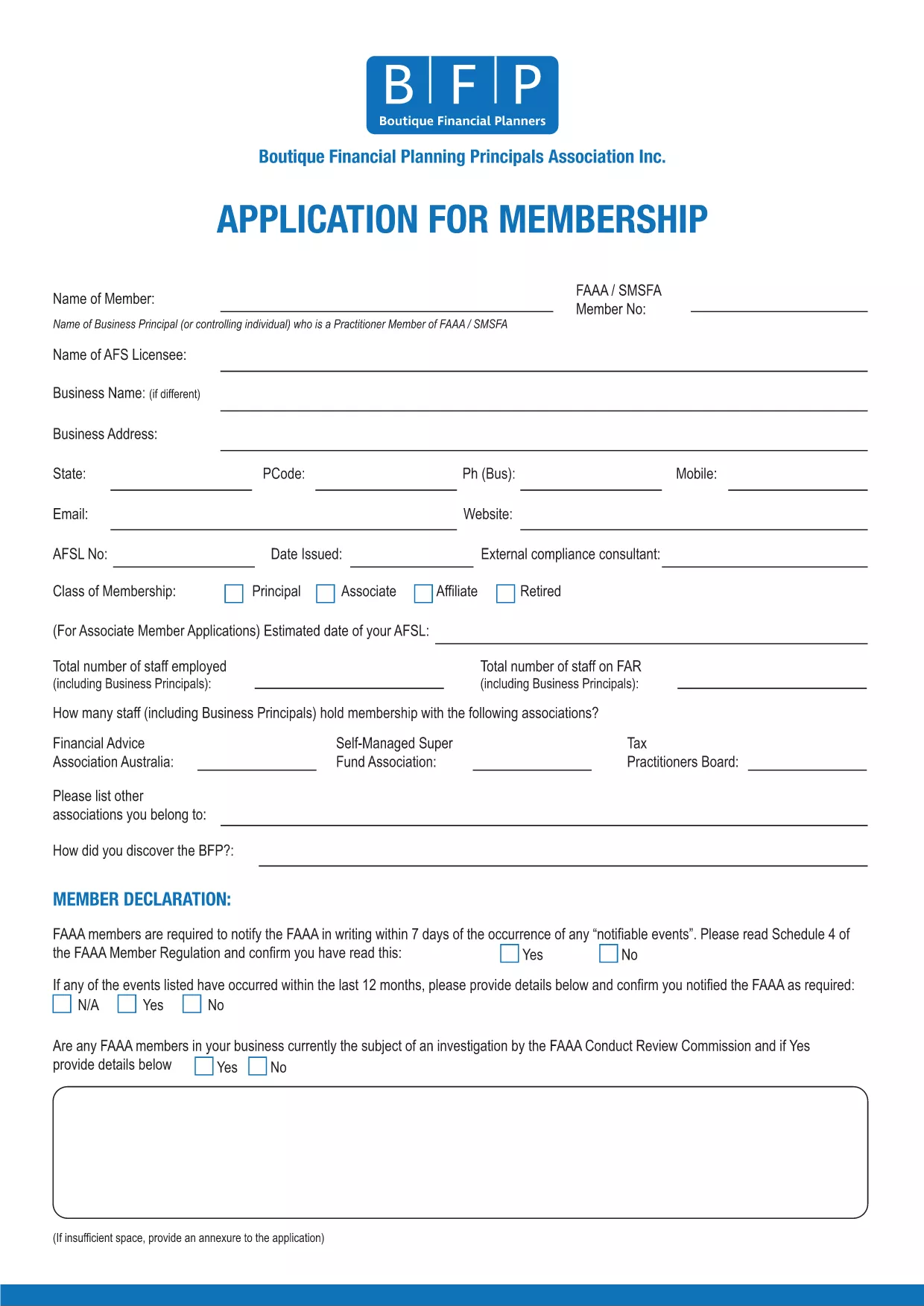
BFP Membership Application Form (Fillable PDF)

  1. Jazyk Angličtina
  2. Krajina Austrália
  3. Aktivita Membership Forms
BFP Membership Application Form (Fillable PDF)

The BFP Membership Application Form is required for anyone who wants to join the British Federation of Philately (BFP). Instead of printing, printing‑and‑scanning, you can now fill the form directly in your browser using our secure Formize PDF Filler. This fillable PDF saves time, reduces errors, and keeps your data safe.

Our online filler works on all devices – desktop, tablet, or mobile. All fields are searchable, required sections are highlighted, and you can save a draft before final submission.

Why Use the Fillable BFP Application Form?

  • Instant validation – the form checks for missing or incorrectly formatted data.
  • No printing or scanning – complete everything online.
  • Secure storage – your information is encrypted during the session.
  • Automatic PDF generation – receive a downloadable copy for your records.

How to Complete the BFP Membership Application Online

Follow the simple steps below; you’ll be guided through each section of the application.

Common Mistakes to Avoid

  • Leaving required fields blank – the filler will highlight them in red.
  • Entering an outdated address – double‑check your contact details.
  • \n
  • Using special characters in the “Name” field – stick to letters, hyphens, and apostrophes.

Download the PDF or Fill Directly

If you prefer to work offline, you can still download the original PDF. However, the fastest way is to click the “Fill out this form” button and let Formize do the heavy lifting.

Ready to start? Click the button below, wait a moment for the Formize PDF Filler to load, and you’ll see the full BFP Membership Application ready for you to complete.

FAQ
  • Do I need Adobe Acrobat to fill this form?

    No. The Formize PDF Filler works in any modern browser, so you don’t need Acrobat or any extra software.

  • Can I save my progress and finish later?

    Yes. The filler lets you save a draft locally and reload it later using the same browser.

  • Is my personal information secure?

    All data is encrypted during the session and never stored on our servers after you submit or download the completed PDF.

  • What if I make a mistake after submitting?

    Contact BFP directly with your application reference number. They can guide you on how to amend the submitted form.

  • Can I print a hard‑copy after filling the form?

    Absolutely. Once you’ve completed the form, click “Download” and print the saved PDF using any printer.

  • Is there a fee to use the Formize filler?

    No. The filler is free for all BFP applicants.

AKO

Ako bezplatne vyplniť BFP application form online v 5 jednoduchých krokoch:

  1. 1
    Click the Fill‑out Button
    Press the “Fill out this form” button on the page. The Formize PDF Filler will open in a new window.
  2. 2
    Wait for the Filler to Load
    A few seconds may pass while the fillable PDF loads. All fields become interactive automatically.
  3. 3
    Enter Your Information
    Complete each section – personal details, address, membership type, and any supporting notes. Required fields are marked with an asterisk.
  4. 4
    Review and Validate
    Click the “Validate” button. The filler will highlight any missing or incorrectly formatted entries.
  5. 5
    Submit or Download
    When everything looks correct, press “Submit” to send the application directly to BFP, or choose “Download” to save a copy for your records.
Aplikácia Formize PDF Filler
O

šablóny BFP application form

S tradičnou sadou funkcií na prezeranie a vypĺňanie dokumentu PDF v kombinácii s výhodami webovej aplikácie a responzívneho rozloženia môžete BFP application form dokončiť za pár minút.

VLASTNOSTI

PDF Filler

Najjednoduchší spôsob, ako vyplniť BFP application form online

  • Rýchlo vyplňte BFP application form
    Hľadáte spôsob, ako rýchlo vyplniť BFP application form online? S našou online bezplatnou výplňou formulárov PDF budete vedieť, ako upraviť a vyplniť tento dokument PDF za menej ako minútu.
  • Ľahko použiteľný online editor PDF
    Nebaví vás tlačiť súbory PDF, aby ste ich mohli upravovať pred opätovným naskenovaním a odoslaním späť? Upravujte dokumenty PDF zadarmo online. Použite náš online editor PDF, aby ste ušetrili čas a papier.
  • Skvelé nástroje, všetky platformy
    Zaujíma vás, ako vyplniť BFP application form na počítači Mac, alebo ako možno použiť bezplatný výplň PDF? Naše online nástroje PDF fungujú na všetkých platformách.
  • Bezpečné ukladanie súborov
    Dokončené súbory „BFP application form“ sú uložené v zabezpečenej databáze spravovanej hostingom Amazon Cloud. Svoje súbory môžete z nášho systému kedykoľvek odstrániť. V každom prípade sa tieto súbory automaticky vymažú po 24 hodinách.
  • Četovať s BFP application form
    Četujte s „BFP application form“ na Chatize, čo je bezplatný pomocník na čítanie súborov PDF. Pýtajte sa otázky a získajte odpovede z „BFP application form“. Stačí kliknúť na tlačidlo Rozhovor s dokumentom vyššie.

Odstrániť reláciu plnenia

Chcete odstrániť vybratú reláciu plnenia? V takom prípade sa stratí váš postup pri vypĺňaní formulára.

Odstrániť reláciu úprav

Chcete odstrániť vybratú reláciu úprav? V takom prípade sa stratí váš postup pri vytváraní a úprave formulára.