
Zvoľ jazyk

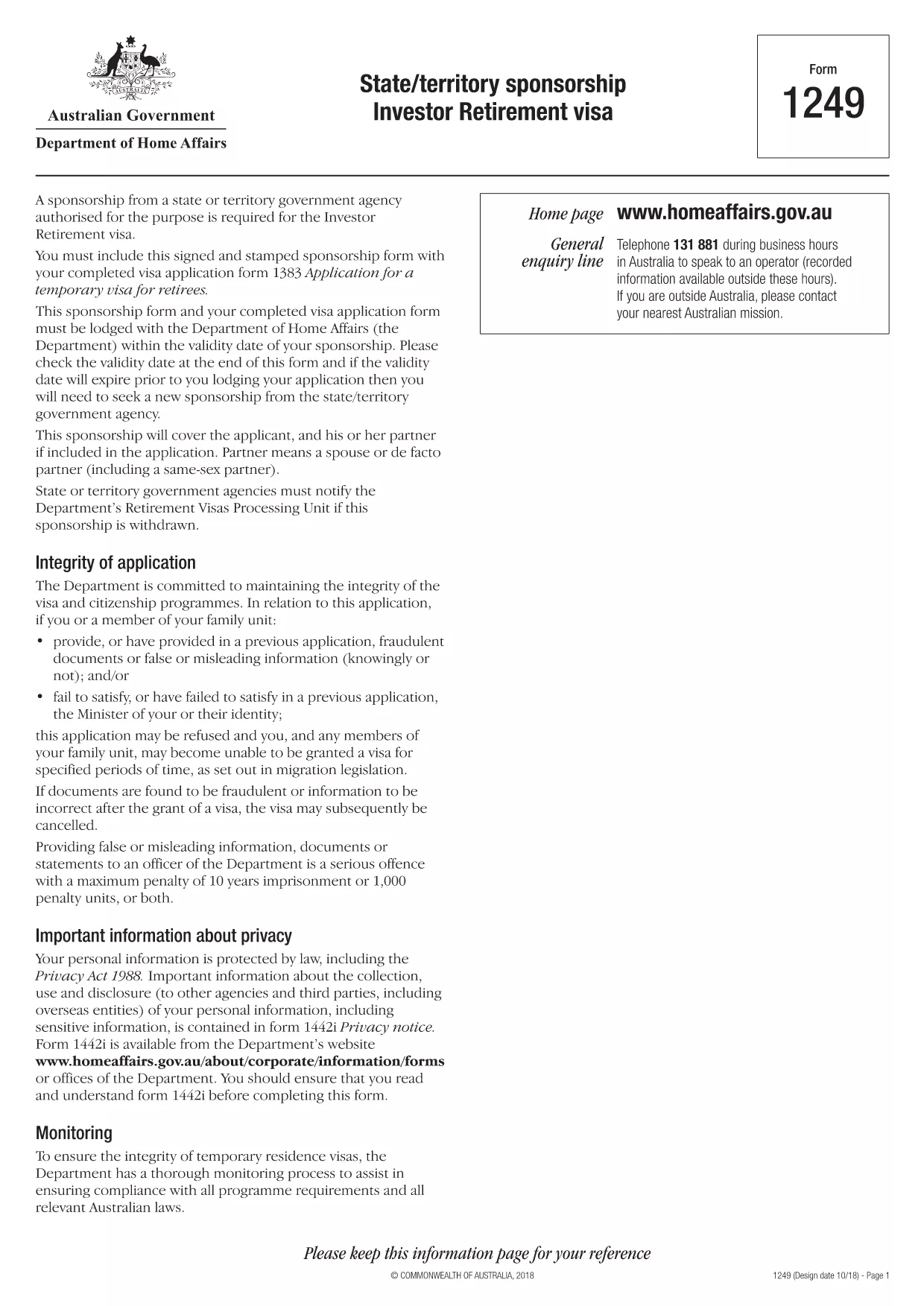
Form 1249 – State/Territory Sponsorship for the Investor Retirement Visa

  1. Jazyk Angličtina
  2. Krajina Austrália
  3. Aktivita víza
Form 1249 – State/Territory Sponsorship for the Investor Retirement Visa

Form 1249 is the official State/Territory Sponsorship document required for the Australian Investor Retirement Visa (subclass 188‑IR). The sponsoring state or territory government must approve the applicant’s investment plan before the Department of Home Affairs processes the visa.

This landing page lets you view, fill, and download the fillable PDF directly in your browser – no extra software needed. Just click the “Fill out this form” button and the Formize PDF Filler will load the form for you.

What Is Form 1249 and Who Needs It?

The form captures details about the applicant’s proposed investment, the sponsoring government’s commitment, and the validity period of the sponsorship. It is required for:

  • Applicants of the Investor Retirement visa (subclass 188‑IR)
  • State or territory agencies that are sponsoring the applicant
  • Legal representatives preparing a visa package

How to Complete Form 1249 Online with Formize

Follow these simple steps to fill the form without downloading any software:

  1. Click the “Fill out this form” button on this page.
  2. Wait a few seconds while the Formize PDF Filler loads the fillable PDF.
  3. Enter all required information in the highlighted fields. The filler validates dates and numeric entries automatically.
  4. When you finish, click **Save & Download** to get a completed PDF ready for submission.

Common Mistakes & Tips for a Successful Submission

  • Validity date – Double‑check the sponsorship validity at the bottom of the form. If it expires before you lodge your visa, you’ll need a new sponsorship.
  • Signature fields – Use the built‑in signature tool in Formize or print, sign, and scan the final PDF.
  • Investment details – Provide exact figures and currency; rounding errors cause delays.
  • Supporting documents – Attach the required business plan, proof of funds, and any state‑specific endorsement letters.

Where to Submit the Completed Sponsorship Form

After saving the filled PDF, include it with your visa application package and lodge it through the Department of Home Affairs portal. The sponsoring state/territory must also retain a copy for their records.

Need a printable version? Use the direct download link below.

FAQ
  • What is the purpose of Form 1249?

    Form 1249 records the sponsorship commitment from an Australian state or territory for an Investor Retirement visa applicant.

  • Can I fill Form 1249 on a mobile device?

    Yes. The Formize PDF Filler works on modern smartphones and tablets as long as the browser supports PDF rendering.

  • Do I need to print the form to sign it?

    You can sign electronically using the Formize signature tool, or print, sign, and scan the final PDF before submission.

  • How long is the sponsorship validity?

    The validity period is printed on the last page of the form. It must remain active until the visa is granted; otherwise a new sponsorship is required.

  • What happens if I make a mistake after downloading?

    Open the saved PDF again with Formize, edit the incorrect fields, and re‑download the corrected version.

  • Is there a fee to use Formize’s filler?

    No, the Formize PDF Filler is free for all users on this page.

  • Where do I send the completed Form 1249?

    Include the completed form with your visa application package and lodge it through the Department of Home Affairs online portal.

  • Do I need a separate form for each state or territory?

    Form 1249 is the same nationwide, but the sponsoring agency (state or territory) must complete the sponsorship section.

AKO

Ako bezplatne vyplniť Form 1249 online v 4 jednoduchých krokoch:

  1. 1
    Open the Fillable Form
    Click the “Fill out this form” button on the page. The Formize PDF Filler will open the fillable Form 1249 in your browser.
  2. 2
    Enter Your Information
    Complete each highlighted field. The filler checks dates, numbers and required formats automatically.
  3. 3
    Save and Download
    When all sections are filled, press “Save & Download” to get a completed PDF ready for submission to the Department of Home Affairs.
  4. 4
    Submit with Your Visa Application
    Attach the saved PDF to your Investor Retirement visa (subclass 188‑IR) application through the Home Affairs online portal.
Aplikácia Formize PDF Filler
O

Vízové ​​formuláre

Form 1249 je jedným z vízových formulárov, ktoré sú dokumentmi, ktoré sa používajú na žiadosť o vízum na vstup do cudzej krajiny. Vízum je dokument, ktorý umožňuje cudziemu štátnemu príslušníkovi vstúpiť, zostať a niekedy aj pracovať v cudzej krajine na určitý čas. Presné formy a požiadavky na získanie víz sa líšia podľa krajiny a typu víza.

Vízové ​​formuláre zvyčajne vyžadujú osobné informácie, ako je meno, dátum narodenia a informácie o pase, ako aj informácie o účele a dĺžke cesty, zamýšľanej destinácii a o tom, či žiadateľovi v minulosti zamietli vízum alebo ho deportovali z krajiny. Formuláre môžu tiež vyžadovať podporné dokumenty, ako je pas, fotografie a dôkaz o finančnej podpore.

V Spojených štátoch sú najbežnejšími vízovými formulármi formuláre DS-160 a DS-260. Formulár DS-160 sa používa na žiadosť o neprisťahovalecké vízum, zatiaľ čo formulár DS-260 sa používa na žiadosť o prisťahovalecké vízum. Tieto formuláre vyžadujú podrobné informácie o osobnej a cestovnej histórii žiadateľa, ako aj podpornú dokumentáciu, ako je cestovný pas, cestovný itinerár a finančné záznamy.

Iné krajiny môžu mať rôzne vízové ​​formy a požiadavky, ale základný proces zvyčajne zahŕňa vyplnenie žiadosti o vízum, poskytnutie podpornej dokumentácie a účasť na pohovore s konzulárnym úradníkom na veľvyslanectve alebo konzuláte USA. Je dôležité poznamenať, že proces žiadosti o vízum môže byť zložitý a časovo náročný a jednotlivcom, ktorí žiadajú o vízum, sa odporúča, aby sa poradili s imigračným právnikom alebo iným kvalifikovaným odborníkom, aby sa zabezpečilo splnenie všetkých potrebných formulárov a požiadaviek.

VLASTNOSTI

PDF Filler

Najjednoduchší spôsob, ako vyplniť Form 1249 online

  • Rýchlo vyplňte Form 1249
    Hľadáte spôsob, ako rýchlo vyplniť Form 1249 online? S našou online bezplatnou výplňou formulárov PDF budete vedieť, ako upraviť a vyplniť tento dokument PDF za menej ako minútu.
  • Ľahko použiteľný online editor PDF
    Nebaví vás tlačiť súbory PDF, aby ste ich mohli upravovať pred opätovným naskenovaním a odoslaním späť? Upravujte dokumenty PDF zadarmo online. Použite náš online editor PDF, aby ste ušetrili čas a papier.
  • Skvelé nástroje, všetky platformy
    Zaujíma vás, ako vyplniť Form 1249 na počítači Mac, alebo ako možno použiť bezplatný výplň PDF? Naše online nástroje PDF fungujú na všetkých platformách.
  • Bezpečné ukladanie súborov
    Dokončené súbory „Form 1249“ sú uložené v zabezpečenej databáze spravovanej hostingom Amazon Cloud. Svoje súbory môžete z nášho systému kedykoľvek odstrániť. V každom prípade sa tieto súbory automaticky vymažú po 24 hodinách.
  • Četovať s Form 1249
    Četujte s „Form 1249“ na Chatize, čo je bezplatný pomocník na čítanie súborov PDF. Pýtajte sa otázky a získajte odpovede z „Form 1249“. Stačí kliknúť na tlačidlo Rozhovor s dokumentom vyššie.

Odstrániť reláciu plnenia

Chcete odstrániť vybratú reláciu plnenia? V takom prípade sa stratí váš postup pri vypĺňaní formulára.

Odstrániť reláciu úprav

Chcete odstrániť vybratú reláciu úprav? V takom prípade sa stratí váš postup pri vytváraní a úprave formulára.