

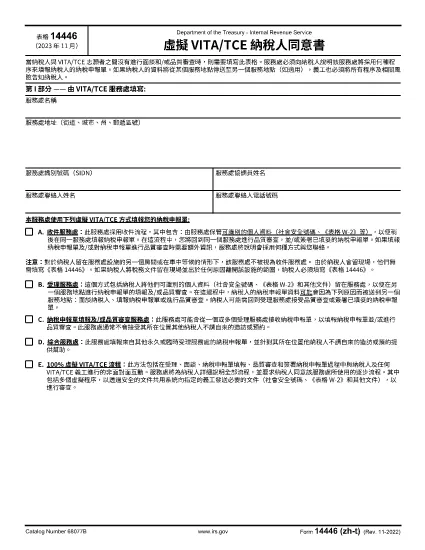

Formuláre Internal Revenue Service (IRS).
Form 14446 je jedným z oficiálnych daňových formulárov používaných v Spojených štátoch na vykazovanie príjmu, nárokovanie si odpočtov a kreditov, výpočet daňovej povinnosti a plnenie iných daňových povinností. IRS je federálna agentúra zodpovedná za správu a presadzovanie vnútorných zákonov o príjmoch v Spojených štátoch.
Tu je niekoľko príkladov formulárov Internal Revenue Service:
Formulár 1040: Toto je hlavný formulár daňového priznania k dani z príjmu fyzických osôb, ktorý používa väčšina daňovníkov. Používa sa na vykazovanie rôznych druhov príjmov, uplatnenie odpočtov a zápočtov, výpočet daňovej povinnosti a zistenie, či daňovník dlhuje daň alebo má nárok na jej vrátenie.
Formulár 1099: Existujú rôzne variácie formulára 1099, ako napríklad 1099-MISC, 1099-INT, 1099-DIV atď. Tieto formuláre sa používajú na vykazovanie príjmov, ktoré jednotlivci alebo podniky poberajú z rôznych zdrojov iných ako je zamestnanie, ako je napríklad samostatná zárobková činnosť výnosy, výnosy z úrokov, výnosy z dividend a výnosy z prenájmu.
Formulár W-2: Tento formulár používajú zamestnávatelia na nahlásenie miezd vyplatených zamestnancom a daní zrazené zo mzdy. Zamestnanci používajú informácie na formulári W-2 na vyplnenie svojich individuálnych daňových priznaní.
Formulár 941: Zamestnávatelia používajú tento formulár na nahlásenie daní zo zamestnania vrátane zrazenej federálnej dane z príjmu, dane zo sociálneho zabezpečenia a dane zo zdravotnej starostlivosti pre svojich zamestnancov.
Formulár 1065: Tento formulár používajú partneri na vykazovanie svojich príjmov, zrážok a daňovej povinnosti. Samotné partnerstvá neplatia daň z príjmu; namiesto toho spoločníci uvádzajú svoj podiel na príjmoch spoločnosti vo svojich individuálnych daňových priznaniach.
Formulár 1120: Toto je formulár daňového priznania k dani z príjmu právnických osôb, ktorý používajú spoločnosti C na vykazovanie svojich príjmov, odpočty a daňová povinnosť.
Formulár 990: Tento formulár používajú organizácie oslobodené od dane, ako sú neziskové organizácie a charitatívne organizácie, na oznamovať svoje finančné informácie, aktivity a dodržiavanie daňových zákonov.
Formulár 8862: Tento formulár používajú daňoví poplatníci, ktorí si v minulosti uplatnili nárok na dobropis na daň z príjmu (EITC) ale mali ste to zakázané a teraz si to chcete znova nárokovať.
Toto je len niekoľko príkladov z množstva formulárov IRS, ktoré existujú na splnenie rôznych daňových povinností. Konkrétne formy požadované pre jednotlivca alebo firmu závisia od ich jedinečných okolností, zdrojov príjmu a zrážok. Ak chcete získať presné a aktuálne informácie týkajúce sa konkrétneho úradu IRS, odporúčame vám navštíviť oficiálnu webovú stránku úradu Internal Revenue Service (www.irs.gov) alebo vyhľadať odborné daňové poradenstvo. formuláre relevantné pre vašu daňovú situáciu.