Välj språk

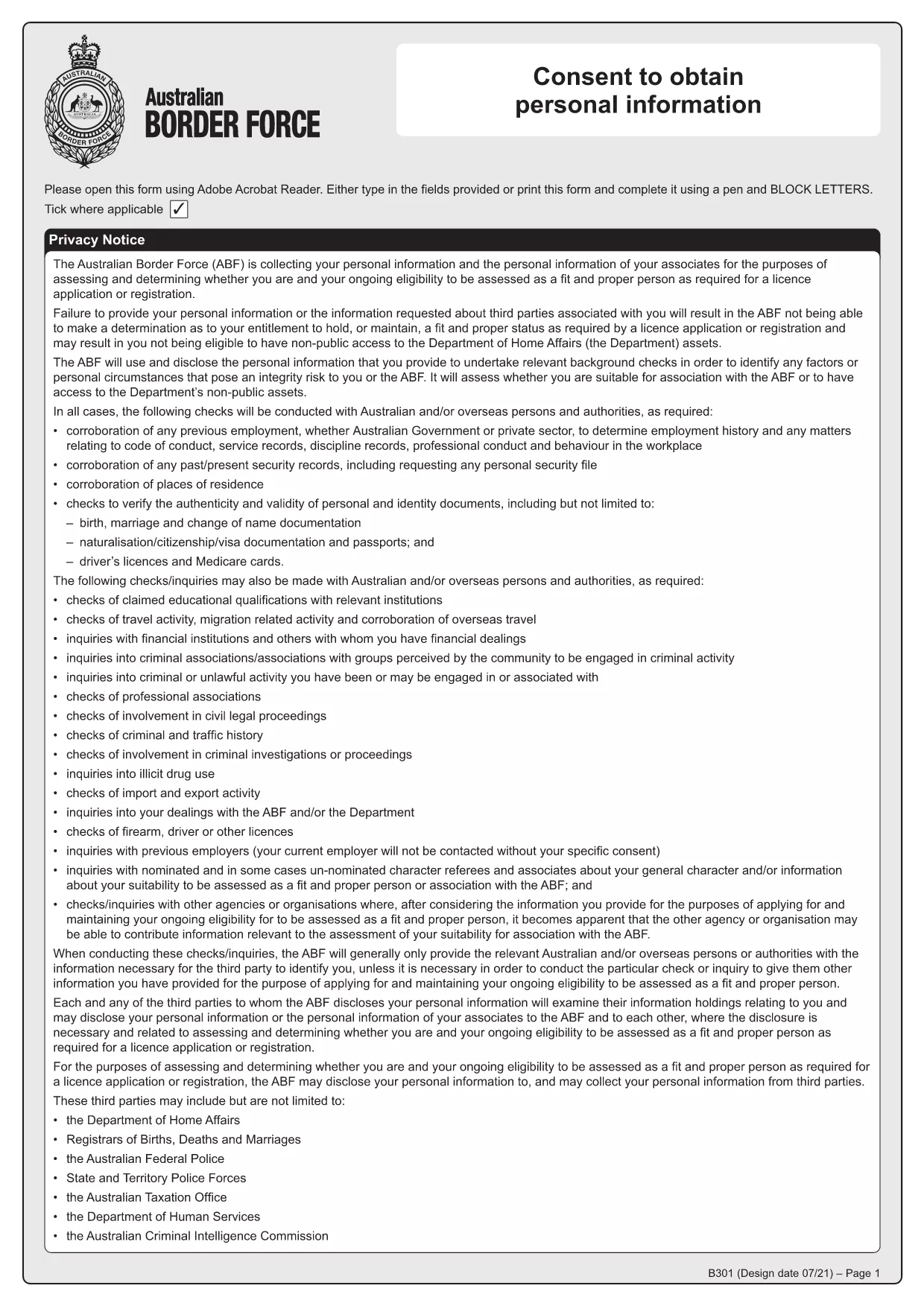
Form B301 – Consent to Obtain Personal Information (Fillable PDF)

  1. Språk engelsk
  2. Land Australien
  3. Aktivitet Background Checks
  4. Avdelning Australian Border Force
Form B301 – Consent to Obtain Personal Information (Fillable PDF)

Form B301 is the official consent document used by Australian law‑enforcement agencies, such as the Australian Criminal Intelligence Commission (ACIC) and the Australian Border Force (ABF), to request access to an individual’s police history and other personal records. Whether you are applying for a visa, a security clearance, or a background check, you will likely be asked to sign this consent.

What is Form B301 and when is it required?

The B301 form gives authorised agencies legal permission to obtain, use, and disclose your personal information for the purpose of a criminal history check. It is commonly required for:

  • Visa and immigration applications
  • Employment in sensitive government or defence roles
  • Licensing for firearms, security work, or certain commercial activities
  • Any situation where a “Fit and Proper” assessment is performed

Key sections of the B301 consent form

The form is divided into clear parts:

  • Personal details – name, date of birth, passport number, etc.
  • Purpose of the check – why the agency needs your records.
  • Consent statement – your signature authorises the request.
  • Witness/authoriser – optional, for certain applications.

How to complete Form B301 online with Formize

Instead of downloading the PDF, printing it, and scanning it back, you can fill it out directly in your browser using Formize’s free PDF Filler app:

  1. Click “Fill out this form” on this page. The Formize PDF Filler will load instantly.
  2. Enter your information in each highlighted field. The interface validates dates and numbers, reducing errors.
  3. Review the consent wording and tick the agreement box.
  4. Sign electronically using your mouse, touch screen, or by typing your name.
  5. Save or download the completed PDF, then attach it to your application or email it to the requesting agency.

Common mistakes to avoid

  • Leaving any required field blank – the filler will highlight missing data.
  • Using an outdated passport number – double‑check the latest details.
  • Forgetting to sign the consent box – without a signature the form is invalid.
  • Submitting a low‑resolution scanned copy – the online filler produces a high‑quality PDF.

Where to submit the completed form

Once you have saved the filled‑out B301, follow the instructions on the specific application you are completing. Typically you will upload the PDF to the agency’s online portal or email it to the address provided in the application guide.

Need the original PDF for reference? Download Form B301 (PDF) directly.

FAQ
  • Do I need to print Form B301 to sign it?

    No. Formize’s online filler lets you add an electronic signature that is legally accepted for the B301 consent.

  • Is the information I enter into the filler secure?

    Yes. All data is processed locally in your browser and never stored on Formize’s servers.

  • Can I use the same B301 form for multiple applications?

    You can reuse the completed PDF, but make sure the personal details and purpose of the check match each new application.

  • What if I make a mistake after saving?

    Open the saved PDF again with the Formize filler, correct the error, and re‑save. No need for a new download.

  • Which agencies can access my information after I sign B301?

    The consent authorises the Australian Criminal Intelligence Commission, the Australian Border Force, and any other Australian police agencies specified in the application.

  • Is there a fee to use Formize’s PDF filler?

    No. The filler is completely free for all Form B301 users.

HUR

Så här fyller du i Form B301 gratis, online i 5 enkla steg:

  1. 1
    Open the Formize filler
    Click the “Fill out this form” button on the page. The Formize PDF Filler loads in a new window.
  2. 2
    Enter your details
    Type your personal information into each highlighted field. The tool checks format automatically.
  3. 3
    Provide consent
    Read the consent clause, then tick the agreement box and add your electronic signature.
  4. 4
    Save or download
    When all fields are complete, click “Save” to download the filled PDF to your device.
  5. 5
    Submit the form
    Attach the saved PDF to your visa, employment, or licensing application as instructed by the requesting agency.
Formize PDF Filler app
HANDLA OM

Form B301 mall

Med den traditionella uppsättningen funktioner för att visa och fylla i ett PDF-dokument, kombinerat med fördelarna med en webbapplikation och responsiv layout, kan du slutföra Form B301 på några minuter.

FUNKTIONER

PDF-fyllare

Det enklaste sättet att fylla i Form B301 online

  • Fyll snabbt i Form B301
    Letar du efter ett sätt att snabbt fylla Form B301 online? Med vår online gratis PDF-formulärfyllare vet du hur du redigerar och fyller i detta pdf-dokument på mindre än en minut.
  • Lätt att använda online PDF-redigerare
    Är du trött på att skriva ut PDF-filer så att du kan redigera dem innan du skannar om och skickar tillbaka dem? Redigera PDF-dokument gratis online. Använd vår online pdf-redigerare för att spara tid och papper.
  • Bra verktyg, alla plattformar
    Undrar du hur man fyller i Form B301 på en Mac, eller kanske hur man använder ett PDF-fyllmedel gratis? Våra online PDF-verktyg fungerar på alla plattformar.
  • Säker fillagring
    Färdiga "Form B301"-filer lagras i en säker databas som hanteras av Amazon Cloud-hosting. Du kan ta bort dina filer från vårt system när som helst. I alla fall raderas dessa filer automatiskt efter 24 timmar.
  • Chatta med Form B301
    Chatta med "Form B301" på Chatize som är en gratis PDF-läsare. Ställ frågor och få svar från "Form B301". Klicka bara på knappen Chatta med dokument ovan.

Ta bort fyllningssession

Ta bort den valda fyllningssessionen? I det här fallet kommer dina framsteg i att fylla i formuläret att gå förlorade.

Ta bort redigeringssession

Vill du ta bort den valda redigeringssessionen? I det här fallet kommer dina framsteg i att skapa och redigera formuläret att gå förlorade.