
Välj språk

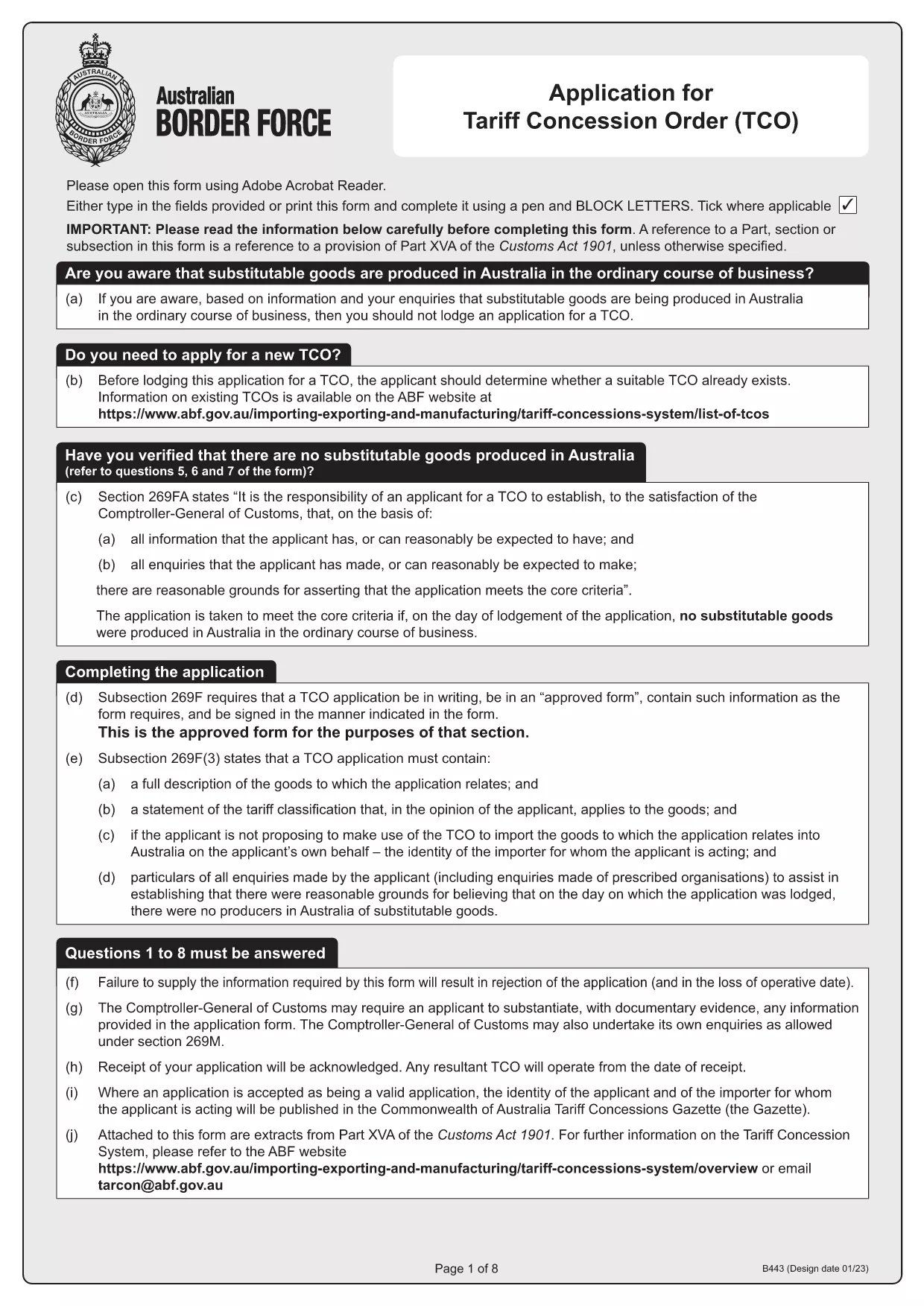
Tariff Concession (TC) Application – Fillable B443 Form

  1. Land Australien
  2. Språk engelsk
  3. Aktivitet Tariff Concessions
  4. Avdelning Australian Border Force
Tariff Concession (TC) Application – Fillable B443 Form

What Is a Tariff Concession (TC)?

A Tariff Concession (TC) – also known as a Tariff Concession Order (TCO) – is an Australian Government revenue concession that allows importers to pay reduced customs duties when no local manufacturers can supply a substitutable product. The concession is granted only when the imported goods match the description and tariff classification of an existing TCO.

Why Use the Fillable B443 Form on Formize

Formize turns the static PDF into a smooth, browser‑based experience. You can:

  • Open the form instantly – no download required.
  • Enter data directly into fields with auto‑validation.
  • Save a draft and return later.
  • Export a completed PDF ready for submission to the Australian Border Force.

Step‑By‑Step Guide to Completing the TC Application

Follow these simple steps to submit a correct TC application:

  1. Click the "Fill out this form" button on the page.
  2. Wait for the Formize PDF Filler app to load (usually a few seconds).
  3. Enter all required information – importer's details, HS code, product description, and supporting documents.
  4. Review the auto‑checked validation messages and correct any highlighted fields.
  5. When satisfied, click Download Completed PDF and save it to your computer.
  6. Email or upload the completed PDF to the Australian Border Force as instructed in the form.

Common Mistakes & How to Avoid Them

  • Incorrect HS code: Double‑check the six‑digit classification against the Customs Tariff.
  • Missing supporting documents: Attach product specifications, invoices, and evidence of no local manufacturer.
  • Mismatched product description: Use the exact wording from the existing TCO notice.
  • Signature fields left blank: Use the digital signature tool in Formize or print, sign, and scan.

Where to Get Help and Submit Your Application

If you have questions, contact the Australian Border Force at tarcon@abf.gov.au. Once your form is complete, submit it through the ABF portal or via email as indicated in the form instructions.

Ready to start? Download the original B443 PDF or use the fillable version above.

FAQ
  • What is the purpose of the B443 form?

    The B443 form is the official application for a Tariff Concession (TC) in Australia. It collects the information needed to assess whether an importer qualifies for reduced customs duties.

  • Can I edit the PDF after I download it?

    Yes. After you download the completed PDF, you can open it in any PDF reader to add a digital signature or print, sign, and scan if required.

  • Do I need a PDF reader to use the fillable form?

    No. Formize runs entirely in your web browser, so you do not need to install Adobe Reader or any other software.

  • How long does it take for the Australian Border Force to process a TC application?

    Processing times vary, but most applications are reviewed within 15‑30 business days provided all required information and documents are submitted correctly.

  • What should I do if I make a mistake after submitting?

    Contact the Australian Border Force at tarcon@abf.gov.au as soon as possible. They may request a corrected form or additional documentation.

  • Is there a fee to submit a Tariff Concession application?

    There is no application fee for a TC. However, standard customs duties apply if the concession is not approved.

HUR

Så här fyller du i Tariff Concession application gratis, online i 3 enkla steg:

  1. 1
    Open the Fillable Form
    Click the "Fill out this form" button on the page. The Formize PDF Filler will launch directly in your browser.
  2. 2
    Enter Your Information
    Complete each field – importer details, HS code, product description, and attach any required documents. Validation messages will guide you.
  3. 3
    Save and Export
    When all fields are correctly filled, click the "Download Completed PDF" button. Save the file and submit it to the Australian Border Force as instructed.
Formize PDF Filler app
HANDLA OM

Tariff Concession application mall

Med den traditionella uppsättningen funktioner för att visa och fylla i ett PDF-dokument, kombinerat med fördelarna med en webbapplikation och responsiv layout, kan du slutföra Tariff Concession application på några minuter.

FUNKTIONER

PDF-fyllare

Det enklaste sättet att fylla i Tariff Concession application online

  • Fyll snabbt i Tariff Concession application
    Letar du efter ett sätt att snabbt fylla Tariff Concession application online? Med vår online gratis PDF-formulärfyllare vet du hur du redigerar och fyller i detta pdf-dokument på mindre än en minut.
  • Lätt att använda online PDF-redigerare
    Är du trött på att skriva ut PDF-filer så att du kan redigera dem innan du skannar om och skickar tillbaka dem? Redigera PDF-dokument gratis online. Använd vår online pdf-redigerare för att spara tid och papper.
  • Bra verktyg, alla plattformar
    Undrar du hur man fyller i Tariff Concession application på en Mac, eller kanske hur man använder ett PDF-fyllmedel gratis? Våra online PDF-verktyg fungerar på alla plattformar.
  • Säker fillagring
    Färdiga "Tariff Concession application"-filer lagras i en säker databas som hanteras av Amazon Cloud-hosting. Du kan ta bort dina filer från vårt system när som helst. I alla fall raderas dessa filer automatiskt efter 24 timmar.
  • Chatta med Tariff Concession application
    Chatta med "Tariff Concession application" på Chatize som är en gratis PDF-läsare. Ställ frågor och få svar från "Tariff Concession application". Klicka bara på knappen Chatta med dokument ovan.

Ta bort fyllningssession

Ta bort den valda fyllningssessionen? I det här fallet kommer dina framsteg i att fylla i formuläret att gå förlorade.

Ta bort redigeringssession

Vill du ta bort den valda redigeringssessionen? I det här fallet kommer dina framsteg i att skapa och redigera formuläret att gå förlorade.