
Välj språk

Application to Resume Australian Citizenship (Form 132) – Fill Online

  1. Språk engelsk
  2. Land Australien
  3. Aktivitet Medborgarskap
  4. Avdelning Home Affairs
Application to Resume Australian Citizenship (Form 132) – Fill Online

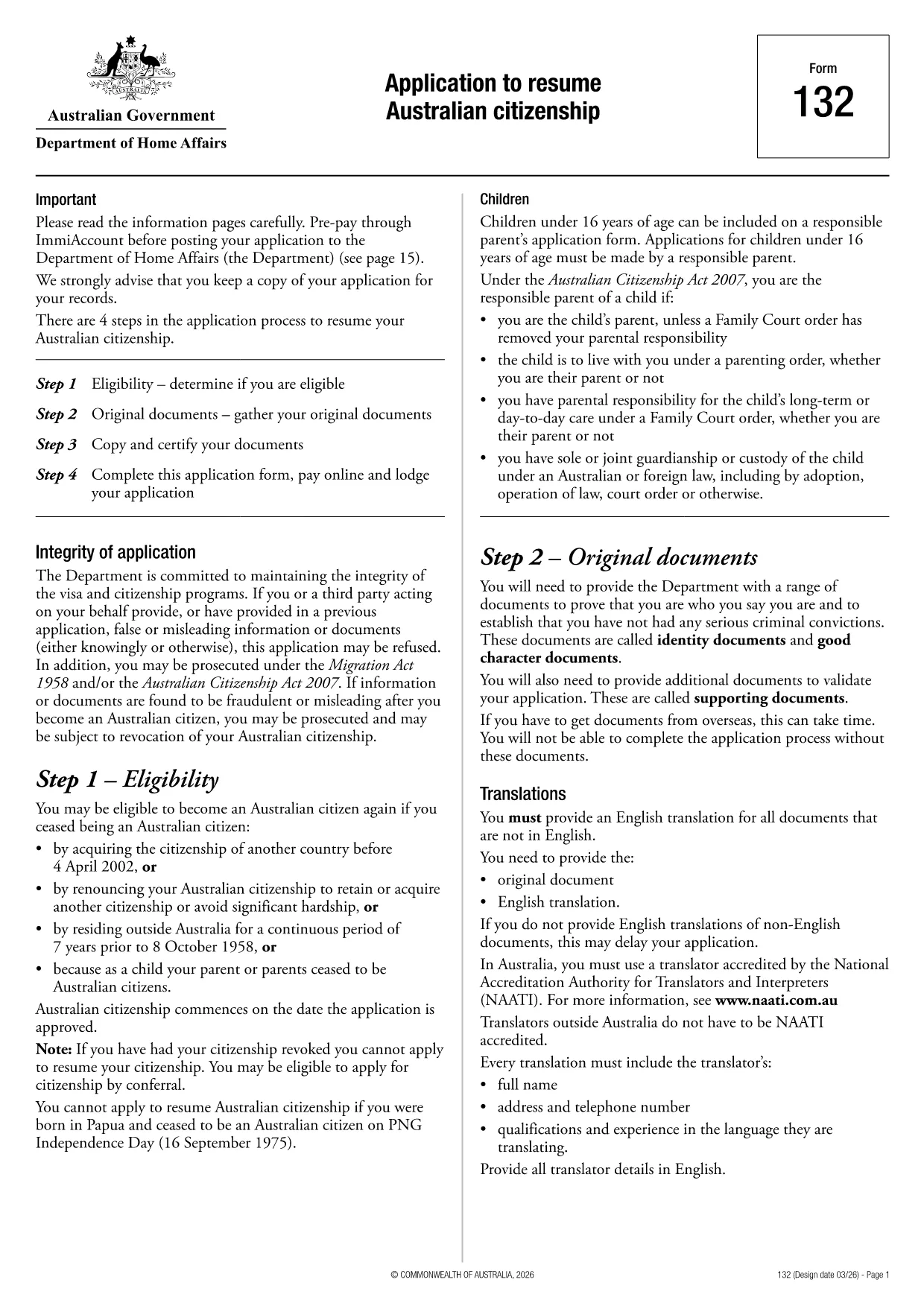
If you need to resume your Australian citizenship, you’ll use Form 132 – Application to Resume Australian Citizenship. This official PDF can now be completed entirely online with the Formize PDF Filler, so you never have to print, scan, or manually edit the document.

Why Use the Online Formize PDF Filler?

The Formize filler loads the exact PDF you need, preserving the government‑approved layout while letting you type directly into each field. Benefits include:

  • Instant validation of required fields
  • Automatic saving – you can pause and return later
  • Secure, browser‑based processing – no software install
  • One‑click download of the completed PDF for submission

Step‑by‑Step Guide to Completing Form 132

Follow these simple steps to fill out the application correctly:

  1. Click the “Fill out this form” button below.
  2. Wait for the Formize PDF Filler app to load the PDF.
  3. Enter your personal details, citizenship history, and reasons for resumption.
  4. Attach any required supporting documents (e.g., passport copy, proof of residence).
  5. Review the completed form for accuracy.
  6. Download the finished PDF and submit it to the Department of Home Affairs.

Common Mistakes to Avoid

Even with an easy online tool, mistakes happen. Avoid these pitfalls:

  • Leaving mandatory fields blank – the filler will highlight them.
  • Uploading files in the wrong format (use PDF, JPG, or PNG only).
  • Using an outdated version of the form – the link below always points to the latest Form 132.

Eligibility & Supporting Documents

Before you start, make sure you meet the eligibility criteria:

  • You previously held Australian citizenship.
  • You have been outside Australia for a period that requires resumption.
  • You can provide proof of identity and residency.

Typical supporting documents include a current passport, a statutory declaration, and any relevant court orders.

Where to Submit Your Application

After downloading the completed PDF, submit it through the Department of Home Affairs portal or mail it to the address listed on the form. Keep a copy for your records.

Ready to get started? Click the button below and let Formize handle the rest.

FAQ
  • Do I need to download any software to fill Form 132?

    No. Formize’s PDF filler works entirely in your web browser, so there’s nothing to install.

  • Can I save my progress and return later?

    Yes. The filler automatically saves your entries locally, allowing you to close the browser and continue later.

  • What file formats are accepted for supporting documents?

    PDF, JPG, and PNG are accepted. Make sure each file is under 5 MB for smooth uploading.

  • Is the online filler secure?

    All data is processed locally in your browser and never stored on our servers. Your information remains private.

  • Can I print the completed form directly from the filler?

    After you finish, click the “Download” button to save the completed PDF, then print it using any PDF viewer.

  • What if I make a mistake after downloading?

    You can reopen the downloaded PDF in Formize’s filler, correct the error, and download a new version.

  • Where do I send the finished Form 132?

    Submit the PDF through the Department of Home Affairs online portal or mail it to the address listed on the form.

HUR

Så här fyller du i Australian citizenship resume form gratis, online i 4 enkla steg:

  1. 1
    Open the Form
    Click the “Fill out this form” button on this page. The Formize PDF Filler will launch in your browser.
  2. 2
    Enter Your Details
    Type directly into each highlighted field – the filler automatically saves your progress.
  3. 3
    Upload Supporting Documents
    Use the “Attach File” option to add passport scans, statutory declarations, or other required PDFs.
  4. 4
    Review and Submit
    Check every section for completeness, then download the finished PDF and send it to the Department of Home Affairs.
Formize PDF Filler app
HANDLA OM

Former för medborgarskap

Australian citizenship resume form är en av medborgarskapsformulär som är dokument som används för att ansöka om medborgarskap i ett land. De exakta formerna och kraven för medborgarskap varierar från land till land, men i allmänhet innebär processen att tillhandahålla personlig information och bevis på att de är kvalificerade för medborgarskap.

I USA är den vanligaste formen för medborgarskap N-400 Application for Naturalization. Detta formulär används av lagliga permanentboende (innehavare av grönt kort) för att ansöka om amerikanskt medborgarskap. Formuläret ber om personlig information som namn, födelsedatum och kontaktinformation, samt information om den sökandes immigrationsstatus, kriminella historia och andra behörighetskrav.

Andra länder kan ha andra former och krav för medborgarskap, men den grundläggande processen innebär vanligtvis att ge information om den sökandes bakgrund och uppfylla vissa behörighetskriterier. Detta kan inkludera att klara ett medborgarskapstest, visa kunskap om landets historia och regering och visa kunskaper i landets språk.

Det är viktigt att notera att processen för att få medborgarskap kan vara komplex och tidskrävande. Det rekommenderas att individer som söker medborgarskap rådgör med en immigrationsadvokat eller annan kvalificerad yrkesman för att hjälpa till att navigera i processen och säkerställa att alla nödvändiga former och krav uppfylls.

FUNKTIONER

PDF-fyllare

Det enklaste sättet att fylla i Australian citizenship resume form online

  • Fyll snabbt i Australian citizenship resume form
    Letar du efter ett sätt att snabbt fylla Australian citizenship resume form online? Med vår online gratis PDF-formulärfyllare vet du hur du redigerar och fyller i detta pdf-dokument på mindre än en minut.
  • Lätt att använda online PDF-redigerare
    Är du trött på att skriva ut PDF-filer så att du kan redigera dem innan du skannar om och skickar tillbaka dem? Redigera PDF-dokument gratis online. Använd vår online pdf-redigerare för att spara tid och papper.
  • Bra verktyg, alla plattformar
    Undrar du hur man fyller i Australian citizenship resume form på en Mac, eller kanske hur man använder ett PDF-fyllmedel gratis? Våra online PDF-verktyg fungerar på alla plattformar.
  • Säker fillagring
    Färdiga "Australian citizenship resume form"-filer lagras i en säker databas som hanteras av Amazon Cloud-hosting. Du kan ta bort dina filer från vårt system när som helst. I alla fall raderas dessa filer automatiskt efter 24 timmar.
  • Chatta med Australian citizenship resume form
    Chatta med "Australian citizenship resume form" på Chatize som är en gratis PDF-läsare. Ställ frågor och få svar från "Australian citizenship resume form". Klicka bara på knappen Chatta med dokument ovan.

Ta bort fyllningssession

Ta bort den valda fyllningssessionen? I det här fallet kommer dina framsteg i att fylla i formuläret att gå förlorade.

Ta bort redigeringssession

Vill du ta bort den valda redigeringssessionen? I det här fallet kommer dina framsteg i att skapa och redigera formuläret att gå förlorade.