
Välj språk

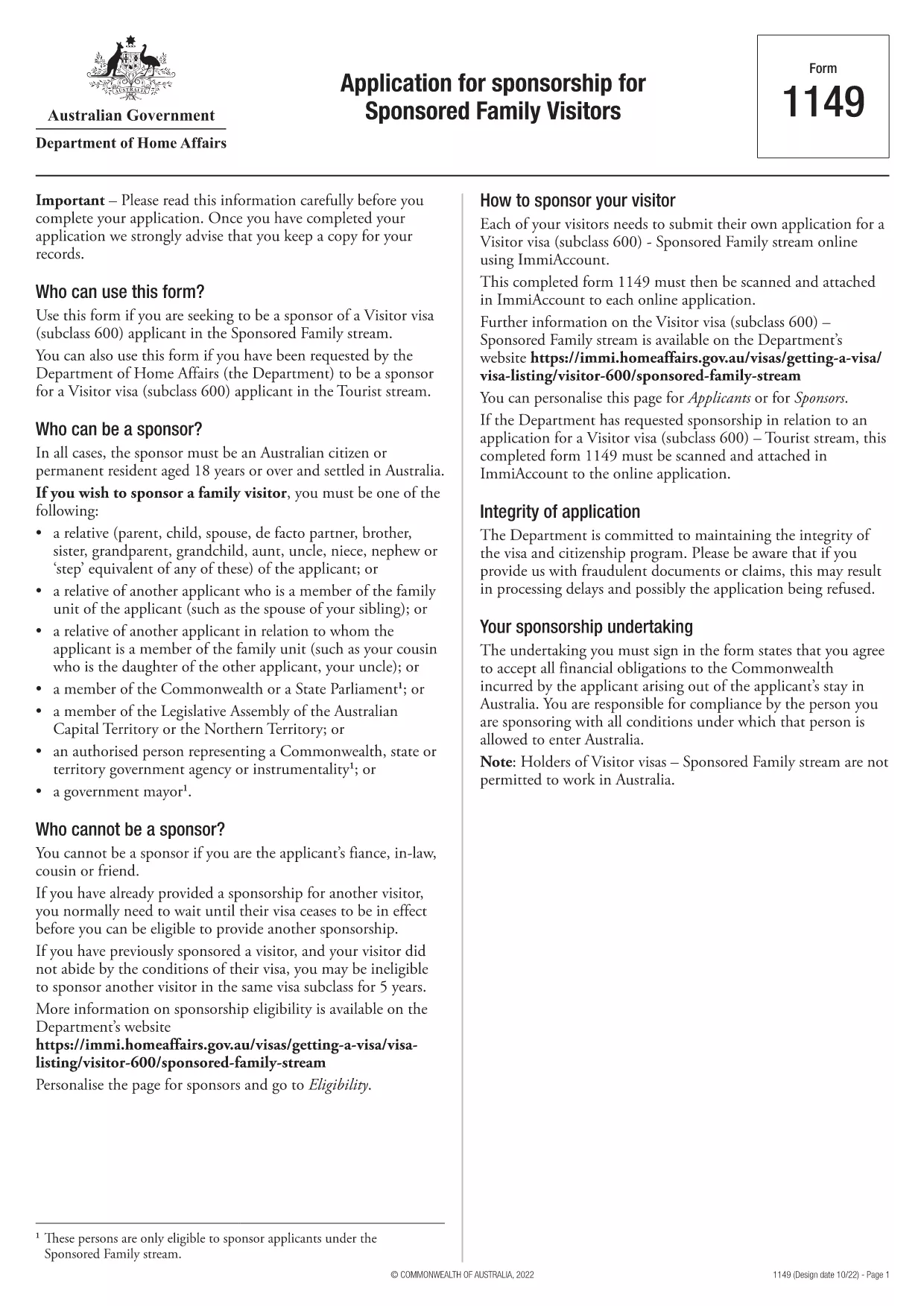
Form 1149 – Application for Sponsorship of a Family Visitor (Visitor Visa 600)

  1. Land Australien
  2. Språk engelsk
  3. Aktivitet Gå med eller ta med familj
Form 1149 – Application for Sponsorship of a Family Visitor (Visitor Visa 600)

Form 1149 is the official Application for Sponsorship for Sponsored Family Visitors used by Australian citizens or permanent residents who wish to sponsor a relative, a member of the Commonwealth, or a state parliamentarian for a Visitor visa (subclass 600). The form outlines the sponsor’s obligations, eligibility criteria, and any security bond requirements.

Traditionally the form is a static PDF that must be printed, handwritten, and mailed. With Formize you can complete the same form entirely online – just click Fill out this form and let our secure PDF filler do the work.

What Is Form 1149?

Form 1149 collects detailed information about the sponsor (name, address, citizenship status), the invited visitor (relationship, passport details, travel dates), and the financial support the sponsor will provide. It also asks about any previous sponsorships and the sponsor’s ability to meet the visa conditions.

Who Needs to Complete This Form?

  • Australian citizens or permanent residents sponsoring a family member for a Visitor visa (subclass 600).
  • Members of the Commonwealth or state parliament who are inviting a guest for official duties.
  • Anyone required to provide a security bond for the visitor’s stay.

How to Fill Form 1149 Online with Formize

Follow these simple steps to complete the form without printing:

  1. Click the Fill out this form button on this page.
  2. Wait a few seconds while the Formize PDF Filler loads the fillable version of Form 1149.
  3. Enter all required details in the highlighted fields. The filler validates dates, passport numbers, and numeric entries in real‑time.
  4. Review the summary page, correct any highlighted errors, and click Submit to download the completed PDF.
  5. Print the signed PDF (if a physical signature is required) and attach it to your visa application package.

Common Mistakes to Avoid

  • Incorrect passport numbers: Double‑check each digit; a single typo can delay processing.
  • Missing sponsor’s financial details: Provide clear evidence of income or savings to satisfy the bond requirement.
  • Leaving optional fields blank: If a field asks for “previous sponsorships”, answer “None” rather than leaving it empty.
  • Using an outdated version: Always use the latest PDF – the link on this page points to the current 2024 version.

Where to Submit the Completed Form

After filling and printing the form, include it with the Visitor visa (subclass 600) application packet and submit to the Department of Home Affairs either online via ImmiAccount or by post to the address indicated in the visa instructions.

Using Formize’s online filler saves time, reduces errors, and ensures you are working with the most up‑to‑date version of Form 1149.

FAQ
  • Who can act as a sponsor on Form 1149?

    Only Australian citizens or permanent residents may sponsor a family visitor for a subclass 600 visa. Commonwealth or state parliament members may also sponsor for official visits.

  • Do I need to provide a security bond?

    A bond is required if the sponsor cannot demonstrate sufficient financial capacity. The amount is determined by the Department of Home Affairs based on the visitor’s length of stay and circumstances.

  • Can I submit the form electronically?

    Yes. Fill the form online with Formize, download the completed PDF, and attach it to your ImmiAccount submission. Some cases may still require a printed, signed copy.

  • How long is Form 1149 valid?

    The form does not have an expiry date, but you should use the latest version available on the Department of Home Affairs website.

  • What common errors cause delays?

    Incorrect passport numbers, missing financial information, and leaving optional fields blank are the most frequent reasons for processing delays.

  • Is there a fee to use Formize’s PDF filler?

    Formize offers a free basic filler for most government forms, including Form 1149. Premium features are optional and not required for this form.

  • Do I need to sign the PDF digitally?

    A digital signature is accepted for most online submissions. If you submit a paper application, print the PDF and sign it with a pen.

HUR

Så här fyller du i Form 1149 gratis, online i 5 enkla steg:

  1. 1
    Open the Fillable Form
    Click the "Fill out this form" button on this page. The Formize PDF Filler will open in a new tab.
  2. 2
    Enter Your Details
    Fill each highlighted field with accurate information. The tool validates entries in real time.
  3. 3
    Review and Correct Errors
    Check the summary page for any highlighted errors, correct them, and confirm the data.
  4. 4
    Download the Completed PDF
    Click "Submit" to download the fully completed PDF. Print and sign if a physical signature is required.
  5. 5
    Attach to Your Visa Application
    Include the signed PDF with your Visitor visa (subclass 600) application and submit to the Department of Home Affairs.
Formize PDF Filler app
HANDLA OM

Gå med eller ta med familjeformulär

Form 1149 är ett av ansökningsformulären som individer använder för att sponsra och underlätta immigration eller återförening av sina familjemedlemmar i ett annat land. Dessa formulär är ofta förknippade med familjebaserade immigrationsprogram eller policyer som tillåter individer som redan är bosatta i ett visst land att ta med sina närmaste familjemedlemmar att ansluta sig till dem. De specifika formerna kan variera beroende på land och dess immigrationssystem, men här är några vanliga exempel:

Ansökningsformulär för familjesponsor: Detta är huvudformuläret som används av individer som vill sponsra sina familjemedlemmar för immigration. Den samlar in information om sponsorn (den person som redan är bosatt i landet) och de familjemedlemmar som sponsras, inklusive deras förhållande, personliga uppgifter och stödjande dokumentation.

Ansökningsformulär för beroendevisum: I vissa immigrationssystem kan individer som redan är bosatta i ett land ansöka om beroende visum för att ta med sina närmaste familjemedlemmar, såsom makar, barn eller föräldrar. Ansökningsformuläret för beroende visum samlar information om sponsorn, de beroende familjemedlemmarna, deras förhållande och stödjande dokumentation.

Stödbekräftelse: I vissa länder kan sponsorer bli tvungna att lämna in ett bekräftelse om stöd, vilket är ett juridiskt dokument som bekräftar deras ekonomiska ansvar för de sponsrade familjemedlemmarna. Detta dokument innehåller ofta detaljer om sponsorns inkomst, tillgångar och förmåga att försörja familjemedlemmarna ekonomiskt.

Blanketter för medicinsk undersökning: Familjemedlemmar som sponsras för immigration kan behöva genomgå en läkarundersökning för att säkerställa att de uppfyller hälsokraven i destinationslandet. Läkarundersökningsformulär samlar in nödvändig hälsoinformation och testresultat.

Släktskapsdokumentationsformulär: För att bevisa det familjära förhållandet mellan sponsorn och familjemedlemmarna som sponsras kan olika dokument krävas. Dessa kan inkludera födelsebevis, vigselbevis, adoptionspapper eller andra stödjande bevis på familjeförhållandet.

Det är viktigt att notera att de specifika formerna och kraven kan variera avsevärt beroende på landet och dess immigrationslagar och policyer. Det är tillrådligt att konsultera den officiella webbplatsen för immigrationsmyndigheten eller söka juridisk rådgivning för att få korrekt och uppdaterad information om nödvändiga formulär och processer för att sponsra eller ta med familjemedlemmar till ett visst land.

FUNKTIONER

PDF-fyllare

Det enklaste sättet att fylla i Form 1149 online

  • Fyll snabbt i Form 1149
    Letar du efter ett sätt att snabbt fylla Form 1149 online? Med vår online gratis PDF-formulärfyllare vet du hur du redigerar och fyller i detta pdf-dokument på mindre än en minut.
  • Lätt att använda online PDF-redigerare
    Är du trött på att skriva ut PDF-filer så att du kan redigera dem innan du skannar om och skickar tillbaka dem? Redigera PDF-dokument gratis online. Använd vår online pdf-redigerare för att spara tid och papper.
  • Bra verktyg, alla plattformar
    Undrar du hur man fyller i Form 1149 på en Mac, eller kanske hur man använder ett PDF-fyllmedel gratis? Våra online PDF-verktyg fungerar på alla plattformar.
  • Säker fillagring
    Färdiga "Form 1149"-filer lagras i en säker databas som hanteras av Amazon Cloud-hosting. Du kan ta bort dina filer från vårt system när som helst. I alla fall raderas dessa filer automatiskt efter 24 timmar.
  • Chatta med Form 1149
    Chatta med "Form 1149" på Chatize som är en gratis PDF-läsare. Ställ frågor och få svar från "Form 1149". Klicka bara på knappen Chatta med dokument ovan.

Ta bort fyllningssession

Ta bort den valda fyllningssessionen? I det här fallet kommer dina framsteg i att fylla i formuläret att gå förlorade.

Ta bort redigeringssession

Vill du ta bort den valda redigeringssessionen? I det här fallet kommer dina framsteg i att skapa och redigera formuläret att gå förlorade.