
Välj språk

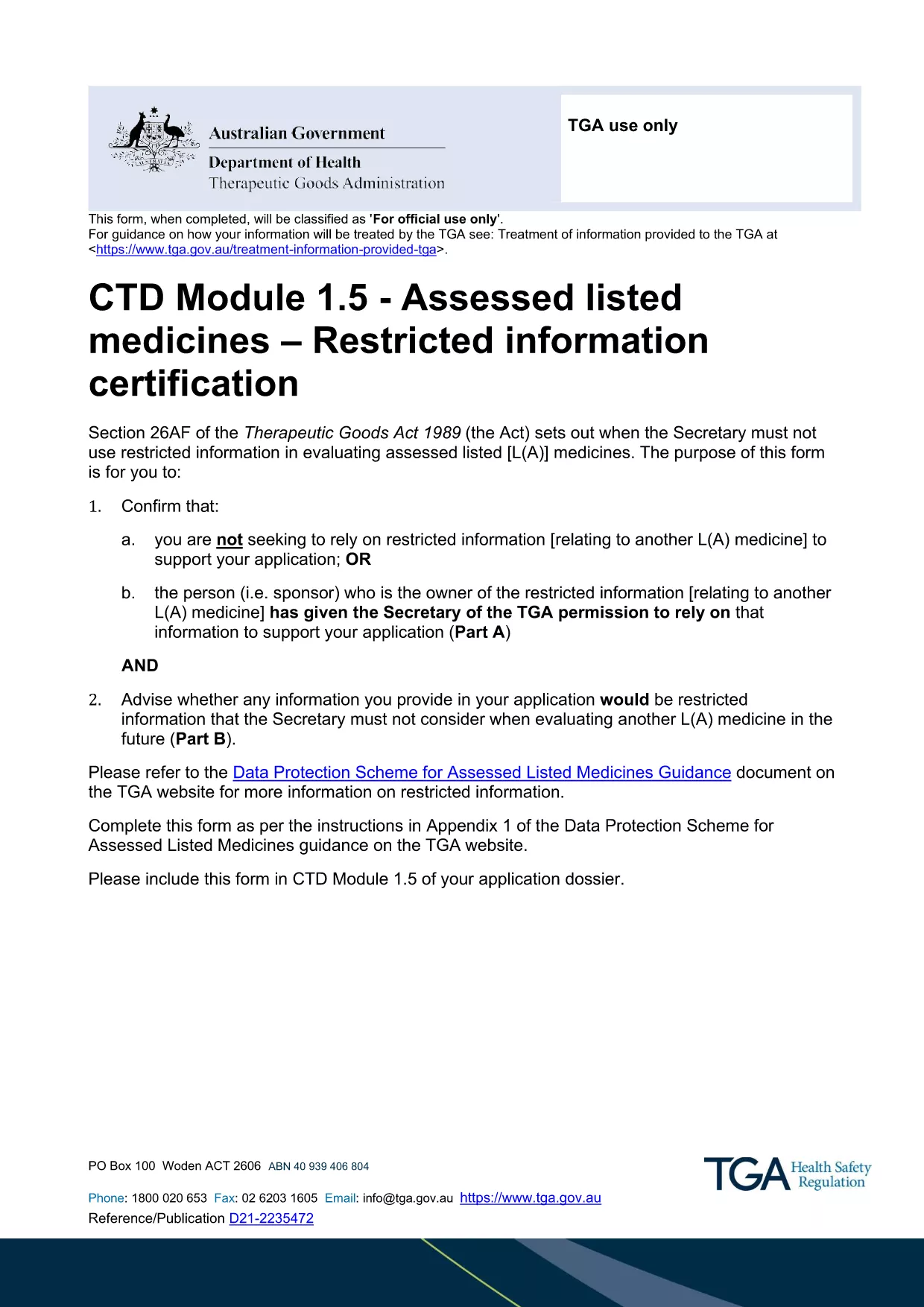
Restricted Medicine Application Form & Checklist (Fillable PDF)

  1. Land Australien
  2. Språk engelsk
  3. Aktivitet Medicines
  4. Avdelning Therapeutic Goods Administration
Restricted Medicine Application Form & Checklist (Fillable PDF)

Regulatory approval for restricted medicines in Australia requires both a detailed application form and a supporting checklist. Our fillable PDF combines the official CTD Module 1.5 – Restricted Information Certification Form with a practical checklist so you can gather all required data in one place.

By using the Formize PDF Filler, you avoid printing, scanning, and re‑typing. All fields are interactive, autosave, and compatible with Adobe Reader or any modern browser.

Why a Fillable PDF Matters for Restricted Medicines

The Therapeutic Goods Administration (TGA) mandates precise documentation for any medicine that contains restricted information. A fillable PDF ensures:

  • Accurate data entry with built‑in validation.
  • Instant access to the latest checklist items.
  • Secure saving of your work before submission.

Key Sections of the Application Form

The form is divided into two main parts:

  1. Part A – Reliance Declaration: Confirm whether you are relying on restricted information or have permission from the sponsor.
  2. Part B – Eligibility Assessment: Identify which parts of your dossier qualify as restricted information.

Each part includes tables for listing documents, dates, and contact details.

How to Complete the Form Using Formize

Follow the simple steps below to fill out the PDF directly in your browser. No additional software is required.

Common Mistakes to Avoid

  • Leaving optional fields blank when they are required for your specific product type.
  • Submitting outdated supporting documents.
  • Failing to sign the declaration section electronically.

Where to Submit Your Completed Application

After saving the completed PDF, upload it to the TGA’s eSubmission portal under the "Restricted Representation" category. Keep a copy for your records.

FAQ
  • Is the PDF truly fillable online?

    Yes. The Formize PDF Filler makes every field interactive in your browser without needing Adobe Acrobat Pro.

  • Do I need a TGA account to download the form?

    No. The PDF is publicly available. You only need a TGA account when you submit the completed application.

  • Can I save the form and finish it later?

    Absolutely. Use the "Save" button in Formize; the file is stored locally and can be reopened at any time.

  • What if I make a mistake after saving?

    You can edit any field before the final download. The Formize app tracks changes and lets you overwrite previous entries.

  • Is an electronic signature accepted?

    Yes. TGA accepts digital signatures placed within the PDF as long as they are clearly legible.

  • What supporting documents are required?

    Refer to the checklist section of the form. Typical items include product dossiers, sponsor letters, and data protection approvals.

  • How do I know if my information qualifies as "restricted"?

    Complete Part B of the form. It asks specific questions that determine eligibility based on the TGA’s Data Protection Scheme.

  • Can I submit the form via email?

    The TGA prefers electronic submission through their secure portal. Email submissions are not recommended for restricted medicine applications.

HUR

Så här fyller du i restricted medicine application form gratis, online i 5 enkla steg:

  1. 1
    Open the Fillable PDF
    Click the "Fill out this form" button on the page. The Formize PDF Filler app will load the document directly in your browser.
  2. 2
    Wait for the Formize Loader
    Allow a few seconds for the PDF to initialize. All interactive fields will become editable.
  3. 3
    Complete Each Section
    Enter the required information for Part A and Part B, follow the on‑screen prompts, and use the checklist items to verify you have all supporting documents.
  4. 4
    Save Your Progress
    Click the "Save" icon at any time. Formize automatically stores a local copy so you won’t lose data.
  5. 5
    Download and Submit
    When finished, click "Download PDF" to save the completed form. Upload the file to the TGA eSubmission portal as instructed in the checklist.
Formize PDF Filler app
HANDLA OM

restricted medicine application form mall

Med den traditionella uppsättningen funktioner för att visa och fylla i ett PDF-dokument, kombinerat med fördelarna med en webbapplikation och responsiv layout, kan du slutföra restricted medicine application form på några minuter.

FUNKTIONER

PDF-fyllare

Det enklaste sättet att fylla i restricted medicine application form online

  • Fyll snabbt i restricted medicine application form
    Letar du efter ett sätt att snabbt fylla restricted medicine application form online? Med vår online gratis PDF-formulärfyllare vet du hur du redigerar och fyller i detta pdf-dokument på mindre än en minut.
  • Lätt att använda online PDF-redigerare
    Är du trött på att skriva ut PDF-filer så att du kan redigera dem innan du skannar om och skickar tillbaka dem? Redigera PDF-dokument gratis online. Använd vår online pdf-redigerare för att spara tid och papper.
  • Bra verktyg, alla plattformar
    Undrar du hur man fyller i restricted medicine application form på en Mac, eller kanske hur man använder ett PDF-fyllmedel gratis? Våra online PDF-verktyg fungerar på alla plattformar.
  • Säker fillagring
    Färdiga "restricted medicine application form"-filer lagras i en säker databas som hanteras av Amazon Cloud-hosting. Du kan ta bort dina filer från vårt system när som helst. I alla fall raderas dessa filer automatiskt efter 24 timmar.
  • Chatta med restricted medicine application form
    Chatta med "restricted medicine application form" på Chatize som är en gratis PDF-läsare. Ställ frågor och få svar från "restricted medicine application form". Klicka bara på knappen Chatta med dokument ovan.

Ta bort fyllningssession

Ta bort den valda fyllningssessionen? I det här fallet kommer dina framsteg i att fylla i formuläret att gå förlorade.

Ta bort redigeringssession

Vill du ta bort den valda redigeringssessionen? I det här fallet kommer dina framsteg i att skapa och redigera formuläret att gå förlorade.