
SBI application form mall
Med den traditionella uppsättningen funktioner för att visa och fylla i ett PDF-dokument, kombinerat med fördelarna med en webbapplikation och responsiv layout, kan du slutföra SBI application form på några minuter.


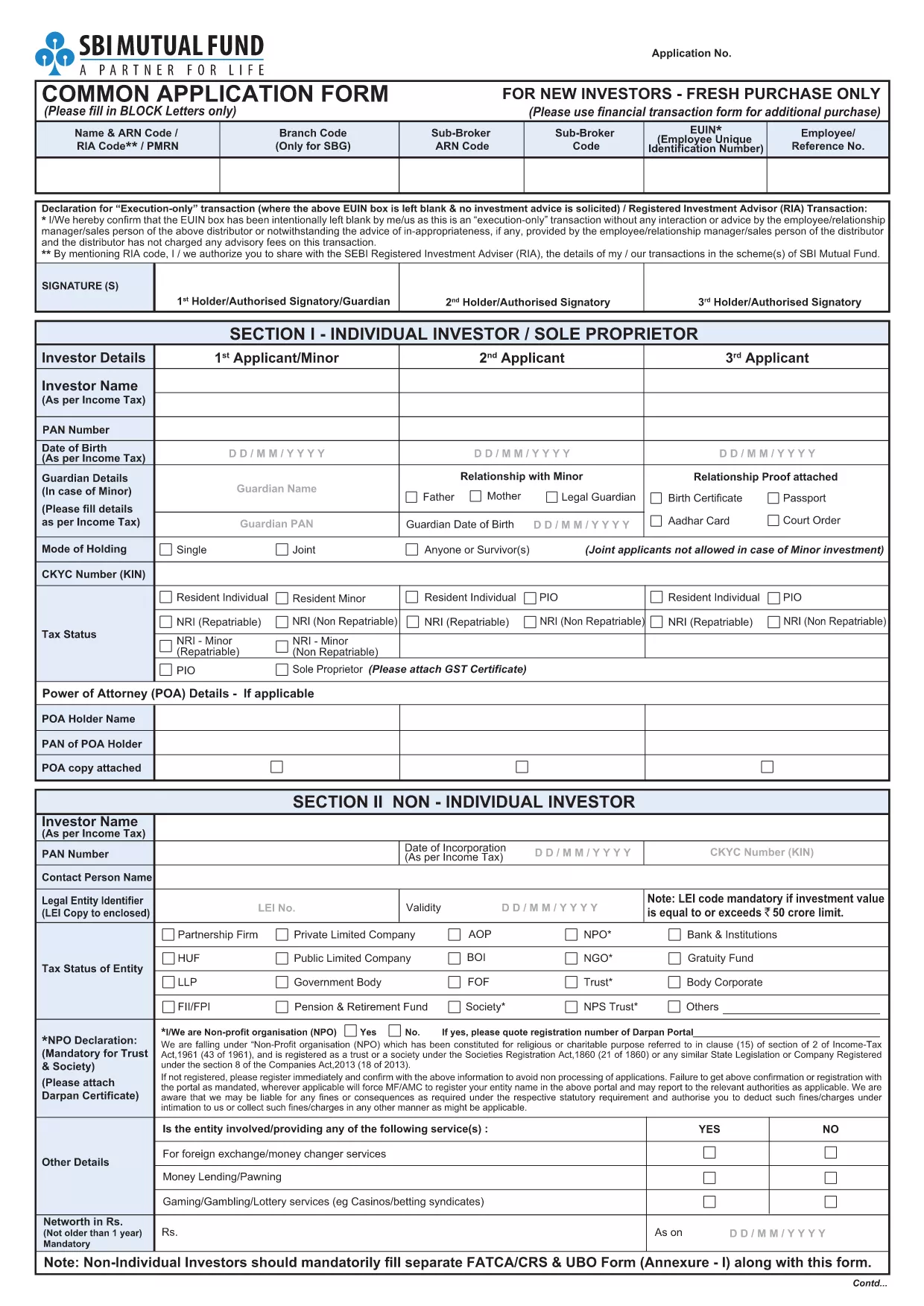
Looking for a quick and hassle‑free way to submit your SBI Application Form? With Formize’s online PDF filler, you can fill, save, and print the official SBI form directly in your browser—no extra software required.
The fillable version is identical to the paper form used by State Bank of India, but it adds:
Simply click the Fill out this form button below. The Formize PDF Filler app will load, presenting the exact layout of the official SBI document. Enter your information, use the drop‑down menus where provided, and the app will guide you through each section.
After completing the form, you can:
Find quick answers to the most common questions about the SBI Application Form below.
Yes. It mirrors the exact layout and wording of the official SBI paper form, ensuring your submission is accepted.
No. The Formize PDF Filler runs entirely in your web browser—no downloads or plugins required.
Absolutely. Use the “Save draft” button to download a partially completed PDF and reload it later.
All data entered in the filler is encrypted in transit and never stored on our servers after you download the final PDF.
You can download the completed PDF, correct the error using any PDF editor, and resend it to the bank.
No. Filling and downloading the SBI Application Form is completely free.
Med den traditionella uppsättningen funktioner för att visa och fylla i ett PDF-dokument, kombinerat med fördelarna med en webbapplikation och responsiv layout, kan du slutföra SBI application form på några minuter.
Det enklaste sättet att fylla i SBI application form online
Ta bort fyllningssession
Ta bort redigeringssession