
Välj språk

Punjab Renewal of Arms License Form for Individuals (Fillable PDF)

  1. Språk engelsk hindi
  2. Land Indien
  3. stat Punjab
  4. Avdelning Inrikes- och justitiedepartementet
Punjab Renewal of Arms License Form for Individuals (Fillable PDF)

Renewing your personal arms license in Punjab has never been easier. Our dedicated page provides the official Punjab renewal of arms license form for individuals as a fully fillable PDF that you can complete directly in your browser.

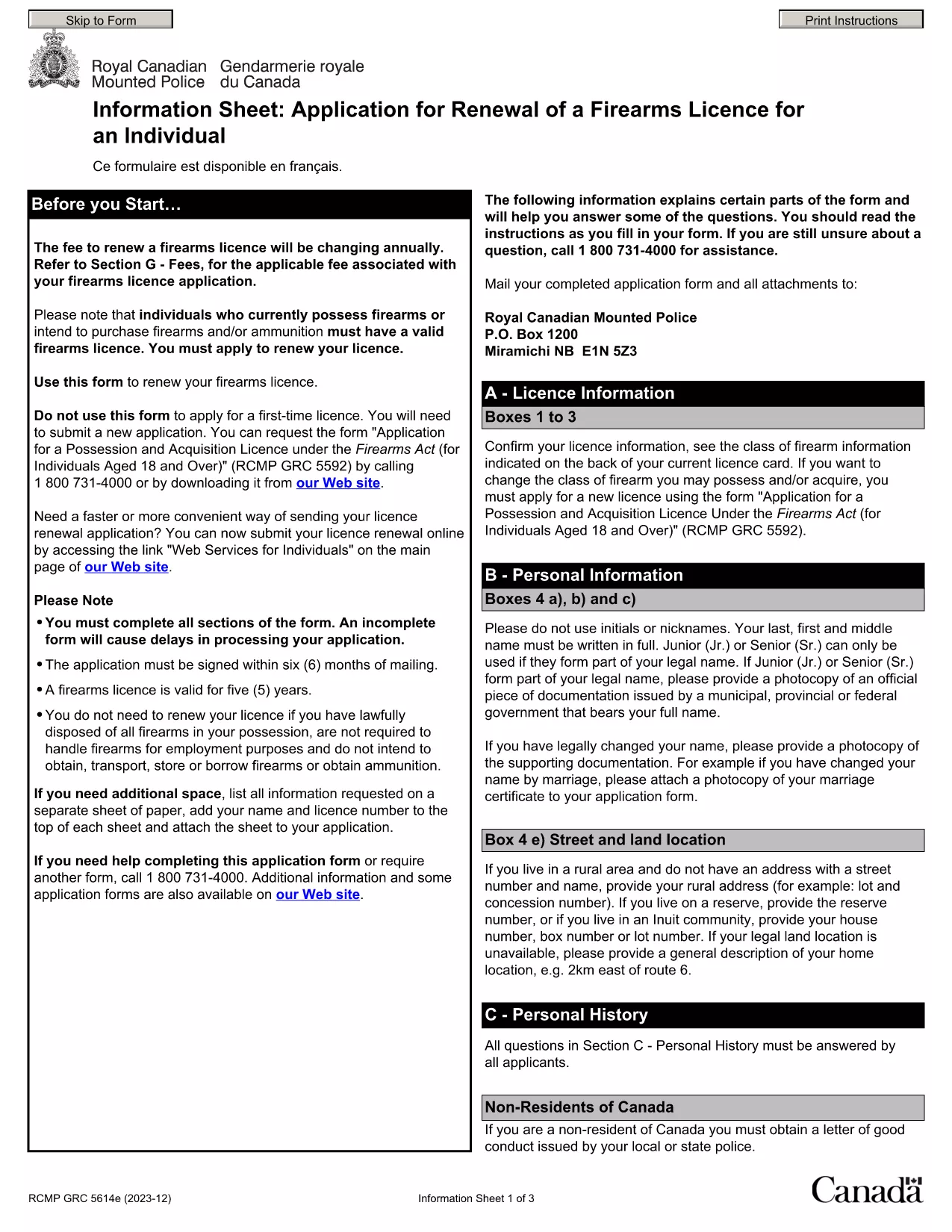
By using Formize’s PDF Filler, you avoid printing, scanning, and the risk of missing handwritten information. The form is powered by the same structure as the RCMP PAL Renewal Form, which meets international standards for firearm licensing documentation.

Why Use a Fillable PDF for Your Punjab Arms License Renewal

A fillable PDF ensures:

  • Accuracy – fields are validated in real time.
  • Speed – submit within minutes, not days.
  • Security – your data stays encrypted while you work.

Step‑by‑Step Guide to Completing the Form Online

Follow the simple steps below to finish your renewal without leaving the page.

Common Mistakes to Avoid When Renewing Your Arms License

Skipping a required field or uploading an unsupported file format can delay processing. Our guide highlights the most frequent errors and how to prevent them.

Where to Submit Your Completed Form

After you finish, download the completed PDF and submit it to the Punjab Police Arms Licensing Office either in person or via their official online portal.

Ready to start? Click the button below, let Formize load the PDF filler, and complete the form in a few easy steps.

FAQ
  • Is the Punjab arms license renewal form available for free?

    Yes. The fillable PDF is provided at no cost. You only need an internet connection to complete it online.

  • Can I edit the form after I download it?

    Once you download the completed PDF, you can open it in any standard PDF viewer, but the official submission should be the version you saved from Formize.

  • What documents do I need to attach with the renewal?

    Typically you must attach a recent passport‑size photograph, a copy of your current license, and any supporting certificates. Check the form’s attachment section for exact requirements.

  • How long does the renewal process take after submission?

    Processing times vary by district, but most renewals are completed within 7‑10 business days once the correct form and documents are received.

  • What if I make a mistake while filling the form?

    The fillable PDF highlights incomplete or incorrectly formatted fields. Correct the information before saving, or you can start over by clicking the reset button.

  • Do I need to print the form to submit it?

    No. The Punjab Police accepts a digitally signed PDF via their online portal or by email. Printing is optional.

  • Is my personal data safe while using Formize?

    Formize uses SSL encryption, and the PDF is processed locally in your browser, ensuring your data never leaves your computer unless you choose to upload it.

  • Can I use this form on a mobile device?

    Yes. The fillable PDF works on most modern smartphones and tablets with a compatible browser.

HUR

Så här fyller du i Punjab arms license renewal gratis, online i 5 enkla steg:

  1. 1
    Click the Fill Out This Form button
    Press the highlighted button on the page to open the Formize PDF Filler app.
  2. 2
    Wait for the filler to load
    The fillable PDF loads automatically; this usually takes a few seconds.
  3. 3
    Enter your information
    Complete each field – the form validates entries in real time to prevent errors.
  4. 4
    Review and sign
    Double‑check all details, add your digital signature if required, and save the document.
  5. 5
    Download or submit
    Download the finished PDF for your records and submit it to the Punjab Police Arms Licensing Office.
Formize PDF Filler app
HANDLA OM

Utrikesministeriets ansökningsblanketter

Punjab arms license renewal är ett av utrikesministeriets ansökningsformulär. Det indiska utrikesministeriet erbjuder olika ansökningsformulär för olika tjänster relaterade till externa frågor och internationella relationer. Några vanliga ansökningsformulär inkluderar:

Ansökan om pass: Detta formulär används för att ansöka om ett indiskt pass. Den samlar in personliga uppgifter som namn, adress, födelsedatum och nationalitet.

Ansökan om utländskt medborgarskap i Indien (OCI): Detta formulär används för att ansöka om OCI-status, vilket tillåter individer av indiskt ursprung att bo och arbeta i Indien på obestämd tid. Den samlar in personliga uppgifter, inklusive bevis på indiskt ursprung.

Visumansökan: Detta formulär används för att ansöka om visum för att resa till ett främmande land. Den samlar in personlig information, reseinformation och syftet med resan.

Ansökan om emigrationstillstånd: Detta formulär används av personer som söker emigrationstillstånd för anställning i vissa länder. Den samlar in personlig information och anställningsinformation.

Ansökan om intyg: Det här formuläret används för att ansöka om attestering av olika dokument, såsom utbildningsintyg, vigselbevis och kommersiella dokument. Den samlar in information om dokumentet som ska attesteras och syftet med attestationen.

Ansökan om konsulära tjänster: Detta formulär används för olika konsulära tjänster, inklusive utfärdande av nödcertifikat, assistans till indiska medborgare utomlands och registrering av indiska medborgare. Vilka specifika detaljer som krävs beror på vilken typ av tjänst som efterfrågas.

FUNKTIONER

PDF-fyllare

Det enklaste sättet att fylla i Punjab arms license renewal online

  • Fyll snabbt i Punjab arms license renewal
    Letar du efter ett sätt att snabbt fylla Punjab arms license renewal online? Med vår online gratis PDF-formulärfyllare vet du hur du redigerar och fyller i detta pdf-dokument på mindre än en minut.
  • Lätt att använda online PDF-redigerare
    Är du trött på att skriva ut PDF-filer så att du kan redigera dem innan du skannar om och skickar tillbaka dem? Redigera PDF-dokument gratis online. Använd vår online pdf-redigerare för att spara tid och papper.
  • Bra verktyg, alla plattformar
    Undrar du hur man fyller i Punjab arms license renewal på en Mac, eller kanske hur man använder ett PDF-fyllmedel gratis? Våra online PDF-verktyg fungerar på alla plattformar.
  • Säker fillagring
    Färdiga "Punjab arms license renewal"-filer lagras i en säker databas som hanteras av Amazon Cloud-hosting. Du kan ta bort dina filer från vårt system när som helst. I alla fall raderas dessa filer automatiskt efter 24 timmar.
  • Chatta med Punjab arms license renewal
    Chatta med "Punjab arms license renewal" på Chatize som är en gratis PDF-läsare. Ställ frågor och få svar från "Punjab arms license renewal". Klicka bara på knappen Chatta med dokument ovan.

Ta bort fyllningssession

Ta bort den valda fyllningssessionen? I det här fallet kommer dina framsteg i att fylla i formuläret att gå förlorade.

Ta bort redigeringssession

Vill du ta bort den valda redigeringssessionen? I det här fallet kommer dina framsteg i att skapa och redigera formuläret att gå förlorade.