

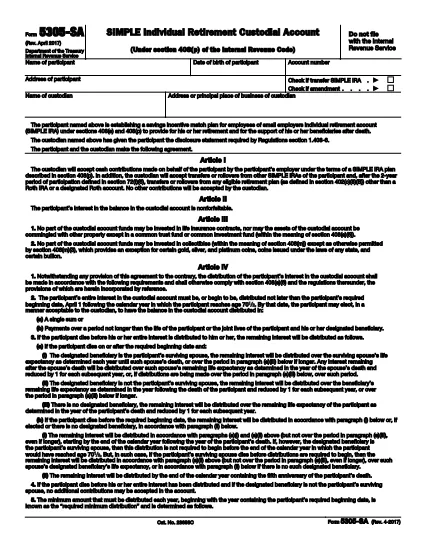

Blanketter för Internal Revenue Service (IRS).
IRS Form 5305-SA är ett av de officiella skatteformulären som används i USA för att rapportera inkomster, kräva avdrag och krediter, beräkna skatteskuld och uppfylla andra skatterelaterade skyldigheter. IRS är det federala organ som ansvarar för att administrera och upprätthålla de interna skattelagarna i USA.
Här är några exempel på Internal Revenue Service-formulär:
Formulär 1040: Detta är det primära individuella inkomstdeklarationsformuläret som används av de flesta skattebetalare. Den används för att redovisa olika typer av inkomster, kräva avdrag och krediter, beräkna skattskyldighet och avgöra om en skattskyldig är skyldig tilläggsskatt eller har rätt till återbetalning.
Formulär 1099: Det finns olika varianter av Form 1099, till exempel 1099-MISC, 1099-INT, 1099-DIV, etc. Dessa formulär används för att rapportera inkomster som privatpersoner eller företag tagit emot från olika källor än anställning, till exempel egenföretagare inkomst, ränteintäkter, utdelningsinkomster och hyresintäkter.
Formulär W-2: Detta formulär används av arbetsgivare för att rapportera löner som betalats ut till anställda och skatter undanhållit sin lön. Anställda använder informationen på formulär W-2 för att fylla i sina individuella skattedeklarationer.
Formulär 941: Arbetsgivare använder detta formulär för att rapportera anställningsskatter, inklusive federal inkomstskatt, socialförsäkringsskatt och Medicare-skatt, för sina anställda.
Formulär 1065: Detta formulär används av partnerskap för att rapportera sina inkomster, avdrag och skatteskuld. Partnerskap själva betalar inte inkomstskatt; i stället redovisar delägarna sin andel av partnerskapsinkomsten på sina individuella deklarationer.
Formulär 1120: Detta är formuläret för företagsskattedeklaration som används av C-företag för att rapportera sin inkomst, avdrag och skattskyldighet.
Formulär 990: Detta formulär används av skattebefriade organisationer, såsom ideella organisationer och välgörenhetsorganisationer, för att rapportera sin ekonomiska information, aktiviteter och efterlevnad av skattelagar.
Formulär 8862: Detta formulär används av skattebetalare som tidigare gjort anspråk på inkomstskatteavdraget (EITC) men fick det förkastat och vill nu göra anspråk på det igen.
Detta är bara några exempel på de många IRS-formulär som finns för att uppfylla olika skatterelaterade skyldigheter. De specifika formulär som krävs för en individ eller företag beror på deras unika omständigheter, inkomstkällor och avdrag. Det är tillrådligt att konsultera den officiella webbplatsen för Internal Revenue Service (www.irs.gov) eller söka professionell skatterådgivning för att få korrekt och uppdaterad information om den specifika IRS formulär som är relevanta för din skattesituation.