
Välj språk

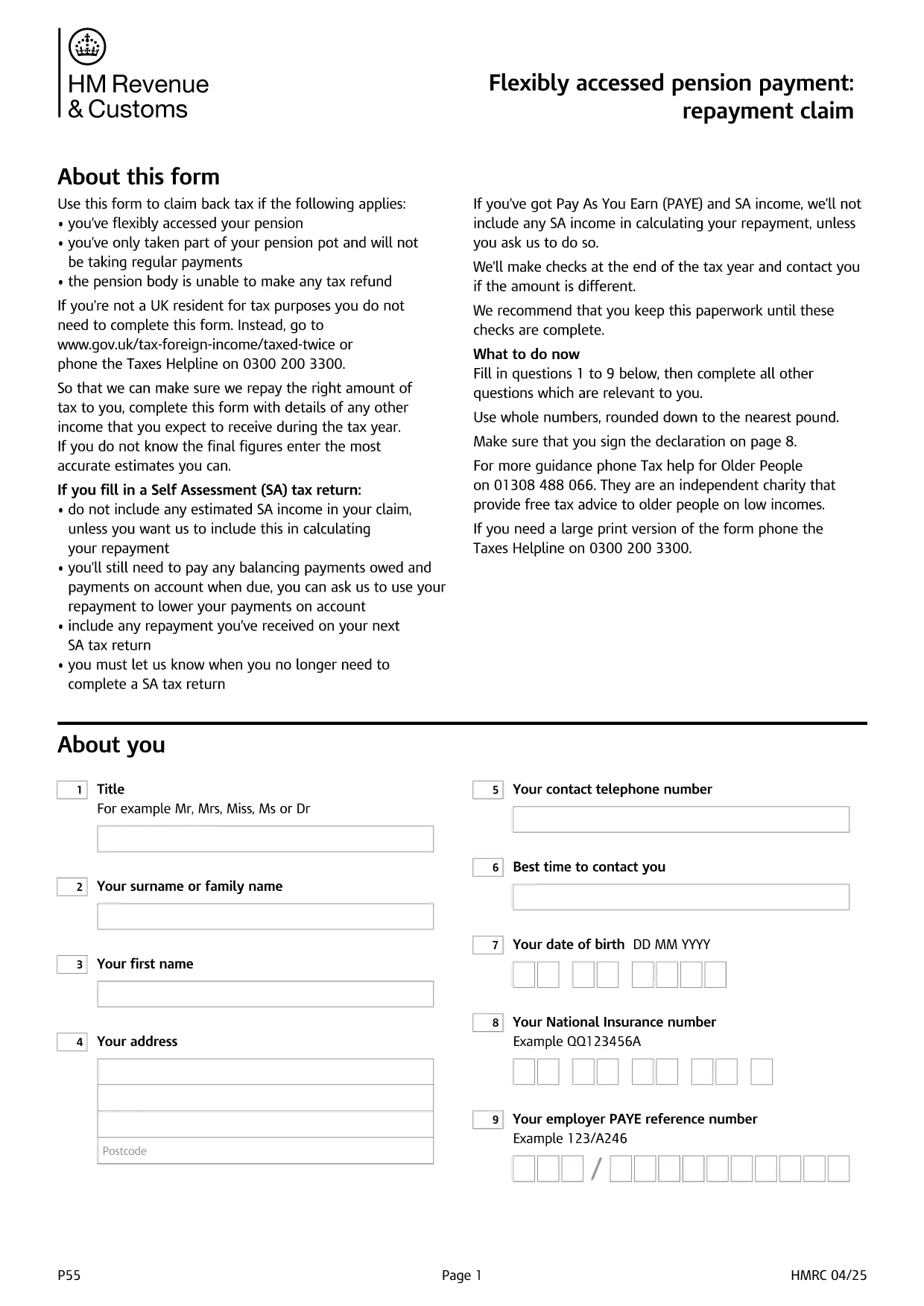
UK HMRC Form P55 – Fillable PDF for Pension Tax Refund

  1. Språk engelsk
  2. Land United Kingdom
  3. Avdelning HMRC
  4. Aktivitet Skatter
UK HMRC Form P55 – Fillable PDF for Pension Tax Refund

Form P55 is the HMRC claim form used to recover tax that was over‑deducted when you accessed a portion of your pension flexibly. With the fillable PDF hosted by Formize, you can complete the form directly in your browser—no extra software required.

What Is HMRC Form P55?

The P55 is issued by HM Revenue & Customs (HMRC) to correct the "month‑1" emergency tax code that pension providers often apply to a one‑off withdrawal. It allows you to claim back the excess tax within the same tax year.

When and Why to Use Form P55

  • You have taken a partial pension withdrawal (not the whole pot).
  • The withdrawal was a single lump‑sum or occasional payment.
  • Your provider could not issue the refund themselves.
  • You want the refund sooner than the end‑of‑year reconciliation.

How to Complete Form P55 Online

Instead of downloading the PDF and editing it with a separate editor, simply click the "Fill out this form" button on this page. The Formize PDF Filler app will load, and you can:

  1. Enter your personal details, NI number, and bank account.
  2. Provide the pension payment information (gross amount, tax deducted, provider details).
  3. Add any other income you earned during the tax year.
  4. Sign electronically with a typed, drawn, or uploaded signature.
  5. Submit the completed form directly to HMRC or download it for postal submission.

Common Mistakes to Avoid

  • Leaving fields blank – HMRC will reject an incomplete claim.
  • Using the wrong tax year version – always select the form for the current tax year.
  • Mismatching your NI number or bank details – double‑check before submitting.
  • Forgetting to include other income – HMRC recalculates your total tax position.

Submit Your Claim & Receive Your Refund

After you finish, you can either:

  • Submit electronically via your HMRC Government Gateway account (fastest).
  • Print the completed PDF and post it to the address shown on the form.

HMRC typically processes a P55 claim within 30 days and pays the refund by Faster Payments or cheque.

FAQ
  • What is the purpose of Form P55?

    Form P55 lets you claim back tax that was over‑deducted when you took a partial, one‑off pension withdrawal.

  • Do I need a new Form P55 each tax year?

    Yes. HMRC releases a new version every April, so always use the form that matches the current tax year.

  • Can I submit Form P55 online?

    Yes. After completing the fillable PDF, you can upload it through your HMRC Government Gateway account for the fastest processing.

  • How long does HMRC take to process a P55 claim?

    Typical processing time is up to 30 days, after which the refund is paid via Faster Payments or cheque.

  • What if I make another pension withdrawal later in the year?

    You may need to submit an additional P55 for the new withdrawal, or wait for the end‑of‑year reconciliation to settle the final tax position.

  • Is there a fee to use the Formize fillable PDF?

    Formize provides the fillable PDF for free; you only pay any standard HMRC filing fees if applicable.

  • What common errors cause a P55 to be rejected?

    Leaving required fields blank, using the wrong tax‑year version, or providing mismatched NI or bank details are the most frequent reasons.

HUR

Så här fyller du i HMRC Form P55 gratis, online i 5 enkla steg:

  1. 1
    Click the Fill‑out Button
    Press the "Fill out this form" button on the page. The Formize PDF Filler loads in seconds.
  2. 2
    Enter Your Details
    Fill in personal information, NI number, pension payment figures, and any other income for the tax year.
  3. 3
    Add Your Signature
    Use the built‑in signature tool to draw, upload, or type a legally‑binding signature.
  4. 4
    Submit or Download
    Choose to submit directly to HMRC via your Government Gateway account or download the completed PDF for postal submission.
  5. 5
    Receive Your Refund
    HMRC processes the claim within 30 days and sends the refund to your bank account or by cheque.
Formize PDF Filler app
HANDLA OM

Skatteformulär

HMRC Form P55 är ett av skatteformulär som är dokument som används för att rapportera information om en individs eller företags inkomst, avdrag och skatteskuld till relevant skattemyndighet. Dessa formulär är nödvändiga för att följa skattelagar och uppfylla skatteförpliktelser. Skatteformerna varierar beroende på land och de specifika skattekraven. Här är några vanliga typer av skatteformulär:

Individuella skatteformulär: Dessa formulär används av enskilda skattebetalare för att rapportera sin personliga inkomst och kräva avdrag, krediter och undantag. Exempel inkluderar 1040-formuläret i USA eller formuläret för självskattedeklaration i Storbritannien.

Företagsskatteformulär: Företagsskatteformulär används av företag, partnerskap eller egenföretagare för att rapportera sina företagsinkomster, utgifter och annan skatterelaterad information. Exempel inkluderar formulär C-formuläret (Profit or Loss from Business) i USA eller CT600-formuläret (Company Tax Return) i Storbritannien.

Löneskatteformulär: Dessa formulär används av arbetsgivare för att rapportera löner, löner och skatter som hålls inne från sina anställdas lönecheckar. Exempel inkluderar W-2-formuläret i USA eller P60-formuläret i Storbritannien.

Skatteformulär: Blanketter för försäljningsskatt används av företag för att rapportera och betala omsättningsskatt som samlats in på skattepliktiga varor eller tjänster. De specifika momsformulären varierar beroende på jurisdiktion.

Formulärer för mervärdesskatt (moms): Momsformulär används i länder som tar ut en mervärdesskatt för att rapportera och betala moms insamlad på försäljning och begära momskrediter för köp. Exempel är de blanketter för momsdeklaration som används i många länder.

Uppskattade skatteformulär: Uppskattade skatteformulär används för att rapportera och betala beräknade skatter på inkomster som inte är föremål för källskatt, till exempel inkomster från egenföretagare eller kapitalinkomster.

Detta är bara några exempel på de många skatteformer som kan finnas. Vilka specifika formulär som krävs beror på skattelagar och regler i ditt land eller jurisdiktion. Det är viktigt att ta del av skattemyndighetens riktlinjer eller söka professionell rådgivning för att avgöra vilka blanketter som är tillämpliga för din situation.

FUNKTIONER

PDF-fyllare

Det enklaste sättet att fylla i HMRC Form P55 online

  • Fyll snabbt i HMRC Form P55
    Letar du efter ett sätt att snabbt fylla HMRC Form P55 online? Med vår online gratis PDF-formulärfyllare vet du hur du redigerar och fyller i detta pdf-dokument på mindre än en minut.
  • Lätt att använda online PDF-redigerare
    Är du trött på att skriva ut PDF-filer så att du kan redigera dem innan du skannar om och skickar tillbaka dem? Redigera PDF-dokument gratis online. Använd vår online pdf-redigerare för att spara tid och papper.
  • Bra verktyg, alla plattformar
    Undrar du hur man fyller i HMRC Form P55 på en Mac, eller kanske hur man använder ett PDF-fyllmedel gratis? Våra online PDF-verktyg fungerar på alla plattformar.
  • Säker fillagring
    Färdiga "HMRC Form P55"-filer lagras i en säker databas som hanteras av Amazon Cloud-hosting. Du kan ta bort dina filer från vårt system när som helst. I alla fall raderas dessa filer automatiskt efter 24 timmar.
  • Chatta med HMRC Form P55
    Chatta med "HMRC Form P55" på Chatize som är en gratis PDF-läsare. Ställ frågor och få svar från "HMRC Form P55". Klicka bara på knappen Chatta med dokument ovan.

Ta bort fyllningssession

Ta bort den valda fyllningssessionen? I det här fallet kommer dina framsteg i att fylla i formuläret att gå förlorade.

Ta bort redigeringssession

Vill du ta bort den valda redigeringssessionen? I det här fallet kommer dina framsteg i att skapa och redigera formuläret att gå förlorade.