Välj språk

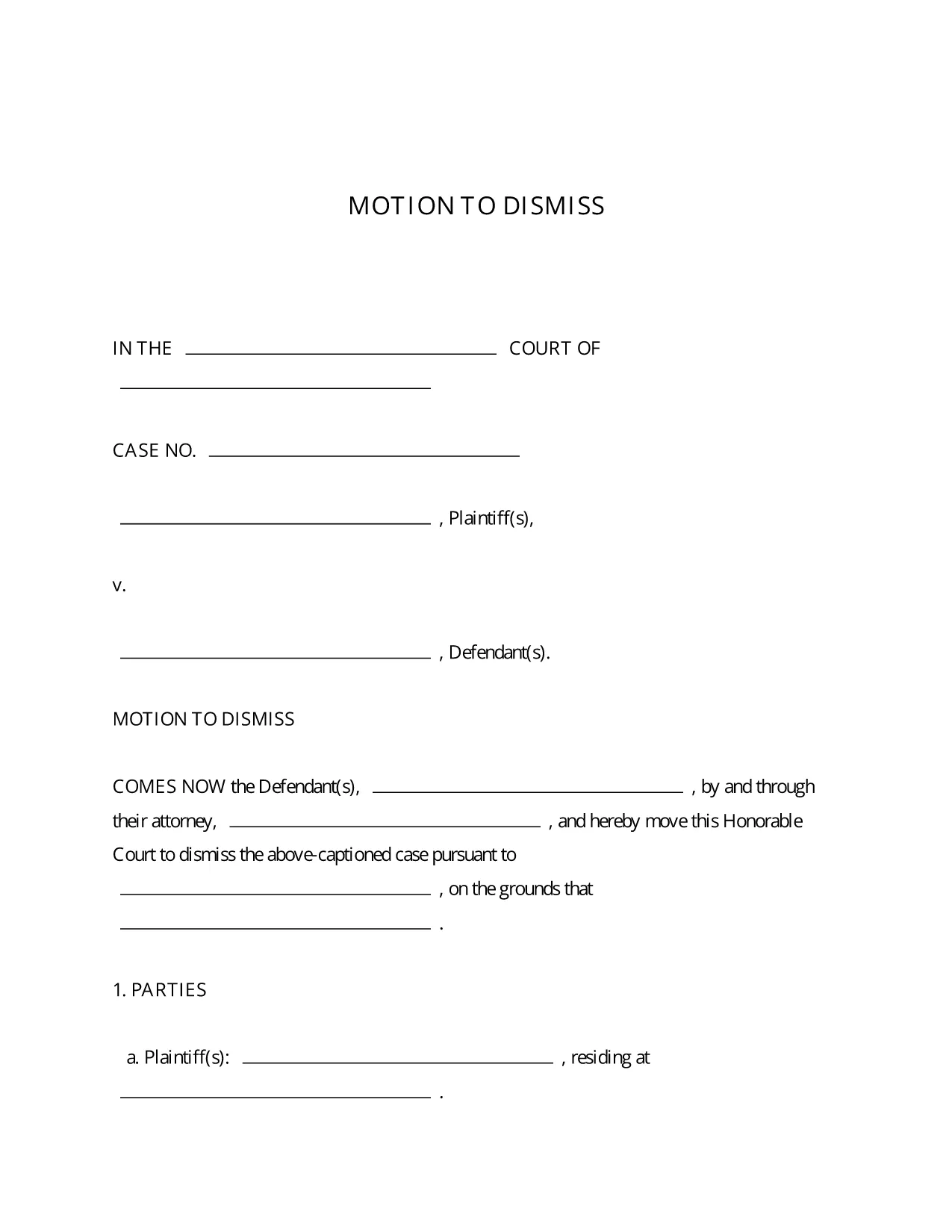
Motion to Dismiss Form – Fillable PDF Ready to Use

  1. Språk engelsk
  2. Land USA
  3. Aktivitet Legal Forms
  4. Avdelning Judiciary
Motion to Dismiss Form – Fillable PDF Ready to Use

A Motion to Dismiss is a formal request to the court to throw out a case before trial. Whether you’re citing lack of jurisdiction, failure to state a claim, or an expired statute of limitations, the right template saves you time and ensures every required element is included.

What Is a Motion to Dismiss?

The motion asks the judge to dismiss the plaintiff’s complaint for legal reasons. It is typically filed early in the litigation process and must follow the procedural rules of the jurisdiction where the case is pending.

Key Sections of the Motion to Dismiss Form

  • Caption: Court name, case number, and parties.
  • Introduction: Brief statement of the request.
  • Grounds for Dismissal: Detailed legal reasons with citations.
  • Conclusion & Relief Sought: What you want the court to order.
  • Signature Block: Attorney’s signature, bar number, and contact info.

How to Fill Out the Fillable PDF in Seconds

Instead of downloading the PDF and opening a separate editor, simply click the “Fill out this form” button on this page. The Formize PDF Filler app loads instantly, letting you type directly into each field, add your signature, and save the completed document with one click.

Common Mistakes to Avoid

  • Leaving required fields blank – the court will reject an incomplete motion.
  • Using the wrong jurisdictional language – double‑check the local rules.
  • Failing to attach supporting case law or statutes.
  • Missing the signature block or bar number.

Download, Complete, and Submit Your Motion

Once you’ve filled out the form, download the finished PDF, print it (if required), and file it with the clerk of the court. Many courts now accept electronic filing, so you can upload the PDF directly from your computer.

This fillable Motion to Dismiss PDF is free, fully editable, and compliant with standard court formatting requirements.

FAQ
  • Is the Motion to Dismiss form free to use?

    Yes, the fillable PDF provided here is completely free and can be used for any civil case in U.S. courts.

  • Do I need Adobe Acrobat to edit the form?

    No. The Formize PDF Filler works in any modern browser, so you can edit the form without installing additional software.

  • Can I file the completed motion electronically?

    Most U.S. courts accept electronic filing (e‑filing). After downloading the completed PDF, follow your court’s e‑filing portal instructions.

  • What if my jurisdiction has different formatting rules?

    The template follows the most common federal and state formatting guidelines. Review your local court rules and adjust font size or margin settings if needed.

  • How long does it take to complete the form?

    With the fillable PDF and Formize Filler, most users finish in 5‑10 minutes, depending on the complexity of the legal arguments.

  • Can I save my progress and return later?

    Yes. Use the “Save” button in Formize PDF Filler to store a draft in your account, then reopen it whenever you’re ready.

  • Do I need a lawyer to use this form?

    While the form is designed for self‑representation, it’s advisable to have an attorney review your motion to ensure legal accuracy.

HUR

Så här fyller du i motion to dismiss form gratis, online i 5 enkla steg:

  1. 1
    Click the Fill‑out Button
    Press the “Fill out this form” button on the page to launch Formize PDF Filler.
  2. 2
    Wait for the Filler to Load
    The app loads in seconds; you’ll see editable fields appear directly in your browser.
  3. 3
    Enter Your Information
    Type the case details, grounds for dismissal, and any supporting citations into the highlighted fields.
  4. 4
    Add Your Signature
    Use the built‑in e‑signature tool to sign the document securely.
  5. 5
    Save or Download
    Click “Save” to store the completed PDF in your Formize account, or “Download” to get a copy for filing.
Formize PDF Filler app
HANDLA OM

motion to dismiss form mall

Med den traditionella uppsättningen funktioner för att visa och fylla i ett PDF-dokument, kombinerat med fördelarna med en webbapplikation och responsiv layout, kan du slutföra motion to dismiss form på några minuter.

FUNKTIONER

PDF-fyllare

Det enklaste sättet att fylla i motion to dismiss form online

  • Fyll snabbt i motion to dismiss form
    Letar du efter ett sätt att snabbt fylla motion to dismiss form online? Med vår online gratis PDF-formulärfyllare vet du hur du redigerar och fyller i detta pdf-dokument på mindre än en minut.
  • Lätt att använda online PDF-redigerare
    Är du trött på att skriva ut PDF-filer så att du kan redigera dem innan du skannar om och skickar tillbaka dem? Redigera PDF-dokument gratis online. Använd vår online pdf-redigerare för att spara tid och papper.
  • Bra verktyg, alla plattformar
    Undrar du hur man fyller i motion to dismiss form på en Mac, eller kanske hur man använder ett PDF-fyllmedel gratis? Våra online PDF-verktyg fungerar på alla plattformar.
  • Säker fillagring
    Färdiga "motion to dismiss form"-filer lagras i en säker databas som hanteras av Amazon Cloud-hosting. Du kan ta bort dina filer från vårt system när som helst. I alla fall raderas dessa filer automatiskt efter 24 timmar.
  • Chatta med motion to dismiss form
    Chatta med "motion to dismiss form" på Chatize som är en gratis PDF-läsare. Ställ frågor och få svar från "motion to dismiss form". Klicka bara på knappen Chatta med dokument ovan.

Ta bort fyllningssession

Ta bort den valda fyllningssessionen? I det här fallet kommer dina framsteg i att fylla i formuläret att gå förlorade.

Ta bort redigeringssession

Vill du ta bort den valda redigeringssessionen? I det här fallet kommer dina framsteg i att skapa och redigera formuläret att gå förlorade.