Välj språk

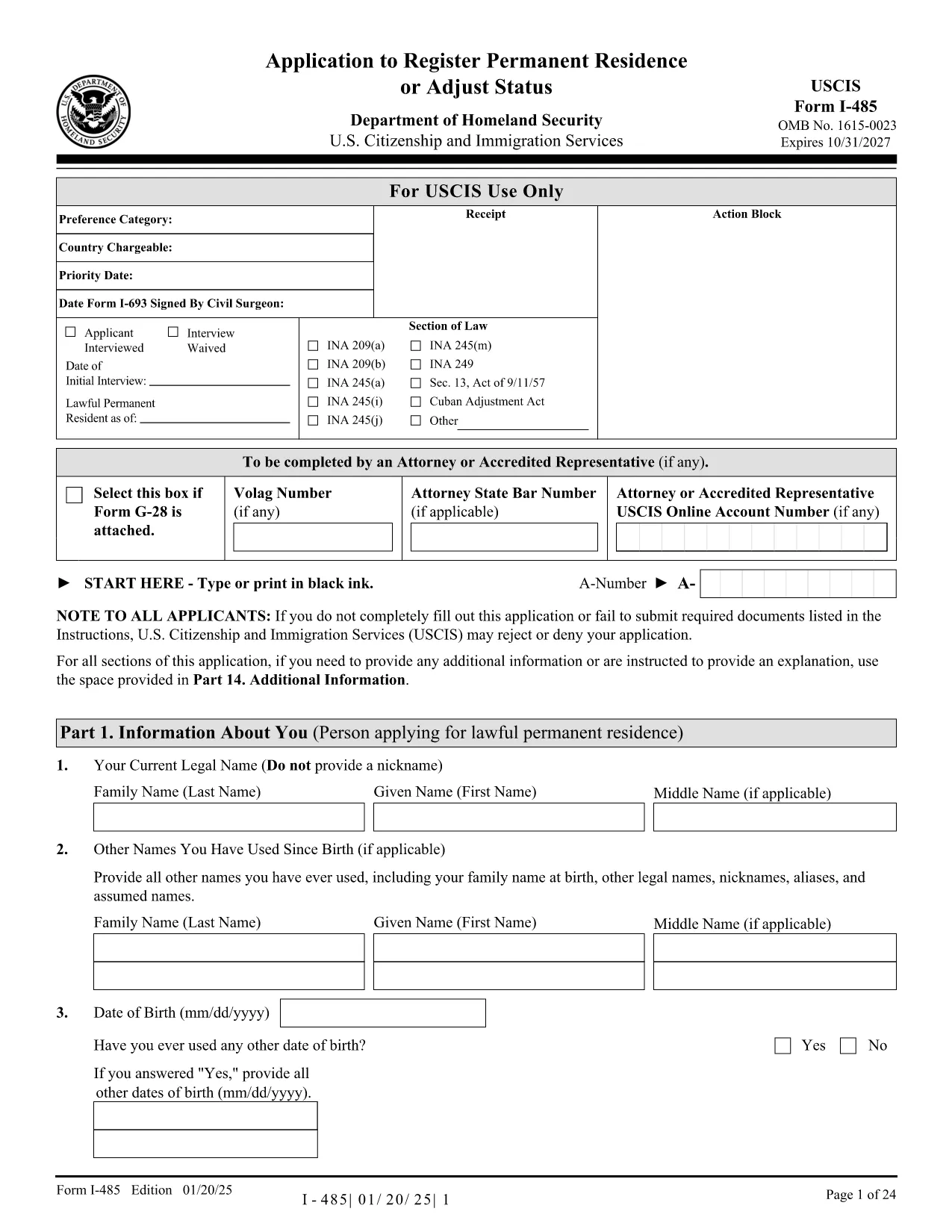
I-485 Application to Register Permanent Residence (Fillable PDF)

  1. Land USA
  2. Språk engelsk
  3. Avdelning U.S.S. medborgarskap och immigrationstjänster
I-485 Application to Register Permanent Residence (Fillable PDF)

The Form I-485 (Application to Register Permanent Residence or Adjust Status) is the official USCIS document used by individuals inside the United States to apply for a green card. Our fillable PDF version lets you complete the form electronically, save time, and reduce errors.

Using the Formize PDF Filler, you can type directly into each field, add electronic signatures, and download a completed copy ready for mailing to USCIS. No extra software is required – simply click the button, wait for the filler to load, and start entering your information.

Key benefits of the fillable I-485 PDF:

  • Accurate data entry with built‑in validation.
  • Instant preview of the completed form.
  • Easy saving and printing for submission.
  • Secure handling of personal information.

Below you’ll find step‑by‑step instructions, common pitfalls to watch out for, and a checklist of supporting documents you’ll need to attach when you file your application.

FAQ
  • Can I file Form I-485 online?

    Online filing is currently limited to certain employment‑based categories. For most applicants, the paper version (the fillable PDF) must be completed and mailed.

  • Do I need to submit Form I-693 with my I-485?

    Yes. The medical examination report (Form I-693) must be submitted in a sealed envelope from a civil surgeon along with your I-485.

  • What is the filing fee for Form I-485?

    The fee varies by category. Check the USCIS Fee Schedule for the most up‑to‑date amount before you submit your application.

  • How many pages should the PDF have?

    Use the official PDF from USCIS (all pages must be from the same edition). Missing or mismatched pages can cause a rejection.

  • Can I edit the form after I download it?

    Yes, as long as you use the fillable version before signing. Once you add an electronic signature, further edits will invalidate the signature.

  • Do I need a lawyer to complete I-485?

    A lawyer is not required, but many applicants choose legal assistance to ensure accuracy and completeness.

HUR

Så här fyller du i I-485 form gratis, online i 5 enkla steg:

  1. 1
    Open the Fillable Form
    Click the “Fill out this form” button on the page. The Formize PDF Filler app will load in a new window.
  2. 2
    Enter Your Information
    Type directly into each field. The filler validates dates, numbers, and required entries as you go.
  3. 3
    Add Your Electronic Signature
    When you reach the signature section, use the built‑in signature tool to sign electronically.
  4. 4
    Review and Save
    Check the completed form for any errors, then click “Save” to download the finished PDF to your computer.
  5. 5
    Print and Submit
    Print the saved PDF, attach all required supporting documents, and mail the package to the USCIS address listed in the form instructions.
Formize PDF Filler app
HANDLA OM

I-485 form mall

Med den traditionella uppsättningen funktioner för att visa och fylla i ett PDF-dokument, kombinerat med fördelarna med en webbapplikation och responsiv layout, kan du slutföra I-485 form på några minuter.

FUNKTIONER

PDF-fyllare

Det enklaste sättet att fylla i I-485 form online

  • Fyll snabbt i I-485 form
    Letar du efter ett sätt att snabbt fylla I-485 form online? Med vår online gratis PDF-formulärfyllare vet du hur du redigerar och fyller i detta pdf-dokument på mindre än en minut.
  • Lätt att använda online PDF-redigerare
    Är du trött på att skriva ut PDF-filer så att du kan redigera dem innan du skannar om och skickar tillbaka dem? Redigera PDF-dokument gratis online. Använd vår online pdf-redigerare för att spara tid och papper.
  • Bra verktyg, alla plattformar
    Undrar du hur man fyller i I-485 form på en Mac, eller kanske hur man använder ett PDF-fyllmedel gratis? Våra online PDF-verktyg fungerar på alla plattformar.
  • Säker fillagring
    Färdiga "I-485 form"-filer lagras i en säker databas som hanteras av Amazon Cloud-hosting. Du kan ta bort dina filer från vårt system när som helst. I alla fall raderas dessa filer automatiskt efter 24 timmar.
  • Chatta med I-485 form
    Chatta med "I-485 form" på Chatize som är en gratis PDF-läsare. Ställ frågor och få svar från "I-485 form". Klicka bara på knappen Chatta med dokument ovan.

Ta bort fyllningssession

Ta bort den valda fyllningssessionen? I det här fallet kommer dina framsteg i att fylla i formuläret att gå förlorade.

Ta bort redigeringssession

Vill du ta bort den valda redigeringssessionen? I det här fallet kommer dina framsteg i att skapa och redigera formuläret att gå förlorade.