Välj språk

Form I-912 – Request for Fee Waiver (Fillable PDF)

  1. Land USA
  2. Språk engelsk
  3. Avdelning U.S.S. medborgarskap och immigrationstjänster
Form I-912 – Request for Fee Waiver (Fillable PDF)

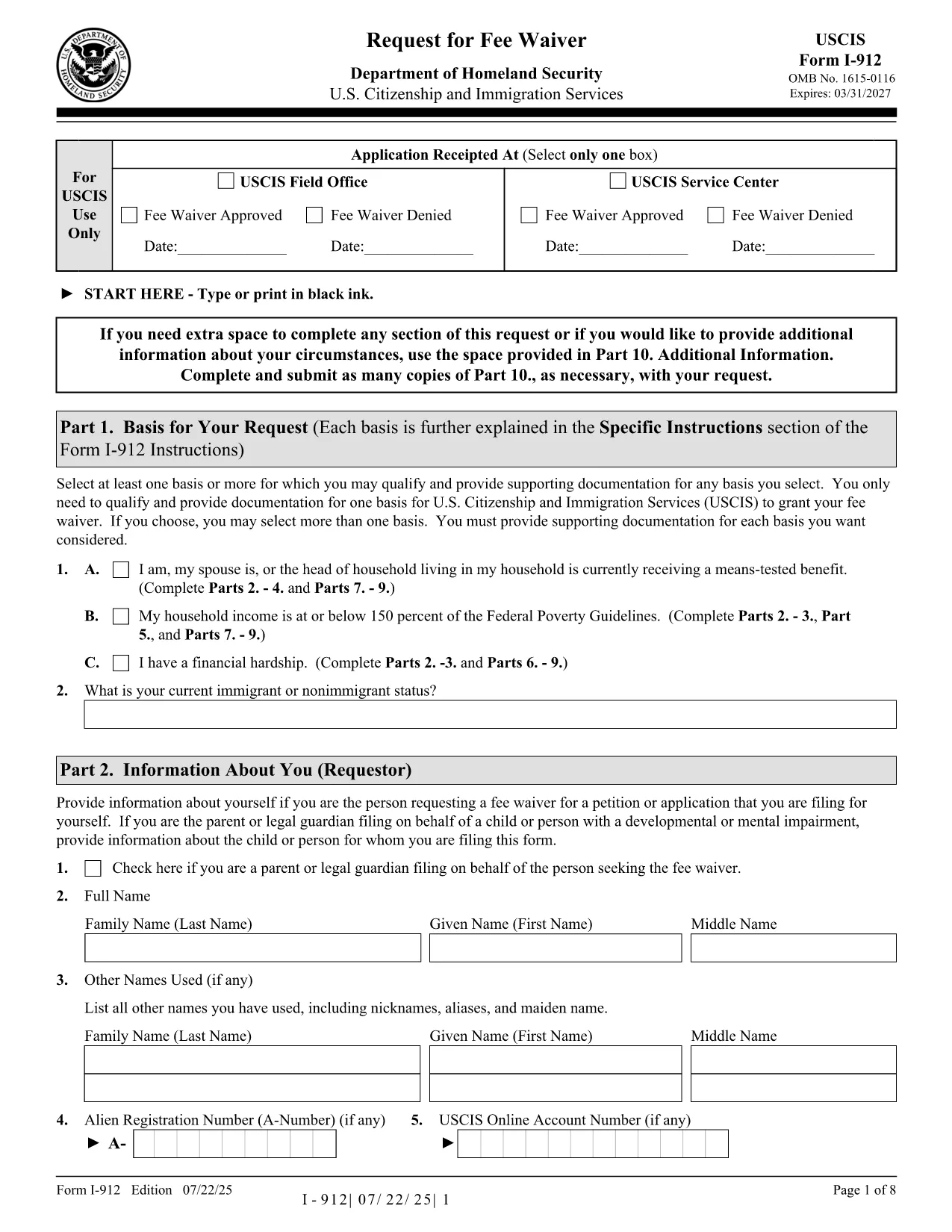
The USCIS Form I-912, Request for Fee Waiver lets you ask for a waiver of filing fees when you cannot afford them. With Formize you can fill the official PDF directly in your browser—no printer, scanner, or PDF editor required.

What Is Form I-912?

Form I-912 is used alongside an immigration application (e.g., N-400, I-130) to demonstrate financial hardship. You must attach it to the primary form before the USCIS receives the application.

How to Complete the I-912 Fee Waiver Online

Our fillable version mirrors the exact layout of the USCIS PDF, ensuring your submission is accepted.

Common Mistakes to Avoid

  • Leaving the signature line blank – USCIS rejects unsigned forms.
  • Submitting a PDF from a different edition – always use the latest edition linked below.
  • Missing supporting documents – include proof of income, public benefits, or a letter explaining your situation.

Where to Submit Your Completed Form

Attach the completed I-912 to the immigration form you are filing and mail it to the address listed in that form’s instructions, or upload it via your USCIS online account.

FAQ
  • Who is eligible for an I-912 fee waiver?

    Anyone who can demonstrate an inability to pay the filing fee, including recipients of means‑tested public benefits, low‑income households, or those facing financial hardship.

  • Do I need to submit the I-912 before the main application?

    Yes. Attach the completed I-912 to your immigration form before USCIS receives the primary application. Late submissions are rejected.

  • Can I submit a digital signature?

    USCIS accepts a digital signature created with the Formize PDF Filler. Ensure the signature field is filled before downloading or uploading the form.

  • What supporting documents should I include?

    Include recent tax returns, benefit award letters, pay stubs, or a letter from a social services agency that confirms your current financial situation.

  • Is the fillable PDF the same as the official USCIS version?

    Yes. The fillable version is an exact replica of the official USCIS PDF (edition dated 07/22/25), so USCIS will accept it without issue.

HUR

Så här fyller du i I-912 gratis, online i 4 enkla steg:

  1. 1
    Open the Fillable Form
    Click the “Fill out this form” button on the page. The Formize PDF Filler loads instantly in your browser.
  2. 2
    Enter Your Information
    Type directly into each field—income, household size, and reason for the waiver. The interface validates required fields in real time.
  3. 3
    Review and Sign
    Double‑check all entries, then add your digital signature using the built‑in signature tool.
  4. 4
    Save or Submit
    Download the completed PDF for your records or upload it with your immigration application through your USCIS account.
Formize PDF Filler app
HANDLA OM

I-912 mall

Med den traditionella uppsättningen funktioner för att visa och fylla i ett PDF-dokument, kombinerat med fördelarna med en webbapplikation och responsiv layout, kan du slutföra I-912 på några minuter.

FUNKTIONER

PDF-fyllare

Det enklaste sättet att fylla i I-912 online

  • Fyll snabbt i I-912
    Letar du efter ett sätt att snabbt fylla I-912 online? Med vår online gratis PDF-formulärfyllare vet du hur du redigerar och fyller i detta pdf-dokument på mindre än en minut.
  • Lätt att använda online PDF-redigerare
    Är du trött på att skriva ut PDF-filer så att du kan redigera dem innan du skannar om och skickar tillbaka dem? Redigera PDF-dokument gratis online. Använd vår online pdf-redigerare för att spara tid och papper.
  • Bra verktyg, alla plattformar
    Undrar du hur man fyller i I-912 på en Mac, eller kanske hur man använder ett PDF-fyllmedel gratis? Våra online PDF-verktyg fungerar på alla plattformar.
  • Säker fillagring
    Färdiga "I-912"-filer lagras i en säker databas som hanteras av Amazon Cloud-hosting. Du kan ta bort dina filer från vårt system när som helst. I alla fall raderas dessa filer automatiskt efter 24 timmar.
  • Chatta med I-912
    Chatta med "I-912" på Chatize som är en gratis PDF-läsare. Ställ frågor och få svar från "I-912". Klicka bara på knappen Chatta med dokument ovan.

Ta bort fyllningssession

Ta bort den valda fyllningssessionen? I det här fallet kommer dina framsteg i att fylla i formuläret att gå förlorade.

Ta bort redigeringssession

Vill du ta bort den valda redigeringssessionen? I det här fallet kommer dina framsteg i att skapa och redigera formuläret att gå förlorade.