
USCIS Form I-765 mall
Med den traditionella uppsättningen funktioner för att visa och fylla i ett PDF-dokument, kombinerat med fördelarna med en webbapplikation och responsiv layout, kan du slutföra USCIS Form I-765 på några minuter.


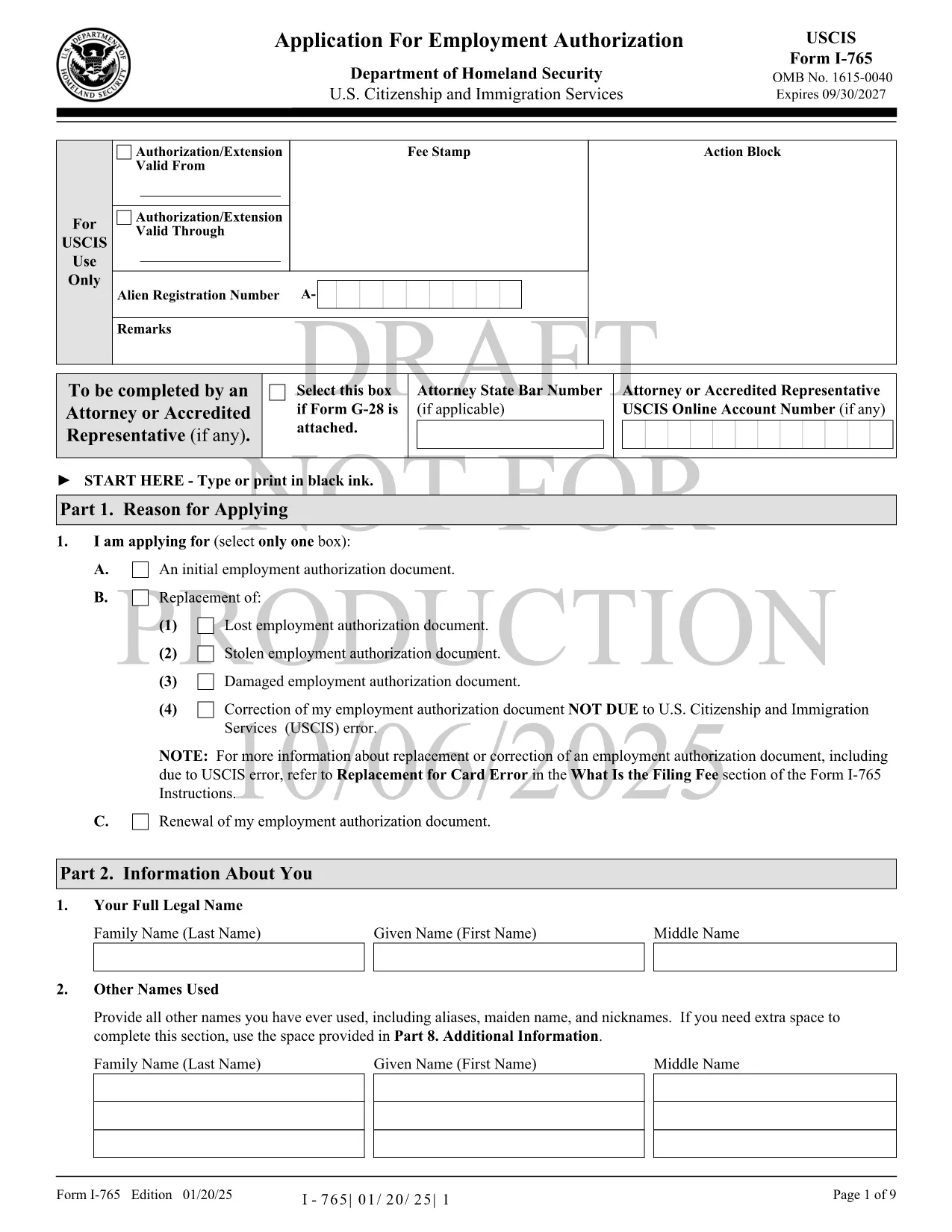
The USCIS Form I-765, also known as the Application for Employment Authorization, is the key document you need to request an Employment Authorization Document (EAD). Whether you’re an asylum seeker, a DACA recipient, or a student on Optional Practical Training, a correctly completed I-765 can unlock your right to work in the United States.
Form I-765 is used by eligible non‑citizens to apply for a temporary work permit. Common categories include:
Instead of downloading the PDF and editing it with a separate editor, simply click the "Fill out this form" button on this page. The Formize PDF Filler app will load the official fillable PDF directly in your browser. Follow these steps:
After you’ve downloaded the completed PDF, mail it to the filing address that matches your eligibility category. USCIS provides a detailed Direct Filing Addresses page. If you prefer electronic filing, you can also submit through your USCIS online account where the same PDF can be uploaded.
For reference or offline use, you can download the official USCIS Form I-765 PDF directly from the link below. The same file is used by the Formize filler, ensuring you always have the most up‑to‑date version.
Yes. USCIS requires a printed, signed copy for most filing categories. You can also upload the PDF if you are filing electronically.
The Formize filler auto‑saves locally in your browser. Use the "Save as Draft" button to download a copy and continue later.
Check the latest fee on the USCIS website. Fees vary by eligibility category and are updated yearly.
Processing times range from 3 to 7 months depending on the service center and your category. You can track status online with your receipt number.
Yes. The download link points to the official USCIS‑published PDF, ensuring you have the current edition.
A passport‑style photo is required for most categories. Follow USCIS photo specifications to avoid delays.
File Form I-765 Supplement (if applicable) or submit a new application with the correct information, along with an explanation of the error.
Med den traditionella uppsättningen funktioner för att visa och fylla i ett PDF-dokument, kombinerat med fördelarna med en webbapplikation och responsiv layout, kan du slutföra USCIS Form I-765 på några minuter.
Det enklaste sättet att fylla i USCIS Form I-765 online
Ta bort fyllningssession
Ta bort redigeringssession