
Välj språk

MV2172 Disabled Veteran Parking License Plate Application

  1. Språk engelsk
  2. Land USA
  3. Aktivitet Fordonsregistrering
  4. stat Wisconsin
MV2172 Disabled Veteran Parking License Plate Application

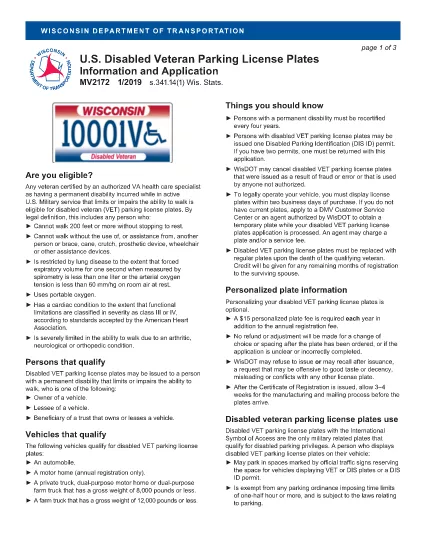
The MV2172 is the official Wisconsin application for a disabled veteran parking license plate (VET). This plate grants eligible veterans special parking privileges throughout the state. Instead of printing, downloading, and editing the PDF manually, you can complete the form directly on our site with Formize’s secure fillable PDF tool.

Why use the online filler? It saves time, eliminates formatting errors, and automatically validates required fields before you submit. Once finished, you can download the completed PDF, print it, and mail it to the Wisconsin Department of Transportation.

Below you will find everything you need to know about the MV2172 form, eligibility requirements, step‑by‑step filling instructions, and tips to avoid common pitfalls.

What Is the MV2172 Form?

The MV2172 application collects veteran status information, vehicle details, and a signed authorization for the U.S. Department of Veterans Affairs to verify your disability rating. It is required for any Wisconsin resident who wants a disabled veteran parking plate.

Who Qualifies for Disabled Veteran Plates?

  • U.S. veterans with a service‑connected disability rating of 10% or higher.
  • Veterans who have received a VA disability rating letter.
  • Residents of Wisconsin who own or lease a vehicle that will display the plate.

How to Complete the MV2172 Online

Follow the simple steps in the "How to Fill the Form" section below. The process takes just a few minutes.

Common Mistakes to Avoid

  • Leaving the VA rating confirmation box unchecked.
  • Providing an incorrect VIN or license‑plate number.
  • Forgetting to sign the electronic declaration.
  • Submitting the form without attaching the required VA rating letter.

By using Formize’s fillable PDF, the system will highlight missing or incorrectly entered data before you can submit, reducing the chance of rejection.

FAQ
  • Do I need a printed copy of the MV2172 to submit it?

    Yes. After completing the form online, you must download the filled PDF, print it, and mail it (or bring it in person) to the Wisconsin Department of Transportation with any required attachments.

  • Can I submit the MV2172 electronically?

    Wisconsin currently requires a hard‑copy submission. The online filler only helps you fill out the form accurately before printing.

  • What documents must accompany the MV2172?

    You need a copy of your VA disability rating letter, proof of vehicle ownership or lease, and a valid Wisconsin driver's license or ID.

  • How long does it take to receive the veteran plate after mailing?

    Processing typically takes 2–4 weeks after the department receives your complete application.

  • Is there a fee for the disabled veteran parking plate?

    Yes. The annual registration fee for a veteran plate is reduced compared to standard plates, but you must still pay the listed fee on the form.

  • Can I apply for a plate if the vehicle is titled in someone else’s name?

    Yes, but you must also submit a title application (MV1 for private sale or MV11 for dealer sale) and the appropriate fees.

  • What should I do if I make a mistake after printing?

    Correct the error on a new copy of the form. Do not submit a partially completed or altered printed form.

HUR

Så här fyller du i MV2172 gratis, online i 5 enkla steg:

  1. 1
    Click the "Fill out this form" button
    Locate the bright orange button on this page and click it to launch the Formize PDF filler.
  2. 2
    Wait for the Formize PDF Filler to load
    The secure filler loads in a new window. It may take a few seconds; please be patient.
  3. 3
    Enter your information
    Fill each field—personal details, vehicle data, and VA rating—exactly as it appears on your documents. Required fields are marked with an asterisk.
  4. 4
    Review and sign
    Use the built‑in review step to double‑check entries, then add your electronic signature in the declaration box.
  5. 5
    Download or print the completed PDF
    When the form is complete, click "Download PDF" to save a copy, or select "Print" to send it directly to your printer for mailing.
Formize PDF Filler app
HANDLA OM

Formulär för registrering av fordon

MV2172 är ett av fordonsregistreringsformulär som är dokument som används för att registrera ett motorfordon hos den relevanta statliga myndigheten, vanligtvis Department of Motor Vehicles (DMV) eller motsvarande byrå. Dessa formulär krävs när en person köper ett nytt eller begagnat fordon, överför äganderätten till ett fordon eller flyttar till en ny jurisdiktion med ett fordon.

De specifika fordonsregistreringsformulären kan variera beroende på jurisdiktion, men de kräver i allmänhet följande information:

Fordonsinformation: Detta inkluderar information om fordonet, som fabrikat, modell, år, fordonsidentifikationsnummer (VIN) och vägmätaravläsning.

Ägarinformation: Formuläret kommer att kräva information om fordonets ägare, inklusive deras namn, adress, kontaktinformation och körkortsnummer.

Äganderättsbevis: Beroende på omständigheterna kan ägarbevis krävas, till exempel ett titelcertifikat, köpebrev eller tillverkarens ursprungsintyg (för nya fordon).

Försäkringsinformation: Bevis på giltigt fordonsförsäkringsskydd krävs vanligtvis. Detta kan inkludera att ange försäkringsnummer, datum för täckning och försäkringsbolagsinformation.

Betalning av avgifter: Fordonsregistrering innebär betalning av olika avgifter, såsom registreringsavgifter, skatter och eventuellt andra avgifter som är specifika för jurisdiktionen.

Utöver dessa grundläggande krav kan vissa jurisdiktioner ha ytterligare formulär eller dokumentationskrav. Till exempel kan utsläppstestresultat, säkerhetsinspektioner eller bevis på hemvist vara nödvändiga i vissa områden.

När fordonsregistreringsformulären är ifyllda och inlämnade kommer den statliga myndigheten att utfärda ett registreringsbevis, registreringsskyltar och registreringsetiketter. Dessa dokument visar att fordonet är lagligt registrerat och tillåtet att köras på allmän väg.

Det är viktigt att notera att kraven på fordonsregistrering kan variera avsevärt beroende på jurisdiktion. Därför rekommenderas det att du konsulterar den lokala DMV eller motsvarande byrå för de specifika formulär och procedurer som gäller för din plats.

FUNKTIONER

PDF-fyllare

Det enklaste sättet att fylla i MV2172 online

  • Fyll snabbt i MV2172
    Letar du efter ett sätt att snabbt fylla MV2172 online? Med vår online gratis PDF-formulärfyllare vet du hur du redigerar och fyller i detta pdf-dokument på mindre än en minut.
  • Lätt att använda online PDF-redigerare
    Är du trött på att skriva ut PDF-filer så att du kan redigera dem innan du skannar om och skickar tillbaka dem? Redigera PDF-dokument gratis online. Använd vår online pdf-redigerare för att spara tid och papper.
  • Bra verktyg, alla plattformar
    Undrar du hur man fyller i MV2172 på en Mac, eller kanske hur man använder ett PDF-fyllmedel gratis? Våra online PDF-verktyg fungerar på alla plattformar.
  • Säker fillagring
    Färdiga "MV2172"-filer lagras i en säker databas som hanteras av Amazon Cloud-hosting. Du kan ta bort dina filer från vårt system när som helst. I alla fall raderas dessa filer automatiskt efter 24 timmar.
  • Chatta med MV2172
    Chatta med "MV2172" på Chatize som är en gratis PDF-läsare. Ställ frågor och få svar från "MV2172". Klicka bara på knappen Chatta med dokument ovan.

Ta bort fyllningssession

Ta bort den valda fyllningssessionen? I det här fallet kommer dina framsteg i att fylla i formuläret att gå förlorade.

Ta bort redigeringssession

Vill du ta bort den valda redigeringssessionen? I det här fallet kommer dina framsteg i att skapa och redigera formuläret att gå förlorade.