
hamburger-menu icon
เลือกภาษา

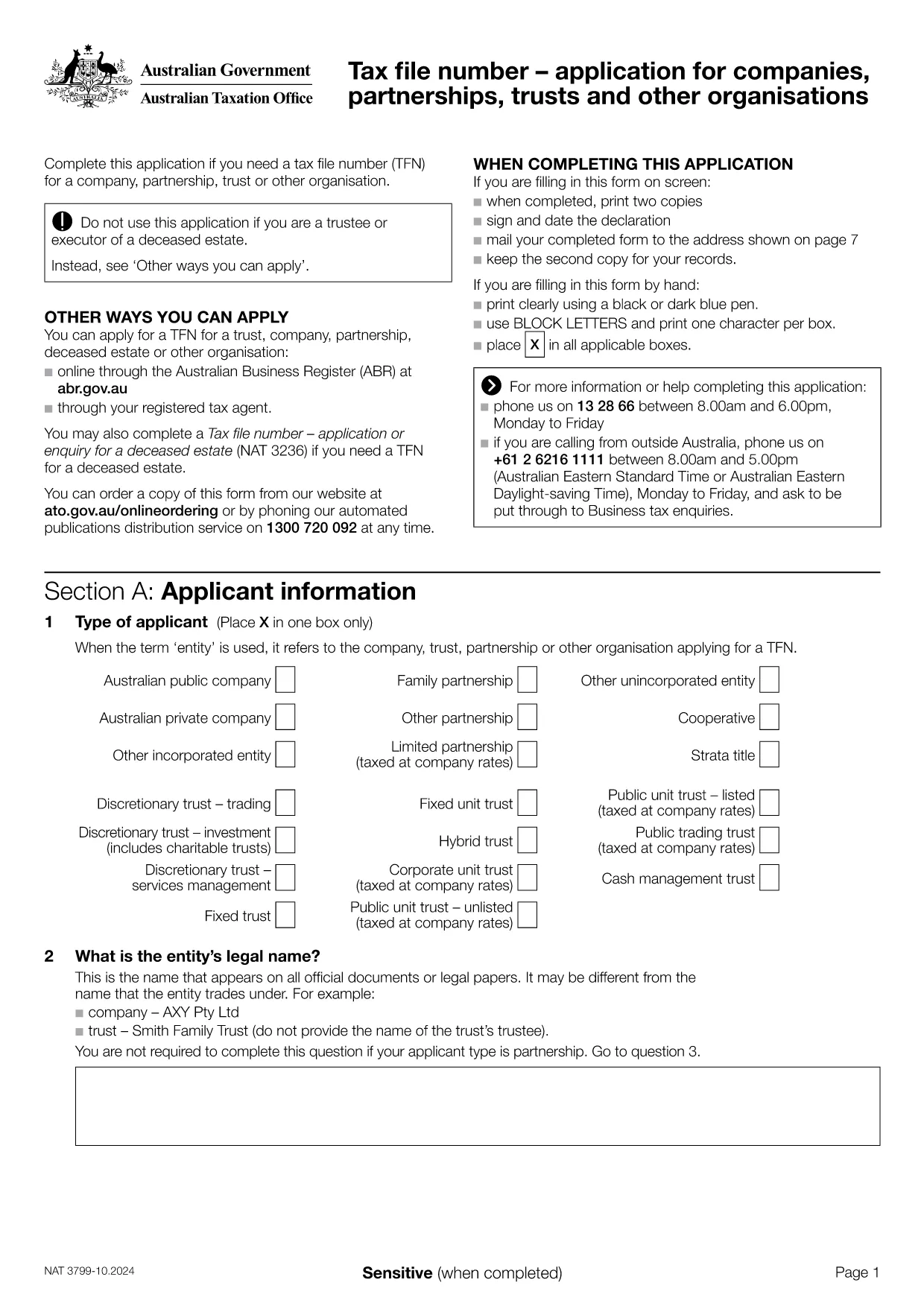
Tax File Number (TFN) Application Form – Fillable PDF

  1. ประเทศ ออสเตรเลีย
  2. ภาษา ภาษาอังกฤษ
  3. กิจกรรม ภาษี
  4. แผนก Australian Taxation Office
Tax File Number (TFN) Application Form – Fillable PDF

The Tax File Number (TFN) is a unique identifier issued by the Australian Taxation Office (ATO) for individuals and entities that need to interact with the Australian tax system. Whether you run a company, partnership, trust, or any other organisation, a TFN is essential for lodging tax returns, claiming refunds, and conducting financial activities lawfully.

Our fillable PDF version of the TFN application lets you complete the form quickly, securely, and without printing a single page. Simply click the "Fill out this form" button below and let the Formize PDF Filler load the document directly in your browser.

  • Instant online editing: All fields are interactive and auto‑save as you type.
  • Secure submission: Export the completed form as a PDF ready to upload to the ATO portal.
  • Built‑in validation: The filler highlights missing or incorrectly formatted data before you submit.

Follow the step‑by‑step guide below to avoid common pitfalls and ensure your TFN application is accepted the first time.

คำถามที่พบบ่อย
  • What is a Tax File Number (TFN)?

    A TFN is a unique nine‑digit identifier issued by the ATO that tracks tax obligations for individuals and organisations.

  • Who needs to complete this TFN application?

    Companies, partnerships, trusts, and other organisations that do not already have a TFN must submit this form to the ATO.

  • Can I use this form for an individual TFN?

    No. This specific form is for entities. Individuals should use the ATO’s individual TFN application.

  • Is the PDF truly fillable online?

    Yes. By clicking "Fill out this form" you open the Formize PDF Filler, which provides a fully interactive, browser‑based version of the PDF.

  • Do I need to print the form after filling it out?

    Printing is optional. You can download the completed PDF and upload it directly to the ATO portal.

  • What common mistakes should I avoid?

    Make sure the ABN is correct, all required fields are completed, and the reason for applying matches your business activity.

  • How long does it take for the ATO to process the application?

    Processing usually takes 10–15 business days after the ATO receives a complete and correct application.

  • Is there a fee to apply for a TFN for my organisation?

    No. The ATO does not charge a fee for obtaining a TFN for a company, partnership, or trust.

  • Can I save my progress and return later?

    Yes. The Formize filler allows you to download a partially completed PDF, which you can reopen and finish later.

  • What should I do if my application is rejected?

    The ATO will provide reasons for rejection. Correct the highlighted issues, save the updated PDF, and resubmit.

ทำอย่างไร

วิธีกรอก Tax File Number application ฟรีทางออนไลน์ใน 5 ขั้นตอนง่ายๆ:

  1. 1
    Click the Fill‑out Button
    Press the "Fill out this form" button on the page. The Formize PDF Filler app will open in a new tab.
  2. 2
    Wait for the Filler to Load
    The fillable PDF loads automatically. All fields become editable within seconds.
  3. 3
    Enter Your Details
    Complete each section: entity name, ABN, contact information, and the reason you need a TFN.
  4. 4
    Review for Errors
    The filler highlights any missing or incorrectly formatted fields. Correct them before proceeding.
  5. 5
    Save or Submit
    When you’re satisfied, click "Download PDF" to save a copy, or follow ATO instructions to submit the form electronically.
สร้างแอป PDF Filler
เกี่ยวกับ

แบบฟอร์มภาษี

Tax File Number application เป็นหนึ่งในแบบฟอร์มภาษีที่เป็นเอกสารที่ใช้ในการรายงานข้อมูลที่เกี่ยวข้องกับภาษีไปยังหน่วยงานด้านภาษีที่เกี่ยวข้อง มีแบบฟอร์มภาษีหลายประเภท รวมถึงแบบฟอร์มภาษีของรัฐบาลกลาง รัฐ และท้องถิ่น ซึ่งอาจแตกต่างกันไปขึ้นอยู่กับสถานการณ์และสถานที่ของผู้เสียภาษี

คุณสมบัติ

PDF ฟิลเลอร์

วิธีที่ง่ายที่สุดในการกรอกแบบฟอร์ม PDF ทางออนไลน์

  • กรอก Tax File Number application อย่างรวดเร็ว
    กำลังมองหาวิธีเติม Tax File Number application ทางออนไลน์อย่างรวดเร็วอยู่ใช่ไหม ด้วยตัวกรอกแบบฟอร์ม PDF ออนไลน์ฟรีของเรา คุณจะรู้วิธีแก้ไขและกรอกเอกสาร PDF นี้ในเวลาไม่ถึงนาที
  • โปรแกรมแก้ไข PDF ออนไลน์ที่ใช้งานง่าย
    เบื่อกับการพิมพ์ไฟล์ PDF เพื่อให้คุณสามารถแก้ไขได้ก่อนที่จะสแกนซ้ำและส่งกลับหรือไม่? แก้ไขเอกสาร PDF ออนไลน์ฟรี ใช้โปรแกรมแก้ไข PDF ออนไลน์ของเราเพื่อประหยัดเวลาและกระดาษ
  • เครื่องมือที่ยอดเยี่ยมสำหรับทุกแพลตฟอร์ม
    สงสัยวิธีเติม Tax File Number application บน Mac หรืออาจใช้ตัวเติม PDF ฟรีได้อย่างไร เครื่องมือ PDF ออนไลน์ของเราทำงานได้บนทุกแพลตฟอร์ม
  • การจัดเก็บไฟล์ที่ปลอดภัย
    ไฟล์ "Tax File Number application" ที่เสร็จสมบูรณ์จะถูกจัดเก็บไว้ในฐานข้อมูลที่ปลอดภัยซึ่งจัดการโดย Amazon Cloud hosting คุณสามารถลบไฟล์ของคุณออกจากระบบของเราได้ตลอดเวลา ไม่ว่าในกรณีใด ไฟล์เหล่านี้จะถูกลบโดยอัตโนมัติหลังจากผ่านไป 24 ชั่วโมง
  • สนทนากับ Tax File Number application
    แชทกับ "Tax File Number application" บน Chatize ที่เป็นผู้ช่วยอ่าน PDF ฟรี ถามคำถามและรับคำตอบจาก "Tax File Number application" เพียงคลิกที่ปุ่ม แชทด้วยเอกสาร ด้านบน

ลบเซสชันการบรรจุ

ลบเซสชันการกรอกข้อมูลที่เลือกหรือไม่?ในกรณีนี้ความคืบหน้าในการกรอกแบบฟอร์มจะหายไป

ลบเซสชันการแก้ไข

ลบเซสชันการแก้ไขที่เลือกหรือไม่ ในกรณีนี้ ความคืบหน้าในการสร้างและแก้ไขแบบฟอร์มจะหายไป