hamburger-menu icon
เลือกภาษา

Contractor License Application Form – Fillable PDF

  1. ประเทศ ออสเตรเลีย
  2. ภาษา ภาษาอังกฤษ
  3. แผนก Building Commission
  4. กิจกรรม Contractor Licensing
Contractor License Application Form – Fillable PDF

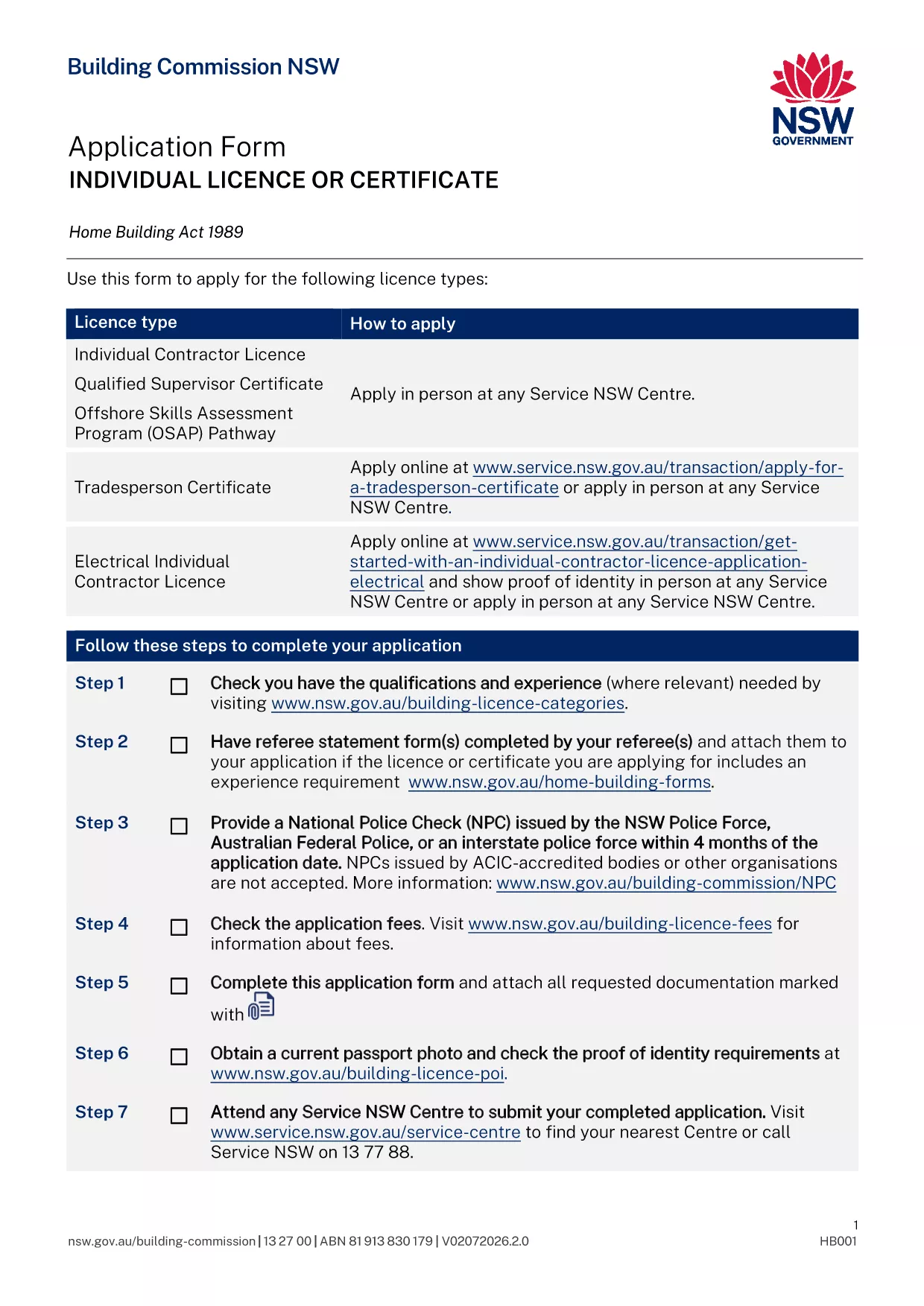
Applying for a contractor licence can feel overwhelming, but with the right form and clear instructions you can finish the process in minutes. The fillable PDF below is the official Application for Contractor Licence used by the Building Commission of New South Wales.

Why This Form Is Required

The Building Commission mandates a completed licence application for anyone who intends to contract, sub‑contract, or advertise residential building or trade work valued over $5,000. Submitting the correct form ensures your licence is processed without delay and keeps you compliant with the Home Building Act 1989.

Documents and Information You’ll Need

  • Proof of identity (driver licence, passport, or Medicare card)
  • Recent passport‑size photo
  • National Police Check (no older than 4 months)
  • Qualifications, employment history, and any relevant trade certificates
  • Details of any past compliance, insolvency, or criminal matters
  • Referee statements if required for your trade category

How to Complete the Form Online with Formize

Instead of downloading the PDF and editing it manually, simply click the "Fill out this form" button on this page. The Formize PDF Filler app will load, letting you type directly into each field, save progress, and download a completed copy ready for submission.

Common Mistakes to Avoid

  • Leaving required fields blank – the filler highlights missing information before you can submit.
  • Uploading an outdated police check – ensure the date is within the last four months.
  • Submitting an unsigned form – use the electronic signature feature in Formize.
  • Forgetting to attach supporting documents – the app lets you attach files before finalising.

What Happens After You Submit

Once you have a completed PDF, bring it to your booked Service NSW appointment or upload it through the online portal. The Building Commission will review your qualifications, fitness‑and‑propriety, and insurance details. You’ll receive a notification of approval, rejection, or a request for additional information within 2‑4 weeks.

คำถามที่พบบ่อย
  • Do I need a separate form for a company contractor licence?

    Yes. Companies and partnerships use a different PDF (ap4452.pdf). The form linked here is for individual licences.

  • Can I submit the form without an appointment?

    If you have an ABN and choose the online route, no appointment is needed. For in‑person submissions, you must book a Service NSW appointment.

  • How long is a National Police Check valid?

    The police check must be issued within the last four months at the time you submit your application.

  • What if I make a mistake after I download the PDF?

    Open the PDF again in the Formize filler, correct the error, and re‑download the updated version before submitting.

  • Is there a fee for the contractor licence application?

    Yes. Fees vary by licence class (1, 3, or 5 years). The exact amount is listed on the Service NSW payment page.

  • Do I need insurance before applying?

    You must provide evidence of Home Building Compensation Fund insurance when you submit the application.

  • How will I know if my application is approved?

    The Building Commission will email you a decision or request additional information. You can also check the status via your MyServiceNSW account.

ทำอย่างไร

วิธีกรอก contractor license application ฟรีทางออนไลน์ใน 5 ขั้นตอนง่ายๆ:

  1. 1
    Open the Fillable Form
    Click the "Fill out this form" button on this page. The Formize PDF Filler loads instantly.
  2. 2
    Enter Your Details
    Type directly into each highlighted field – name, address, qualifications, and licence history.
  3. 3
    Attach Supporting Documents
    Use the attachment icon to upload your ID, police check, certificates, and referee statements.
  4. 4
    Review and Sign
    Check every section for completeness, then add an electronic signature using the Formize signature tool.
  5. 5
    Download and Submit
    Save the completed PDF, print it if required, and bring it to your Service NSW appointment or upload it online.
สร้างแอป PDF Filler
เกี่ยวกับ

เทมเพลต contractor license application

ด้วยชุดคุณสมบัติดั้งเดิมสำหรับการดูและกรอกเอกสาร PDF รวมกับประโยชน์ของเว็บแอปพลิเคชันและเค้าโครงที่ตอบสนอง คุณสามารถสร้าง contractor license application ให้เสร็จภายในไม่กี่นาที

คุณสมบัติ

PDF ฟิลเลอร์

วิธีที่ง่ายที่สุดในการกรอกแบบฟอร์ม PDF ทางออนไลน์

  • กรอก contractor license application อย่างรวดเร็ว
    กำลังมองหาวิธีเติม contractor license application ทางออนไลน์อย่างรวดเร็วอยู่ใช่ไหม ด้วยตัวกรอกแบบฟอร์ม PDF ออนไลน์ฟรีของเรา คุณจะรู้วิธีแก้ไขและกรอกเอกสาร PDF นี้ในเวลาไม่ถึงนาที
  • โปรแกรมแก้ไข PDF ออนไลน์ที่ใช้งานง่าย
    เบื่อกับการพิมพ์ไฟล์ PDF เพื่อให้คุณสามารถแก้ไขได้ก่อนที่จะสแกนซ้ำและส่งกลับหรือไม่? แก้ไขเอกสาร PDF ออนไลน์ฟรี ใช้โปรแกรมแก้ไข PDF ออนไลน์ของเราเพื่อประหยัดเวลาและกระดาษ
  • เครื่องมือที่ยอดเยี่ยมสำหรับทุกแพลตฟอร์ม
    สงสัยวิธีเติม contractor license application บน Mac หรืออาจใช้ตัวเติม PDF ฟรีได้อย่างไร เครื่องมือ PDF ออนไลน์ของเราทำงานได้บนทุกแพลตฟอร์ม
  • การจัดเก็บไฟล์ที่ปลอดภัย
    ไฟล์ "contractor license application" ที่เสร็จสมบูรณ์จะถูกจัดเก็บไว้ในฐานข้อมูลที่ปลอดภัยซึ่งจัดการโดย Amazon Cloud hosting คุณสามารถลบไฟล์ของคุณออกจากระบบของเราได้ตลอดเวลา ไม่ว่าในกรณีใด ไฟล์เหล่านี้จะถูกลบโดยอัตโนมัติหลังจากผ่านไป 24 ชั่วโมง
  • สนทนากับ contractor license application
    แชทกับ "contractor license application" บน Chatize ที่เป็นผู้ช่วยอ่าน PDF ฟรี ถามคำถามและรับคำตอบจาก "contractor license application" เพียงคลิกที่ปุ่ม แชทด้วยเอกสาร ด้านบน

ลบเซสชันการบรรจุ

ลบเซสชันการกรอกข้อมูลที่เลือกหรือไม่?ในกรณีนี้ความคืบหน้าในการกรอกแบบฟอร์มจะหายไป

ลบเซสชันการแก้ไข

ลบเซสชันการแก้ไขที่เลือกหรือไม่ ในกรณีนี้ ความคืบหน้าในการสร้างและแก้ไขแบบฟอร์มจะหายไป