
hamburger-menu icon
เลือกภาษา

Application Form – Fill in Capitals (All Caps Required)

  1. ภาษา ภาษาอังกฤษ
  2. ประเทศ ออสเตรเลีย
  3. แผนก กระทรวงมหาดไทยและยุติธรรม
  4. กิจกรรม การเป็นพลเมือง
Application Form – Fill in Capitals (All Caps Required)

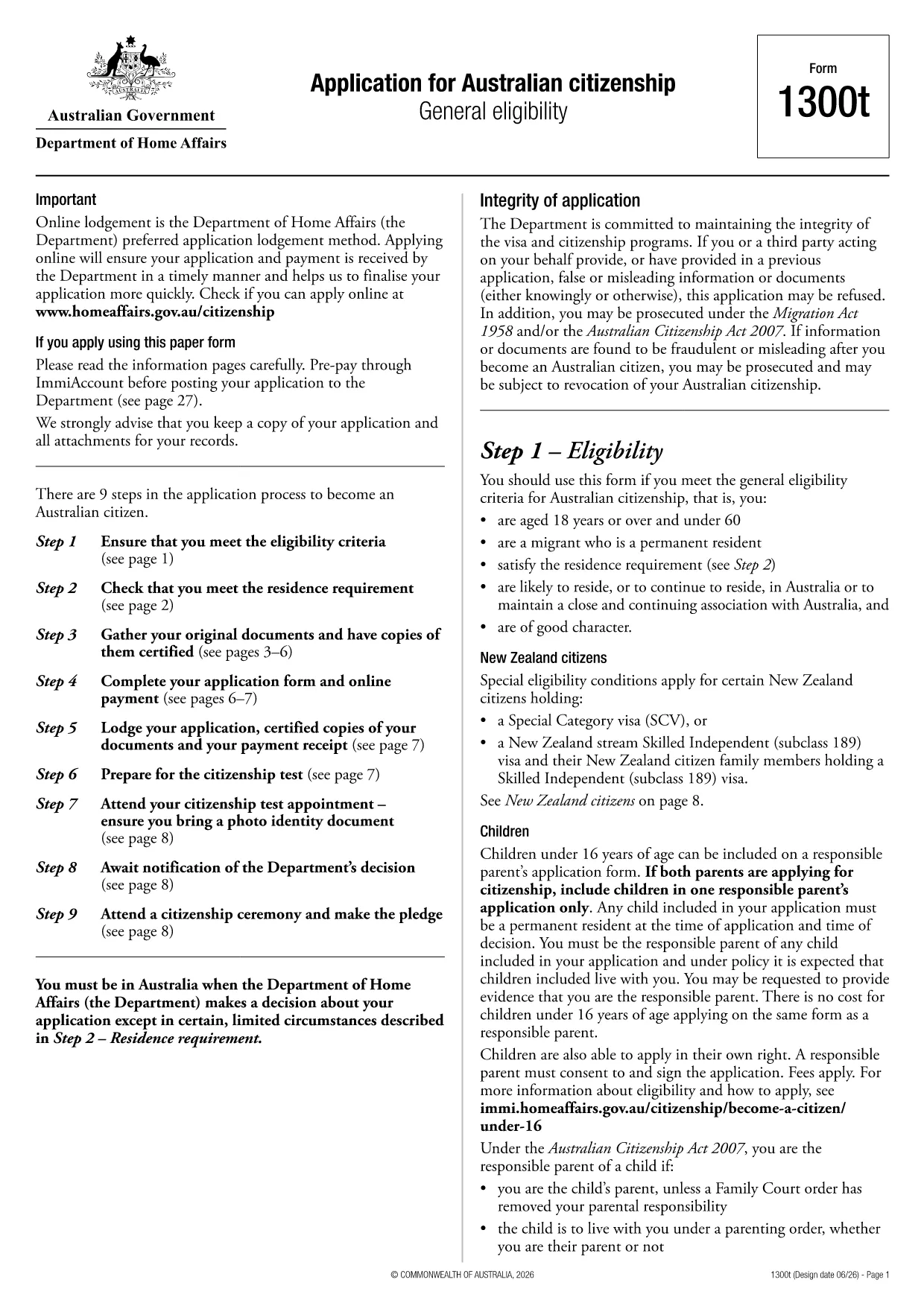
Many government applications require every field to be entered in capital letters. This ensures legibility and meets the strict formatting rules of the Department of Home Affairs. Our fillable PDF lets you type directly in caps, eliminates the need for manual rewriting, and speeds up processing.

By using Formize’s online PDF Filler, you can complete the Application for Australian Citizenship (Form 1300T) entirely on your browser. The form is fully searchable, auto‑saves your progress, and validates that each entry is in uppercase before you submit.

Whether you are applying for yourself or adding dependents, the same all‑caps rule applies to every section – from personal details to signatures. Follow the step‑by‑step guide below to avoid common errors and submit a clean, professional application.

คำถามที่พบบ่อย
  • Do I need to type in capital letters manually?

    No. The Formize filler automatically converts all input to uppercase, so you can type normally and the form will meet the all‑caps requirement.

  • Is the PDF officially accepted if I use Formize?

    Yes. The PDF retains the exact layout and wording of the official 1300T form. As long as all required fields are completed, the document is submission‑ready.

  • Can I save my progress and return later?

    Absolutely. Formize saves your work in real‑time to your browser’s local storage or your Formize account, allowing you to continue at any time.

  • What if I make a mistake after submitting?

    You can download a fresh copy of the form, correct the error, and re‑submit. Some agencies also accept a corrected version if you notify them promptly.

  • Is there a cost to use the Formize PDF Filler?

    Filling out this form is completely free. No subscription or hidden fees are required for the basic fill‑and‑download functionality.

  • Do I need special software to open the completed PDF?

    No special software is needed. Any standard PDF viewer (Adobe Reader, browser PDF viewer, etc.) can open and print the completed form.

  • Can I submit the form electronically?

    Check the instructions on the official 1300T form. Some departments accept electronic submissions, while others require a printed copy.

ทำอย่างไร

วิธีกรอก application form ฟรีทางออนไลน์ใน 5 ขั้นตอนง่ายๆ:

  1. 1
    Open the Fillable Form
    Click the **Fill out this form** button on the page. The Formize PDF Filler app loads instantly in your browser.
  2. 2
    Enter Information in Capitals
    Type your answers directly into each field. The filler automatically converts all characters to uppercase, ensuring compliance.
  3. 3
    Review and Validate
    Use the built‑in validation to check that every required field is filled and in capital letters. Correct any highlighted issues.
  4. 4
    Save or Download
    When you’re satisfied, click **Save** to store a copy in your account or **Download** to get a completed PDF ready for submission.
  5. 5
    Submit the Form
    Print the saved PDF (if required) and send it to the Department of Home Affairs as instructed in the form’s guidelines.
สร้างแอป PDF Filler
เกี่ยวกับ

แบบฟอร์มการเป็นพลเมือง

application form เป็นหนึ่งในแบบฟอร์มการเป็นพลเมืองที่เป็นเอกสารที่ใช้ในการยื่นขอสัญชาติในประเทศหนึ่งๆ รูปแบบและข้อกำหนดที่แน่นอนสำหรับการเป็นพลเมืองจะแตกต่างกันไปในแต่ละประเทศ แต่โดยทั่วไปแล้ว กระบวนการเกี่ยวข้องกับการให้ข้อมูลส่วนบุคคลและหลักฐานการมีสิทธิ์ได้รับสัญชาติ

ในสหรัฐอเมริกา แบบฟอร์มขอสัญชาติที่พบมากที่สุดคือ N-400 Application for Naturalization แบบฟอร์มนี้ใช้โดยผู้อยู่อาศัยถาวรตามกฎหมาย (ผู้ถือกรีนการ์ด) เพื่อยื่นขอสัญชาติสหรัฐฯ แบบฟอร์มขอข้อมูลส่วนบุคคล เช่น ชื่อ วันเกิด และข้อมูลติดต่อ ตลอดจนข้อมูลเกี่ยวกับสถานะการเข้าเมืองของผู้สมัคร ประวัติอาชญากรรม และข้อกำหนดคุณสมบัติอื่นๆ

ประเทศอื่น ๆ อาจมีรูปแบบและข้อกำหนดต่าง ๆ สำหรับการเป็นพลเมือง แต่โดยทั่วไปแล้วกระบวนการพื้นฐานเกี่ยวข้องกับการให้ข้อมูลเกี่ยวกับภูมิหลังของผู้สมัครและการปฏิบัติตามเกณฑ์คุณสมบัติบางประการ ซึ่งอาจรวมถึงการผ่านการทดสอบการเป็นพลเมือง การแสดงความรู้เกี่ยวกับประวัติศาสตร์และการปกครองของประเทศ และการแสดงความสามารถในภาษาของประเทศนั้น

สิ่งสำคัญคือต้องสังเกตว่าขั้นตอนการขอสัญชาติอาจซับซ้อนและใช้เวลานาน ขอแนะนำให้บุคคลที่ต้องการขอสัญชาติปรึกษากับทนายความด้านการย้ายถิ่นฐานหรือผู้เชี่ยวชาญที่มีคุณสมบัติเหมาะสมเพื่อช่วยนำทางกระบวนการและตรวจสอบให้แน่ใจว่าได้ปฏิบัติตามแบบฟอร์มและข้อกำหนดที่จำเป็นทั้งหมด

คุณสมบัติ

PDF ฟิลเลอร์

วิธีที่ง่ายที่สุดในการกรอกแบบฟอร์ม PDF ทางออนไลน์

  • กรอก application form อย่างรวดเร็ว
    กำลังมองหาวิธีเติม application form ทางออนไลน์อย่างรวดเร็วอยู่ใช่ไหม ด้วยตัวกรอกแบบฟอร์ม PDF ออนไลน์ฟรีของเรา คุณจะรู้วิธีแก้ไขและกรอกเอกสาร PDF นี้ในเวลาไม่ถึงนาที
  • โปรแกรมแก้ไข PDF ออนไลน์ที่ใช้งานง่าย
    เบื่อกับการพิมพ์ไฟล์ PDF เพื่อให้คุณสามารถแก้ไขได้ก่อนที่จะสแกนซ้ำและส่งกลับหรือไม่? แก้ไขเอกสาร PDF ออนไลน์ฟรี ใช้โปรแกรมแก้ไข PDF ออนไลน์ของเราเพื่อประหยัดเวลาและกระดาษ
  • เครื่องมือที่ยอดเยี่ยมสำหรับทุกแพลตฟอร์ม
    สงสัยวิธีเติม application form บน Mac หรืออาจใช้ตัวเติม PDF ฟรีได้อย่างไร เครื่องมือ PDF ออนไลน์ของเราทำงานได้บนทุกแพลตฟอร์ม
  • การจัดเก็บไฟล์ที่ปลอดภัย
    ไฟล์ "application form" ที่เสร็จสมบูรณ์จะถูกจัดเก็บไว้ในฐานข้อมูลที่ปลอดภัยซึ่งจัดการโดย Amazon Cloud hosting คุณสามารถลบไฟล์ของคุณออกจากระบบของเราได้ตลอดเวลา ไม่ว่าในกรณีใด ไฟล์เหล่านี้จะถูกลบโดยอัตโนมัติหลังจากผ่านไป 24 ชั่วโมง
  • สนทนากับ application form
    แชทกับ "application form" บน Chatize ที่เป็นผู้ช่วยอ่าน PDF ฟรี ถามคำถามและรับคำตอบจาก "application form" เพียงคลิกที่ปุ่ม แชทด้วยเอกสาร ด้านบน

ลบเซสชันการบรรจุ

ลบเซสชันการกรอกข้อมูลที่เลือกหรือไม่?ในกรณีนี้ความคืบหน้าในการกรอกแบบฟอร์มจะหายไป

ลบเซสชันการแก้ไข

ลบเซสชันการแก้ไขที่เลือกหรือไม่ ในกรณีนี้ ความคืบหน้าในการสร้างและแก้ไขแบบฟอร์มจะหายไป