
hamburger-menu icon
เลือกภาษา

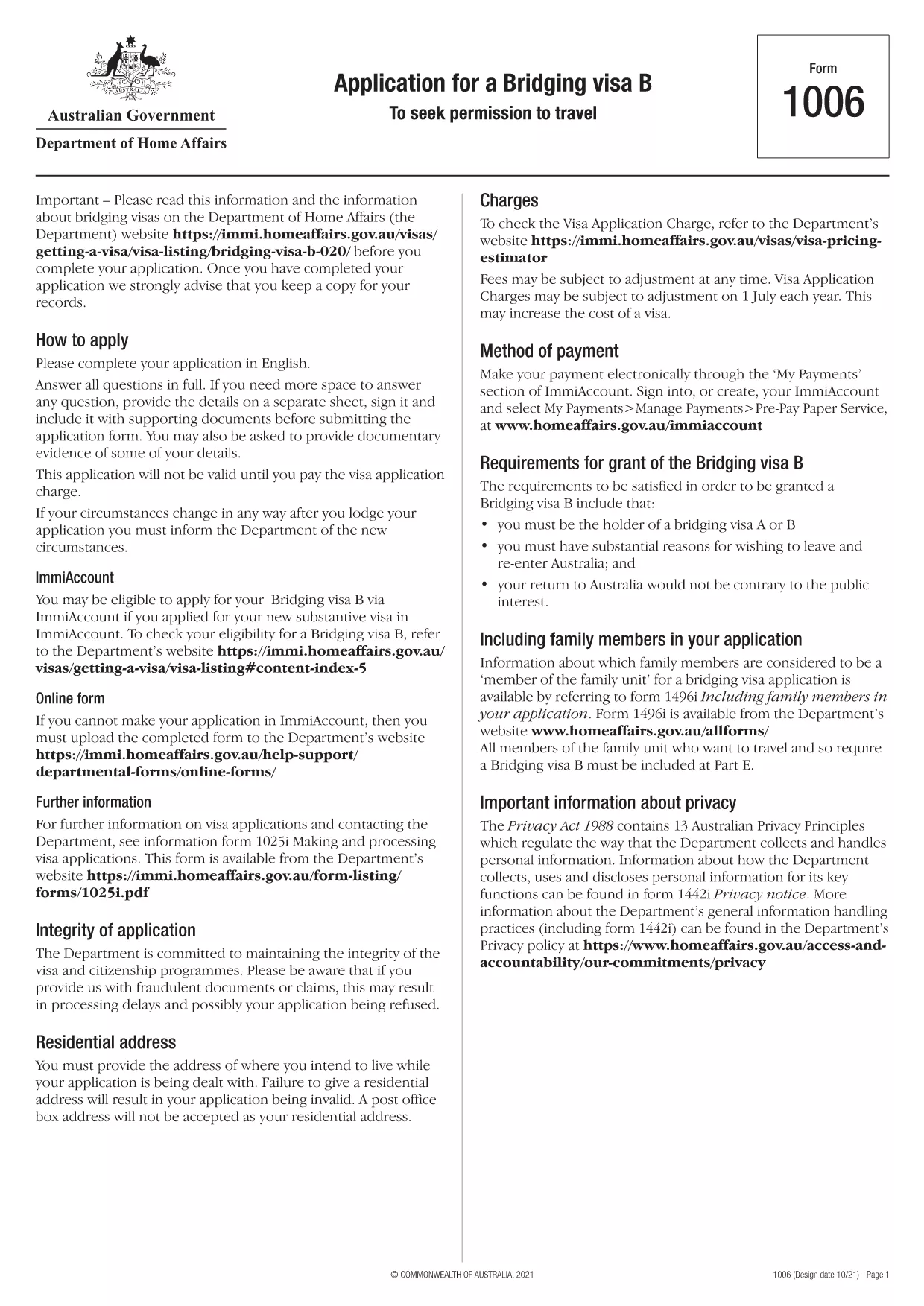
Bridging Visa B Application Form (Form 1006)

  1. ภาษา ภาษาอังกฤษ
  2. ประเทศ ออสเตรเลีย
  3. แผนก กระทรวงมหาดไทยและยุติธรรม
  4. กิจกรรม วีซ่า
Bridging Visa B Application Form (Form 1006)

If you need to travel overseas while your substantive visa application is being processed, a Bridging Visa B (BVB) allows you to leave and re‑enter Australia legally. The official Application for a Bridging Visa B (Form 1006) is a fillable PDF that can now be completed online with Formize – no extra software required.

What is a Bridging Visa B?

A Bridging Visa B is a temporary visa granted to people who hold a bridging visa (A, C or E) and need to travel abroad for a short period. It provides a travel period (usually up to 30 days) and ensures you can return to Australia without a new visa application.

Key Features of the Fillable PDF

  • All fields are interactive – type directly into the document.
  • Automatic validation for dates, passport numbers and signature fields.
  • Save and resume later – your progress is stored in the browser.
  • Export a completed PDF ready for upload to ImmiAccount.

How to Complete the Form with Formize

Follow the simple steps below and let Formize handle the rest.

Common Mistakes to Avoid

  • Leaving the "Travel Period" blank – immigration officers need exact dates.
  • Using an outdated passport number.
  • Forgetting to sign the declaration section.
  • Uploading a scanned image instead of the completed fillable PDF.

Where to Submit Your Application

Once the form is completed, upload the PDF through your ImmiAccount under the "Bridging Visa B" section. Keep a copy for your records.

คำถามที่พบบ่อย
  • What is the difference between a Bridging Visa B and a Bridging Visa A?

    A Bridging Visa A allows you to stay in Australia while your substantive visa is processed. A Bridging Visa B adds a travel component, letting you leave and return without a new visa.

  • Can I edit the PDF after I have downloaded it?

    Yes. The form remains fillable, but using Formize ensures you keep the original formatting and validation features.

  • How long is the travel period on a Bridging Visa B?

    The Department usually grants up to 30 days, but you can request a longer period on the form if needed.

  • Do I need to pay a fee for a Bridging Visa B?

    No. The Bridging Visa B itself is free, but you may incur fees for any associated visa applications.

  • What should I do if my passport expires before the travel period ends?

    Apply for a passport renewal before submitting the Bridging Visa B form. The visa will only be granted if your passport is valid for the entire travel period.

  • Is the Formize filler secure?

    Yes. Formize processes the PDF locally in your browser; no data is stored on external servers.

ทำอย่างไร

วิธีกรอก Bridging Visa B ฟรีทางออนไลน์ใน 5 ขั้นตอนง่ายๆ:

  1. 1
    Open the Fillable Form
    Click the **Fill out this form** button on the page. The Formize PDF Filler app will load directly in your browser.
  2. 2
    Enter Your Details
    Type your personal information, passport details, and travel dates into the highlighted fields. The form validates entries in real time.
  3. 3
    Add Your Signature
    Use the signature field to draw or type your name. Formize saves the signature securely.
  4. 4
    Review & Save
    Check all sections for completeness. Click **Save** to download the completed PDF to your device.
  5. 5
    Submit via ImmiAccount
    Log in to ImmiAccount, navigate to the Bridging Visa B section, and upload the saved PDF. Your application is now ready for processing.
สร้างแอป PDF Filler
เกี่ยวกับ

แบบฟอร์มวีซ่า

Bridging Visa B เป็นหนึ่งในแบบฟอร์มวีซ่าที่เป็นเอกสารที่ใช้ในการยื่นขอวีซ่าเข้าประเทศต่างประเทศ วีซ่าเป็นเอกสารที่อนุญาตให้คนต่างชาติเข้ามา พำนัก และบางครั้งทำงานในต่างประเทศตามระยะเวลาที่กำหนด แบบฟอร์มและข้อกำหนดในการขอวีซ่าจะแตกต่างกันไปตามประเทศและประเภทของวีซ่า

แบบฟอร์มวีซ่ามักต้องการข้อมูลส่วนบุคคล เช่น ชื่อ วันเกิด และข้อมูลหนังสือเดินทาง ตลอดจนข้อมูลเกี่ยวกับวัตถุประสงค์และระยะเวลาของการเดินทาง จุดหมายปลายทาง และไม่ว่าผู้ยื่นคำร้องจะเคยถูกปฏิเสธวีซ่าหรือถูกเนรเทศออกจากประเทศหรือไม่ แบบฟอร์มอาจต้องใช้เอกสารประกอบ เช่น หนังสือเดินทาง รูปถ่าย และหลักฐานการสนับสนุนทางการเงิน

ในสหรัฐอเมริกา แบบฟอร์มวีซ่าที่พบมากที่สุดคือแบบฟอร์ม DS-160 และ DS-260 แบบฟอร์ม DS-160 ใช้ในการสมัครวีซ่าชั่วคราว ในขณะที่แบบฟอร์ม DS-260 ใช้ในการสมัครวีซ่าคนเข้าเมือง แบบฟอร์มเหล่านี้ต้องการข้อมูลโดยละเอียดเกี่ยวกับประวัติส่วนตัวและการเดินทางของผู้สมัคร ตลอดจนเอกสารประกอบ เช่น หนังสือเดินทาง กำหนดการเดินทาง และบันทึกทางการเงิน

ประเทศอื่นๆ อาจมีแบบฟอร์มและข้อกำหนดในการขอวีซ่าที่แตกต่างกัน แต่โดยทั่วไปแล้วกระบวนการพื้นฐานเกี่ยวข้องกับการกรอกคำร้องขอวีซ่า จัดเตรียมเอกสารประกอบ และเข้ารับการสัมภาษณ์กับเจ้าหน้าที่กงสุลที่สถานทูตหรือสถานกงสุลสหรัฐฯ สิ่งสำคัญคือต้องทราบว่าขั้นตอนการยื่นคำร้องขอวีซ่าอาจซับซ้อนและใช้เวลานาน และขอแนะนำให้บุคคลที่ต้องการขอวีซ่าปรึกษากับทนายความตรวจคนเข้าเมืองหรือผู้เชี่ยวชาญที่มีคุณสมบัติเหมาะสมอื่นๆ เพื่อให้แน่ใจว่าตรงตามแบบฟอร์มและข้อกำหนดที่จำเป็นทั้งหมด

คุณสมบัติ

PDF ฟิลเลอร์

วิธีที่ง่ายที่สุดในการกรอกแบบฟอร์ม PDF ทางออนไลน์

  • กรอก Bridging Visa B อย่างรวดเร็ว
    กำลังมองหาวิธีเติม Bridging Visa B ทางออนไลน์อย่างรวดเร็วอยู่ใช่ไหม ด้วยตัวกรอกแบบฟอร์ม PDF ออนไลน์ฟรีของเรา คุณจะรู้วิธีแก้ไขและกรอกเอกสาร PDF นี้ในเวลาไม่ถึงนาที
  • โปรแกรมแก้ไข PDF ออนไลน์ที่ใช้งานง่าย
    เบื่อกับการพิมพ์ไฟล์ PDF เพื่อให้คุณสามารถแก้ไขได้ก่อนที่จะสแกนซ้ำและส่งกลับหรือไม่? แก้ไขเอกสาร PDF ออนไลน์ฟรี ใช้โปรแกรมแก้ไข PDF ออนไลน์ของเราเพื่อประหยัดเวลาและกระดาษ
  • เครื่องมือที่ยอดเยี่ยมสำหรับทุกแพลตฟอร์ม
    สงสัยวิธีเติม Bridging Visa B บน Mac หรืออาจใช้ตัวเติม PDF ฟรีได้อย่างไร เครื่องมือ PDF ออนไลน์ของเราทำงานได้บนทุกแพลตฟอร์ม
  • การจัดเก็บไฟล์ที่ปลอดภัย
    ไฟล์ "Bridging Visa B" ที่เสร็จสมบูรณ์จะถูกจัดเก็บไว้ในฐานข้อมูลที่ปลอดภัยซึ่งจัดการโดย Amazon Cloud hosting คุณสามารถลบไฟล์ของคุณออกจากระบบของเราได้ตลอดเวลา ไม่ว่าในกรณีใด ไฟล์เหล่านี้จะถูกลบโดยอัตโนมัติหลังจากผ่านไป 24 ชั่วโมง
  • สนทนากับ Bridging Visa B
    แชทกับ "Bridging Visa B" บน Chatize ที่เป็นผู้ช่วยอ่าน PDF ฟรี ถามคำถามและรับคำตอบจาก "Bridging Visa B" เพียงคลิกที่ปุ่ม แชทด้วยเอกสาร ด้านบน

ลบเซสชันการบรรจุ

ลบเซสชันการกรอกข้อมูลที่เลือกหรือไม่?ในกรณีนี้ความคืบหน้าในการกรอกแบบฟอร์มจะหายไป

ลบเซสชันการแก้ไข

ลบเซสชันการแก้ไขที่เลือกหรือไม่ ในกรณีนี้ ความคืบหน้าในการสร้างและแก้ไขแบบฟอร์มจะหายไป