hamburger-menu icon
เลือกภาษา

Form TR-102 – Plumbing Tradesperson Licence (Western Australia)

  1. ประเทศ ออสเตรเลีย
  2. ภาษา ภาษาอังกฤษ
  3. กิจกรรม Licensing
  4. แผนก Plumbers Licensing Board
Form TR-102 – Plumbing Tradesperson Licence (Western Australia)

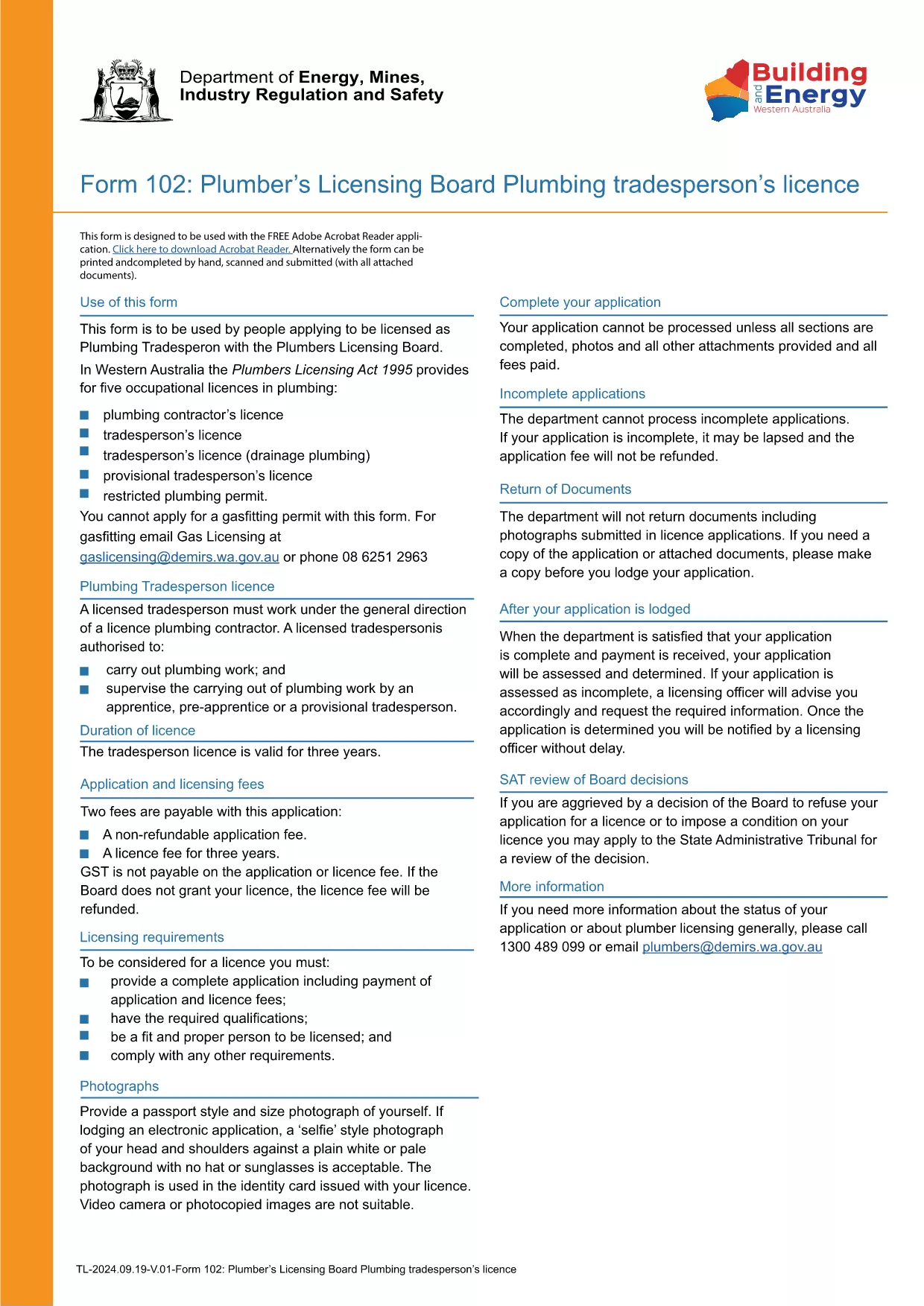
Form TR-102 is the official application used by individuals in Western Australia who want to obtain a new Plumbing Tradesperson Licence. The form is available as a fillable PDF, making it easy to complete on any device.

What is Form TR-102?

This form is issued by the Plumbers Licensing Board under the Plumbers Licensing Act 1995. It captures personal details, qualifications, work experience, and authorisations needed for a licence to practice plumbing trades in WA.

How to Fill Form TR-102 Online

Instead of downloading the PDF and editing it with a separate editor, simply click the "Fill out this form" button on this page. The Formize PDF Filler app will load the document directly in your browser, allowing you to:

  • Enter data into each field with keyboard or touch input.
  • Save progress and return later.
  • Validate entries in real‑time (e.g., date formats, numeric limits).
  • Download the completed, signed PDF for submission.

Common Mistakes to Avoid

  • Leaving required fields blank – the filler will highlight missing information before you can save.
  • Using the wrong licence class – ensure you select the correct trade (e.g., drainage, gas).
  • Incorrect dates or licence numbers – double‑check all numbers against your certificates.
  • Submitting an unsigned PDF – sign electronically in the Formize app or print and sign before sending.

Where to Submit Your Application

After completing the form, you can either:

Processing times vary, but most applications are reviewed within 10‑15 business days.

คำถามที่พบบ่อย
  • What does the "TR-102" code mean?

    "TR-102" is the reference number for the Plumbing Tradesperson Licence application used by the Western Australian Plumbers Licensing Board.

  • Can I edit the PDF on a mobile device?

    Yes. The Formize PDF Filler works on smartphones and tablets, allowing you to fill the form on any device.

  • Do I need to pay a fee when I submit Form TR-102?

    A licence application fee is required. The exact amount is listed on the Plumbers Licensing Board website and must be paid when you submit the form.

  • How long does it take to get the licence after submission?

    Processing typically takes 10‑15 business days, provided all required information and supporting documents are included.

  • What if I make a mistake after I’ve submitted the form?

    Contact the Plumbers Licensing Board immediately. You may need to submit a corrected form or provide additional documentation.

  • Is an electronic signature accepted?

    Yes. The Formize PDF Filler allows you to add a legally accepted electronic signature, which the Board accepts for most applications.

ทำอย่างไร

วิธีกรอก Form TR-102 ฟรีทางออนไลน์ใน 5 ขั้นตอนง่ายๆ:

  1. 1
    Click the Fill Out Button
    Press the "Fill out this form" button on this page to launch the Formize PDF Filler.
  2. 2
    Wait for the Filler to Load
    The app loads the fillable PDF in your browser; this usually takes a few seconds.
  3. 3
    Complete Each Section
    Enter your personal details, qualifications, and licence preferences in the highlighted fields.
  4. 4
    Review and Sign
    Use the built‑in validation to check for errors, then add an electronic signature or print to sign.
  5. 5
    Download or Submit
    Save the completed PDF to your device or submit it directly through the Plumbers Licensing Board portal.
สร้างแอป PDF Filler
เกี่ยวกับ

เทมเพลต Form TR-102

ด้วยชุดคุณสมบัติดั้งเดิมสำหรับการดูและกรอกเอกสาร PDF รวมกับประโยชน์ของเว็บแอปพลิเคชันและเค้าโครงที่ตอบสนอง คุณสามารถสร้าง Form TR-102 ให้เสร็จภายในไม่กี่นาที

คุณสมบัติ

PDF ฟิลเลอร์

วิธีที่ง่ายที่สุดในการกรอกแบบฟอร์ม PDF ทางออนไลน์

  • กรอก Form TR-102 อย่างรวดเร็ว
    กำลังมองหาวิธีเติม Form TR-102 ทางออนไลน์อย่างรวดเร็วอยู่ใช่ไหม ด้วยตัวกรอกแบบฟอร์ม PDF ออนไลน์ฟรีของเรา คุณจะรู้วิธีแก้ไขและกรอกเอกสาร PDF นี้ในเวลาไม่ถึงนาที
  • โปรแกรมแก้ไข PDF ออนไลน์ที่ใช้งานง่าย
    เบื่อกับการพิมพ์ไฟล์ PDF เพื่อให้คุณสามารถแก้ไขได้ก่อนที่จะสแกนซ้ำและส่งกลับหรือไม่? แก้ไขเอกสาร PDF ออนไลน์ฟรี ใช้โปรแกรมแก้ไข PDF ออนไลน์ของเราเพื่อประหยัดเวลาและกระดาษ
  • เครื่องมือที่ยอดเยี่ยมสำหรับทุกแพลตฟอร์ม
    สงสัยวิธีเติม Form TR-102 บน Mac หรืออาจใช้ตัวเติม PDF ฟรีได้อย่างไร เครื่องมือ PDF ออนไลน์ของเราทำงานได้บนทุกแพลตฟอร์ม
  • การจัดเก็บไฟล์ที่ปลอดภัย
    ไฟล์ "Form TR-102" ที่เสร็จสมบูรณ์จะถูกจัดเก็บไว้ในฐานข้อมูลที่ปลอดภัยซึ่งจัดการโดย Amazon Cloud hosting คุณสามารถลบไฟล์ของคุณออกจากระบบของเราได้ตลอดเวลา ไม่ว่าในกรณีใด ไฟล์เหล่านี้จะถูกลบโดยอัตโนมัติหลังจากผ่านไป 24 ชั่วโมง
  • สนทนากับ Form TR-102
    แชทกับ "Form TR-102" บน Chatize ที่เป็นผู้ช่วยอ่าน PDF ฟรี ถามคำถามและรับคำตอบจาก "Form TR-102" เพียงคลิกที่ปุ่ม แชทด้วยเอกสาร ด้านบน

ลบเซสชันการบรรจุ

ลบเซสชันการกรอกข้อมูลที่เลือกหรือไม่?ในกรณีนี้ความคืบหน้าในการกรอกแบบฟอร์มจะหายไป

ลบเซสชันการแก้ไข

ลบเซสชันการแก้ไขที่เลือกหรือไม่ ในกรณีนี้ ความคืบหน้าในการสร้างและแก้ไขแบบฟอร์มจะหายไป