hamburger-menu icon
เลือกภาษา

Form 36-0102 – Fillable PDF Download

  1. ภาษา ภาษาอังกฤษ
  2. ประเทศ ออสเตรเลีย
  3. แผนก Queensland Building and Construction Commission
  4. กิจกรรม Construction Regulations
Form 36-0102 – Fillable PDF Download

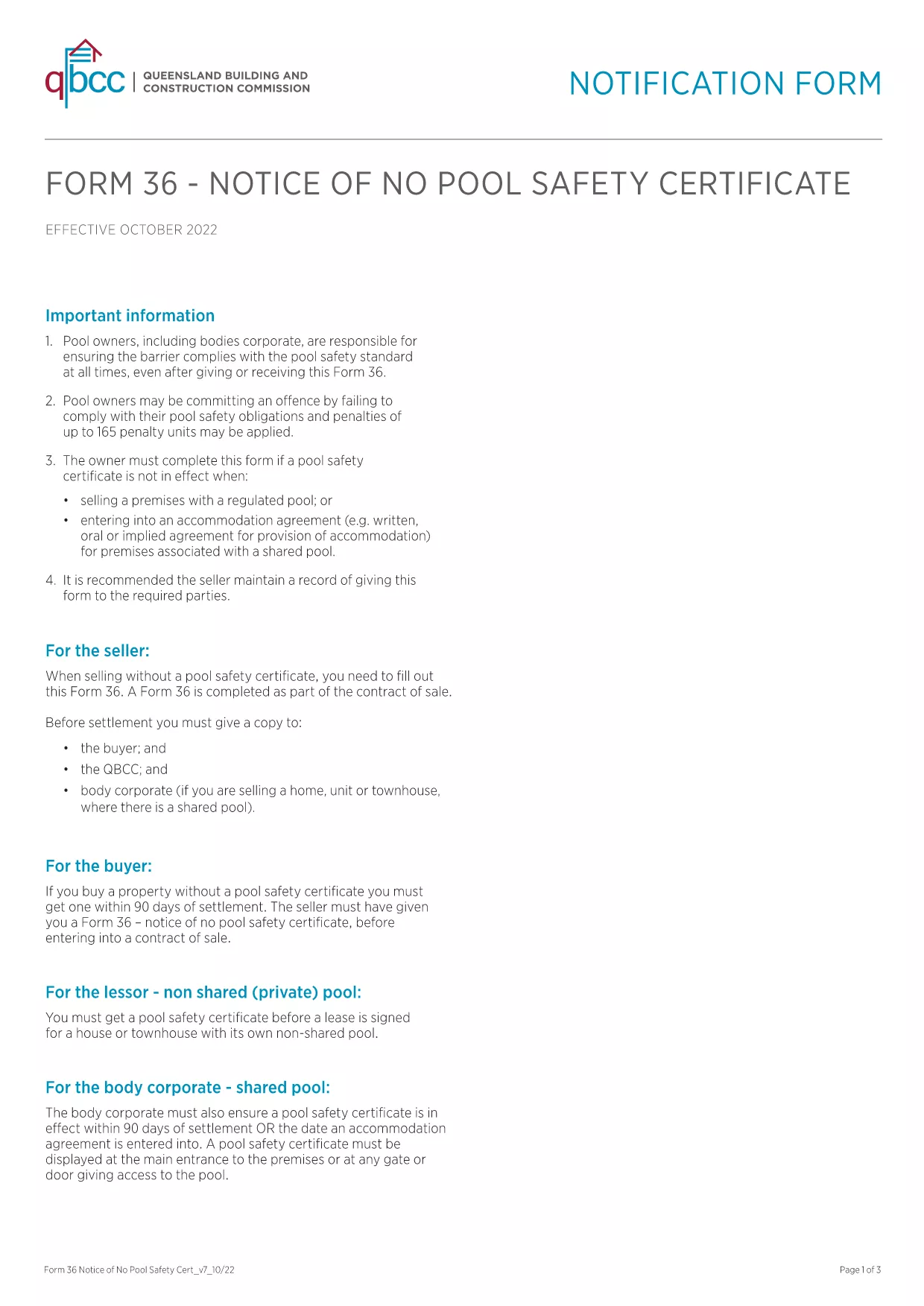
Form 36‑0102 is a standard notice used by the Queensland Building and Construction Commission (QBCC) when a property does not require a pool safety certificate. Whether you are a homeowner, builder, or a QBCC‑registered contractor, you’ll need this form to confirm the absence of a pool safety requirement.

What is Form 36-0102?

The form is a simple, one‑page declaration that states no pool safety certificate is needed for a particular building project. It must be signed by the responsible party and kept on file for future inspections.

How to Fill Form 36-0102 Online

Instead of downloading, printing, and scanning, you can complete the form directly in your browser using the Formize PDF Filler. The process is fast, secure, and fully compliant with QBCC guidelines.

Common Mistakes to Avoid

  • Leaving any required field blank – every box is mandatory.
  • Using an outdated version of the PDF – always start with the latest file linked below.
  • Signing with a non‑legible handwritten signature – use the digital signature tool in Formize.

Where to Submit the Completed Form

Once you have filled and saved the form, you can either:

  • Upload it through the QBCC online portal.
  • Email it to the project’s supervising building certifier.
  • Keep a digital copy for your records and present it on‑site if requested.

FAQ About Form 36-0102

Below are the most common questions users have about this form.

คำถามที่พบบ่อย
  • Is Form 36‑0102 required for every new building project?

    Only if the project does not include a swimming pool. If a pool is present, a separate pool safety certificate is required.

  • Can I use an older version of the form?

    No. Always use the latest version provided by QBCC to ensure compliance with current regulations.

  • Do I need a digital signature?

    A digital signature is accepted and preferred for online submissions. You can also print, sign, and scan if required.

  • How long should I keep the completed form?

    Retain the form for at least five years, or as long as the building project remains active, in case of an audit.

  • What if I make a mistake after submitting?

    Contact the QBCC immediately. You may need to submit an amended Form 36‑0102 with a clear note of the correction.

  • Is there a fee to download or submit Form 36‑0102?

    Downloading the PDF is free. Submission fees may apply if you file through the QBCC online portal—check their fee schedule.

  • Can I fill the form on a mobile device?

    Yes. The Formize PDF Filler works on smartphones and tablets, allowing you to complete the form anywhere.

ทำอย่างไร

วิธีกรอก Form 36-0102 ฟรีทางออนไลน์ใน 5 ขั้นตอนง่ายๆ:

  1. 1
    Click the Fill‑out Button
    Press the “Fill out this form” button on the page to launch the Formize PDF Filler.
  2. 2
    Wait for the Filler to Load
    The app loads in seconds; a loading bar will appear. No download or installation is required.
  3. 3
    Complete All Fields
    Enter the required information, select dates from the calendar picker, and use the digital signature tool.
  4. 4
    Review and Save
    Check the completed form for errors, then click “Save” to download a copy or “Submit” to send it directly to QBCC.
  5. 5
    Keep a Record
    Store the saved PDF in your project folder or upload it to the QBCC portal for future reference.
สร้างแอป PDF Filler
เกี่ยวกับ

เทมเพลต Form 36-0102

ด้วยชุดคุณสมบัติดั้งเดิมสำหรับการดูและกรอกเอกสาร PDF รวมกับประโยชน์ของเว็บแอปพลิเคชันและเค้าโครงที่ตอบสนอง คุณสามารถสร้าง Form 36-0102 ให้เสร็จภายในไม่กี่นาที

คุณสมบัติ

PDF ฟิลเลอร์

วิธีที่ง่ายที่สุดในการกรอกแบบฟอร์ม PDF ทางออนไลน์

  • กรอก Form 36-0102 อย่างรวดเร็ว
    กำลังมองหาวิธีเติม Form 36-0102 ทางออนไลน์อย่างรวดเร็วอยู่ใช่ไหม ด้วยตัวกรอกแบบฟอร์ม PDF ออนไลน์ฟรีของเรา คุณจะรู้วิธีแก้ไขและกรอกเอกสาร PDF นี้ในเวลาไม่ถึงนาที
  • โปรแกรมแก้ไข PDF ออนไลน์ที่ใช้งานง่าย
    เบื่อกับการพิมพ์ไฟล์ PDF เพื่อให้คุณสามารถแก้ไขได้ก่อนที่จะสแกนซ้ำและส่งกลับหรือไม่? แก้ไขเอกสาร PDF ออนไลน์ฟรี ใช้โปรแกรมแก้ไข PDF ออนไลน์ของเราเพื่อประหยัดเวลาและกระดาษ
  • เครื่องมือที่ยอดเยี่ยมสำหรับทุกแพลตฟอร์ม
    สงสัยวิธีเติม Form 36-0102 บน Mac หรืออาจใช้ตัวเติม PDF ฟรีได้อย่างไร เครื่องมือ PDF ออนไลน์ของเราทำงานได้บนทุกแพลตฟอร์ม
  • การจัดเก็บไฟล์ที่ปลอดภัย
    ไฟล์ "Form 36-0102" ที่เสร็จสมบูรณ์จะถูกจัดเก็บไว้ในฐานข้อมูลที่ปลอดภัยซึ่งจัดการโดย Amazon Cloud hosting คุณสามารถลบไฟล์ของคุณออกจากระบบของเราได้ตลอดเวลา ไม่ว่าในกรณีใด ไฟล์เหล่านี้จะถูกลบโดยอัตโนมัติหลังจากผ่านไป 24 ชั่วโมง
  • สนทนากับ Form 36-0102
    แชทกับ "Form 36-0102" บน Chatize ที่เป็นผู้ช่วยอ่าน PDF ฟรี ถามคำถามและรับคำตอบจาก "Form 36-0102" เพียงคลิกที่ปุ่ม แชทด้วยเอกสาร ด้านบน

ลบเซสชันการบรรจุ

ลบเซสชันการกรอกข้อมูลที่เลือกหรือไม่?ในกรณีนี้ความคืบหน้าในการกรอกแบบฟอร์มจะหายไป

ลบเซสชันการแก้ไข

ลบเซสชันการแก้ไขที่เลือกหรือไม่ ในกรณีนี้ ความคืบหน้าในการสร้างและแก้ไขแบบฟอร์มจะหายไป