
hamburger-menu icon
เลือกภาษา

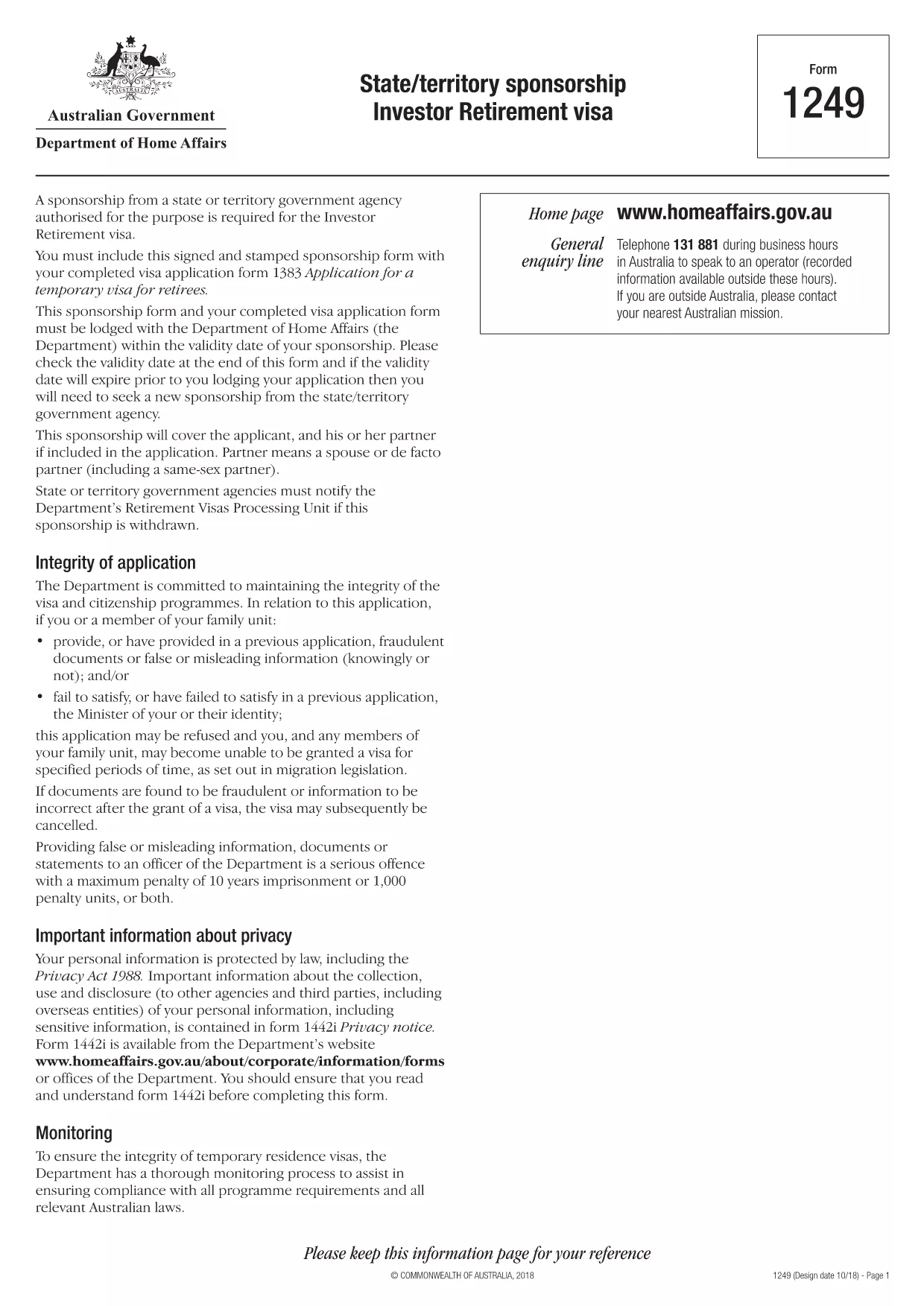
Form 1249 – State/Territory Sponsorship for the Investor Retirement Visa

  1. ภาษา ภาษาอังกฤษ
  2. ประเทศ ออสเตรเลีย
  3. กิจกรรม วีซ่า
Form 1249 – State/Territory Sponsorship for the Investor Retirement Visa

Form 1249 is the official State/Territory Sponsorship document required for the Australian Investor Retirement Visa (subclass 188‑IR). The sponsoring state or territory government must approve the applicant’s investment plan before the Department of Home Affairs processes the visa.

This landing page lets you view, fill, and download the fillable PDF directly in your browser – no extra software needed. Just click the “Fill out this form” button and the Formize PDF Filler will load the form for you.

What Is Form 1249 and Who Needs It?

The form captures details about the applicant’s proposed investment, the sponsoring government’s commitment, and the validity period of the sponsorship. It is required for:

  • Applicants of the Investor Retirement visa (subclass 188‑IR)
  • State or territory agencies that are sponsoring the applicant
  • Legal representatives preparing a visa package

How to Complete Form 1249 Online with Formize

Follow these simple steps to fill the form without downloading any software:

  1. Click the “Fill out this form” button on this page.
  2. Wait a few seconds while the Formize PDF Filler loads the fillable PDF.
  3. Enter all required information in the highlighted fields. The filler validates dates and numeric entries automatically.
  4. When you finish, click **Save & Download** to get a completed PDF ready for submission.

Common Mistakes & Tips for a Successful Submission

  • Validity date – Double‑check the sponsorship validity at the bottom of the form. If it expires before you lodge your visa, you’ll need a new sponsorship.
  • Signature fields – Use the built‑in signature tool in Formize or print, sign, and scan the final PDF.
  • Investment details – Provide exact figures and currency; rounding errors cause delays.
  • Supporting documents – Attach the required business plan, proof of funds, and any state‑specific endorsement letters.

Where to Submit the Completed Sponsorship Form

After saving the filled PDF, include it with your visa application package and lodge it through the Department of Home Affairs portal. The sponsoring state/territory must also retain a copy for their records.

Need a printable version? Use the direct download link below.

คำถามที่พบบ่อย
  • What is the purpose of Form 1249?

    Form 1249 records the sponsorship commitment from an Australian state or territory for an Investor Retirement visa applicant.

  • Can I fill Form 1249 on a mobile device?

    Yes. The Formize PDF Filler works on modern smartphones and tablets as long as the browser supports PDF rendering.

  • Do I need to print the form to sign it?

    You can sign electronically using the Formize signature tool, or print, sign, and scan the final PDF before submission.

  • How long is the sponsorship validity?

    The validity period is printed on the last page of the form. It must remain active until the visa is granted; otherwise a new sponsorship is required.

  • What happens if I make a mistake after downloading?

    Open the saved PDF again with Formize, edit the incorrect fields, and re‑download the corrected version.

  • Is there a fee to use Formize’s filler?

    No, the Formize PDF Filler is free for all users on this page.

  • Where do I send the completed Form 1249?

    Include the completed form with your visa application package and lodge it through the Department of Home Affairs online portal.

  • Do I need a separate form for each state or territory?

    Form 1249 is the same nationwide, but the sponsoring agency (state or territory) must complete the sponsorship section.

ทำอย่างไร

วิธีกรอก Form 1249 ฟรีทางออนไลน์ใน 4 ขั้นตอนง่ายๆ:

  1. 1
    Open the Fillable Form
    Click the “Fill out this form” button on the page. The Formize PDF Filler will open the fillable Form 1249 in your browser.
  2. 2
    Enter Your Information
    Complete each highlighted field. The filler checks dates, numbers and required formats automatically.
  3. 3
    Save and Download
    When all sections are filled, press “Save & Download” to get a completed PDF ready for submission to the Department of Home Affairs.
  4. 4
    Submit with Your Visa Application
    Attach the saved PDF to your Investor Retirement visa (subclass 188‑IR) application through the Home Affairs online portal.
สร้างแอป PDF Filler
เกี่ยวกับ

แบบฟอร์มวีซ่า

Form 1249 เป็นหนึ่งในแบบฟอร์มวีซ่าที่เป็นเอกสารที่ใช้ในการยื่นขอวีซ่าเข้าประเทศต่างประเทศ วีซ่าเป็นเอกสารที่อนุญาตให้คนต่างชาติเข้ามา พำนัก และบางครั้งทำงานในต่างประเทศตามระยะเวลาที่กำหนด แบบฟอร์มและข้อกำหนดในการขอวีซ่าจะแตกต่างกันไปตามประเทศและประเภทของวีซ่า

แบบฟอร์มวีซ่ามักต้องการข้อมูลส่วนบุคคล เช่น ชื่อ วันเกิด และข้อมูลหนังสือเดินทาง ตลอดจนข้อมูลเกี่ยวกับวัตถุประสงค์และระยะเวลาของการเดินทาง จุดหมายปลายทาง และไม่ว่าผู้ยื่นคำร้องจะเคยถูกปฏิเสธวีซ่าหรือถูกเนรเทศออกจากประเทศหรือไม่ แบบฟอร์มอาจต้องใช้เอกสารประกอบ เช่น หนังสือเดินทาง รูปถ่าย และหลักฐานการสนับสนุนทางการเงิน

ในสหรัฐอเมริกา แบบฟอร์มวีซ่าที่พบมากที่สุดคือแบบฟอร์ม DS-160 และ DS-260 แบบฟอร์ม DS-160 ใช้ในการสมัครวีซ่าชั่วคราว ในขณะที่แบบฟอร์ม DS-260 ใช้ในการสมัครวีซ่าคนเข้าเมือง แบบฟอร์มเหล่านี้ต้องการข้อมูลโดยละเอียดเกี่ยวกับประวัติส่วนตัวและการเดินทางของผู้สมัคร ตลอดจนเอกสารประกอบ เช่น หนังสือเดินทาง กำหนดการเดินทาง และบันทึกทางการเงิน

ประเทศอื่นๆ อาจมีแบบฟอร์มและข้อกำหนดในการขอวีซ่าที่แตกต่างกัน แต่โดยทั่วไปแล้วกระบวนการพื้นฐานเกี่ยวข้องกับการกรอกคำร้องขอวีซ่า จัดเตรียมเอกสารประกอบ และเข้ารับการสัมภาษณ์กับเจ้าหน้าที่กงสุลที่สถานทูตหรือสถานกงสุลสหรัฐฯ สิ่งสำคัญคือต้องทราบว่าขั้นตอนการยื่นคำร้องขอวีซ่าอาจซับซ้อนและใช้เวลานาน และขอแนะนำให้บุคคลที่ต้องการขอวีซ่าปรึกษากับทนายความตรวจคนเข้าเมืองหรือผู้เชี่ยวชาญที่มีคุณสมบัติเหมาะสมอื่นๆ เพื่อให้แน่ใจว่าตรงตามแบบฟอร์มและข้อกำหนดที่จำเป็นทั้งหมด

คุณสมบัติ

PDF ฟิลเลอร์

วิธีที่ง่ายที่สุดในการกรอกแบบฟอร์ม PDF ทางออนไลน์

  • กรอก Form 1249 อย่างรวดเร็ว
    กำลังมองหาวิธีเติม Form 1249 ทางออนไลน์อย่างรวดเร็วอยู่ใช่ไหม ด้วยตัวกรอกแบบฟอร์ม PDF ออนไลน์ฟรีของเรา คุณจะรู้วิธีแก้ไขและกรอกเอกสาร PDF นี้ในเวลาไม่ถึงนาที
  • โปรแกรมแก้ไข PDF ออนไลน์ที่ใช้งานง่าย
    เบื่อกับการพิมพ์ไฟล์ PDF เพื่อให้คุณสามารถแก้ไขได้ก่อนที่จะสแกนซ้ำและส่งกลับหรือไม่? แก้ไขเอกสาร PDF ออนไลน์ฟรี ใช้โปรแกรมแก้ไข PDF ออนไลน์ของเราเพื่อประหยัดเวลาและกระดาษ
  • เครื่องมือที่ยอดเยี่ยมสำหรับทุกแพลตฟอร์ม
    สงสัยวิธีเติม Form 1249 บน Mac หรืออาจใช้ตัวเติม PDF ฟรีได้อย่างไร เครื่องมือ PDF ออนไลน์ของเราทำงานได้บนทุกแพลตฟอร์ม
  • การจัดเก็บไฟล์ที่ปลอดภัย
    ไฟล์ "Form 1249" ที่เสร็จสมบูรณ์จะถูกจัดเก็บไว้ในฐานข้อมูลที่ปลอดภัยซึ่งจัดการโดย Amazon Cloud hosting คุณสามารถลบไฟล์ของคุณออกจากระบบของเราได้ตลอดเวลา ไม่ว่าในกรณีใด ไฟล์เหล่านี้จะถูกลบโดยอัตโนมัติหลังจากผ่านไป 24 ชั่วโมง
  • สนทนากับ Form 1249
    แชทกับ "Form 1249" บน Chatize ที่เป็นผู้ช่วยอ่าน PDF ฟรี ถามคำถามและรับคำตอบจาก "Form 1249" เพียงคลิกที่ปุ่ม แชทด้วยเอกสาร ด้านบน

ลบเซสชันการบรรจุ

ลบเซสชันการกรอกข้อมูลที่เลือกหรือไม่?ในกรณีนี้ความคืบหน้าในการกรอกแบบฟอร์มจะหายไป

ลบเซสชันการแก้ไข

ลบเซสชันการแก้ไขที่เลือกหรือไม่ ในกรณีนี้ ความคืบหน้าในการสร้างและแก้ไขแบบฟอร์มจะหายไป