
hamburger-menu icon
เลือกภาษา

Form 1120‑S Schedule K‑3 Fillable PDF

  1. ประเทศ สหรัฐอเมริกา
  2. ภาษา ภาษาอังกฤษ
  3. กิจกรรม ภาษี
  4. แผนก สรรพากรพื้นที่
Form 1120‑S Schedule K‑3 Fillable PDF

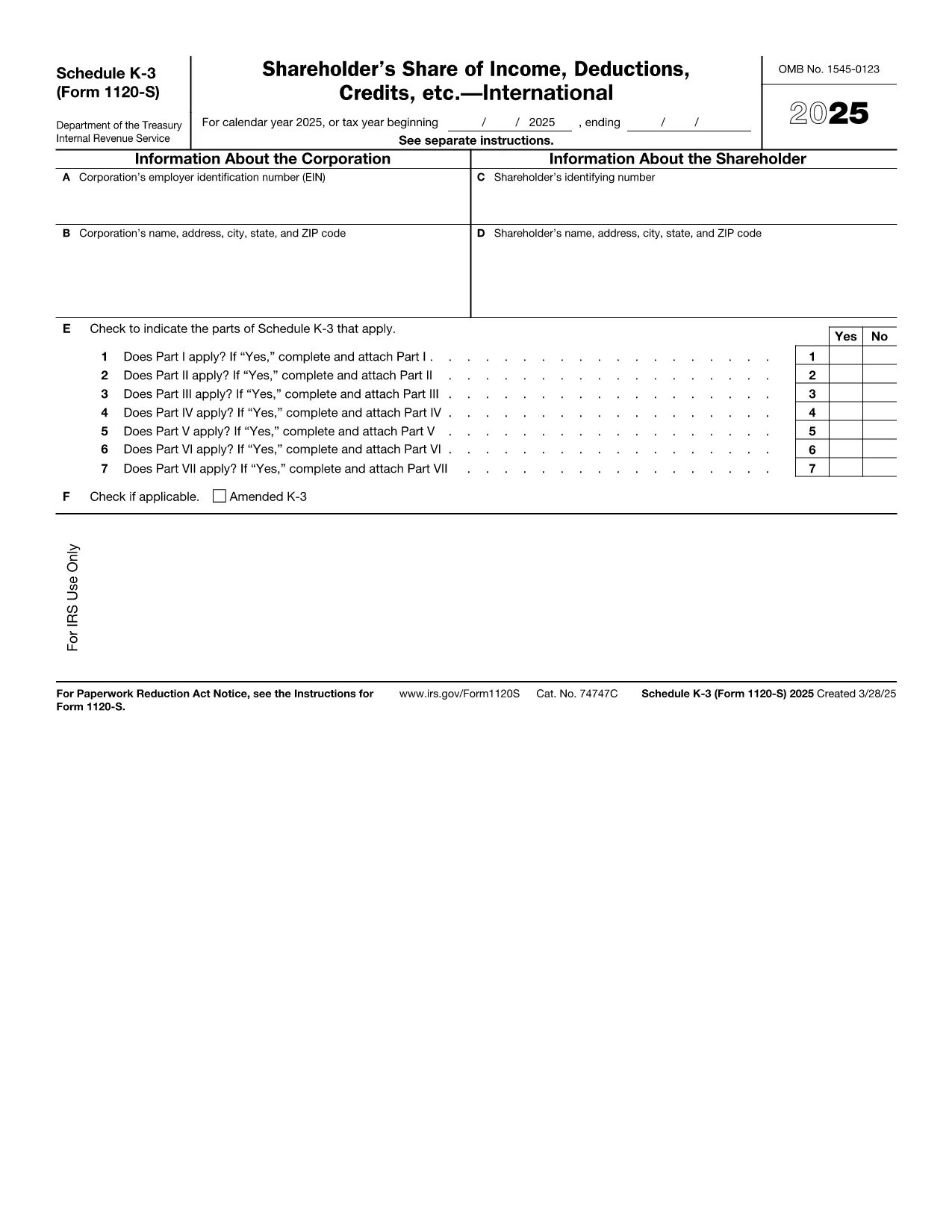
Schedule K‑3 (Form 1120‑S) is the IRS’s dedicated worksheet for reporting a corporation’s international tax items that flow through to each shareholder’s Schedule K‑1. If your S corporation has foreign income, taxes paid, or other cross‑border activities, you must complete this form.

What Is Schedule K‑3 and Who Needs It?

Schedule K‑3 expands on Schedule K‑2 to capture detailed foreign tax credit limitations, foreign source income, and other international items. All S corporations that report foreign activities on their Form 1120‑S must file Schedule K‑3, and shareholders use the information to claim foreign tax credits on their personal returns.

How to Complete Schedule K‑3 Online

Instead of printing, editing, and rescanning, you can fill the official IRS PDF directly in your browser with Formize’s PDF Filler. The process is simple:

  1. Click the "Fill out this form" button on this page.
  2. Wait a few seconds while the Formize PDF Filler app loads the fillable version of Schedule K‑3.
  3. Enter the required numbers in each field – the form automatically validates dates and numeric formats.
  4. Review every line for accuracy; the filler highlights missing or inconsistent entries.
  5. When you’re satisfied, click Save to download a completed PDF or Export to Cloud for secure storage.

Common Mistakes to Avoid on Schedule K‑3

  • Leaving foreign tax credit limitation fields blank – the IRS treats blanks as zero, which can under‑report credits.
  • Mismatching the currency conversion rate – use the rate applicable to the tax year, not a rounded estimate.
  • Omitting Schedule K‑2 reference numbers – Schedule K‑3 must reference the corresponding Schedule K‑2 lines.
  • Incorrect shareholder identification – ensure the name and SSN/EIN match the Schedule K‑1.

Download the Official IRS Fillable PDF

The PDF linked below is the exact version published by the Internal Revenue Service. It is fully fillable and compatible with Formize’s online editor.

Download Schedule K‑3 (Form 1120‑S) – IRS PDF

FAQs About Form 1120‑S Schedule K‑3

Below are the most common questions taxpayers ask about this schedule. Click each question to view the answer.

คำแนะนำ

คำถามที่พบบ่อย
  • Do I need Schedule K‑3 if my S corporation has no foreign activity?

    No. Schedule K‑3 is required only when the corporation reports foreign income, taxes, or other international items on Schedule K‑2.

  • Can I use the same PDF for multiple tax years?

    Each tax year has its own version of Schedule K‑3. Use the PDF that matches the year you are filing (e.g., 2025 version for 2025 returns).

  • Is the Formize PDF Filler free to use?

    Yes, filling out the Schedule K‑3 online with Formize’s basic filler is free. Advanced features such as cloud storage may require a paid plan.

  • How do I report foreign tax credits on my personal return?

    The amounts from Schedule K‑3 flow to the shareholder’s Schedule K‑1. Use those figures on Form 1116 (or the appropriate line on Form 1040) to claim the credit.

  • What if I make a mistake after saving the PDF?

    Open the saved PDF again in Formize’s filler, correct the fields, and re‑save. The fillable PDF preserves all form fields for easy editing.

  • Where can I get help if I’m unsure about any line?

    The IRS instructions for Form 1120‑S and Schedule K‑3 provide detailed guidance. You can also consult a tax professional familiar with international S‑corp reporting.

ทำอย่างไร

วิธีกรอก Form 1120-S Schedule K-3 ฟรีทางออนไลน์ใน 5 ขั้นตอนง่ายๆ:

  1. 1
    Click the Fill Out Button
    Press the "Fill out this form" button on the page to launch the Formize PDF Filler.
  2. 2
    Wait for the Filler to Load
    A few seconds later the fillable Schedule K‑3 PDF appears in your browser.
  3. 3
    Enter Required Information
    Type the numbers and text into each highlighted field. The filler checks formats automatically.
  4. 4
    Review for Accuracy
    Use the built‑in validation to spot any missing or inconsistent entries before finalizing.
  5. 5
    Save or Export the Completed Form
    Click "Save" to download the finished PDF or choose "Export to Cloud" for secure storage.
สร้างแอป PDF Filler
เกี่ยวกับ

แบบฟอร์มภาษี

Form 1120-S Schedule K-3 เป็นหนึ่งในแบบฟอร์มภาษีที่เป็นเอกสารที่ใช้ในการรายงานข้อมูลที่เกี่ยวข้องกับภาษีไปยังหน่วยงานด้านภาษีที่เกี่ยวข้อง มีแบบฟอร์มภาษีหลายประเภท รวมถึงแบบฟอร์มภาษีของรัฐบาลกลาง รัฐ และท้องถิ่น ซึ่งอาจแตกต่างกันไปขึ้นอยู่กับสถานการณ์และสถานที่ของผู้เสียภาษี

คุณสมบัติ

PDF ฟิลเลอร์

วิธีที่ง่ายที่สุดในการกรอกแบบฟอร์ม PDF ทางออนไลน์

  • กรอก Form 1120-S Schedule K-3 อย่างรวดเร็ว
    กำลังมองหาวิธีเติม Form 1120-S Schedule K-3 ทางออนไลน์อย่างรวดเร็วอยู่ใช่ไหม ด้วยตัวกรอกแบบฟอร์ม PDF ออนไลน์ฟรีของเรา คุณจะรู้วิธีแก้ไขและกรอกเอกสาร PDF นี้ในเวลาไม่ถึงนาที
  • โปรแกรมแก้ไข PDF ออนไลน์ที่ใช้งานง่าย
    เบื่อกับการพิมพ์ไฟล์ PDF เพื่อให้คุณสามารถแก้ไขได้ก่อนที่จะสแกนซ้ำและส่งกลับหรือไม่? แก้ไขเอกสาร PDF ออนไลน์ฟรี ใช้โปรแกรมแก้ไข PDF ออนไลน์ของเราเพื่อประหยัดเวลาและกระดาษ
  • เครื่องมือที่ยอดเยี่ยมสำหรับทุกแพลตฟอร์ม
    สงสัยวิธีเติม Form 1120-S Schedule K-3 บน Mac หรืออาจใช้ตัวเติม PDF ฟรีได้อย่างไร เครื่องมือ PDF ออนไลน์ของเราทำงานได้บนทุกแพลตฟอร์ม
  • การจัดเก็บไฟล์ที่ปลอดภัย
    ไฟล์ "Form 1120-S Schedule K-3" ที่เสร็จสมบูรณ์จะถูกจัดเก็บไว้ในฐานข้อมูลที่ปลอดภัยซึ่งจัดการโดย Amazon Cloud hosting คุณสามารถลบไฟล์ของคุณออกจากระบบของเราได้ตลอดเวลา ไม่ว่าในกรณีใด ไฟล์เหล่านี้จะถูกลบโดยอัตโนมัติหลังจากผ่านไป 24 ชั่วโมง
  • สนทนากับ Form 1120-S Schedule K-3
    แชทกับ "Form 1120-S Schedule K-3" บน Chatize ที่เป็นผู้ช่วยอ่าน PDF ฟรี ถามคำถามและรับคำตอบจาก "Form 1120-S Schedule K-3" เพียงคลิกที่ปุ่ม แชทด้วยเอกสาร ด้านบน

ลบเซสชันการบรรจุ

ลบเซสชันการกรอกข้อมูลที่เลือกหรือไม่?ในกรณีนี้ความคืบหน้าในการกรอกแบบฟอร์มจะหายไป

ลบเซสชันการแก้ไข

ลบเซสชันการแก้ไขที่เลือกหรือไม่ ในกรณีนี้ ความคืบหน้าในการสร้างและแก้ไขแบบฟอร์มจะหายไป