
hamburger-menu icon
เลือกภาษา

Form 706 Schedule R-1 – Fillable PDF

  1. ประเทศ สหรัฐอเมริกา
  2. ภาษา ภาษาอังกฤษ
  3. กิจกรรม ภาษี
  4. แผนก สรรพากรพื้นที่
Form 706 Schedule R-1 – Fillable PDF

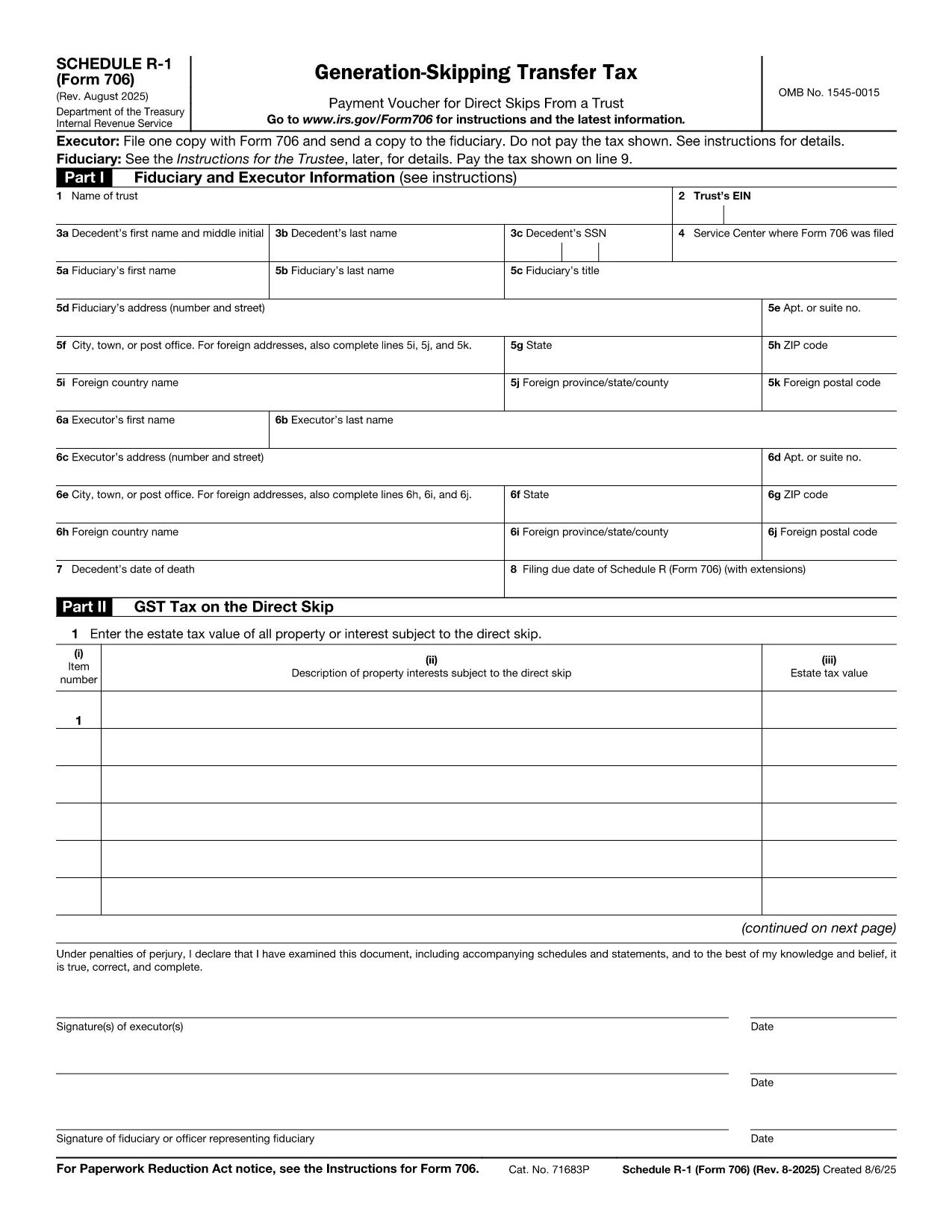
Schedule R-1 is a supplemental attachment to the United States Estate (and Generation‑Skipping Transfer) Tax Return, Form 706. It reports the amount of the generation‑skipping transfer (GST) tax that applies to certain trust and estate distributions.

Using Formize, you can open the official IRS Schedule R-1 PDF directly in our browser‑based filler, edit every field, and save a completed, printable copy—no download‑and‑install PDF editor required.

Our online tool preserves the exact layout and formatting required by the IRS, ensuring your submission meets all technical specifications.

Below you’ll find step‑by‑step instructions, tips for avoiding common mistakes, and answers to the most asked questions about Form 706 Schedule R‑1.

คำถามที่พบบ่อย
  • What is the purpose of Schedule R-1?

    Schedule R-1 reports the amount of generation‑skipping transfer (GST) tax that applies to certain distributions from estates or trusts, allowing the IRS to calculate the correct GST liability.

  • Do I need to file Schedule R-1 with every Form 706?

    Only if you have GST‑taxable transfers that fall under the rules of section 2603(a)(2). If none apply, you can omit Schedule R‑1.

  • Can I file Schedule R-1 electronically?

    Yes. After completing the form with Formize, you can upload the saved PDF to the IRS e‑file system or attach it to a paper filing.

  • What common mistakes should I avoid?

    Watch for incorrect line totals, missing signatures, and failing to attach supporting schedules for each GST‑taxable transfer.

  • Is there a filing deadline for Schedule R-1?

    Schedule R‑1 follows the same deadline as Form 706—generally nine months after the date of death, with a possible six‑month extension.

  • Do I need a tax professional to complete Schedule R-1?

    While not required, many estates benefit from professional guidance due to the complexity of GST rules.

  • How do I correct an error after filing?

    Submit a corrected Form 706 with an updated Schedule R‑1, clearly marking it as “Amended” and referencing the original filing.

ทำอย่างไร

วิธีกรอก Form 706 Schedule R-1 ฟรีทางออนไลน์ใน 4 ขั้นตอนง่ายๆ:

  1. 1
    Open the Fillable Form
    Click the "Fill out this form" button on this page. The Formize PDF Filler will load the Schedule R-1 PDF directly in your browser.
  2. 2
    Enter Your Information
    Type into each field just as you would on paper. The filler automatically saves your entries as you go.
  3. 3
    Validate the Data
    Use the built‑in validation to check totals and required fields before finalizing.
  4. 4
    Download or Print
    When you’re done, download the completed PDF or print it directly for mailing to the IRS.
สร้างแอป PDF Filler
เกี่ยวกับ

แบบฟอร์มภาษีของรัฐบาลกลาง

Form 706 Schedule R-1 เป็นหนึ่งในแบบฟอร์มภาษีของรัฐบาลกลางที่เป็นเอกสารที่ใช้ในการรายงานและยื่นภาษีเงินได้ของรัฐบาลกลางกับ Internal Revenue Service (IRS) ในสหรัฐอเมริกา บุคคล ธุรกิจ และองค์กรต่างๆ ใช้แบบฟอร์มเหล่านี้เพื่อรายงานรายได้ การหักเงิน และข้อมูลอื่นๆ ที่เกี่ยวข้องที่จำเป็นสำหรับการคำนวณภาระภาษีของรัฐบาลกลาง

แบบฟอร์มภาษีของรัฐบาลกลางที่ใช้กันมากที่สุดคือ แบบฟอร์ม 1040 ซึ่งผู้เสียภาษีแต่ละรายใช้เพื่อรายงานภาษีเงินได้บุคคลธรรมดาของตน แบบฟอร์มอื่นๆ ที่ใช้กันทั่วไป ได้แก่ แบบฟอร์ม 1065 สำหรับพันธมิตร แบบฟอร์ม 1120 สำหรับองค์กร และ แบบฟอร์ม 990 สำหรับองค์กรที่ได้รับการยกเว้นภาษี

โดยทั่วไปแบบฟอร์มภาษีของรัฐบาลกลางกำหนดให้ผู้เสียภาษีรายงานแหล่งที่มาของรายได้ต่างๆ เช่น ค่าจ้าง เงินเดือน และทิป ตลอดจนรายได้จากการลงทุน อสังหาริมทรัพย์ให้เช่า และแหล่งที่มาอื่นๆ แบบฟอร์มนี้ยังอนุญาตให้ผู้เสียภาษีเรียกร้องการหักเงินและเครดิตสำหรับค่าใช้จ่ายต่างๆ เช่น เงินบริจาคเพื่อการกุศล ดอกเบี้ยจำนอง และค่ารักษาพยาบาล

สิ่งสำคัญคือต้องยื่นแบบฟอร์มภาษีของรัฐบาลกลางอย่างถูกต้องและตรงเวลา เนื่องจากการไม่ปฏิบัติตามอาจส่งผลให้ IRS ได้รับโทษและดอกเบี้ย

คุณสมบัติ

PDF ฟิลเลอร์

วิธีที่ง่ายที่สุดในการกรอกแบบฟอร์ม PDF ทางออนไลน์

  • กรอก Form 706 Schedule R-1 อย่างรวดเร็ว
    กำลังมองหาวิธีเติม Form 706 Schedule R-1 ทางออนไลน์อย่างรวดเร็วอยู่ใช่ไหม ด้วยตัวกรอกแบบฟอร์ม PDF ออนไลน์ฟรีของเรา คุณจะรู้วิธีแก้ไขและกรอกเอกสาร PDF นี้ในเวลาไม่ถึงนาที
  • โปรแกรมแก้ไข PDF ออนไลน์ที่ใช้งานง่าย
    เบื่อกับการพิมพ์ไฟล์ PDF เพื่อให้คุณสามารถแก้ไขได้ก่อนที่จะสแกนซ้ำและส่งกลับหรือไม่? แก้ไขเอกสาร PDF ออนไลน์ฟรี ใช้โปรแกรมแก้ไข PDF ออนไลน์ของเราเพื่อประหยัดเวลาและกระดาษ
  • เครื่องมือที่ยอดเยี่ยมสำหรับทุกแพลตฟอร์ม
    สงสัยวิธีเติม Form 706 Schedule R-1 บน Mac หรืออาจใช้ตัวเติม PDF ฟรีได้อย่างไร เครื่องมือ PDF ออนไลน์ของเราทำงานได้บนทุกแพลตฟอร์ม
  • การจัดเก็บไฟล์ที่ปลอดภัย
    ไฟล์ "Form 706 Schedule R-1" ที่เสร็จสมบูรณ์จะถูกจัดเก็บไว้ในฐานข้อมูลที่ปลอดภัยซึ่งจัดการโดย Amazon Cloud hosting คุณสามารถลบไฟล์ของคุณออกจากระบบของเราได้ตลอดเวลา ไม่ว่าในกรณีใด ไฟล์เหล่านี้จะถูกลบโดยอัตโนมัติหลังจากผ่านไป 24 ชั่วโมง
  • สนทนากับ Form 706 Schedule R-1
    แชทกับ "Form 706 Schedule R-1" บน Chatize ที่เป็นผู้ช่วยอ่าน PDF ฟรี ถามคำถามและรับคำตอบจาก "Form 706 Schedule R-1" เพียงคลิกที่ปุ่ม แชทด้วยเอกสาร ด้านบน

ลบเซสชันการบรรจุ

ลบเซสชันการกรอกข้อมูลที่เลือกหรือไม่?ในกรณีนี้ความคืบหน้าในการกรอกแบบฟอร์มจะหายไป

ลบเซสชันการแก้ไข

ลบเซสชันการแก้ไขที่เลือกหรือไม่ ในกรณีนี้ ความคืบหน้าในการสร้างและแก้ไขแบบฟอร์มจะหายไป