hamburger-menu icon
เลือกภาษา

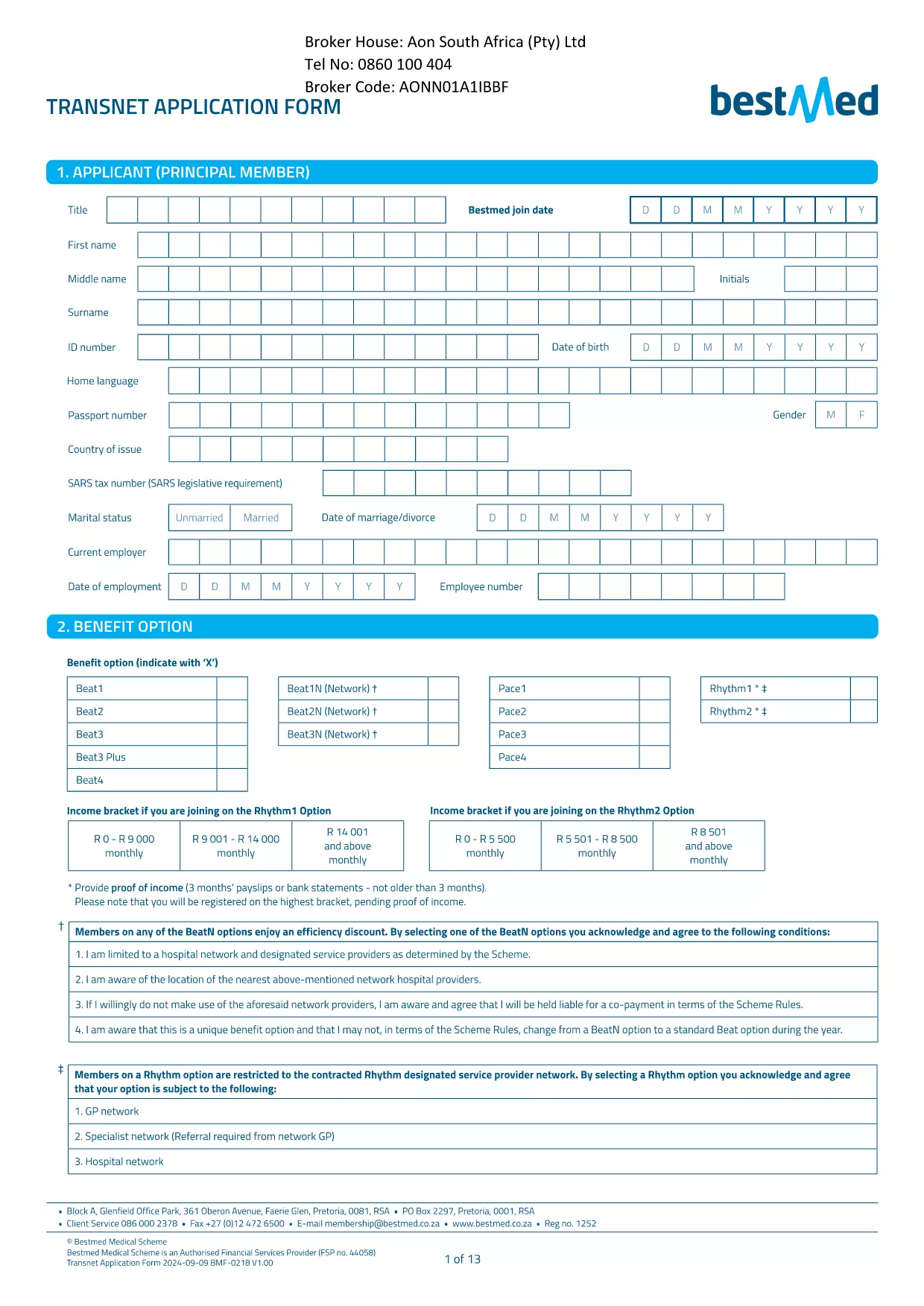
Transnet Application Form – Fillable PDF

  1. ประเทศ South Africa
  2. ภาษา ภาษาอังกฤษ
  3. แผนก Transnet
  4. กิจกรรม Application
Transnet Application Form – Fillable PDF

Looking for the official Transnet application form for South Africa? You’ve come to the right place. Our page lets you download the PDF, open it in the Formize PDF Filler, and complete every field online—no extra software required.

Why Use the Fillable Transnet Application Form

Instant access – the PDF loads directly in your browser.
Secure & compliant – data is encrypted while you fill it out.
Save & edit anytime – return to the form before you submit.

Step‑by‑Step Guide to Completing the Form

Follow these simple steps to get your application submitted quickly:

  • Step 1: Click the Fill out this form button below.
  • Step 2: Wait a few seconds while the Formize PDF Filler app loads.
  • Step 3: Enter your personal details, employment history, and any dependent information.
  • Step 4: Review the consent section and tick the required boxes.
  • Step 5: Click Save to download the completed PDF or Submit to send it directly to Transnet.

Common Mistakes & How to Avoid Them

Even experienced applicants can slip up. Keep these tips in mind:

  • Incorrect ID numbers – double‑check your South African ID or passport number.
  • Missing signatures – the digital signature field must be clicked before saving.
  • Leaving optional fields blank – if a field is marked “optional,” you may leave it empty, but be sure it truly isn’t required.
  • Uploading the wrong file – use the provided PDF link; other versions may be outdated.

Download, Save, and Submit Your Completed Form

When you’re satisfied with your entries, click the Download Completed Form button to keep a copy for your records. Then follow Transnet’s submission instructions—usually via email or the corporate portal.

Need another form? Browse our library for more South African government and corporate PDFs.

คำถามที่พบบ่อย
  • Is the Transnet application form free to download?

    Yes, the PDF is provided at no cost. You can download and fill it online using Formize.

  • Can I edit the form after I have saved it?

    Absolutely. Open the saved PDF again with the Formize PDF Filler to make changes before final submission.

  • What file format is the completed application?

    The completed form is saved as a standard PDF, compatible with any PDF viewer.

  • Do I need Adobe Acrobat to fill this form?

    No. The Formize PDF Filler works in any modern browser—no extra software is required.

  • How do I know my data is secure?

    Formize uses SSL encryption for all data entered in the browser, ensuring your personal information stays protected.

  • What should I do if I make a mistake?

    Simply reopen the saved PDF in the Formize filler, correct the error, and re‑save or re‑submit.

  • Is there a deadline for submitting the Transnet application?

    Check the specific posting or Transnet’s HR portal for any deadline information; the form itself does not enforce a date.

  • Can I submit the form directly to Transnet from this page?

    The page provides the PDF only. Submission must follow Transnet’s own instructions, usually via email or their internal portal.

ทำอย่างไร

วิธีกรอก Transnet application form ฟรีทางออนไลน์ใน 4 ขั้นตอนง่ายๆ:

  1. 1
    Open the Fillable Form
    Click the "Fill out this form" button on the page. The Formize PDF Filler will open in your browser.
  2. 2
    Enter Your Information
    Fill each field with accurate data. Use the drop‑down menus and check‑boxes where provided.
  3. 3
    Review & Sign
    Check all entries for errors, then click the digital signature field to sign electronically.
  4. 4
    Save or Submit
    Choose "Download Completed Form" to keep a copy, or click "Submit" to send the application directly to Transnet.
สร้างแอป PDF Filler
เกี่ยวกับ

เทมเพลต Transnet application form

ด้วยชุดคุณสมบัติดั้งเดิมสำหรับการดูและกรอกเอกสาร PDF รวมกับประโยชน์ของเว็บแอปพลิเคชันและเค้าโครงที่ตอบสนอง คุณสามารถสร้าง Transnet application form ให้เสร็จภายในไม่กี่นาที

คุณสมบัติ

PDF ฟิลเลอร์

วิธีที่ง่ายที่สุดในการกรอกแบบฟอร์ม PDF ทางออนไลน์

  • กรอก Transnet application form อย่างรวดเร็ว
    กำลังมองหาวิธีเติม Transnet application form ทางออนไลน์อย่างรวดเร็วอยู่ใช่ไหม ด้วยตัวกรอกแบบฟอร์ม PDF ออนไลน์ฟรีของเรา คุณจะรู้วิธีแก้ไขและกรอกเอกสาร PDF นี้ในเวลาไม่ถึงนาที
  • โปรแกรมแก้ไข PDF ออนไลน์ที่ใช้งานง่าย
    เบื่อกับการพิมพ์ไฟล์ PDF เพื่อให้คุณสามารถแก้ไขได้ก่อนที่จะสแกนซ้ำและส่งกลับหรือไม่? แก้ไขเอกสาร PDF ออนไลน์ฟรี ใช้โปรแกรมแก้ไข PDF ออนไลน์ของเราเพื่อประหยัดเวลาและกระดาษ
  • เครื่องมือที่ยอดเยี่ยมสำหรับทุกแพลตฟอร์ม
    สงสัยวิธีเติม Transnet application form บน Mac หรืออาจใช้ตัวเติม PDF ฟรีได้อย่างไร เครื่องมือ PDF ออนไลน์ของเราทำงานได้บนทุกแพลตฟอร์ม
  • การจัดเก็บไฟล์ที่ปลอดภัย
    ไฟล์ "Transnet application form" ที่เสร็จสมบูรณ์จะถูกจัดเก็บไว้ในฐานข้อมูลที่ปลอดภัยซึ่งจัดการโดย Amazon Cloud hosting คุณสามารถลบไฟล์ของคุณออกจากระบบของเราได้ตลอดเวลา ไม่ว่าในกรณีใด ไฟล์เหล่านี้จะถูกลบโดยอัตโนมัติหลังจากผ่านไป 24 ชั่วโมง
  • สนทนากับ Transnet application form
    แชทกับ "Transnet application form" บน Chatize ที่เป็นผู้ช่วยอ่าน PDF ฟรี ถามคำถามและรับคำตอบจาก "Transnet application form" เพียงคลิกที่ปุ่ม แชทด้วยเอกสาร ด้านบน

ลบเซสชันการบรรจุ

ลบเซสชันการกรอกข้อมูลที่เลือกหรือไม่?ในกรณีนี้ความคืบหน้าในการกรอกแบบฟอร์มจะหายไป

ลบเซสชันการแก้ไข

ลบเซสชันการแก้ไขที่เลือกหรือไม่ ในกรณีนี้ ความคืบหน้าในการสร้างและแก้ไขแบบฟอร์มจะหายไป