
hamburger-menu icon
เลือกภาษา

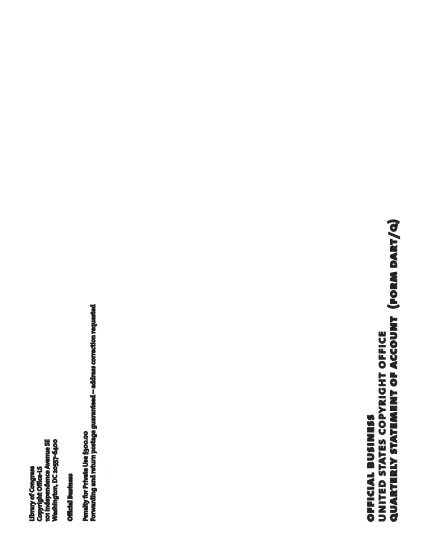
Form DART‑Q Fillable PDF – Quarterly Statement of Account

  1. ภาษา ภาษาอังกฤษ
  2. ประเทศ สหรัฐอเมริกา
  3. แผนก สำนักงานลิขสิทธิ์
Form DART‑Q Fillable PDF – Quarterly Statement of Account

The Form DART‑Q (Quarterly Statement of Account) is the required filing for manufacturers or importers who collect royalty fees for digital audio recording products. This fillable PDF lets you complete the form quickly, accurately, and securely—all within your browser.

What Is Form DART‑Q?

Form DART‑Q is issued by the U.S. Copyright Office. It captures quarterly sales, royalty calculations, and distribution details for copyrighted audio recordings. Filing each quarter (Q1, Q2, Q3) ensures compliance with royalty‑fee regulations.

How to Fill Out Form DART‑Q Online

Instead of downloading the PDF and opening a separate editor, simply click the “Fill out this form” button on this page. The Formize PDF Filler app will load directly in your browser, allowing you to:

  • Enter data into each field with keyboard or copy‑paste.
  • Save progress and return later.
  • Validate entries in real‑time to reduce errors.

Common Mistakes to Avoid

  • Leaving required fields blank: The filler highlights missing information before you can submit.
  • Mismatching fiscal quarters: Verify the quarter you are reporting matches your accounting period.
  • Incorrect royalty calculations: Use the built‑in calculator tool in the filler to double‑check totals.

Download & Save the Official PDF

If you prefer a local copy, you can download the official Form DART‑Q PDF directly from the U.S. Copyright Office. Keep a saved version for your records.

Submit Your Completed Form

After completing the form, you can either:

  • Download the filled PDF and mail it to the Copyright Office, or
  • Upload the completed file through the Copyright Office’s electronic filing portal.

Following these steps helps you stay compliant and avoid penalties.

คำถามที่พบบ่อย
  • What does DART‑Q stand for?

    DART‑Q stands for “Digital Audio Recording – Quarterly” and is the statement of account required for royalty‑fee reporting each quarter.

  • Do I need a PDF editor to fill out Form DART‑Q?

    No. With Formize you can fill out the form directly in your browser—no separate editor or software is needed.

  • Can I save my progress and finish later?

    Yes. The Formize filler lets you save a draft and return to complete it at any time.

  • Which quarters must be filed?

    Manufacturers and importers must file separate statements for Q1, Q2, and Q3 of the calendar or fiscal year they have elected.

  • Is there a filing fee for Form DART‑Q?

    There is no separate filing fee for the DART‑Q form itself; however, royalty fees calculated on the form must be remitted according to the Copyright Office’s schedule.

  • What happens if I submit the form late?

    Late submissions may incur penalties. If you miss a deadline, submit an extension request using the appropriate form (e.g., TE7) as soon as possible.

  • Where can I find help if I have questions?

    The U.S. Copyright Office website provides detailed instructions. For technical help with the Formize filler, use the on‑screen help icons.

ทำอย่างไร

วิธีกรอก Form DART-Q ฟรีทางออนไลน์ใน 5 ขั้นตอนง่ายๆ:

  1. 1
    Click the Fill‑out Button
    Press the “Fill out this form” button on this page to launch the Formize PDF Filler.
  2. 2
    Wait for the Filler to Load
    The web‑based filler loads in seconds; no download or installation is required.
  3. 3
    Enter Your Quarterly Data
    Complete each section—sales figures, royalty calculations, and contact information—using the on‑screen fields.
  4. 4
    Review and Validate
    Use the built‑in validation to ensure all required fields are filled and calculations are correct.
  5. 5
    Save or Submit
    Download the finished PDF for mailing, or upload it directly to the Copyright Office’s electronic portal.
สร้างแอป PDF Filler
เกี่ยวกับ

แบบฟอร์มสำนักงานลิขสิทธิ์

Form DART-Q เป็นหนึ่งในแบบฟอร์มอย่างเป็นทางการที่สำนักงานลิขสิทธิ์ของสหรัฐอเมริกา ซึ่งเป็นแผนกหนึ่งของหอสมุดแห่งชาติใช้ในการลงทะเบียนและปกป้องลิขสิทธิ์ สำนักงานลิขสิทธิ์มีหน้าที่รับผิดชอบในการบริหารกฎหมายลิขสิทธิ์ในสหรัฐอเมริกา รวมถึงการจดทะเบียนลิขสิทธิ์ การบันทึกการโอนลิขสิทธิ์และใบอนุญาต และการให้ข้อมูลและบริการที่เกี่ยวข้องกับลิขสิทธิ์

ต่อไปนี้เป็นตัวอย่างแบบฟอร์มของสำนักงานลิขสิทธิ์:

ใบสมัครจดทะเบียนลิขสิทธิ์: นี่คือแบบฟอร์มหลักที่ใช้ในการจดทะเบียนลิขสิทธิ์กับสำนักงานลิขสิทธิ์ของสหรัฐอเมริกา แบบฟอร์มการสมัครต่างๆ มีให้สำหรับงานประเภทต่างๆ เช่น งานวรรณกรรม ทัศนศิลป์ ประพันธ์เพลง งานบันทึกเสียง ภาพยนตร์ และอื่นๆ แอปพลิเคชันรวบรวมข้อมูลเกี่ยวกับผลงานที่ลงทะเบียน ผู้เขียน ผู้อ้างสิทธิ์ และรายละเอียดอื่นๆ ที่เกี่ยวข้อง

แบบฟอร์มบันทึกเอกสาร: แบบฟอร์มเหล่านี้ใช้เพื่อบันทึกการโอนลิขสิทธิ์ เช่น การมอบหมายหรือใบอนุญาต กับสำนักงานลิขสิทธิ์ พวกเขาจัดให้มีวิธีการสร้างบันทึกสาธารณะเกี่ยวกับการโอนความเป็นเจ้าของลิขสิทธิ์

แบบฟอร์มไดเรกทอรีตัวแทนที่กำหนดของ DMCA: แบบฟอร์มนี้ใช้เพื่อแต่งตั้งตัวแทนกับสำนักงานลิขสิทธิ์ภายใต้ Digital Millennium Copyright Act (DMCA) ตัวแทนที่ได้รับมอบหมายมีหน้าที่รับผิดชอบในการรับและจัดการการแจ้งลบเนื้อหาที่เกี่ยวข้องกับการละเมิดลิขสิทธิ์ออนไลน์

ตารางค่าธรรมเนียมสำนักงานลิขสิทธิ์: แม้ว่าจะไม่ใช่แบบฟอร์มเฉพาะเจาะจง ตารางค่าธรรมเนียมจะให้ข้อมูลเกี่ยวกับค่าธรรมเนียมที่เกี่ยวข้องกับบริการด้านลิขสิทธิ์ต่างๆ รวมถึงการจดทะเบียน การบันทึก และบริการอื่นๆ ที่เกี่ยวข้อง

โปรดทราบว่าแบบฟอร์มและข้อกำหนดเฉพาะอาจเปลี่ยนแปลงเมื่อเวลาผ่านไป และอาจต้องใช้แบบฟอร์มที่แตกต่างกันสำหรับการจดทะเบียนลิขสิทธิ์หรือบริการประเภทต่างๆ ขอแนะนำให้ไปที่เว็บไซต์อย่างเป็นทางการของสำนักงานลิขสิทธิ์ของสหรัฐอเมริกา (www.copyright.gov) หรือปรึกษากับผู้เชี่ยวชาญด้านกฎหมายที่เชี่ยวชาญด้านกฎหมายลิขสิทธิ์เพื่อรับข้อมูลที่ถูกต้องและเป็นปัจจุบัน เกี่ยวกับแบบฟอร์มสำนักงานลิขสิทธิ์เฉพาะที่เกี่ยวข้องกับความต้องการด้านลิขสิทธิ์ของคุณ

คุณสมบัติ

PDF ฟิลเลอร์

วิธีที่ง่ายที่สุดในการกรอกแบบฟอร์ม PDF ทางออนไลน์

  • กรอก Form DART-Q อย่างรวดเร็ว
    กำลังมองหาวิธีเติม Form DART-Q ทางออนไลน์อย่างรวดเร็วอยู่ใช่ไหม ด้วยตัวกรอกแบบฟอร์ม PDF ออนไลน์ฟรีของเรา คุณจะรู้วิธีแก้ไขและกรอกเอกสาร PDF นี้ในเวลาไม่ถึงนาที
  • โปรแกรมแก้ไข PDF ออนไลน์ที่ใช้งานง่าย
    เบื่อกับการพิมพ์ไฟล์ PDF เพื่อให้คุณสามารถแก้ไขได้ก่อนที่จะสแกนซ้ำและส่งกลับหรือไม่? แก้ไขเอกสาร PDF ออนไลน์ฟรี ใช้โปรแกรมแก้ไข PDF ออนไลน์ของเราเพื่อประหยัดเวลาและกระดาษ
  • เครื่องมือที่ยอดเยี่ยมสำหรับทุกแพลตฟอร์ม
    สงสัยวิธีเติม Form DART-Q บน Mac หรืออาจใช้ตัวเติม PDF ฟรีได้อย่างไร เครื่องมือ PDF ออนไลน์ของเราทำงานได้บนทุกแพลตฟอร์ม
  • การจัดเก็บไฟล์ที่ปลอดภัย
    ไฟล์ "Form DART-Q" ที่เสร็จสมบูรณ์จะถูกจัดเก็บไว้ในฐานข้อมูลที่ปลอดภัยซึ่งจัดการโดย Amazon Cloud hosting คุณสามารถลบไฟล์ของคุณออกจากระบบของเราได้ตลอดเวลา ไม่ว่าในกรณีใด ไฟล์เหล่านี้จะถูกลบโดยอัตโนมัติหลังจากผ่านไป 24 ชั่วโมง
  • สนทนากับ Form DART-Q
    แชทกับ "Form DART-Q" บน Chatize ที่เป็นผู้ช่วยอ่าน PDF ฟรี ถามคำถามและรับคำตอบจาก "Form DART-Q" เพียงคลิกที่ปุ่ม แชทด้วยเอกสาร ด้านบน

ลบเซสชันการบรรจุ

ลบเซสชันการกรอกข้อมูลที่เลือกหรือไม่?ในกรณีนี้ความคืบหน้าในการกรอกแบบฟอร์มจะหายไป

ลบเซสชันการแก้ไข

ลบเซสชันการแก้ไขที่เลือกหรือไม่ ในกรณีนี้ ความคืบหน้าในการสร้างและแก้ไขแบบฟอร์มจะหายไป