
hamburger-menu icon
เลือกภาษา

Form DS-63 – Education Allowance Questionnaire (Fillable PDF)

  1. ภาษา ภาษาอังกฤษ
  2. ประเทศ สหรัฐอเมริกา
  3. แผนก หน่วยงาน
Form DS-63 – Education Allowance Questionnaire (Fillable PDF)

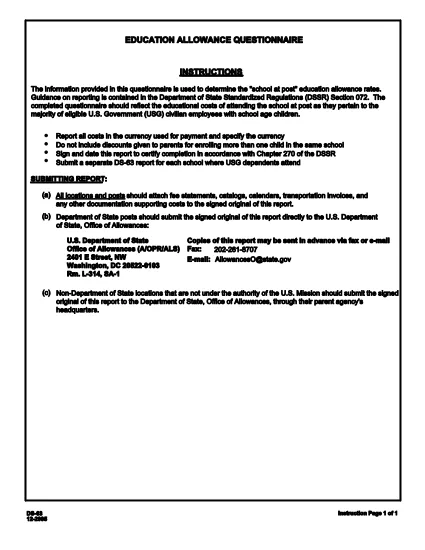
The DS-63 Education Allowance Questionnaire is the official U.S. Department of State form used to report education costs for U.S. Government (USG) civilian employees with school‑age children stationed abroad. This fillable PDF lets you enter data directly in your browser, print, or save a completed copy for your records.

What is Form DS-63?

Form DS-63 captures the actual costs of attending a school at your overseas post. It is required by Section 072 of the State Standardized Regulation (DSSR) to determine the eligible after‑school education allowance.

How to Complete the DS-63 Online

Instead of downloading the PDF and opening a separate editor, simply click the "Fill out this form" button on this page. The Formize PDF Filler app will load the form instantly, allowing you to type, select dates, and calculate totals right in the browser.

  • Enter the school name, location, and dates of attendance.
  • Report tuition, fees, books, and other approved expenses in the currency used for payment.
  • Use the built‑in calculator to total each cost category.
  • Sign and date the questionnaire electronically.

Common Mistakes & Tips

Avoid these frequent errors to ensure a smooth review:

  • Currency Mismatch: Report costs in the currency actually paid, not a conversion.
  • Missing Signatures: The form must be signed and dated by the employee or authorized representative.
  • Duplicate Submissions: Submit one DS‑63 per school; do not combine multiple schools on a single form.
  • Incorrect Dates: Verify start and end dates match the school’s official calendar.

Submission Requirements

After completing the form, you can:

  • Download a PDF copy for your records.
  • Print and forward the signed form to your post’s Finance Office.
  • Upload the PDF through the official State Department portal if required.

Always keep a backup copy in case the original is misplaced.

คำถามที่พบบ่อย
  • What is the purpose of Form DS-63?

    Form DS-63 reports education costs for USG civilian employees with school‑age children overseas, determining eligibility for the education allowance.

  • Can I fill out DS-63 on a mobile device?

    Yes. The Formize PDF Filler works on most modern browsers, including mobile Safari and Chrome.

  • Do I need to convert foreign currency to U.S. dollars?

    No. Report the costs in the currency actually paid. Conversions are not required unless specifically requested by your post.

  • How many DS-63 forms can I submit?

    Submit one separate DS-63 for each school your children attend. Do not combine multiple schools on a single form.

  • What should I do if I make a mistake after signing?

    Contact your post’s Finance Office for guidance. Usually, you must submit a corrected form with a new signature.

  • Is an electronic signature accepted?

    Yes. The electronic signature generated by the Formize PDF Filler meets the Department of State’s requirements.

  • Where can I find the official PDF version of DS-63?

    The official fillable PDF is available at the government URL provided below.

ทำอย่างไร

วิธีกรอก DS-63 ฟรีทางออนไลน์ใน 4 ขั้นตอนง่ายๆ:

  1. 1
    Open the Fillable Form
    Click the "Fill out this form" button on the page. The Formize PDF Filler app will load the DS‑63 questionnaire directly in your browser.
  2. 2
    Enter Your Information
    Type in school details, tuition, fees, books, and any other approved expenses. The form automatically calculates totals.
  3. 3
    Sign and Date
    Use the electronic signature field to sign the form and add the current date.
  4. 4
    Save or Print
    When finished, click "Save" to download a completed PDF copy or "Print" to submit a hard‑copy to your Finance Office.
สร้างแอป PDF Filler
เกี่ยวกับ

แบบฟอร์มกระทรวงการต่างประเทศ (DOS)

DS-63 เป็นหนึ่งในแบบฟอร์มใบสมัครที่กระทรวงการต่างประเทศสหรัฐอเมริกา (DOS) ใช้เพื่อรวบรวมข้อมูลและประมวลผลบริการต่างๆ ที่เกี่ยวข้องกับการเดินทางระหว่างประเทศ วีซ่า หนังสือเดินทาง และบริการกงสุล DOS มีหน้าที่รับผิดชอบในการจัดการนโยบายต่างประเทศของสหรัฐฯ ความสัมพันธ์ระหว่างประเทศ และให้บริการแก่พลเมืองสหรัฐฯ และชาวต่างชาติ

นี่คือตัวอย่างบางส่วนของแบบฟอร์มของกระทรวงการต่างประเทศ:

แบบฟอร์มการสมัครหนังสือเดินทาง: แบบฟอร์มเหล่านี้ใช้เพื่อขอหนังสือเดินทางสหรัฐอเมริกา ซึ่งเป็นเอกสารราชการที่ออกโดยรัฐบาลที่อนุญาตให้บุคคลเดินทางระหว่างประเทศได้ แบบฟอร์มการสมัครหนังสือเดินทางจะรวบรวมข้อมูลส่วนบุคคล รายละเอียดเกี่ยวกับสัญชาติ ตัวตน และข้อมูลที่จำเป็นอื่นๆ

แบบฟอร์มการสมัครวีซ่าชั่วคราว: DOS ดูแลการออกวีซ่าชั่วคราว ซึ่งอนุญาตให้ชาวต่างชาติเข้ามาเยี่ยมชมสหรัฐอเมริกาชั่วคราวเพื่อวัตถุประสงค์ต่างๆ เช่น การท่องเที่ยว ธุรกิจ การศึกษา หรือการทำงาน แบบฟอร์มคำร้องขอวีซ่าชั่วคราว เช่น DS-160, DS-156 หรือ DS-260 ใช้เพื่อรวบรวมข้อมูลเกี่ยวกับรายละเอียดส่วนบุคคลของผู้สมัคร ประวัติการเดินทาง วัตถุประสงค์ในการเดินทาง และข้อมูลอื่น ๆ ที่เกี่ยวข้อง

แบบฟอร์มการสมัครวีซ่าผู้อพยพ: สำหรับบุคคลที่ประสงค์จะย้ายถิ่นฐานไปยังสหรัฐอเมริกา เราจะใช้แบบฟอร์มการสมัครวีซ่าผู้อพยพ แบบฟอร์มเหล่านี้รวบรวมข้อมูลโดยละเอียดเกี่ยวกับประวัติส่วนตัวของผู้สมัคร สมาชิกในครอบครัว ประวัติการทำงาน และข้อมูลอื่น ๆ ที่เกี่ยวข้อง ตัวอย่าง ได้แก่ แบบฟอร์ม DS-260 สำหรับการย้ายถิ่นฐานตามครอบครัว หรือแบบฟอร์ม DS-230 สำหรับผู้ถูกรางวัลลอตเตอรีวีซ่าประเภทความหลากหลาย

แบบฟอร์มรายงานกงสุลการเกิดในต่างประเทศ (CRBA): แบบฟอร์มนี้ใช้ เพื่อบันทึกการเกิดของเด็กที่เป็นพลเมืองสหรัฐฯ ในต่างประเทศให้กับผู้ปกครองที่เป็นพลเมืองสหรัฐฯ รวบรวมข้อมูลเกี่ยวกับเด็ก ผู้ปกครอง และเอกสารประกอบ

แบบฟอร์มหนังสือรับรองการสนับสนุน: เมื่อให้การสนับสนุนผู้อพยพไปยังสหรัฐอเมริกา พลเมืองสหรัฐฯ หรือผู้อยู่อาศัยถาวรตามกฎหมายอาจต้องส่งแบบฟอร์มหนังสือรับรองการสนับสนุน แบบฟอร์มนี้ เช่น I-864 หรือ I-134 ใช้เพื่อแสดงให้เห็นถึงความสามารถทางการเงินในการสนับสนุนผู้ประสงค์จะย้ายถิ่นฐาน และป้องกันไม่ให้กลายเป็นค่าใช้จ่ายสาธารณะ

แบบฟอร์มบริการกงสุล: DOS ให้บริการด้านกงสุลต่างๆ แก่พลเมืองสหรัฐฯ และชาวต่างชาติ เช่น บริการรับรองเอกสาร คำร้องขอความช่วยเหลือฉุกเฉิน หรือการสละสัญชาติสหรัฐฯ มีการใช้แบบฟอร์มเฉพาะสำหรับบริการเหล่านี้ รวมถึงแบบฟอร์ม DS-11, DS-3053 หรือ DS-4079 ขึ้นอยู่กับลักษณะของบริการที่ร้องขอ

สิ่งสำคัญคือต้องทราบว่าแบบฟอร์มเฉพาะที่กระทรวงการต่างประเทศสหรัฐฯ ใช้สามารถเปลี่ยนแปลงได้เมื่อเวลาผ่านไป และบริการต่างๆ อาจต้องใช้แบบฟอร์มที่แตกต่างกัน ขอแนะนำให้เยี่ยมชมเว็บไซต์อย่างเป็นทางการของกระทรวงการต่างประเทศสหรัฐฯ หรือปรึกษากับสถานทูตหรือสถานกงสุลสหรัฐฯ ที่ใกล้ที่สุดเพื่อรับข้อมูลที่เป็นปัจจุบันและถูกต้องที่สุดเกี่ยวกับแบบฟอร์มเฉพาะที่จำเป็นสำหรับบริการต่างๆ

คุณสมบัติ

PDF ฟิลเลอร์

วิธีที่ง่ายที่สุดในการกรอกแบบฟอร์ม PDF ทางออนไลน์

  • กรอก DS-63 อย่างรวดเร็ว
    กำลังมองหาวิธีเติม DS-63 ทางออนไลน์อย่างรวดเร็วอยู่ใช่ไหม ด้วยตัวกรอกแบบฟอร์ม PDF ออนไลน์ฟรีของเรา คุณจะรู้วิธีแก้ไขและกรอกเอกสาร PDF นี้ในเวลาไม่ถึงนาที
  • โปรแกรมแก้ไข PDF ออนไลน์ที่ใช้งานง่าย
    เบื่อกับการพิมพ์ไฟล์ PDF เพื่อให้คุณสามารถแก้ไขได้ก่อนที่จะสแกนซ้ำและส่งกลับหรือไม่? แก้ไขเอกสาร PDF ออนไลน์ฟรี ใช้โปรแกรมแก้ไข PDF ออนไลน์ของเราเพื่อประหยัดเวลาและกระดาษ
  • เครื่องมือที่ยอดเยี่ยมสำหรับทุกแพลตฟอร์ม
    สงสัยวิธีเติม DS-63 บน Mac หรืออาจใช้ตัวเติม PDF ฟรีได้อย่างไร เครื่องมือ PDF ออนไลน์ของเราทำงานได้บนทุกแพลตฟอร์ม
  • การจัดเก็บไฟล์ที่ปลอดภัย
    ไฟล์ "DS-63" ที่เสร็จสมบูรณ์จะถูกจัดเก็บไว้ในฐานข้อมูลที่ปลอดภัยซึ่งจัดการโดย Amazon Cloud hosting คุณสามารถลบไฟล์ของคุณออกจากระบบของเราได้ตลอดเวลา ไม่ว่าในกรณีใด ไฟล์เหล่านี้จะถูกลบโดยอัตโนมัติหลังจากผ่านไป 24 ชั่วโมง
  • สนทนากับ DS-63
    แชทกับ "DS-63" บน Chatize ที่เป็นผู้ช่วยอ่าน PDF ฟรี ถามคำถามและรับคำตอบจาก "DS-63" เพียงคลิกที่ปุ่ม แชทด้วยเอกสาร ด้านบน

ลบเซสชันการบรรจุ

ลบเซสชันการกรอกข้อมูลที่เลือกหรือไม่?ในกรณีนี้ความคืบหน้าในการกรอกแบบฟอร์มจะหายไป

ลบเซสชันการแก้ไข

ลบเซสชันการแก้ไขที่เลือกหรือไม่ ในกรณีนี้ ความคืบหน้าในการสร้างและแก้ไขแบบฟอร์มจะหายไป