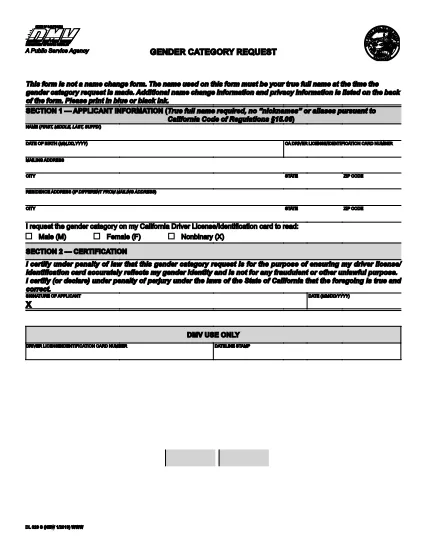
The DL‑329S is the California Department of Motor Vehicles (DMV) form used to request a change to the gender designation on a driver license or identification card. Whether you are updating from male to female, female to male, or adding a non‑binary option, this form is required by the DMV.
What Is the DL‑329S Form?
DL‑329S, officially titled “Gender Designation Request,” captures the applicant’s personal information, current license details, and the new gender marker they wish to use. The form must be signed by the applicant and, in some cases, accompanied by a certified court order.
How to Complete the DL‑329S Online with Formize
Instead of downloading, printing, and scanning, you can fill the form directly in your browser:
- Click the "Fill out this form" button on this page.
- The Formize PDF Filler app will load the DL‑329S PDF in a secure, editable window.
- Enter all required fields – name, driver license number, new gender marker, and signature.
- When you’re done, click Save & Download to get a completed PDF you can print or email to the DMV.
Common Mistakes & Tips for a Smooth Submission
- Leave no blank fields. The DMV rejects any form with empty required sections.
- Use the exact gender option wording. Choose "Male," "Female," or "Non‑binary" as it appears on the form.
- Attach a certified court order if your gender change is not based on a physician’s statement (required for non‑binary requests).
- Sign electronically. Formize allows a typed signature that the DMV accepts.
- Double‑check your driver license number. A typo will delay processing.
Where to Submit the Completed Form
After filling out and saving the PDF, you have two options:
- Bring the printed form to any California DMV office and submit it in person.
- Mail the form to the address on the DMV website along with any required supporting documents.
There is a $28 fee for processing the gender designation change, payable at the DMV.