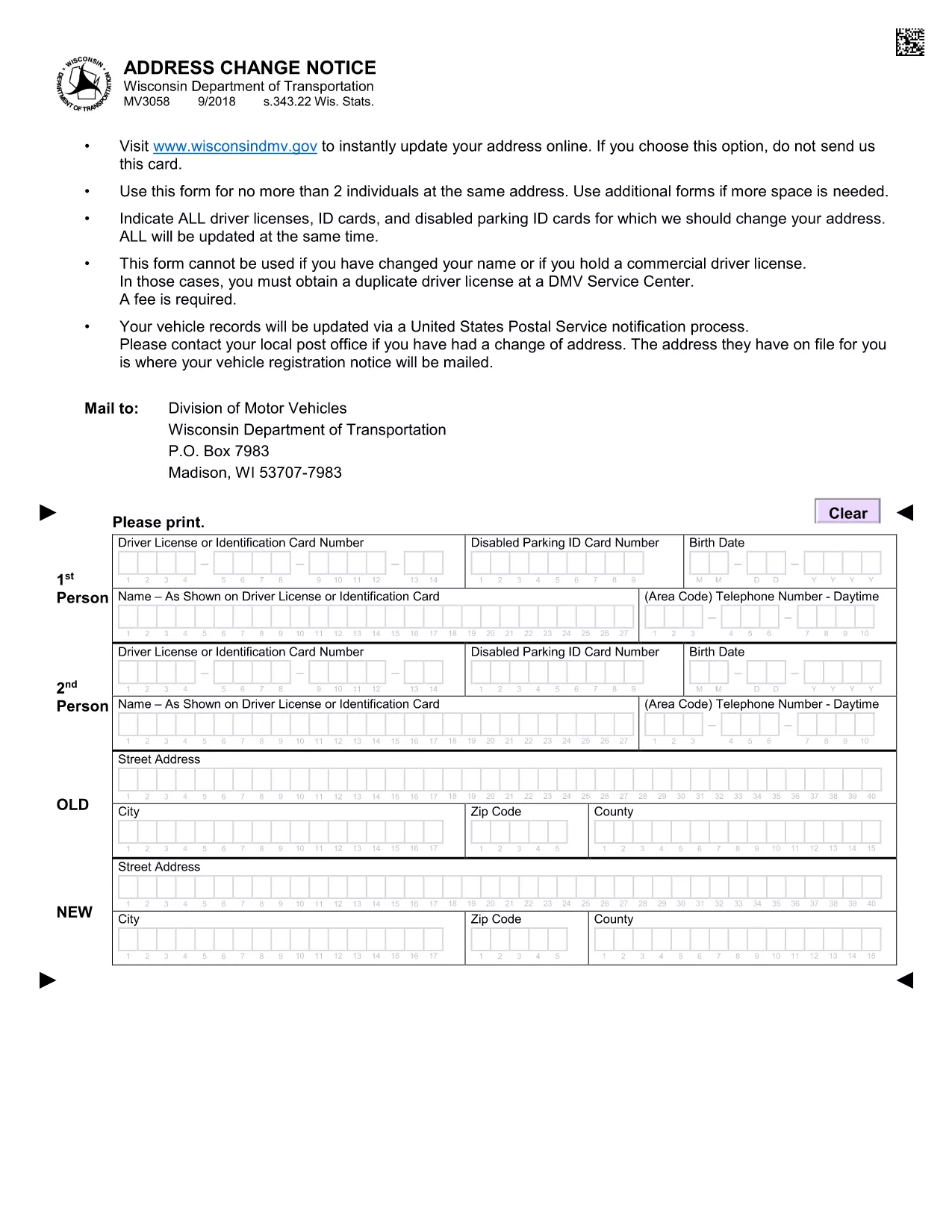
The MV3058 is the official Address Change Notice required by the Wisconsin Department of Transportation (DOT) when you move your vehicle registration to a new address. Instead of printing, filling out by hand, and mailing the paper form, you can now complete the MV3058 instantly online with Formize’s fillable PDF tool.
What Is the MV3058 Form?
The MV3058 notifies the Wisconsin DOT of a change of residence for a vehicle owner. It is used for personal vehicles, company fleets, and any registration that needs an updated mailing address. The form captures:
- Owner’s name and driver’s license number
- Current vehicle registration details
- New residential address
- Signature and date
How to Complete MV3058 Online
Follow these simple steps to fill out the MV3058 without leaving your browser:
- Click the "Fill out this form" button below.
- Wait a few seconds while the Formize PDF Filler app loads the fillable MV3058.
- Enter the required information in each highlighted field.
- Review the data, then click Submit or Download to save a copy for your records.
All data is saved locally in your browser, so you never need to upload personal details to a third‑party server.
Common Mistakes to Avoid
- Incorrect driver’s license number: Double‑check the number on your physical license.
- Leaving required fields blank: The fillable PDF will highlight missing information before you can submit.
- Using an old address format: Include street, city, state (WI), and ZIP code exactly as shown on your mail.
Where to Submit the Completed Form
After you’ve saved the completed MV3058, you have two options:
- Mail: Send the printed form to your local Wisconsin DMV office.
- In‑person: Bring the printed copy to any Wisconsin DOT service center.
Online submission is not currently offered for MV3058, so a physical copy is still required for official processing.
FAQs About MV3058
Below are answers to the most common questions drivers have about the address change notice.