hamburger-menu icon
เลือกภาษา

Harvard College First‑Year Application Form (Fillable PDF)

  1. ภาษา ภาษาอังกฤษ
  2. ประเทศ สหรัฐอเมริกา
  3. กิจกรรม College Admissions
  4. แผนก Education
Harvard College First‑Year Application Form (Fillable PDF)

Harvard College’s first‑year application is the gateway to one of the world’s most prestigious undergraduate programs. This fillable PDF lets you complete every required field online, save progress, and submit without printing.

What Is This Application Form?

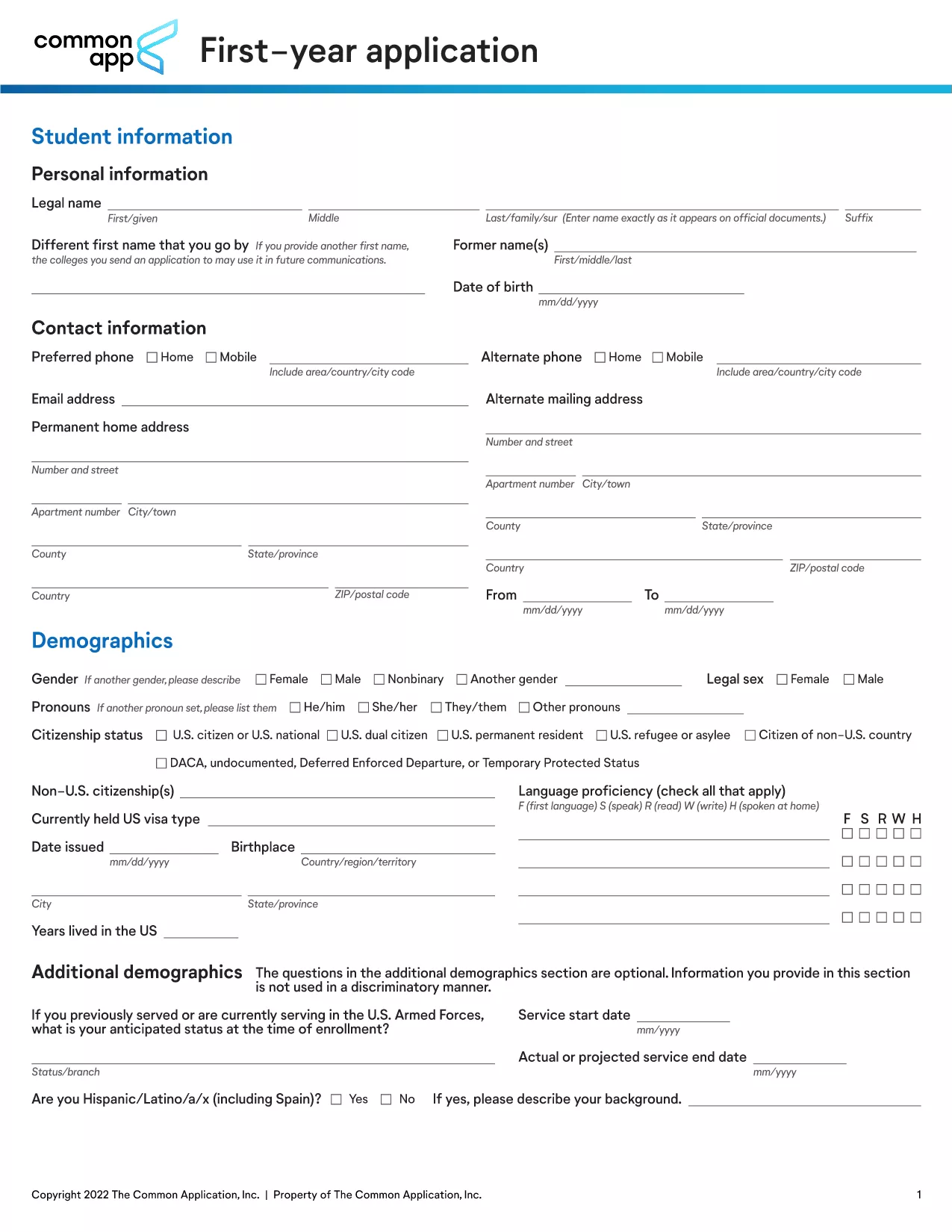
The PDF (FY_APP.pdf) is the official first‑year application used by Harvard College for the upcoming academic year. It gathers personal details, academic records, essays, and supplemental information.

How to Fill Out the Form Online

Instead of downloading the PDF and opening a desktop editor, simply click the “Fill out this form” button on this page. The Formize PDF Filler app loads directly in your browser, allowing you to type, select, and save without any additional software.

Key Sections to Complete

  • Personal Information – name, address, contact details.
  • Academic History – schools attended, GPA, test scores.
  • Essays – personal statement and supplemental questions.
  • Extracurricular Activities – leadership roles, community service.

Common Mistakes to Avoid

  • Leaving required fields blank.
  • Using non‑standard date formats.
  • Exceeding word limits on essays.
  • Forgetting to save your progress before closing the browser.

Download vs. Fill Online – Which Is Faster?

Downloading the PDF is an option, but filling it out online with Formize eliminates the need for a PDF editor, reduces errors, and lets you submit instantly. Choose the online method for the quickest, most reliable experience.

คำถามที่พบบ่อย
  • Do I need Adobe Acrobat to fill this form?

    No. The Formize PDF Filler works entirely in your web browser, so you don’t need any additional software.

  • Can I save my work and return later?

    Yes. Use the “Save” button at any time. Your progress is stored in the browser, and you can reopen the form later to continue.

  • What file formats are accepted for supplemental documents?

    Harvard accepts PDF, JPG, and PNG for transcripts, essays, and other supporting files.

  • Is there a deadline for submitting the first‑year application?

    Harvard’s regular admission deadline is typically in early January. Check the official Harvard admissions calendar for the exact date each year.

  • Will my data be secure while using Formize?

    Formize uses SSL encryption to protect your information during transmission. Your data is never stored on our servers after you submit the form.

ทำอย่างไร

วิธีกรอก Harvard application form ฟรีทางออนไลน์ใน 4 ขั้นตอนง่ายๆ:

  1. 1
    Click the Fill Button
    On this page, locate the bright “Fill out this form” button and click it. The Formize PDF Filler will open in a new browser tab.
  2. 2
    Wait for the Filler to Load
    The app loads the PDF automatically. You’ll see all fields highlighted and ready for input.
  3. 3
    Complete Each Section
    Type directly into the fields, use drop‑down menus where provided, and upload any required documents (e.g., transcripts).
  4. 4
    Save and Submit
    Periodically click “Save” to store your progress. When finished, click “Submit” to send the completed application to Harvard College.
สร้างแอป PDF Filler
เกี่ยวกับ

เทมเพลต Harvard application form

ด้วยชุดคุณสมบัติดั้งเดิมสำหรับการดูและกรอกเอกสาร PDF รวมกับประโยชน์ของเว็บแอปพลิเคชันและเค้าโครงที่ตอบสนอง คุณสามารถสร้าง Harvard application form ให้เสร็จภายในไม่กี่นาที

คุณสมบัติ

PDF ฟิลเลอร์

วิธีที่ง่ายที่สุดในการกรอกแบบฟอร์ม PDF ทางออนไลน์

  • กรอก Harvard application form อย่างรวดเร็ว
    กำลังมองหาวิธีเติม Harvard application form ทางออนไลน์อย่างรวดเร็วอยู่ใช่ไหม ด้วยตัวกรอกแบบฟอร์ม PDF ออนไลน์ฟรีของเรา คุณจะรู้วิธีแก้ไขและกรอกเอกสาร PDF นี้ในเวลาไม่ถึงนาที
  • โปรแกรมแก้ไข PDF ออนไลน์ที่ใช้งานง่าย
    เบื่อกับการพิมพ์ไฟล์ PDF เพื่อให้คุณสามารถแก้ไขได้ก่อนที่จะสแกนซ้ำและส่งกลับหรือไม่? แก้ไขเอกสาร PDF ออนไลน์ฟรี ใช้โปรแกรมแก้ไข PDF ออนไลน์ของเราเพื่อประหยัดเวลาและกระดาษ
  • เครื่องมือที่ยอดเยี่ยมสำหรับทุกแพลตฟอร์ม
    สงสัยวิธีเติม Harvard application form บน Mac หรืออาจใช้ตัวเติม PDF ฟรีได้อย่างไร เครื่องมือ PDF ออนไลน์ของเราทำงานได้บนทุกแพลตฟอร์ม
  • การจัดเก็บไฟล์ที่ปลอดภัย
    ไฟล์ "Harvard application form" ที่เสร็จสมบูรณ์จะถูกจัดเก็บไว้ในฐานข้อมูลที่ปลอดภัยซึ่งจัดการโดย Amazon Cloud hosting คุณสามารถลบไฟล์ของคุณออกจากระบบของเราได้ตลอดเวลา ไม่ว่าในกรณีใด ไฟล์เหล่านี้จะถูกลบโดยอัตโนมัติหลังจากผ่านไป 24 ชั่วโมง
  • สนทนากับ Harvard application form
    แชทกับ "Harvard application form" บน Chatize ที่เป็นผู้ช่วยอ่าน PDF ฟรี ถามคำถามและรับคำตอบจาก "Harvard application form" เพียงคลิกที่ปุ่ม แชทด้วยเอกสาร ด้านบน

ลบเซสชันการบรรจุ

ลบเซสชันการกรอกข้อมูลที่เลือกหรือไม่?ในกรณีนี้ความคืบหน้าในการกรอกแบบฟอร์มจะหายไป

ลบเซสชันการแก้ไข

ลบเซสชันการแก้ไขที่เลือกหรือไม่ ในกรณีนี้ ความคืบหน้าในการสร้างและแก้ไขแบบฟอร์มจะหายไป