hamburger-menu icon
เลือกภาษา

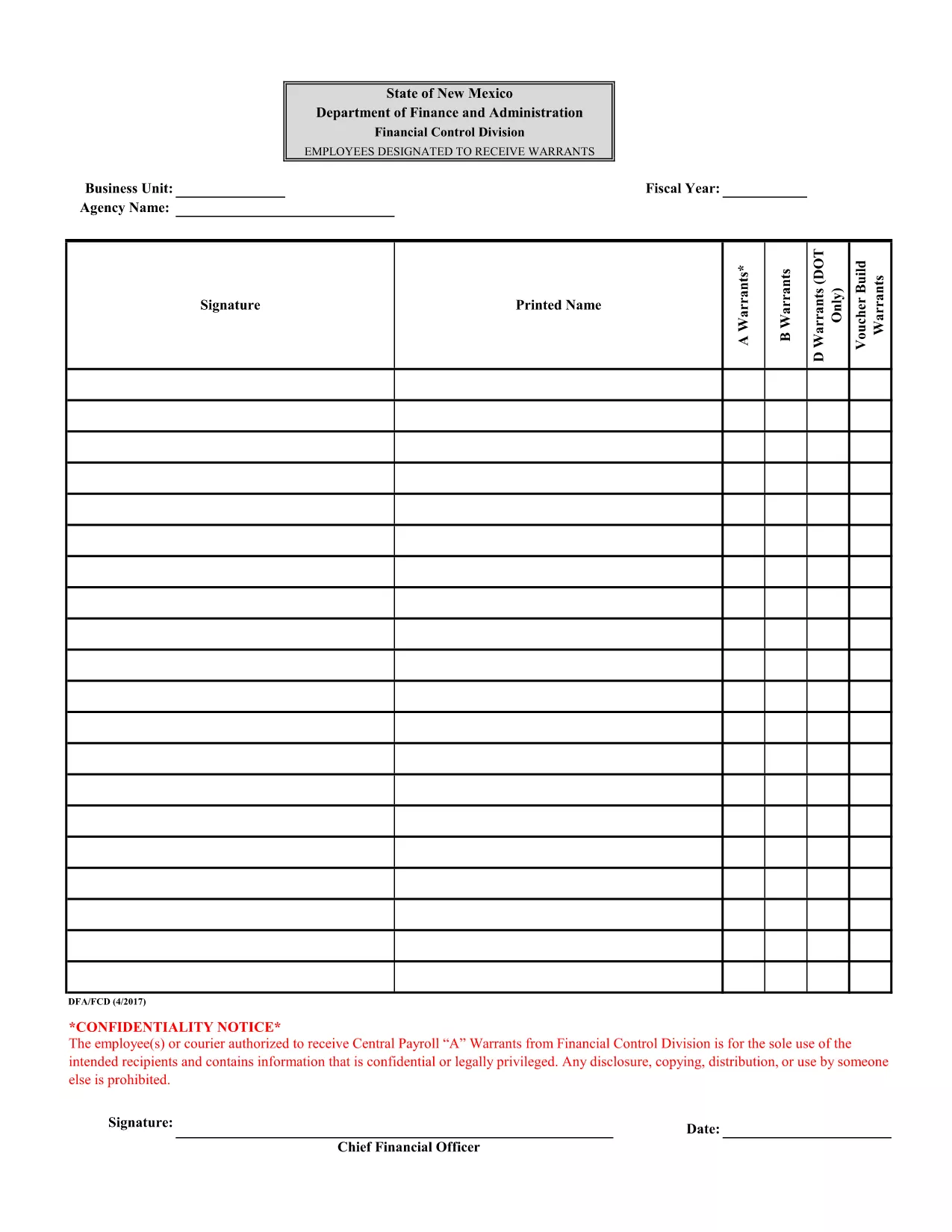
Attachment F – Employees Designated to Receive Warrants (Fillable PDF)

  1. ภาษา ภาษาอังกฤษ
  2. ประเทศ สหรัฐอเมริกา
  3. แผนก Financial Control Division
  4. กิจกรรม Payroll Warrants
Attachment F – Employees Designated to Receive Warrants (Fillable PDF)

The Attachment F – Employees Designated to Receive Warrants is a confidential form used by the Financial Control Division to authorize specific employees or couriers to receive Central Payroll "A" warrants. This document contains sensitive payroll information and must be handled securely.

Formize.com provides a seamless, browser‑based PDF filler so you can complete the form without installing any software. Simply click the “Fill out this form” button, enter the required data, and download the completed PDF.

Using a fillable PDF ensures that all fields are completed correctly, reduces errors, and speeds up the approval process. The form is compliant with state confidentiality requirements and is suitable for both desktop and mobile browsers.

Below you’ll find step‑by‑step instructions, tips to avoid common mistakes, and answers to the most frequently asked questions.

คำถามที่พบบ่อย
  • Is this form truly fillable online?

    Yes. Formize’s PDF Filler turns the original PDF into an interactive, web‑based form that you can complete without any extra software.

  • Do I need a Formize account to use the filler?

    No. You can fill out the form as a guest. Creating an account only adds the ability to save drafts for later.

  • Can I print the completed form directly from the browser?

    Absolutely. After you finish, click the “Download” button and open the saved PDF, then print it like any other document.

  • What security measures protect the data I enter?

    Formize uses SSL encryption for all data transmission and does not store your completed form unless you choose to save it to your account.

  • Is the original PDF still available for download?

    Yes. The “Download Original PDF” link is provided on the page for reference or archival purposes.

  • Who should I contact if I encounter an error while filling the form?

    For technical issues, use the “Report a problem” link within the Formize interface. For content‑related questions, contact your organization’s Financial Control Division.

ทำอย่างไร

วิธีกรอก fillable PDF form ฟรีทางออนไลน์ใน 4 ขั้นตอนง่ายๆ:

  1. 1
    Open the Form
    Click the “Fill out this form” button on this page. The Formize PDF Filler will load directly in your browser.
  2. 2
    Complete the Fields
    Enter the required information in each fillable field. Use the dropdowns, checkboxes, and text boxes as indicated.
  3. 3
    Review Your Entries
    Double‑check all data for accuracy. The form will highlight any missing mandatory fields.
  4. 4
    Save or Download
    When you are satisfied, click “Save” to store the completed form in your account or “Download” to get a finalized PDF copy.
สร้างแอป PDF Filler
เกี่ยวกับ

เทมเพลต fillable PDF form

ด้วยชุดคุณสมบัติดั้งเดิมสำหรับการดูและกรอกเอกสาร PDF รวมกับประโยชน์ของเว็บแอปพลิเคชันและเค้าโครงที่ตอบสนอง คุณสามารถสร้าง fillable PDF form ให้เสร็จภายในไม่กี่นาที

คุณสมบัติ

PDF ฟิลเลอร์

วิธีที่ง่ายที่สุดในการกรอกแบบฟอร์ม PDF ทางออนไลน์

  • กรอก fillable PDF form อย่างรวดเร็ว
    กำลังมองหาวิธีเติม fillable PDF form ทางออนไลน์อย่างรวดเร็วอยู่ใช่ไหม ด้วยตัวกรอกแบบฟอร์ม PDF ออนไลน์ฟรีของเรา คุณจะรู้วิธีแก้ไขและกรอกเอกสาร PDF นี้ในเวลาไม่ถึงนาที
  • โปรแกรมแก้ไข PDF ออนไลน์ที่ใช้งานง่าย
    เบื่อกับการพิมพ์ไฟล์ PDF เพื่อให้คุณสามารถแก้ไขได้ก่อนที่จะสแกนซ้ำและส่งกลับหรือไม่? แก้ไขเอกสาร PDF ออนไลน์ฟรี ใช้โปรแกรมแก้ไข PDF ออนไลน์ของเราเพื่อประหยัดเวลาและกระดาษ
  • เครื่องมือที่ยอดเยี่ยมสำหรับทุกแพลตฟอร์ม
    สงสัยวิธีเติม fillable PDF form บน Mac หรืออาจใช้ตัวเติม PDF ฟรีได้อย่างไร เครื่องมือ PDF ออนไลน์ของเราทำงานได้บนทุกแพลตฟอร์ม
  • การจัดเก็บไฟล์ที่ปลอดภัย
    ไฟล์ "fillable PDF form" ที่เสร็จสมบูรณ์จะถูกจัดเก็บไว้ในฐานข้อมูลที่ปลอดภัยซึ่งจัดการโดย Amazon Cloud hosting คุณสามารถลบไฟล์ของคุณออกจากระบบของเราได้ตลอดเวลา ไม่ว่าในกรณีใด ไฟล์เหล่านี้จะถูกลบโดยอัตโนมัติหลังจากผ่านไป 24 ชั่วโมง
  • สนทนากับ fillable PDF form
    แชทกับ "fillable PDF form" บน Chatize ที่เป็นผู้ช่วยอ่าน PDF ฟรี ถามคำถามและรับคำตอบจาก "fillable PDF form" เพียงคลิกที่ปุ่ม แชทด้วยเอกสาร ด้านบน

ลบเซสชันการบรรจุ

ลบเซสชันการกรอกข้อมูลที่เลือกหรือไม่?ในกรณีนี้ความคืบหน้าในการกรอกแบบฟอร์มจะหายไป

ลบเซสชันการแก้ไข

ลบเซสชันการแก้ไขที่เลือกหรือไม่ ในกรณีนี้ ความคืบหน้าในการสร้างและแก้ไขแบบฟอร์มจะหายไป