hamburger-menu icon
เลือกภาษา

Application Form Model – Fillable PDF

  1. ภาษา ภาษาอังกฤษ
  2. ประเทศ สหรัฐอเมริกา
  3. แผนก Health & Human Services
  4. กิจกรรม Health Insurance
Application Form Model – Fillable PDF

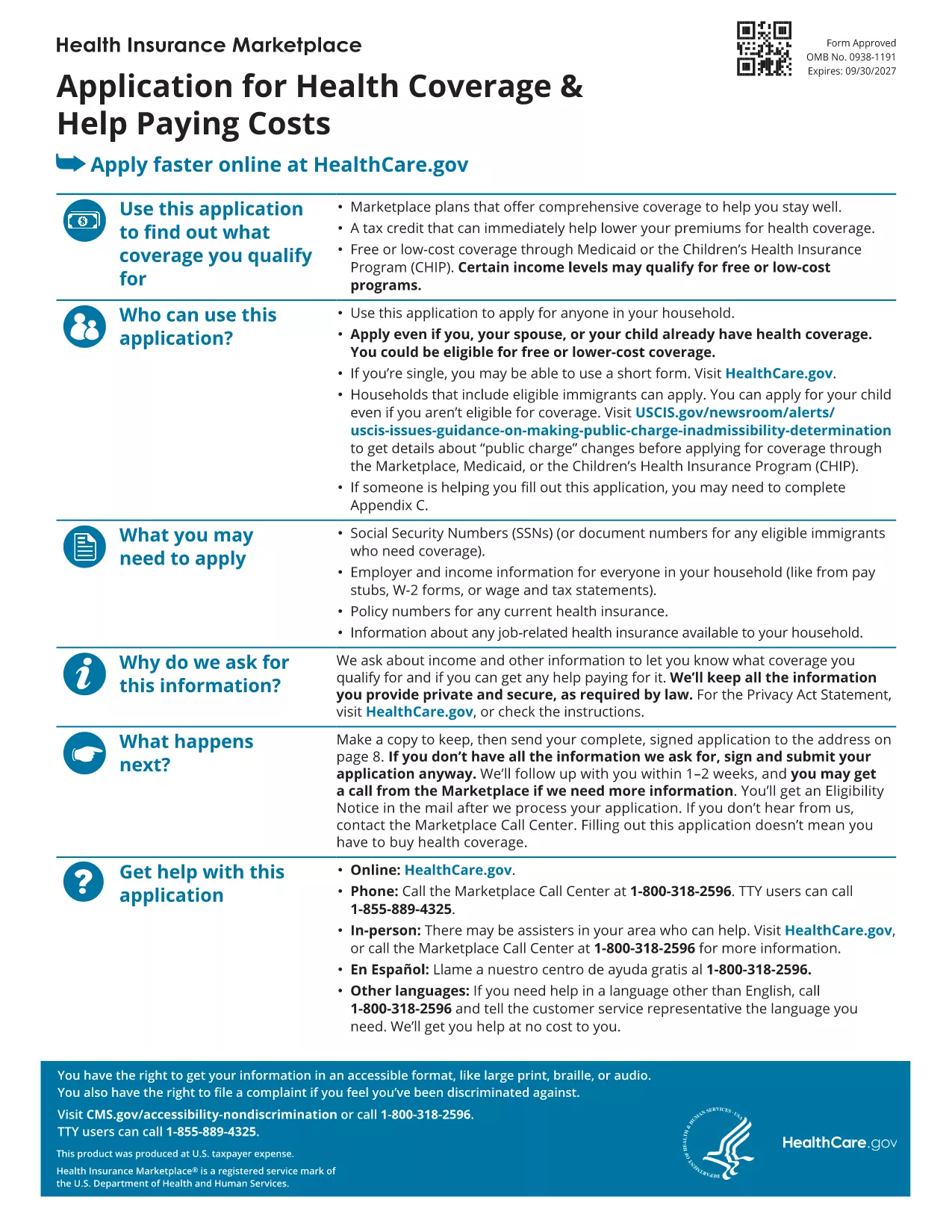
Looking for a reliable application form model that you can fill out directly in your browser? You’ve come to the right place. Our page offers a fillable PDF of the Marketplace Application for Family. This form is a perfect example of a generic application template that can be adapted for health‑coverage enrollment, scholarship requests, or any multi‑person application process.

What Is This Application Form Model?

The PDF provided by the Centers for Medicare & Medicaid Services (CMS) is a comprehensive application form model that captures household information, income details, and coverage preferences. Although it’s designed for health‑insurance enrollment, the structure—sections for personal data, dependents, and signatures—makes it an excellent reference for creating your own custom applications.

How to Fill Out the Form Online with Formize

Instead of downloading the file and opening a PDF editor, simply click the "Fill out this form" button on this page. The Formize PDF Filler app will load in seconds, letting you type, check boxes, and sign directly on the screen. All changes are saved automatically, and you can download the completed form at the end.

Common Mistakes to Avoid

  • Leaving required fields blank – the filler will highlight missing information before you submit.
  • Using the wrong date format – follow the MM/DD/YYYY pattern shown in the form.
  • Forgetting to sign – the digital signature field must be completed; otherwise the PDF is considered incomplete.

Where to Find Help and Additional Resources

If you need guidance, the CMS website offers detailed instructions for each section of the application. You can also consult the CMS Marketplace Help Center for FAQs and video tutorials.

Ready to start? Click the button below and let Formize do the heavy lifting.

คำถามที่พบบ่อย
  • Do I need a PDF reader to fill out this form?

    No. The Formize PDF Filler works entirely in your web browser, so no extra software is required.

  • Can I edit the form after I download it?

    Yes. The downloaded file remains fully editable with any standard PDF editor if you need to make changes later.

  • Is my data secure while using Formize?

    Formize uses SSL encryption, ensuring that all information you enter is transmitted securely.

  • What if I make a mistake while filling the form?

    You can use the "Undo" button or simply click into the field again to correct any errors before saving.

  • Is this form suitable for non‑health‑insurance applications?

    Absolutely. The layout is a generic application model that can be adapted for scholarships, memberships, or any multi‑person request.

  • How long does it take to complete the form?

    Typical completion time is 10‑15 minutes, depending on how many household members you need to add.

  • Can I submit the form directly to an agency from Formize?

    Formize only provides the filled PDF. You’ll need to upload or mail the completed form according to the agency’s instructions.

ทำอย่างไร

วิธีกรอก application form model ฟรีทางออนไลน์ใน 3 ขั้นตอนง่ายๆ:

  1. 1
    Click the Fill Out Button
    Press the "Fill out this form" button on the page. The Formize PDF Filler app will open in a new tab.
  2. 2
    Enter Your Information
    Type directly into each field, select checkboxes, and upload signatures just like you would on paper.
  3. 3
    Save and Download
    When all required sections are completed, click "Save" and then download the finished PDF for your records.
สร้างแอป PDF Filler
เกี่ยวกับ

เทมเพลต application form model

ด้วยชุดคุณสมบัติดั้งเดิมสำหรับการดูและกรอกเอกสาร PDF รวมกับประโยชน์ของเว็บแอปพลิเคชันและเค้าโครงที่ตอบสนอง คุณสามารถสร้าง application form model ให้เสร็จภายในไม่กี่นาที

คุณสมบัติ

PDF ฟิลเลอร์

วิธีที่ง่ายที่สุดในการกรอกแบบฟอร์ม PDF ทางออนไลน์

  • กรอก application form model อย่างรวดเร็ว
    กำลังมองหาวิธีเติม application form model ทางออนไลน์อย่างรวดเร็วอยู่ใช่ไหม ด้วยตัวกรอกแบบฟอร์ม PDF ออนไลน์ฟรีของเรา คุณจะรู้วิธีแก้ไขและกรอกเอกสาร PDF นี้ในเวลาไม่ถึงนาที
  • โปรแกรมแก้ไข PDF ออนไลน์ที่ใช้งานง่าย
    เบื่อกับการพิมพ์ไฟล์ PDF เพื่อให้คุณสามารถแก้ไขได้ก่อนที่จะสแกนซ้ำและส่งกลับหรือไม่? แก้ไขเอกสาร PDF ออนไลน์ฟรี ใช้โปรแกรมแก้ไข PDF ออนไลน์ของเราเพื่อประหยัดเวลาและกระดาษ
  • เครื่องมือที่ยอดเยี่ยมสำหรับทุกแพลตฟอร์ม
    สงสัยวิธีเติม application form model บน Mac หรืออาจใช้ตัวเติม PDF ฟรีได้อย่างไร เครื่องมือ PDF ออนไลน์ของเราทำงานได้บนทุกแพลตฟอร์ม
  • การจัดเก็บไฟล์ที่ปลอดภัย
    ไฟล์ "application form model" ที่เสร็จสมบูรณ์จะถูกจัดเก็บไว้ในฐานข้อมูลที่ปลอดภัยซึ่งจัดการโดย Amazon Cloud hosting คุณสามารถลบไฟล์ของคุณออกจากระบบของเราได้ตลอดเวลา ไม่ว่าในกรณีใด ไฟล์เหล่านี้จะถูกลบโดยอัตโนมัติหลังจากผ่านไป 24 ชั่วโมง
  • สนทนากับ application form model
    แชทกับ "application form model" บน Chatize ที่เป็นผู้ช่วยอ่าน PDF ฟรี ถามคำถามและรับคำตอบจาก "application form model" เพียงคลิกที่ปุ่ม แชทด้วยเอกสาร ด้านบน

ลบเซสชันการบรรจุ

ลบเซสชันการกรอกข้อมูลที่เลือกหรือไม่?ในกรณีนี้ความคืบหน้าในการกรอกแบบฟอร์มจะหายไป

ลบเซสชันการแก้ไข

ลบเซสชันการแก้ไขที่เลือกหรือไม่ ในกรณีนี้ ความคืบหน้าในการสร้างและแก้ไขแบบฟอร์มจะหายไป