
hamburger-menu icon
เลือกภาษา

BMV Form 4208 – Fillable PDF for Fast Completion

  1. ภาษา ภาษาอังกฤษ
  2. ประเทศ สหรัฐอเมริกา
  3. กิจกรรม ทะเบียนรถ
  4. แผนก Motor Vehicles
BMV Form 4208 – Fillable PDF for Fast Completion

The Bureau of Motor Vehicles (BMV) uses Form 4208 for a variety of vehicle‑related transactions. Whether you’re submitting a registration amendment, reporting a change of address, or completing a monthly receipt, having a fillable PDF version saves time and eliminates the need for paper copies.

What Is BMV Form 4208?

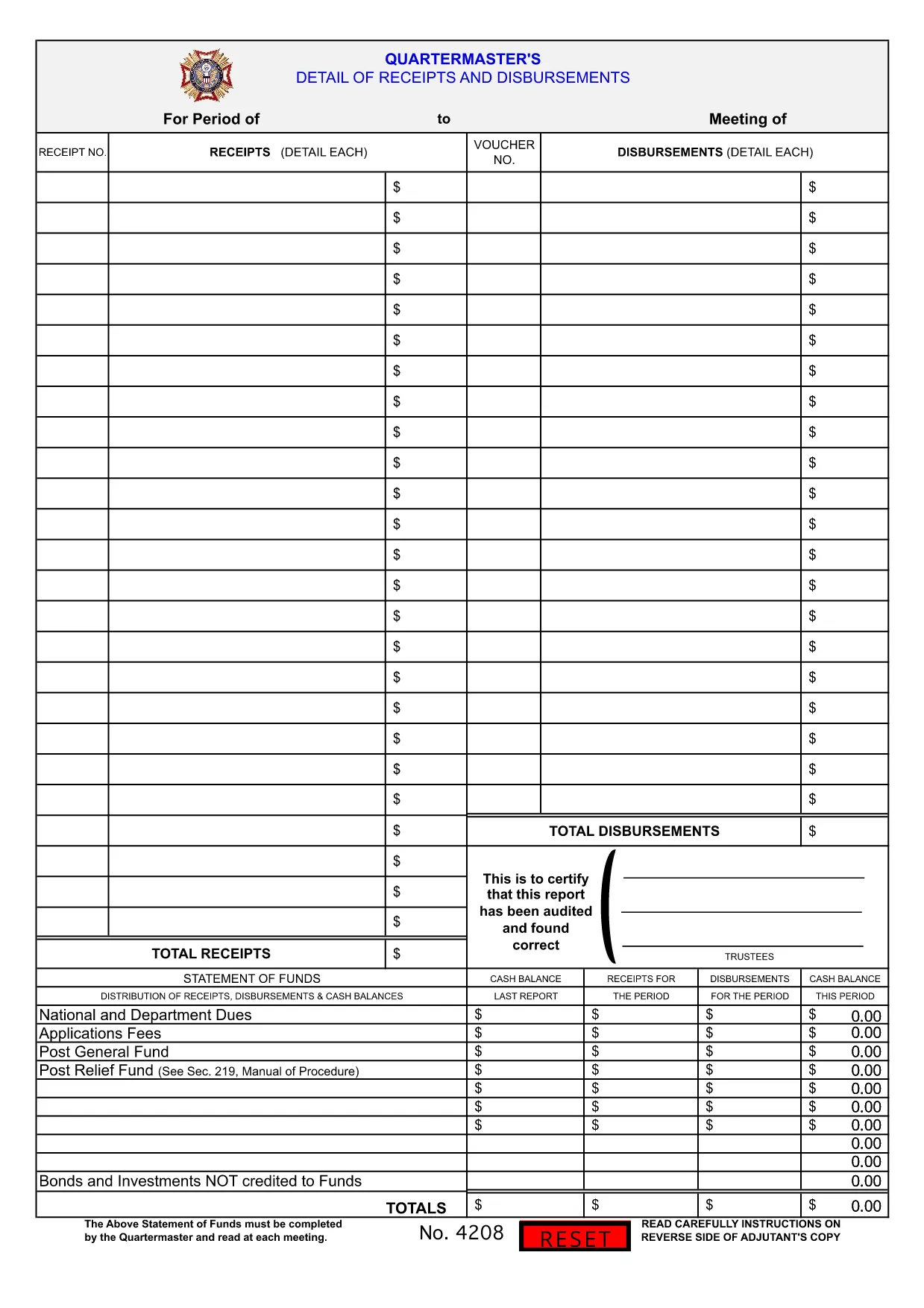
Form 4208 is the standard BMV document used for monthly receipts and disbursements related to vehicle ownership and fees. It collects essential information such as vehicle identification, owner details, and transaction amounts.

How to Fill BMV Form 4208 Online

With Formize’s integrated PDF Filler, you can complete the form directly in your browser. No Adobe Acrobat or other editor is required.

  • Click the "Fill out this form" button on this page.
  • Wait a few seconds while the Formize PDF Filler loads.
  • Enter your information into each fillable field. The interface highlights required fields.
  • When you’re done, click Save to download the completed PDF or Submit to send it directly to the BMV (if your agency supports online submission).

Common Mistakes to Avoid

  • Leaving required fields blank – the filler will flag missing data before you can save.
  • Using the wrong date format – BMV requires MM/DD/YYYY.
  • Entering an incorrect VIN – double‑check the 17‑character Vehicle Identification Number.
  • Submitting an unsigned form – add an electronic signature using the built‑in signature tool.

Download, Save, and Print Options

If you prefer a hard copy, you can download the completed PDF and print it on standard A4 paper. The fillable version retains all your entries, making it easy to keep a digital archive for future reference.

Frequently Asked Questions

Below are the most common queries about BMV Form 4208 and how Formize helps you complete it quickly.

คำถามที่พบบ่อย
  • What is the purpose of BMV Form 4208?

    Form 4208 records monthly receipts and disbursements for vehicle‑related fees, ensuring accurate tracking for both owners and the BMV.

  • Do I need Adobe Acrobat to fill this form?

    No. Formize’s online PDF Filler lets you complete the form directly in your browser without any additional software.

  • Can I submit the completed form online?

    If your state BMV accepts electronic submissions, you can click the "Submit" button after filling the form. Otherwise, download and mail the PDF.

  • Is the PDF version secure?

    Yes. Formize uses SSL encryption, and the filled PDF is stored locally on your device unless you choose to upload it.

  • What should I do if I make a mistake after saving?

    Open the saved PDF with Formize again, edit the incorrect fields, and re‑save the document.

  • Do I need a digital signature?

    A digital signature is accepted for most BMV filings. Use the signature tool within the Formize filler to add it.

ทำอย่างไร

วิธีกรอก BMV Form 4208 ฟรีทางออนไลน์ใน 4 ขั้นตอนง่ายๆ:

  1. 1
    Open the Fillable Form
    Click the "Fill out this form" button on the page. The Formize PDF Filler will open in a new tab.
  2. 2
    Enter Your Information
    Type your data into each highlighted field. Required fields are marked with a red asterisk.
  3. 3
    Add Your Signature
    Use the built‑in signature tool to draw or upload an electronic signature.
  4. 4
    Save or Submit
    When the form is complete, click "Save" to download the PDF or "Submit" if your agency accepts online submissions.
สร้างแอป PDF Filler
เกี่ยวกับ

แบบฟอร์มทะเบียนรถ

หากคุณเป็นเจ้าของหรือเช่ายานยนต์ รถพ่วงหรือเรือ คุณต้องปฏิบัติตามข้อผูกพันบางประการเพื่อให้ยานพาหนะของคุณจดทะเบียนถูกต้องตามกฎหมายและปลอดภัย

BMV Form 4208 เป็นหนึ่งในแบบฟอร์มการจดทะเบียนรถยนต์ที่เป็นเอกสารที่ใช้ในการจดทะเบียนยานยนต์กับหน่วยงานของรัฐหรือจังหวัดที่เกี่ยวข้อง แบบฟอร์มเหล่านี้มักจำเป็นเมื่อบุคคลซื้อยานพาหนะใหม่หรือใช้แล้ว หรือเมื่อพวกเขาย้ายไปยังรัฐหรือจังหวัดใหม่ด้วยยานพาหนะ

ข้อกำหนดและแบบฟอร์มที่จำเป็นสำหรับการจดทะเบียนรถอาจแตกต่างกันไปตามสถานที่ แต่โดยทั่วไปแล้ว กระบวนการเกี่ยวข้องกับการให้ข้อมูลเกี่ยวกับรถ เจ้าของ และภาระผูกพันใดๆ ของรถ

เมื่อส่งแบบฟอร์มการจดทะเบียนและค่าธรรมเนียมแล้ว หน่วยงานของรัฐหรือหน่วยงานระดับจังหวัดจะออกใบรับรองการจดทะเบียนหรือป้ายทะเบียนให้กับเจ้าของรถ การจดทะเบียนนี้ทำให้รถสามารถใช้งานบนถนนสาธารณะและทางหลวงได้อย่างถูกกฎหมาย

คุณสมบัติ

PDF ฟิลเลอร์

วิธีที่ง่ายที่สุดในการกรอกแบบฟอร์ม PDF ทางออนไลน์

  • กรอก BMV Form 4208 อย่างรวดเร็ว
    กำลังมองหาวิธีเติม BMV Form 4208 ทางออนไลน์อย่างรวดเร็วอยู่ใช่ไหม ด้วยตัวกรอกแบบฟอร์ม PDF ออนไลน์ฟรีของเรา คุณจะรู้วิธีแก้ไขและกรอกเอกสาร PDF นี้ในเวลาไม่ถึงนาที
  • โปรแกรมแก้ไข PDF ออนไลน์ที่ใช้งานง่าย
    เบื่อกับการพิมพ์ไฟล์ PDF เพื่อให้คุณสามารถแก้ไขได้ก่อนที่จะสแกนซ้ำและส่งกลับหรือไม่? แก้ไขเอกสาร PDF ออนไลน์ฟรี ใช้โปรแกรมแก้ไข PDF ออนไลน์ของเราเพื่อประหยัดเวลาและกระดาษ
  • เครื่องมือที่ยอดเยี่ยมสำหรับทุกแพลตฟอร์ม
    สงสัยวิธีเติม BMV Form 4208 บน Mac หรืออาจใช้ตัวเติม PDF ฟรีได้อย่างไร เครื่องมือ PDF ออนไลน์ของเราทำงานได้บนทุกแพลตฟอร์ม
  • การจัดเก็บไฟล์ที่ปลอดภัย
    ไฟล์ "BMV Form 4208" ที่เสร็จสมบูรณ์จะถูกจัดเก็บไว้ในฐานข้อมูลที่ปลอดภัยซึ่งจัดการโดย Amazon Cloud hosting คุณสามารถลบไฟล์ของคุณออกจากระบบของเราได้ตลอดเวลา ไม่ว่าในกรณีใด ไฟล์เหล่านี้จะถูกลบโดยอัตโนมัติหลังจากผ่านไป 24 ชั่วโมง
  • สนทนากับ BMV Form 4208
    แชทกับ "BMV Form 4208" บน Chatize ที่เป็นผู้ช่วยอ่าน PDF ฟรี ถามคำถามและรับคำตอบจาก "BMV Form 4208" เพียงคลิกที่ปุ่ม แชทด้วยเอกสาร ด้านบน

ลบเซสชันการบรรจุ

ลบเซสชันการกรอกข้อมูลที่เลือกหรือไม่?ในกรณีนี้ความคืบหน้าในการกรอกแบบฟอร์มจะหายไป

ลบเซสชันการแก้ไข

ลบเซสชันการแก้ไขที่เลือกหรือไม่ ในกรณีนี้ ความคืบหน้าในการสร้างและแก้ไขแบบฟอร์มจะหายไป