
hamburger-menu icon
เลือกภาษา

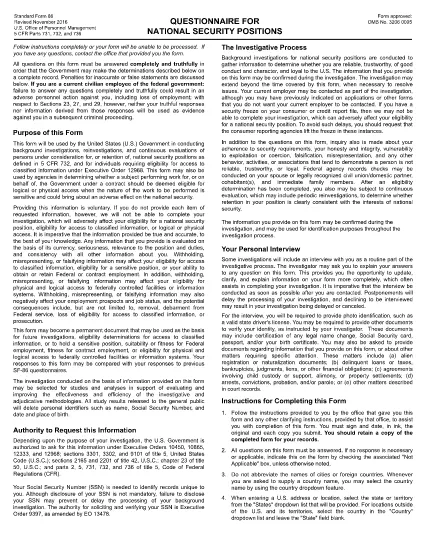
The SF-86 (Standard Form 86) is the U.S. government’s official questionnaire used for background investigations, reinvestigations, and continuous evaluations of individuals seeking access to classified information or national‑security positions. Completing it accurately is essential for obtaining a security clearance.

This page provides a fillable PDF version of the SF-86 that you can complete directly in your browser using the Formize PDF Filler app. No additional software or printing is required.

What Is the SF-86 Form?

The SF-86 collects detailed personal information, including:

  • Education and employment history (last 10 years)
  • Foreign contacts, travel, and residences
  • Criminal record, financial disclosures, and drug use
  • Military service and security‑related activities

Agencies use this data to assess eligibility for a security clearance.

Key Sections of the SF-86

Understanding the major sections helps you gather the right documents before you start:

  1. Personal Information – name, date of birth, Social Security number.
  2. Residence History – every address for the past 10 years.
  3. Employment & Education – employers, schools, dates, and supervisors.
  4. Foreign Contacts & Travel – individuals, countries, and trips abroad.
  5. Legal & Financial Matters – arrests, convictions, bankruptcies, debts.

How to Complete the SF-86 Online

Follow these simple steps to fill out the form quickly and securely:

  • Click the "Fill out this form" button below.
  • Wait a few seconds while the Formize PDF Filler loads.
  • Enter your information field‑by‑field; the app auto‑saves as you go.
  • When finished, click "Save & Download" to get a completed PDF copy.
  • Submit the saved PDF to your agency or upload it through e‑QIP as instructed.

Common Mistakes & Tips

Tip 1: Answer every question truthfully. Incomplete or false information can delay or deny your clearance.

Tip 2: Use exact dates (MM/DD/YYYY) and full legal names for contacts.

Tip 3: Keep supporting documents (travel itineraries, employment letters) handy for reference.

Tip 4: Review the form twice before saving. The Formize filler highlights required fields you might have missed.

Ready to start? Click below to launch the fillable SF-86 PDF.

คำถามที่พบบ่อย
  • What is the SF-86 used for?

    The SF-86 is the standard questionnaire for background investigations and security clearances for U.S. government, military, and contractor positions.

  • Can I fill out the SF-86 on a mobile device?

    Yes. The Formize PDF Filler works on most modern smartphones and tablets, but a desktop browser provides the best experience.

  • Is the fillable PDF version official?

    Yes. The PDF linked below is the official OPM form, now available as a fillable document through Formize.

  • Do I need an e‑QIP account to use this form?

    No. You can complete the PDF offline with Formize and then upload the finished file to e‑QIP if your agency requires it.

  • How long does it take to complete the SF-86?

    Preparation time varies, but most applicants finish the form in 2–4 hours. Gather employment, travel, and foreign‑contact records beforehand.

  • What happens if I make a mistake?

    Incorrect or omitted information can delay your clearance. Use the Formize auto‑save and review features, then double‑check before submitting.

  • Is my data secure while using Formize?

    Formize uses SSL encryption and does not store your personal data on its servers after you download the completed PDF.

ทำอย่างไร

วิธีกรอก SF-86 ฟรีทางออนไลน์ใน 5 ขั้นตอนง่ายๆ:

  1. 1
    Click the Fill Out Button
    Press the "Fill out this form" button on this page to open the SF-86 in the Formize PDF Filler.
  2. 2
    Wait for the Filler to Load
    The Formize app loads in a few seconds; a loading bar will appear at the top of the screen.
  3. 3
    Enter Your Information
    Complete each section of the questionnaire. The filler auto‑saves as you type and highlights any required fields you missed.
  4. 4
    Save and Download
    When all fields are filled, click "Save & Download" to get a completed PDF copy on your device.
  5. 5
    Submit to Your Agency
    Follow your agency’s instructions—usually uploading the PDF to e‑QIP or providing a printed copy to your security officer.
สร้างแอป PDF Filler
เกี่ยวกับ

แบบฟอร์มสำนักงานบริหารงานบุคคล (OPM)

SF-86 เป็นหนึ่งในแบบฟอร์มอย่างเป็นทางการที่ใช้โดยสำนักงานบริหารงานบุคคลของสหรัฐอเมริกา ซึ่งเป็นหน่วยงานอิสระของรัฐบาลกลางที่รับผิดชอบในการจัดการกำลังแรงงานราชการและผลประโยชน์ของพนักงานของรัฐบาลกลาง OPM กำหนดนโยบายและข้อบังคับที่เกี่ยวข้องกับการจ้างงานของรัฐบาลกลาง บริหารจัดการโครงการบุคลากรต่างๆ และให้บริการแก่พนักงานของรัฐบาลกลาง ผู้เกษียณอายุ และผู้สมัครงาน

นี่คือตัวอย่างแบบฟอร์มสำนักงานบริหารงานบุคคล:

แบบฟอร์มมาตรฐาน 86 (SF-86) : แบบฟอร์มนี้ใช้สำหรับกระบวนการตรวจสอบภูมิหลังสำหรับบุคคลที่ยื่นขอการตรวจตราด้านความปลอดภัย โดยรวบรวมข้อมูลส่วนบุคคล การจ้างงาน การศึกษา และข้อมูลทางการเงินที่ครอบคลุม รวมถึงรายละเอียดเกี่ยวกับการติดต่อและกิจกรรมในต่างประเทศ

แบบฟอร์มมาตรฐาน 2809 (SF-2809) : แบบฟอร์มนี้ใช้เพื่อลงทะเบียนในโครงการสวัสดิการสุขภาพของพนักงานของรัฐบาลกลาง (FEHB) ซึ่งให้ความคุ้มครองด้านสุขภาพแก่พนักงานของรัฐบาลกลาง ผู้เกษียณอายุ และสมาชิกในครอบครัวที่มีสิทธิ์

แบบฟอร์มมาตรฐาน 2817 (SF-2817): แบบฟอร์มนี้ใช้เพื่อสมัครเพื่อรับความคุ้มครองต่อเนื่องภายใต้โครงการประกันทันตกรรมและการมองเห็นของพนักงานของรัฐบาลกลาง (FEDVIP) หลังจากเกษียณอายุหรือแยกออกจากราชการของรัฐบาลกลาง

แบบฟอร์มมาตรฐาน 3107 (SF-3107) : แบบฟอร์มนี้ใช้เพื่อขอรับสวัสดิการเกษียณอายุตามระบบการเกษียณอายุของข้าราชการพลเรือน (CSRS)

แบบฟอร์มมาตรฐาน 2801 (SF-2801) : แบบฟอร์มนี้ใช้เพื่อสมัครขอรับผลประโยชน์เมื่อเกษียณอายุภายใต้ระบบการเกษียณอายุของพนักงานของรัฐบาลกลาง (FERS)

แบบฟอร์มมาตรฐาน 15 (SF-15) : แบบฟอร์มนี้ใช้เพื่อสมัครตามความต้องการของทหารผ่านศึกในการจ้างงานของรัฐบาลกลาง มันถูกส่งโดยทหารผ่านศึกหรือสมาชิกในครอบครัวที่มีสิทธิ์แสวงหาโอกาสการจ้างงานในรัฐบาลกลาง

ตัวอย่างเหล่านี้แสดงถึงแบบฟอร์ม OPM ทั่วไปที่ใช้ในบริบทของการจ้างงานของรัฐบาลกลางและผลประโยชน์ของพนักงาน อย่างไรก็ตาม OPM มีแบบฟอร์มอื่นๆ มากมายที่เกี่ยวข้องกับโครงการบุคลากร การเกษียณอายุ การประกันภัย และลักษณะอื่นๆ ของการจ้างงานของรัฐบาลกลาง แบบฟอร์มเฉพาะที่กำหนดอาจแตกต่างกันไปขึ้นอยู่กับลักษณะของธุรกรรม โปรแกรม หรือผลประโยชน์ที่ต้องการ ขอแนะนำให้ปรึกษาเว็บไซต์อย่างเป็นทางการของสำนักงานการจัดการบุคลากรแห่งสหรัฐอเมริกา (www.opm.gov) หรือขอคำแนะนำจาก OPM หรือบุคลากรฝ่ายทรัพยากรบุคคลที่เกี่ยวข้องเพื่อรับข้อมูลที่ถูกต้องและทันเวลา ข้อมูลล่าสุดเกี่ยวกับแบบฟอร์ม OPM เฉพาะที่เกี่ยวข้องกับการจ้างงานของรัฐบาลกลางหรือความต้องการที่เกี่ยวข้องกับผลประโยชน์

คุณสมบัติ

PDF ฟิลเลอร์

วิธีที่ง่ายที่สุดในการกรอกแบบฟอร์ม PDF ทางออนไลน์

  • กรอก SF-86 อย่างรวดเร็ว
    กำลังมองหาวิธีเติม SF-86 ทางออนไลน์อย่างรวดเร็วอยู่ใช่ไหม ด้วยตัวกรอกแบบฟอร์ม PDF ออนไลน์ฟรีของเรา คุณจะรู้วิธีแก้ไขและกรอกเอกสาร PDF นี้ในเวลาไม่ถึงนาที
  • โปรแกรมแก้ไข PDF ออนไลน์ที่ใช้งานง่าย
    เบื่อกับการพิมพ์ไฟล์ PDF เพื่อให้คุณสามารถแก้ไขได้ก่อนที่จะสแกนซ้ำและส่งกลับหรือไม่? แก้ไขเอกสาร PDF ออนไลน์ฟรี ใช้โปรแกรมแก้ไข PDF ออนไลน์ของเราเพื่อประหยัดเวลาและกระดาษ
  • เครื่องมือที่ยอดเยี่ยมสำหรับทุกแพลตฟอร์ม
    สงสัยวิธีเติม SF-86 บน Mac หรืออาจใช้ตัวเติม PDF ฟรีได้อย่างไร เครื่องมือ PDF ออนไลน์ของเราทำงานได้บนทุกแพลตฟอร์ม
  • การจัดเก็บไฟล์ที่ปลอดภัย
    ไฟล์ "SF-86" ที่เสร็จสมบูรณ์จะถูกจัดเก็บไว้ในฐานข้อมูลที่ปลอดภัยซึ่งจัดการโดย Amazon Cloud hosting คุณสามารถลบไฟล์ของคุณออกจากระบบของเราได้ตลอดเวลา ไม่ว่าในกรณีใด ไฟล์เหล่านี้จะถูกลบโดยอัตโนมัติหลังจากผ่านไป 24 ชั่วโมง
  • สนทนากับ SF-86
    แชทกับ "SF-86" บน Chatize ที่เป็นผู้ช่วยอ่าน PDF ฟรี ถามคำถามและรับคำตอบจาก "SF-86" เพียงคลิกที่ปุ่ม แชทด้วยเอกสาร ด้านบน

ลบเซสชันการบรรจุ

ลบเซสชันการกรอกข้อมูลที่เลือกหรือไม่?ในกรณีนี้ความคืบหน้าในการกรอกแบบฟอร์มจะหายไป

ลบเซสชันการแก้ไข

ลบเซสชันการแก้ไขที่เลือกหรือไม่ ในกรณีนี้ ความคืบหน้าในการสร้างและแก้ไขแบบฟอร์มจะหายไป