
hamburger-menu icon
เลือกภาษา

BLC‑54C Blue Emergency Light Permit Application (Fillable PDF)

  1. ภาษา ภาษาอังกฤษ
  2. ประเทศ สหรัฐอเมริกา
  3. กิจกรรม ทะเบียนรถ
  4. สถานะ นิวเจอร์ซี
BLC‑54C Blue Emergency Light Permit Application (Fillable PDF)

The BLC‑54C is the New Jersey Motor Vehicle Commission (MVC) application that authorizes volunteers to use blue emergency warning lights on their vehicles. Whether you’re a firefighter, first‑aid squad member, rescue team volunteer, or an authorized municipal emergency manager, this fillable PDF lets you complete the permit request quickly and accurately.

Why use Formize? Our built‑in PDF filler loads directly in your browser, so you never need to download, print, edit, and re‑scan the form. Fill, sign, and download the completed PDF in minutes.

Below you’ll find everything you need to know about the BLC‑54C form, from eligibility to step‑by‑step online completion.

Who Needs the BLC‑54C Form?

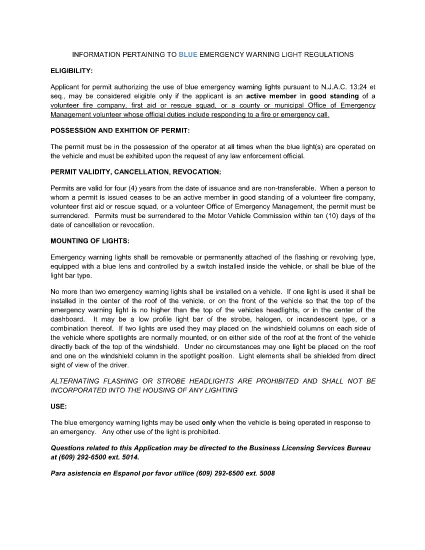
Active members of volunteer fire companies, first‑aid squads, rescue squads, and municipal Office of Emergency Management personnel who respond to fire or emergency calls are required to hold a blue‑light permit.

Eligibility Requirements

  • Must be an active volunteer in good standing with a recognized emergency organization.
  • Must have documented duties that include responding to fire or emergency calls.
  • Municipal officials (mayor, chief executive) must certify the organization’s need for the permit.

How to Complete the Form Online

Follow the simple steps in the “How‑To” section below. The Formize PDF Filler automatically validates required fields, so you’ll know instantly if something is missing.

Common Mistakes to Avoid

  • Leaving the “Signature” field blank – use the e‑sign feature.
  • Submitting outdated contact information – double‑check phone and email.
  • Failing to attach supporting documentation (e.g., letter from the fire department).

Submitting Your Completed Application

After you download the filled PDF, print it and attach any required attachments, then submit it to the New Jersey MVC office as instructed on the form.

คำถามที่พบบ่อย
  • What is the BLC‑54C form used for?

    It is the official New Jersey application that authorizes volunteers to install and operate blue emergency warning lights on their vehicles.

  • Who is eligible to apply?

    Active volunteers in good standing with fire companies, first‑aid squads, rescue squads, or municipal emergency management offices that respond to emergencies.

  • Can I submit the form electronically?

    The form must be printed and mailed or delivered to the NJ MVC after it is completed and signed. The online filler only streamlines data entry.

  • Do I need a separate signature from my organization?

    Yes. The form requires a signature from an authorized official (mayor, chief executive, or department head) confirming the applicant’s role.

  • How long does the permit processing take?

    Processing times vary, but the MVC typically reviews applications within 10‑14 business days after receipt.

  • Is there a fee for the BLC‑54C permit?

    Yes, the MVC charges a nominal fee. Refer to the fee schedule on the form or the MVC website for the current amount.

  • What happens if I operate a blue light without this permit?

    Operating blue emergency lights without a valid permit can result in fines, vehicle registration suspension, and possible criminal charges.

  • Can I use the same form for other states?

    No. The BLC‑54C is specific to New Jersey. Other states have their own separate applications.

ทำอย่างไร

วิธีกรอก BLC-54C ฟรีทางออนไลน์ใน 5 ขั้นตอนง่ายๆ:

  1. 1
    Open the Fillable Form
    Click the “Fill out this form” button on this page. The Formize PDF Filler app will load directly in your browser.
  2. 2
    Enter Your Information
    Complete each field – the filler highlights required sections and validates data in real time.
  3. 3
    Add Your Signature
    Use the built‑in e‑sign tool to apply a legally binding signature.
  4. 4
    Download the Completed PDF
    When all fields are filled, click “Download” to save the completed BLC‑54C form to your device.
  5. 5
    Print and Submit
    Print the downloaded PDF, attach any supporting documents, and submit it to the New Jersey MVC as instructed.
สร้างแอป PDF Filler
เกี่ยวกับ

แบบฟอร์มทะเบียนรถ

หากคุณเป็นเจ้าของหรือเช่ายานยนต์ รถพ่วงหรือเรือ คุณต้องปฏิบัติตามข้อผูกพันบางประการเพื่อให้ยานพาหนะของคุณจดทะเบียนถูกต้องตามกฎหมายและปลอดภัย

BLC-54C เป็นหนึ่งในแบบฟอร์มการจดทะเบียนรถยนต์ที่เป็นเอกสารที่ใช้ในการจดทะเบียนยานยนต์กับหน่วยงานของรัฐหรือจังหวัดที่เกี่ยวข้อง แบบฟอร์มเหล่านี้มักจำเป็นเมื่อบุคคลซื้อยานพาหนะใหม่หรือใช้แล้ว หรือเมื่อพวกเขาย้ายไปยังรัฐหรือจังหวัดใหม่ด้วยยานพาหนะ

ข้อกำหนดและแบบฟอร์มที่จำเป็นสำหรับการจดทะเบียนรถอาจแตกต่างกันไปตามสถานที่ แต่โดยทั่วไปแล้ว กระบวนการเกี่ยวข้องกับการให้ข้อมูลเกี่ยวกับรถ เจ้าของ และภาระผูกพันใดๆ ของรถ

เมื่อส่งแบบฟอร์มการจดทะเบียนและค่าธรรมเนียมแล้ว หน่วยงานของรัฐหรือหน่วยงานระดับจังหวัดจะออกใบรับรองการจดทะเบียนหรือป้ายทะเบียนให้กับเจ้าของรถ การจดทะเบียนนี้ทำให้รถสามารถใช้งานบนถนนสาธารณะและทางหลวงได้อย่างถูกกฎหมาย

คุณสมบัติ

PDF ฟิลเลอร์

วิธีที่ง่ายที่สุดในการกรอกแบบฟอร์ม PDF ทางออนไลน์

  • กรอก BLC-54C อย่างรวดเร็ว
    กำลังมองหาวิธีเติม BLC-54C ทางออนไลน์อย่างรวดเร็วอยู่ใช่ไหม ด้วยตัวกรอกแบบฟอร์ม PDF ออนไลน์ฟรีของเรา คุณจะรู้วิธีแก้ไขและกรอกเอกสาร PDF นี้ในเวลาไม่ถึงนาที
  • โปรแกรมแก้ไข PDF ออนไลน์ที่ใช้งานง่าย
    เบื่อกับการพิมพ์ไฟล์ PDF เพื่อให้คุณสามารถแก้ไขได้ก่อนที่จะสแกนซ้ำและส่งกลับหรือไม่? แก้ไขเอกสาร PDF ออนไลน์ฟรี ใช้โปรแกรมแก้ไข PDF ออนไลน์ของเราเพื่อประหยัดเวลาและกระดาษ
  • เครื่องมือที่ยอดเยี่ยมสำหรับทุกแพลตฟอร์ม
    สงสัยวิธีเติม BLC-54C บน Mac หรืออาจใช้ตัวเติม PDF ฟรีได้อย่างไร เครื่องมือ PDF ออนไลน์ของเราทำงานได้บนทุกแพลตฟอร์ม
  • การจัดเก็บไฟล์ที่ปลอดภัย
    ไฟล์ "BLC-54C" ที่เสร็จสมบูรณ์จะถูกจัดเก็บไว้ในฐานข้อมูลที่ปลอดภัยซึ่งจัดการโดย Amazon Cloud hosting คุณสามารถลบไฟล์ของคุณออกจากระบบของเราได้ตลอดเวลา ไม่ว่าในกรณีใด ไฟล์เหล่านี้จะถูกลบโดยอัตโนมัติหลังจากผ่านไป 24 ชั่วโมง
  • สนทนากับ BLC-54C
    แชทกับ "BLC-54C" บน Chatize ที่เป็นผู้ช่วยอ่าน PDF ฟรี ถามคำถามและรับคำตอบจาก "BLC-54C" เพียงคลิกที่ปุ่ม แชทด้วยเอกสาร ด้านบน

ลบเซสชันการบรรจุ

ลบเซสชันการกรอกข้อมูลที่เลือกหรือไม่?ในกรณีนี้ความคืบหน้าในการกรอกแบบฟอร์มจะหายไป

ลบเซสชันการแก้ไข

ลบเซสชันการแก้ไขที่เลือกหรือไม่ ในกรณีนี้ ความคืบหน้าในการสร้างและแก้ไขแบบฟอร์มจะหายไป