
Dil Seçin

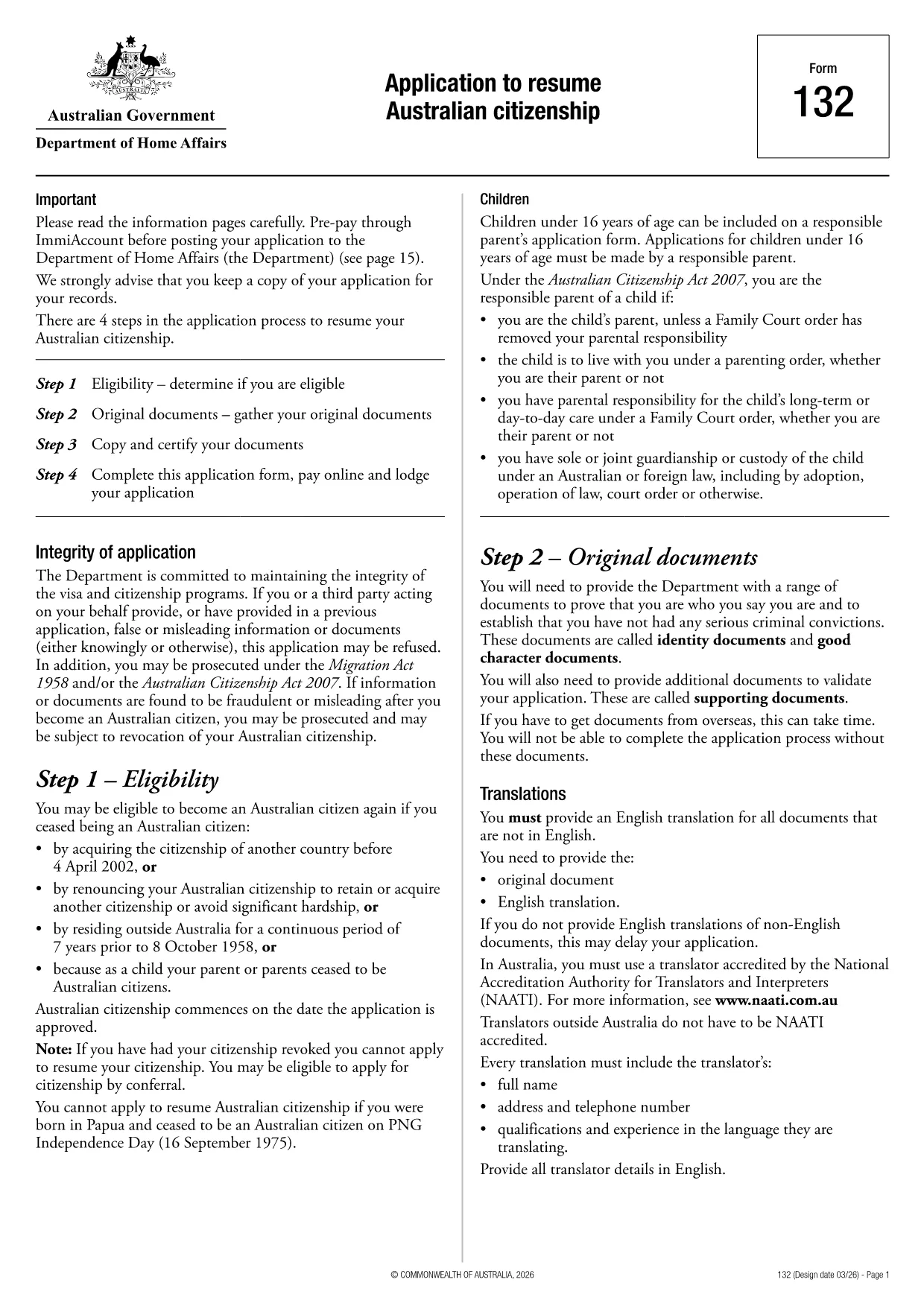
Application to Resume Australian Citizenship (Form 132) – Fill Online

  1. Dil İngilizce
  2. Ülke Avustralya
  3. Aktivite Vatandaşlık
  4. Departman Home Affairs
Application to Resume Australian Citizenship (Form 132) – Fill Online

If you need to resume your Australian citizenship, you’ll use Form 132 – Application to Resume Australian Citizenship. This official PDF can now be completed entirely online with the Formize PDF Filler, so you never have to print, scan, or manually edit the document.

Why Use the Online Formize PDF Filler?

The Formize filler loads the exact PDF you need, preserving the government‑approved layout while letting you type directly into each field. Benefits include:

  • Instant validation of required fields
  • Automatic saving – you can pause and return later
  • Secure, browser‑based processing – no software install
  • One‑click download of the completed PDF for submission

Step‑by‑Step Guide to Completing Form 132

Follow these simple steps to fill out the application correctly:

  1. Click the “Fill out this form” button below.
  2. Wait for the Formize PDF Filler app to load the PDF.
  3. Enter your personal details, citizenship history, and reasons for resumption.
  4. Attach any required supporting documents (e.g., passport copy, proof of residence).
  5. Review the completed form for accuracy.
  6. Download the finished PDF and submit it to the Department of Home Affairs.

Common Mistakes to Avoid

Even with an easy online tool, mistakes happen. Avoid these pitfalls:

  • Leaving mandatory fields blank – the filler will highlight them.
  • Uploading files in the wrong format (use PDF, JPG, or PNG only).
  • Using an outdated version of the form – the link below always points to the latest Form 132.

Eligibility & Supporting Documents

Before you start, make sure you meet the eligibility criteria:

  • You previously held Australian citizenship.
  • You have been outside Australia for a period that requires resumption.
  • You can provide proof of identity and residency.

Typical supporting documents include a current passport, a statutory declaration, and any relevant court orders.

Where to Submit Your Application

After downloading the completed PDF, submit it through the Department of Home Affairs portal or mail it to the address listed on the form. Keep a copy for your records.

Ready to get started? Click the button below and let Formize handle the rest.

SSS
  • Do I need to download any software to fill Form 132?

    No. Formize’s PDF filler works entirely in your web browser, so there’s nothing to install.

  • Can I save my progress and return later?

    Yes. The filler automatically saves your entries locally, allowing you to close the browser and continue later.

  • What file formats are accepted for supporting documents?

    PDF, JPG, and PNG are accepted. Make sure each file is under 5 MB for smooth uploading.

  • Is the online filler secure?

    All data is processed locally in your browser and never stored on our servers. Your information remains private.

  • Can I print the completed form directly from the filler?

    After you finish, click the “Download” button to save the completed PDF, then print it using any PDF viewer.

  • What if I make a mistake after downloading?

    You can reopen the downloaded PDF in Formize’s filler, correct the error, and download a new version.

  • Where do I send the finished Form 132?

    Submit the PDF through the Department of Home Affairs online portal or mail it to the address listed on the form.

NASıL

Australian citizenship resume form formunu ücretsiz, çevrimiçi olarak 4 kolay adımda nasıl doldurabilirsiniz:

  1. 1
    Open the Form
    Click the “Fill out this form” button on this page. The Formize PDF Filler will launch in your browser.
  2. 2
    Enter Your Details
    Type directly into each highlighted field – the filler automatically saves your progress.
  3. 3
    Upload Supporting Documents
    Use the “Attach File” option to add passport scans, statutory declarations, or other required PDFs.
  4. 4
    Review and Submit
    Check every section for completeness, then download the finished PDF and send it to the Department of Home Affairs.
PDF Filler uygulamasını biçimlendirin
HAKKıNDA

Vatandaşlık Formları

Australian citizenship resume form, ​​bir ülkede vatandaşlığa başvurmak için kullanılan belgeler olan Vatandaşlık formlarından biridir. Vatandaşlık için kesin biçimler ve gereklilikler ülkeye göre değişir, ancak genel olarak süreç, kişisel bilgilerin ve vatandaşlık için uygunluk kanıtının sağlanmasını içerir.

Amerika Birleşik Devletleri'nde en yaygın vatandaşlık formu, N-400 Vatandaşlığa Kabul Başvurusu'dur. Bu form, yasal daimi ikamet edenler (yeşil kart sahipleri) tarafından ABD vatandaşlığına başvurmak için kullanılır. Form, ad, doğum tarihi ve iletişim bilgileri gibi kişisel bilgilerin yanı sıra başvuranın göçmenlik durumu, sabıka geçmişi ve diğer uygunluk gereksinimleri hakkında bilgi ister.

Diğer ülkelerde vatandaşlık için farklı biçimler ve gereksinimler olabilir, ancak temel süreç genellikle başvuranın geçmişi hakkında bilgi vermeyi ve belirli uygunluk kriterlerini karşılamayı içerir. Bu, bir vatandaşlık sınavını geçmeyi, ülkenin tarihi ve hükümeti hakkında bilgi sahibi olmayı ve ülkenin dilinde yeterlilik göstermeyi içerebilir.

Vatandaşlık alma sürecinin karmaşık ve zaman alıcı olabileceğini not etmek önemlidir. Vatandaşlık arayan bireylerin, süreci yönlendirmesine yardımcı olması ve gerekli tüm formların ve gereksinimlerin karşılandığından emin olması için bir göçmenlik avukatına veya başka bir kalifiye profesyonele danışması önerilir.

ÖZELLIKLERI

PDF Doldurucu

PDF formlarını çevrimiçi doldurmanın en kolay yolu

  • Australian citizenship resume form'ü hızlıca doldurun
    Australian citizenship resume form çevrimiçi olarak hızlı bir şekilde doldurmanın bir yolunu mu arıyorsunuz? Çevrimiçi ücretsiz PDF form doldurucumuzla, bu pdf belgesini nasıl düzenleyeceğinizi ve dolduracağınızı bir dakikadan kısa sürede öğreneceksiniz.
  • Kullanımı kolay çevrimiçi PDF düzenleyici
    PDF dosyalarını yeniden tarayıp geri göndermeden önce düzenleyebilmek için yazdırmaktan bıktınız mı? PDF belgelerini çevrimiçi olarak ücretsiz düzenleyin. Zamandan ve kağıttan tasarruf etmek için çevrimiçi pdf editörümüzü kullanın.
  • Harika araçlar, tüm platformlar
    Bir Mac'te Australian citizenship resume form'ü nasıl dolduracağınızı veya PDF doldurucuyu ücretsiz olarak nasıl kullanacağınızı mı merak ediyorsunuz? Çevrimiçi PDF araçlarımız tüm platformlarda çalışır.
  • Güvenli dosya depolama
    Tamamlanan "Australian citizenship resume form" dosyaları, Amazon Cloud barındırma tarafından yönetilen güvenli bir veritabanında depolanır. Dosyalarınızı istediğiniz zaman sistemimizden silebilirsiniz. Her durumda, bu dosyalar 24 saat sonra otomatik olarak silinir.
  • Australian citizenship resume form ile sohbet et
    Ücretsiz bir PDF okuyucu asistanı olan Chatize'da "Australian citizenship resume form" ile sohbet edin. "Australian citizenship resume form" adlı kişiden sorular sorun ve yanıtlar alın. Yukarıdaki Belgeyle Sohbet Et düğmesini tıklamanız yeterlidir.

Doldurma oturumunu sil

Seçilen doldurma oturumunu silin mi? Bu durumda, formu doldurmadaki ilerlemeniz kaybolacaktır.

Düzenleme oturumunu sil

Seçilen düzenleme oturumu silinsin mi? Bu durumda formu oluşturma ve düzenleme konusundaki ilerlemeniz kaybolacaktır.