
Dil Seçin

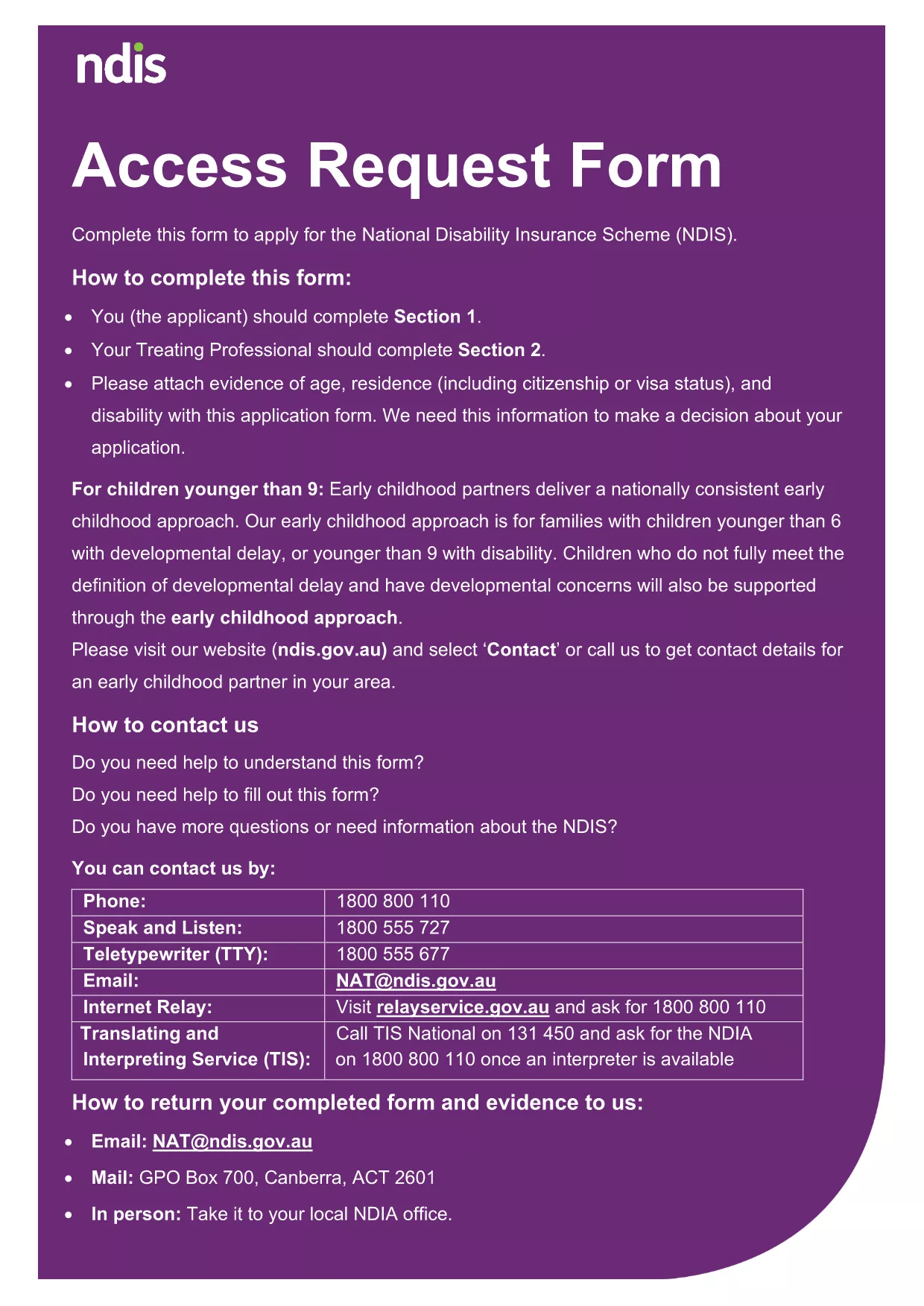
NDIA Access Request Form – Fillable PDF

  1. Dil İngilizce
  2. Ülke Avustralya
  3. Departman National Disability Insurance Agency
  4. Aktivite Access Requests
NDIA Access Request Form – Fillable PDF

The National Disability Insurance Agency (NDIA) Access Request Form is a standard application used to request access to your personal disability information. Our fillable PDF version lets you complete the form quickly, securely, and without the need for any extra software.

What Is the NDIA Access Request Form?

This form collects essential details such as your name, contact information, and the specific records you wish to obtain. It is required for anyone applying for access under the Australian Disability Services Act.

How to Complete the Form Online

Instead of downloading the PDF and opening a separate editor, simply click the "Fill out this form" button on this page. The Formize PDF Filler app will load in your browser, allowing you to:

  • Enter data directly into each field.
  • Save progress and return later.
  • Download a completed copy for your records.

Common Mistakes to Avoid

To ensure a smooth processing of your request, avoid these frequent errors:

  • Leaving mandatory fields blank.
  • Providing outdated contact details.
  • Submitting an unsigned form.
  • Uploading supporting documents in an unsupported format.

Where to Submit Your Completed Form

After you finish, you can either:

  • Print and mail the form to the NDIA address listed on the last page.
  • Upload the PDF through your My NDIS portal.

Both methods are accepted, but online submission speeds up processing.

SSS
  • Do I need a PDF reader to fill this form?

    No. The Formize PDF Filler works entirely in your web browser, so you don’t need Adobe Acrobat or any other software.

  • Can I save my progress and finish later?

    Yes. Use the "Save" button to store a draft in your browser, then return to the page and click "Load draft" when you’re ready.

  • What file format should I use for supporting documents?

    Accepted formats are PDF, JPG, and PNG. Make sure each file is under 5 MB.

  • Is the information I enter secure?

    All data is processed locally in your browser and never stored on Formize servers unless you choose to download or email it.

  • Can I print the form before submitting?

    Absolutely. After completing the form, click "Download" and print the PDF for a hard‑copy submission.

  • What if I make a mistake after submitting?

    Contact the NDIA directly to request a correction. You can also submit a new, corrected form if needed.

NASıL

NDIA access request form formunu ücretsiz, çevrimiçi olarak 4 kolay adımda nasıl doldurabilirsiniz:

  1. 1
    Open the Fillable Form
    Click the "Fill out this form" button on the page. The Formize PDF Filler will launch directly in your browser.
  2. 2
    Enter Your Information
    Type your details into each highlighted field. Use the tab key to move quickly between sections.
  3. 3
    Save or Download
    When finished, click "Save" to store a copy in your browser or "Download" to save the completed PDF to your device.
  4. 4
    Submit the Form
    Print and mail the PDF, or upload it through the My NDIS portal as instructed on the last page of the form.
PDF Filler uygulamasını biçimlendirin
HAKKıNDA

NDIA access request form şablonu

Bir PDF belgesini görüntülemeye ve doldurmaya yönelik geleneksel özellikler grubuyla, bir web uygulamasının ve uyumlu mizanpajın avantajlarıyla birleştiğinde, NDIA access request form kelimesini dakikalar içinde tamamlayabilirsiniz.

ÖZELLIKLERI

PDF Doldurucu

PDF formlarını çevrimiçi doldurmanın en kolay yolu

  • NDIA access request form'ü hızlıca doldurun
    NDIA access request form çevrimiçi olarak hızlı bir şekilde doldurmanın bir yolunu mu arıyorsunuz? Çevrimiçi ücretsiz PDF form doldurucumuzla, bu pdf belgesini nasıl düzenleyeceğinizi ve dolduracağınızı bir dakikadan kısa sürede öğreneceksiniz.
  • Kullanımı kolay çevrimiçi PDF düzenleyici
    PDF dosyalarını yeniden tarayıp geri göndermeden önce düzenleyebilmek için yazdırmaktan bıktınız mı? PDF belgelerini çevrimiçi olarak ücretsiz düzenleyin. Zamandan ve kağıttan tasarruf etmek için çevrimiçi pdf editörümüzü kullanın.
  • Harika araçlar, tüm platformlar
    Bir Mac'te NDIA access request form'ü nasıl dolduracağınızı veya PDF doldurucuyu ücretsiz olarak nasıl kullanacağınızı mı merak ediyorsunuz? Çevrimiçi PDF araçlarımız tüm platformlarda çalışır.
  • Güvenli dosya depolama
    Tamamlanan "NDIA access request form" dosyaları, Amazon Cloud barındırma tarafından yönetilen güvenli bir veritabanında depolanır. Dosyalarınızı istediğiniz zaman sistemimizden silebilirsiniz. Her durumda, bu dosyalar 24 saat sonra otomatik olarak silinir.
  • NDIA access request form ile sohbet et
    Ücretsiz bir PDF okuyucu asistanı olan Chatize'da "NDIA access request form" ile sohbet edin. "NDIA access request form" adlı kişiden sorular sorun ve yanıtlar alın. Yukarıdaki Belgeyle Sohbet Et düğmesini tıklamanız yeterlidir.

Doldurma oturumunu sil

Seçilen doldurma oturumunu silin mi? Bu durumda, formu doldurmadaki ilerlemeniz kaybolacaktır.

Düzenleme oturumunu sil

Seçilen düzenleme oturumu silinsin mi? Bu durumda formu oluşturma ve düzenleme konusundaki ilerlemeniz kaybolacaktır.