
Dil Seçin

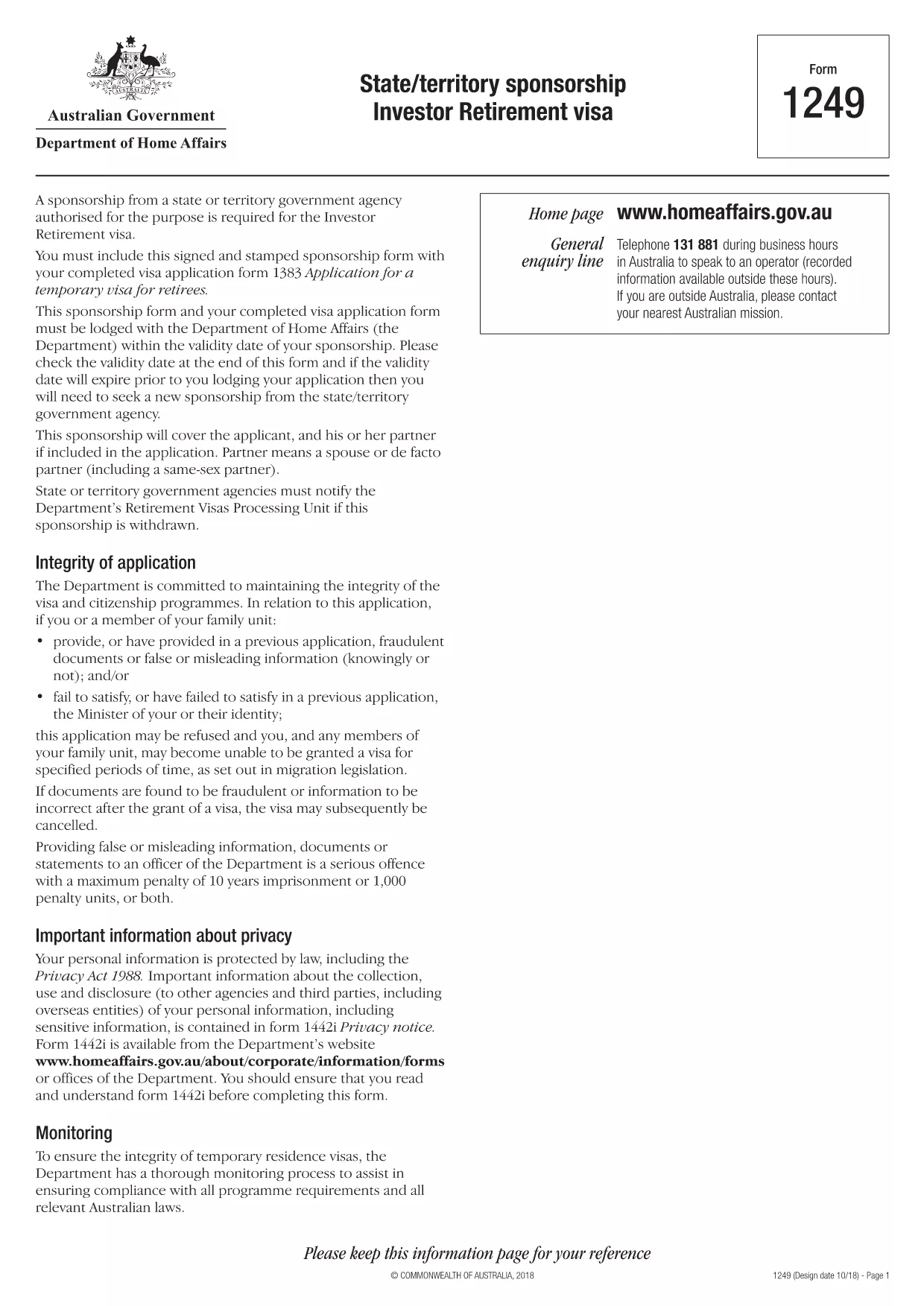
Form 1249 – State/Territory Sponsorship for the Investor Retirement Visa

  1. Dil İngilizce
  2. Ülke Avustralya
  3. Aktivite vizeler
Form 1249 – State/Territory Sponsorship for the Investor Retirement Visa

Form 1249 is the official State/Territory Sponsorship document required for the Australian Investor Retirement Visa (subclass 188‑IR). The sponsoring state or territory government must approve the applicant’s investment plan before the Department of Home Affairs processes the visa.

This landing page lets you view, fill, and download the fillable PDF directly in your browser – no extra software needed. Just click the “Fill out this form” button and the Formize PDF Filler will load the form for you.

What Is Form 1249 and Who Needs It?

The form captures details about the applicant’s proposed investment, the sponsoring government’s commitment, and the validity period of the sponsorship. It is required for:

  • Applicants of the Investor Retirement visa (subclass 188‑IR)
  • State or territory agencies that are sponsoring the applicant
  • Legal representatives preparing a visa package

How to Complete Form 1249 Online with Formize

Follow these simple steps to fill the form without downloading any software:

  1. Click the “Fill out this form” button on this page.
  2. Wait a few seconds while the Formize PDF Filler loads the fillable PDF.
  3. Enter all required information in the highlighted fields. The filler validates dates and numeric entries automatically.
  4. When you finish, click **Save & Download** to get a completed PDF ready for submission.

Common Mistakes & Tips for a Successful Submission

  • Validity date – Double‑check the sponsorship validity at the bottom of the form. If it expires before you lodge your visa, you’ll need a new sponsorship.
  • Signature fields – Use the built‑in signature tool in Formize or print, sign, and scan the final PDF.
  • Investment details – Provide exact figures and currency; rounding errors cause delays.
  • Supporting documents – Attach the required business plan, proof of funds, and any state‑specific endorsement letters.

Where to Submit the Completed Sponsorship Form

After saving the filled PDF, include it with your visa application package and lodge it through the Department of Home Affairs portal. The sponsoring state/territory must also retain a copy for their records.

Need a printable version? Use the direct download link below.

SSS
  • What is the purpose of Form 1249?

    Form 1249 records the sponsorship commitment from an Australian state or territory for an Investor Retirement visa applicant.

  • Can I fill Form 1249 on a mobile device?

    Yes. The Formize PDF Filler works on modern smartphones and tablets as long as the browser supports PDF rendering.

  • Do I need to print the form to sign it?

    You can sign electronically using the Formize signature tool, or print, sign, and scan the final PDF before submission.

  • How long is the sponsorship validity?

    The validity period is printed on the last page of the form. It must remain active until the visa is granted; otherwise a new sponsorship is required.

  • What happens if I make a mistake after downloading?

    Open the saved PDF again with Formize, edit the incorrect fields, and re‑download the corrected version.

  • Is there a fee to use Formize’s filler?

    No, the Formize PDF Filler is free for all users on this page.

  • Where do I send the completed Form 1249?

    Include the completed form with your visa application package and lodge it through the Department of Home Affairs online portal.

  • Do I need a separate form for each state or territory?

    Form 1249 is the same nationwide, but the sponsoring agency (state or territory) must complete the sponsorship section.

NASıL

Form 1249 formunu ücretsiz, çevrimiçi olarak 4 kolay adımda nasıl doldurabilirsiniz:

  1. 1
    Open the Fillable Form
    Click the “Fill out this form” button on the page. The Formize PDF Filler will open the fillable Form 1249 in your browser.
  2. 2
    Enter Your Information
    Complete each highlighted field. The filler checks dates, numbers and required formats automatically.
  3. 3
    Save and Download
    When all sections are filled, press “Save & Download” to get a completed PDF ready for submission to the Department of Home Affairs.
  4. 4
    Submit with Your Visa Application
    Attach the saved PDF to your Investor Retirement visa (subclass 188‑IR) application through the Home Affairs online portal.
PDF Filler uygulamasını biçimlendirin
HAKKıNDA

Vize Formları

Form 1249, ​​yabancı bir ülkeye giriş için vize başvurusunda kullanılan belgeler olan Vize formlarından biridir. Vize, yabancı uyruklu bir kişinin belirli bir süre için yabancı bir ülkeye girmesine, orada kalmasına ve bazen çalışmasına izin veren bir belgedir. Vize almanın kesin biçimleri ve gereklilikleri ülkeye ve vize türüne göre değişir.

Vize formları tipik olarak isim, doğum tarihi ve pasaport bilgileri gibi kişisel bilgilerin yanı sıra seyahatin amacı ve uzunluğu, amaçlanan varış yeri ve başvuranın daha önce vize reddi veya bir ülkeden sınır dışı edilip edilmediği hakkında bilgiler gerektirir. Formlar ayrıca pasaport, fotoğraf ve mali destek kanıtı gibi destekleyici belgeler gerektirebilir.

Amerika Birleşik Devletleri'nde en yaygın vize formları DS-160 ve DS-260 formlarıdır. DS-160 formu göçmen olmayan bir vizeye başvurmak için kullanılırken, DS-260 formu göçmen vizesine başvurmak için kullanılır. Bu formlar, başvuranın kişisel ve seyahat geçmişi hakkında ayrıntılı bilgilerin yanı sıra pasaport, seyahat programı ve mali kayıtlar gibi destekleyici belgeler gerektirir.

Diğer ülkelerin farklı vize formları ve gereksinimleri olabilir, ancak temel süreç genellikle bir vize başvurusunun tamamlanmasını, destekleyici belgelerin sağlanmasını ve bir ABD büyükelçiliği veya konsolosluğunda bir konsolosluk görevlisi ile görüşmeye katılmayı içerir. Vize başvuru sürecinin karmaşık ve zaman alıcı olabileceğini unutmamak önemlidir ve vize almak isteyen kişilerin, gerekli tüm formların ve gereksinimlerin karşılandığından emin olmak için bir göçmenlik avukatına veya başka bir kalifiye profesyonele danışmaları önerilir.

ÖZELLIKLERI

PDF Doldurucu

PDF formlarını çevrimiçi doldurmanın en kolay yolu

  • Form 1249'ü hızlıca doldurun
    Form 1249 çevrimiçi olarak hızlı bir şekilde doldurmanın bir yolunu mu arıyorsunuz? Çevrimiçi ücretsiz PDF form doldurucumuzla, bu pdf belgesini nasıl düzenleyeceğinizi ve dolduracağınızı bir dakikadan kısa sürede öğreneceksiniz.
  • Kullanımı kolay çevrimiçi PDF düzenleyici
    PDF dosyalarını yeniden tarayıp geri göndermeden önce düzenleyebilmek için yazdırmaktan bıktınız mı? PDF belgelerini çevrimiçi olarak ücretsiz düzenleyin. Zamandan ve kağıttan tasarruf etmek için çevrimiçi pdf editörümüzü kullanın.
  • Harika araçlar, tüm platformlar
    Bir Mac'te Form 1249'ü nasıl dolduracağınızı veya PDF doldurucuyu ücretsiz olarak nasıl kullanacağınızı mı merak ediyorsunuz? Çevrimiçi PDF araçlarımız tüm platformlarda çalışır.
  • Güvenli dosya depolama
    Tamamlanan "Form 1249" dosyaları, Amazon Cloud barındırma tarafından yönetilen güvenli bir veritabanında depolanır. Dosyalarınızı istediğiniz zaman sistemimizden silebilirsiniz. Her durumda, bu dosyalar 24 saat sonra otomatik olarak silinir.
  • Form 1249 ile sohbet et
    Ücretsiz bir PDF okuyucu asistanı olan Chatize'da "Form 1249" ile sohbet edin. "Form 1249" adlı kişiden sorular sorun ve yanıtlar alın. Yukarıdaki Belgeyle Sohbet Et düğmesini tıklamanız yeterlidir.

Doldurma oturumunu sil

Seçilen doldurma oturumunu silin mi? Bu durumda, formu doldurmadaki ilerlemeniz kaybolacaktır.

Düzenleme oturumunu sil

Seçilen düzenleme oturumu silinsin mi? Bu durumda formu oluşturma ve düzenleme konusundaki ilerlemeniz kaybolacaktır.