
Dil Seçin

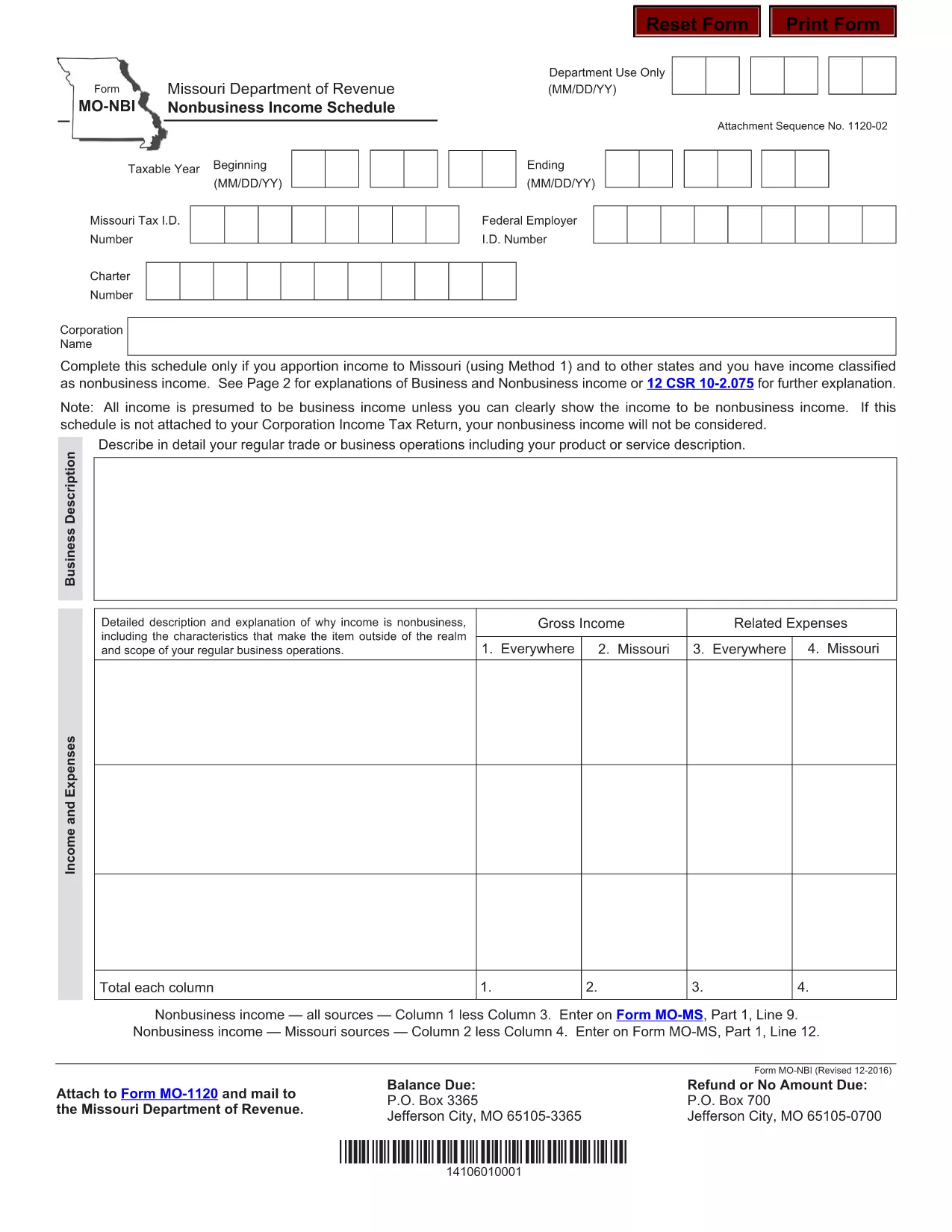
NBI Application Form – Fillable PDF Download

  1. Ülke Amerika Birleşik Devletleri
  2. Dil İngilizce
  3. Aktivite vergiler
  4. Departman Gelir, Rehabilitasyon ve Afet Yönetimi Dairesi Başkanlığı
NBI Application Form – Fillable PDF Download

Need a fast, accurate way to complete your NBI (National Bureau of Investigation) application? Our free fillable PDF lets you enter all required information, sign electronically, and download a ready‑to‑print document—all without installing any software.

Why Choose a Fillable PDF for Your NBI Application?

Fillable PDFs eliminate the hassle of printing, writing, and scanning. Your data stays legible, you can correct mistakes instantly, and the form is compatible with any device. With Formize’s secure online editor, your personal information is encrypted and never stored on our servers.

How to Complete the NBI Application Form Online

Simply click the "Fill out this form" button below. The Formize PDF Filler app will load, presenting you with editable fields that match the official NBI layout. Follow the step‑by‑step guide in the How‑To section to finish quickly.

Common Mistakes to Avoid When Filling the NBI Form

  • Leaving required fields blank – use “N/A” only when the field truly does not apply.
  • Entering mismatched names or IDs – double‑check spelling against your government ID.
  • Forgetting to sign the form – the electronic signature is mandatory for processing.
  • Submitting an outdated version – always use the latest PDF linked on this page.

Where to Submit Your Completed NBI Application

After you download the filled PDF, bring it to your nearest NBI branch for biometric capture and final verification. Some branches also accept scanned copies via their online portal; check local requirements before you go.

Ready to start? Click the button below, fill the form in seconds, and download your completed NBI application.

SSS
  • Is the NBI Application Form free to download?

    Yes, the fillable PDF is completely free. You can download, edit, and save it without any charge.

  • Do I need special software to fill the form?

    No special software is required. The Formize PDF Filler works in any modern web browser.

  • Can I submit the form electronically?

    Some NBI branches accept scanned PDFs via their online portal. Verify the specific submission method with your local office.

  • What if I make a mistake after saving?

    Open the saved PDF again with the Formize filler, correct the error, and re‑save. The fillable fields remain editable.

  • Is my personal data safe?

    Formize uses SSL encryption for all data entered in the browser. No information is stored on our servers after you download the file.

  • Do I still need to bring identification to the NBI office?

    Yes. The filled form must be accompanied by valid government‑issued IDs for biometric verification.

  • How long does the NBI clearance process take?

    Processing time varies by branch, but most offices issue the clearance within 30‑45 minutes after biometric capture.

  • Can I use this form if I live abroad?

    You can complete the PDF from anywhere, then have a trusted person submit it on your behalf at an NBI branch in the Philippines.

NASıL

NBI application form formunu ücretsiz, çevrimiçi olarak 5 kolay adımda nasıl doldurabilirsiniz:

  1. 1
    Open the Fillable Form
    Click the "Fill out this form" button on the page. The Formize PDF Filler app loads in your browser.
  2. 2
    Enter Your Information
    Type your personal details into each highlighted field. Use the tab key to move quickly between sections.
  3. 3
    Add an Electronic Signature
    When you reach the signature box, use your mouse or touchscreen to draw your signature, then click "Apply".
  4. 4
    Review and Save
    Double‑check all entries for accuracy. Click "Save" to download the completed PDF to your device.
  5. 5
    Submit the Form
    Print the saved PDF and bring it to your nearest NBI office, or follow your local branch’s online submission guidelines.
PDF Filler uygulamasını biçimlendirin
HAKKıNDA

Federal vergi formları

NBI application form, Amerika Birleşik Devletleri'nde federal gelir vergilerini Ulusal Gelir İdaresi'ne (IRS) bildirmek ve dosyalamak için kullanılan belgeler olan Federal vergi formlarından biridir. Bu formlar bireyler, işletmeler ve kuruluşlar tarafından gelirlerini, kesintilerini ve federal vergi yükümlülüklerini hesaplamak için gerekli diğer bilgileri bildirmek için kullanılır.

En yaygın kullanılan federal vergi formu, bireysel vergi mükellefleri tarafından kişisel gelir vergilerini bildirmek için kullanılan Form 1040'dır. Yaygın olarak kullanılan diğer formlar arasında ortaklıklar için Form 1065, Form 1120 ve vergiden muaf kuruluşlar için Form 990.

Federal vergi formları genellikle vergi mükelleflerinin ücretler, maaşlar ve bahşişler gibi çeşitli gelir kaynaklarının yanı sıra yatırımlardan, kiralık mülklerden ve diğer kaynaklardan elde edilen gelirleri bildirmelerini gerektirir. Formlar aynı zamanda vergi mükelleflerinin hayır amaçlı katkılar, ipotek faizi ve sağlık harcamaları gibi çeşitli harcamalar için kesinti ve kredi talep etmelerine de olanak tanıyor.

Federal vergi formlarının doğru ve zamanında doldurulması önemlidir; aksi takdirde IRS'den cezalar ve faiz kesintileri gelebilir.

ÖZELLIKLERI

PDF Doldurucu

PDF formlarını çevrimiçi doldurmanın en kolay yolu

  • NBI application form'ü hızlıca doldurun
    NBI application form çevrimiçi olarak hızlı bir şekilde doldurmanın bir yolunu mu arıyorsunuz? Çevrimiçi ücretsiz PDF form doldurucumuzla, bu pdf belgesini nasıl düzenleyeceğinizi ve dolduracağınızı bir dakikadan kısa sürede öğreneceksiniz.
  • Kullanımı kolay çevrimiçi PDF düzenleyici
    PDF dosyalarını yeniden tarayıp geri göndermeden önce düzenleyebilmek için yazdırmaktan bıktınız mı? PDF belgelerini çevrimiçi olarak ücretsiz düzenleyin. Zamandan ve kağıttan tasarruf etmek için çevrimiçi pdf editörümüzü kullanın.
  • Harika araçlar, tüm platformlar
    Bir Mac'te NBI application form'ü nasıl dolduracağınızı veya PDF doldurucuyu ücretsiz olarak nasıl kullanacağınızı mı merak ediyorsunuz? Çevrimiçi PDF araçlarımız tüm platformlarda çalışır.
  • Güvenli dosya depolama
    Tamamlanan "NBI application form" dosyaları, Amazon Cloud barındırma tarafından yönetilen güvenli bir veritabanında depolanır. Dosyalarınızı istediğiniz zaman sistemimizden silebilirsiniz. Her durumda, bu dosyalar 24 saat sonra otomatik olarak silinir.
  • NBI application form ile sohbet et
    Ücretsiz bir PDF okuyucu asistanı olan Chatize'da "NBI application form" ile sohbet edin. "NBI application form" adlı kişiden sorular sorun ve yanıtlar alın. Yukarıdaki Belgeyle Sohbet Et düğmesini tıklamanız yeterlidir.

Doldurma oturumunu sil

Seçilen doldurma oturumunu silin mi? Bu durumda, formu doldurmadaki ilerlemeniz kaybolacaktır.

Düzenleme oturumunu sil

Seçilen düzenleme oturumu silinsin mi? Bu durumda formu oluşturma ve düzenleme konusundaki ilerlemeniz kaybolacaktır.